

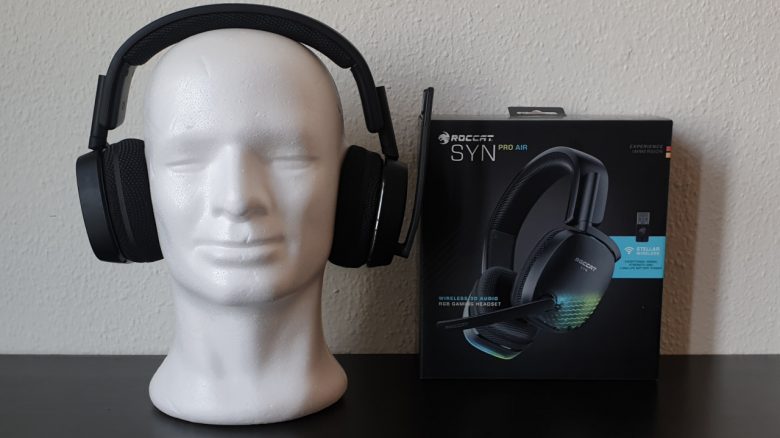
Roccat has introduced the Syn Pro Air, a wireless gaming headset with RGB lighting. MeinMMO has thoroughly tested the device and reveals how good it is.
The most important points at a glance:
- The Roccat Syn Pro Air is a wireless gaming headset with a detachable microphone and RGB lighting.
- The gaming headset costs 149.99 euros, placing it in the upper price range.
- In tests, the device delivers neutral sound and a good microphone. The ergonomics may not suit every head equally.
Which headset is it? The Roccat Syn Pro Air is a wireless gaming headset from Roccat. The manufacturer Roccat relies on proprietary wireless technology combined with RGB lighting.
At the beginning, we had a few technical problems in combination with other Roccat devices. After receiving assistance from support, the problems no longer appeared, and the headset can be used without any issues. We are using the NEON software in version 0.9.3-beta.
Features and technical details:
| Design | Over-Ear/Closed |
| Connection type | Wireless connection (radio) or USB cable |
| Frequencies | 12 Hz – 20 kHz |
| Compatibility | PC, Xbox, and PlayStation, smartphone (with USB-C adapter) |
| Weight | 286 grams (without microphone) |
| Included items | Headset, detachable microphone, quick start guide, USB-C adapter, USB-A dongle, charging cable (USB-C) |
| Price (RRP) | 149.99 € |
Roccat Pro Air in detail
In the following section, we will introduce you to the gaming headset in detail. We will cover the following aspects:
- Included items
- Design and build
- Processing
- Software
After that, we will explain how the headset performs in practice. We will focus on audio and speech quality and also check the connection strength.
Included items
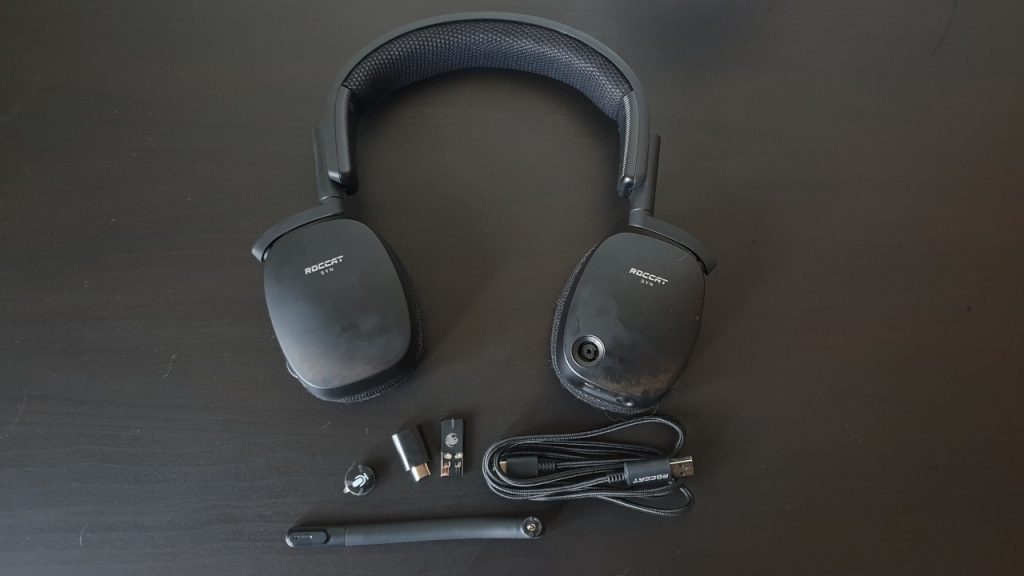
What accessories are included? The included items for the wireless headset are extensive. Besides the headset, you get:
- a detachable microphone
- a USB-C adapter
- the USB-A dongle for the wireless connection
- the USB-C charging cable for the headset.
The obligatory manual is also included in the box.
Design and build
What does the headset look like? The headset generally comes in a simple black color and does not use color accents. The ear cushions and the frame are all in black.
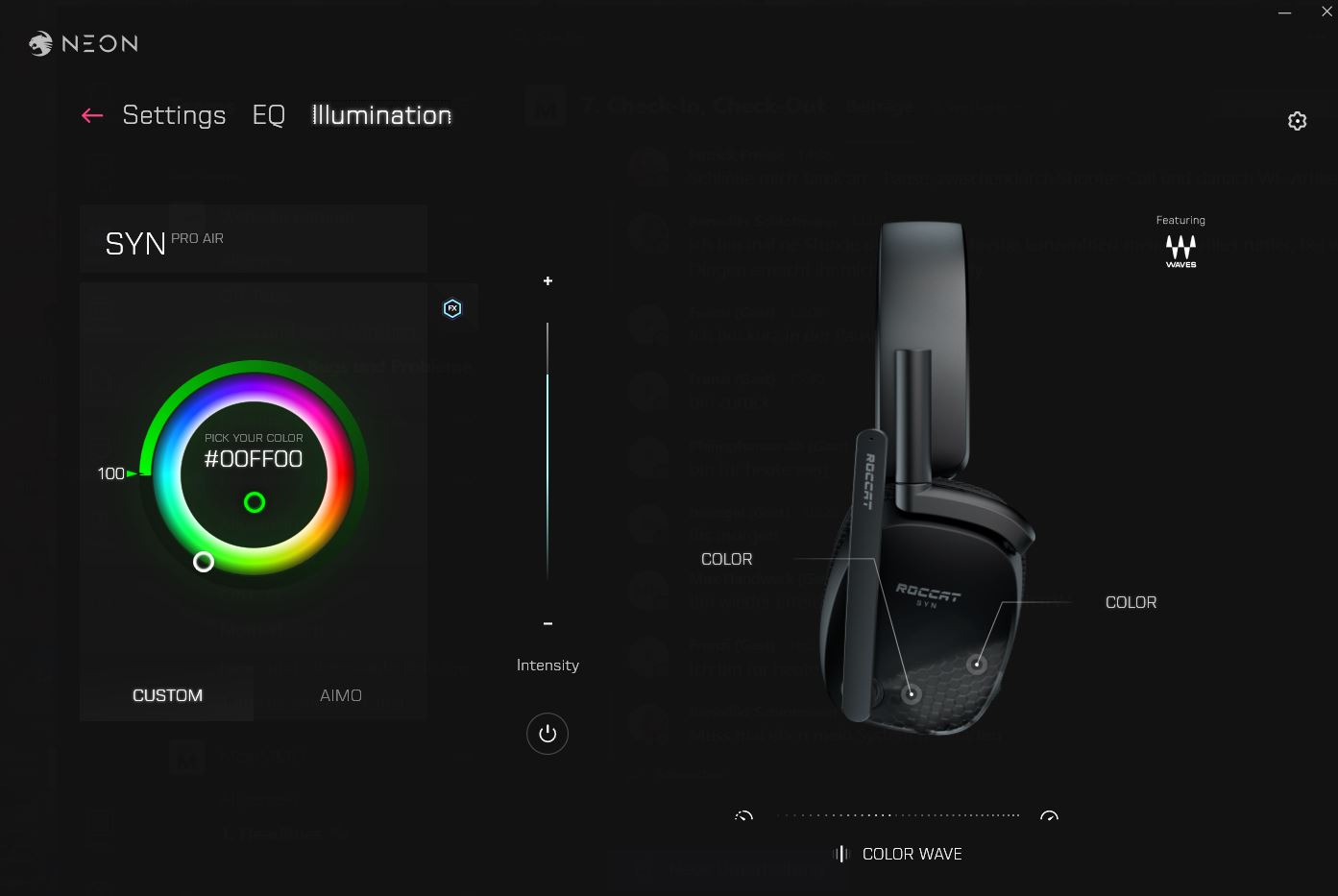
When the headset is connected to your computer, the subtle RGB lighting on both ear cups activates. The lighting can be synchronized with other Roccat devices.
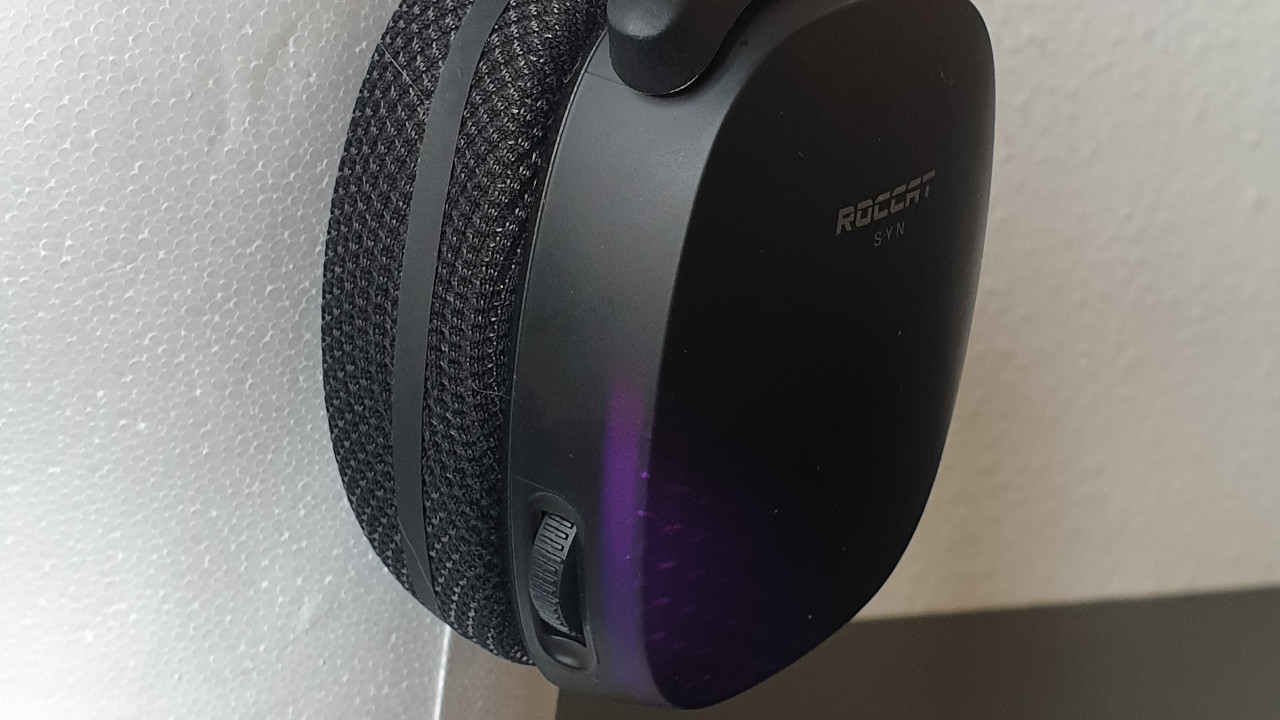
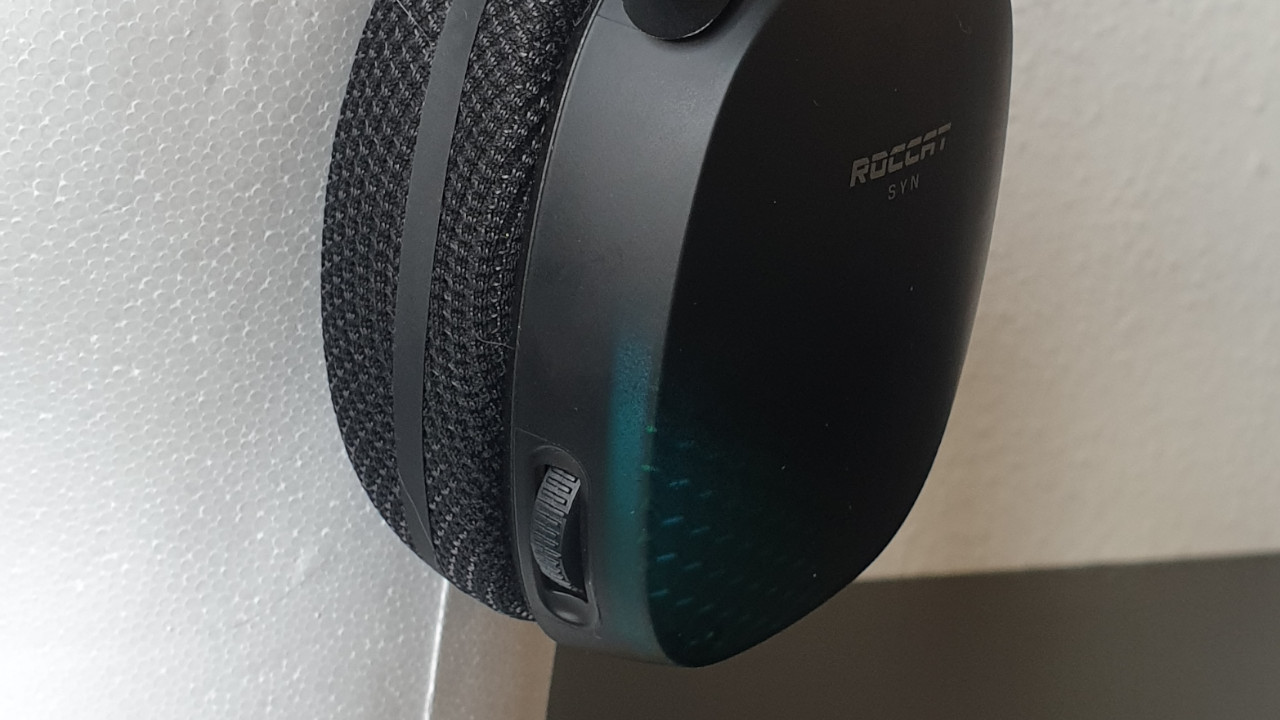
The power button, volume control for sound and microphone are all built into the headset’s body. Here is also the USB-C port used for charging the headset. When the microphone is flipped up, it mutes the microphone.
The headset is connected to the PC via a USB-A dongle. There is no option to use the device via cable or headphone jack.
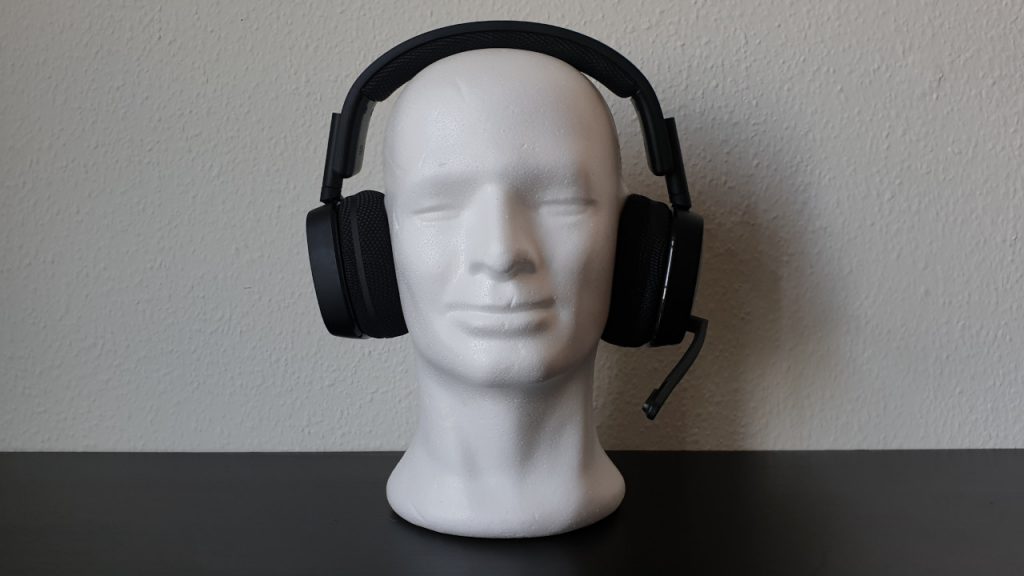
How does the device fit? The Roccat Syn Pro Air is an over-ear headset: This means that the headset is completely worn over the ears and the ears sit inside the ear cushions. The microphone is detachable. If you only want to use the device for music or gaming, you can either flip the microphone up or completely detach it.
Drivers of the headset
Roccat uses 50 mm neodymium drivers with a frequency range of 15 Hz – 20 kHz for their gaming headset.
Processing
What we like: The headset is well made and sits stably and securely on the head. The plastic body of the headset makes a good impression. Both the ear cups and the headband cushions are neatly and properly stitched.
What we don’t like: When looking at comparable or cheaper gaming headsets such as the AOC GH300, which MeinMMO tested, other manufacturers use better materials such as metal or aluminum-reinforced headbands.
Roccat relies entirely on plastic for the entire body, and the height adjustment of the ear cups also uses plastic rails. We cannot tell you how long this will hold up under prolonged use. In the approximately two months of testing, no signs of wear have appeared yet.
It is still surprising why Roccat uses only plastic in a headset for 150 euros. It is also unfortunate that the ear cushions are firmly sewn. They are not detachable.
Software
What we like about the software: We adjust the headset settings through Roccat’s new NEON software. Roccat has visibly made an effort to streamline the program compared to the previous Swarm software.
The software displays all important features and functions. Here we can adjust the sound, see the battery status, and configure the equalizer. We can also adjust the RGB lighting here.
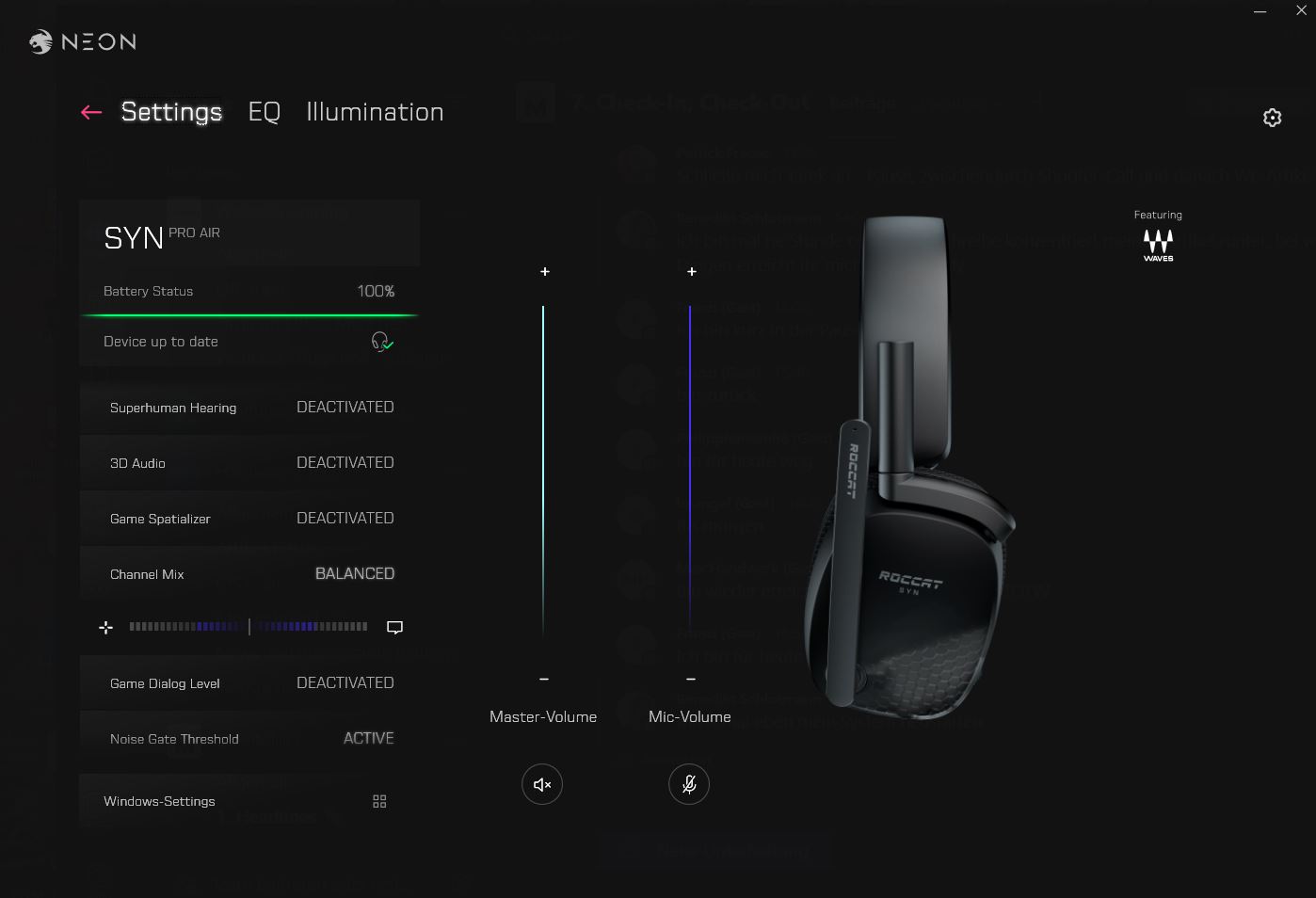
What is less successful: Overall, the entire software does not seem really intuitive. You have to click through the colorful menus and the colors are not always perfectly coordinated (e.g., with the volume control).
Additionally, some explanations are missing within the program. We have to listen through the functions to find out how the settings affect the sound. Currently, there is also no option to save profiles.
Furthermore, after installing NEON, you have to additionally download the “Turtle Beach Audio Driver” externally before you can even use the headset.
The software is currently (as of 29.09.2021) only available in English. However, all settings are understandable. At least Roccat has moved away from the German-English mix that is still found in the Swarm software today. The headset is, by the way, not compatible with the Swarm software.

On the next page, we will show you how the Roccat Syn Pro Air performs in practical tests. We will discuss comfort, sound quality, and the microphone and explain how good the battery life is. Finally, you can read in our conclusion how good the gaming headset is.

Your opinion is important to us!
Do you like the article? Then let us know!