

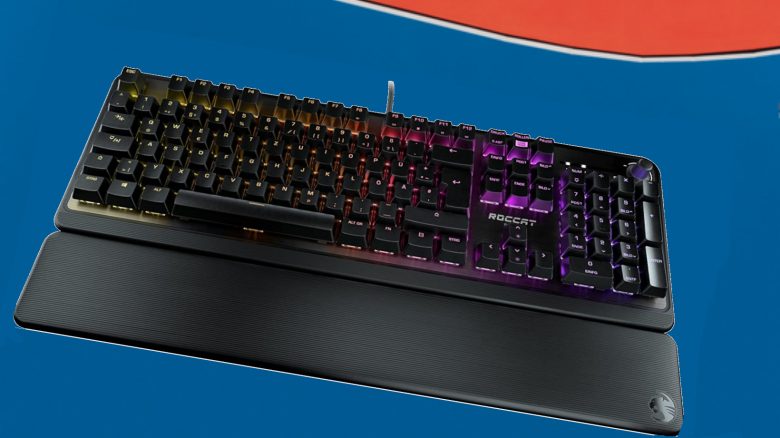
Roccat has introduced the Roccat Pyro, a gaming keyboard under 100 euros. MeinMMO has tested the keyboard and reveals for whom the purchase is worthwhile.
The key points at a glance:
- The Roccat Pyro is a mechanical keyboard with red switches and a number pad.
- The keyboard costs 99.99 euros and will be available from May 30.
- The keyboard comes with a detachable wrist rest.
- Gamers get a keyboard with good workmanship and many features for 100 euros.
Which keyboard is it about? The Roccat Pyro is Roccat’s latest gaming keyboard. With this, Roccat aims to offer a mechanical keyboard in the 100-euro range following its Vulcan series.
The keyboard features red switches from the manufacturer TTC. The TTC switches are a cheaper version of the well-known Cherry switches. Roccat used TTC switches among others in its Roccat Suora.
Red switches do not click and are not tactile, but linear. Tactile means that you feel the key when it actuates. Linear, on the other hand, means that a key feels the same from pressing down to actuation.
With Easy-Shift and the AIMO lighting system, there are two features that have previously been known from Roccat devices:
- The AIMO lighting system synchronizes all AIMO-compatible devices with one another. If you connect a Roccat mouse and a Roccat keyboard, both light up in the same pattern.
- With Easy-Shift, you can double-map keys via software. If you press this key and then another one, its second programmed function becomes active.
Features and technical details:
| Design/Interface | Wired, full-size keyboard |
| Key type | Mechanical (red switches) |
| Programmable keys | Yes |
| Lighting | Yes, Roccat’s AIMO system |
| Compatibility | PC (with software) |
| Included items | Keyboard, wrist rest, manual |
| Special features | AIMO lighting system, internal memory, anti-ghosting, Easy-Shift technology |
| Price (MSRP) | 99.99 euros |
Roccat Pyro Review: How did we test?
We at MeinMMO used the keyboard for about 2 weeks. During this time, we mainly played competitive games like Apex Legends or Overwatch.
Here, it was particularly important that wrong keys weren’t hit suddenly in the heat of battle. Furthermore, we also typed texts with the keyboard. The test for the Pyro was also conducted on this keyboard.
Roccat Pyro in detail
In the following section, we will introduce you to the gaming keyboard in detail. We will focus on the following aspects:
- Included items
- Design and build
- The software
Included items
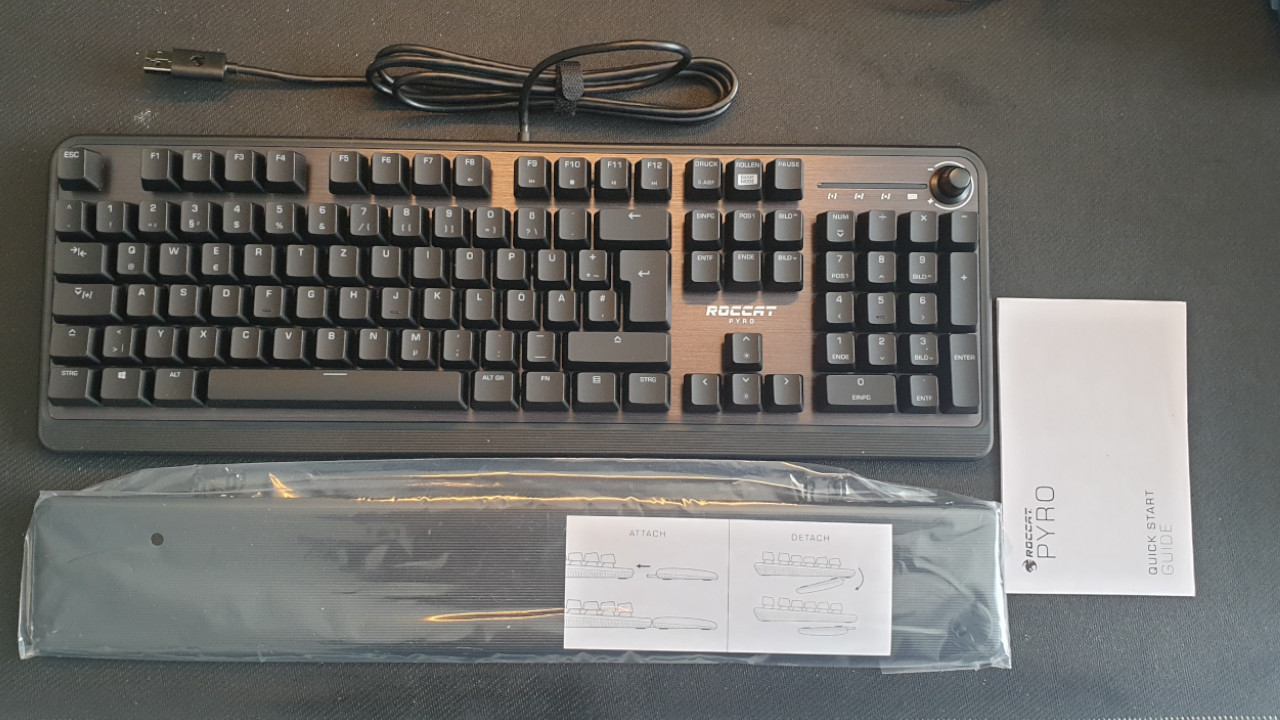
What accessories are included? In addition to the Pyro keyboard, there is also a manual and a plastic wrist rest in the box. No further accessories are included. The Swarm software must be downloaded from the manufacturer’s official website.
Design and Build
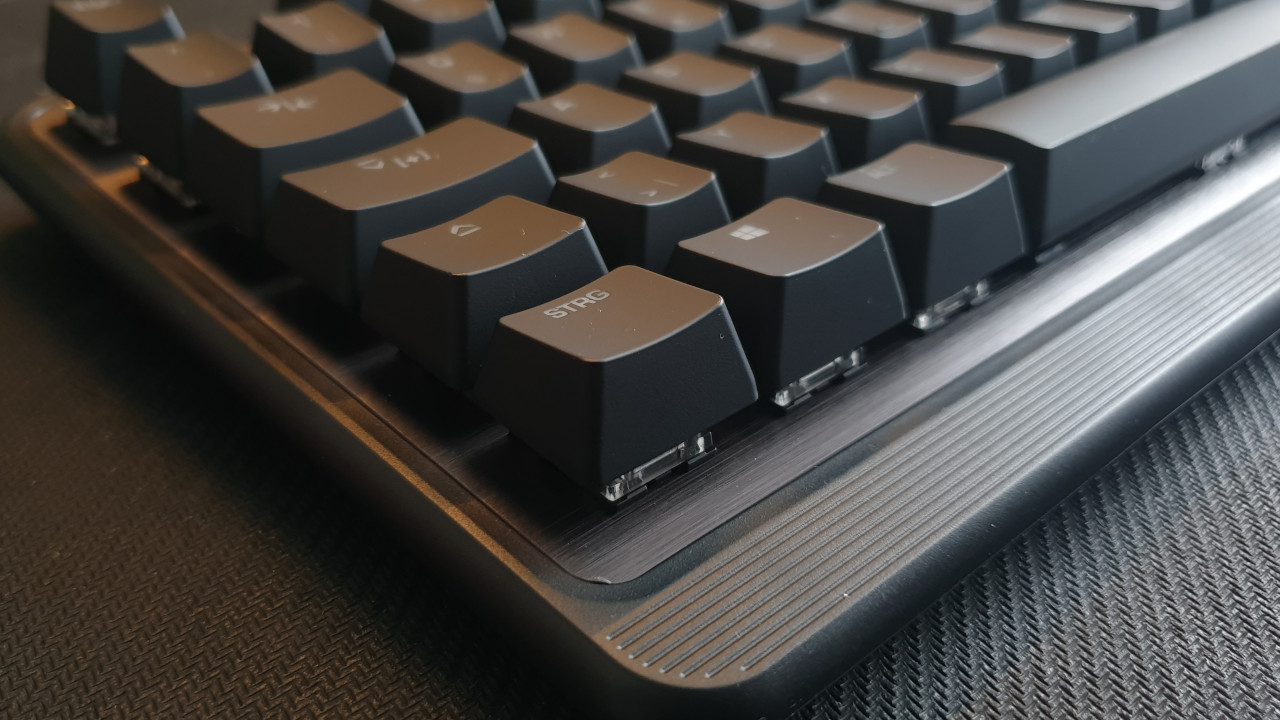
What does the keyboard look like? The keyboard features a black and understated design. The switches are almost completely surrounded by the black keycaps.
Roccat uses an aluminum plate that is mounted on the top side of the keyboard for the Pyro. This is reminiscent of the Vulcan keyboards, all of which use this aluminum look, giving the keyboard a premium appearance.
For the lighting system, Roccat relies again on its well-known AIMO system. This can be easily combined with other Roccat devices.
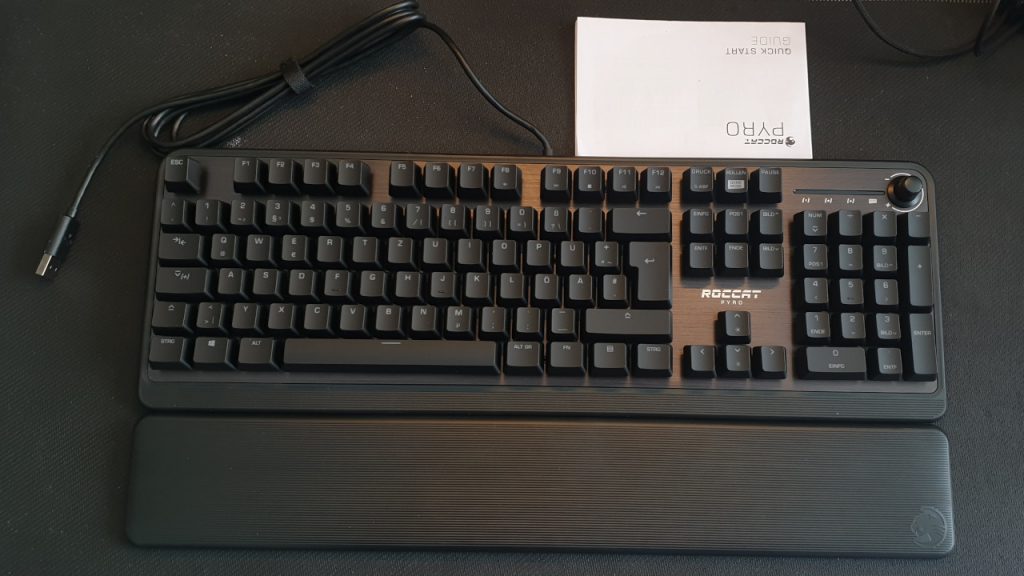
What keys does the keyboard offer? In addition to the usual keyboard keys in the German format (Qwertz), the Pyro offers a volume control on the upper right side. You won’t find any additional multifunction or media keys.
An FN key is located on the right half of the keyboard, to the right of the ALT-GR key. This allows you to use additional keys that are marked accordingly. This is reminiscent of the design of many laptop keyboards.
Roccat Pyro Software
What we like about the software: Roccat relies on the “Roccat Swarm Software” for its Pyro. As soon as you connect the keyboard to your computer, the device is immediately recognized by the PC.
You can then download and install the software from the manufacturer’s website. The software immediately recognizes the keyboard and downloads a corresponding feature update.
It is worth mentioning that most of the keyboard’s functions also work without the software. The FN functions can be used without any issues. However, for additional macros, special commands, and AIMO lighting, you will still need the software.
Most keys can be mapped with new functions for game mode. However, double mapping with Easy-Shift is not possible with all keys. Easy-Shift is limited to the left half of the keyboard, which is not a disadvantage.
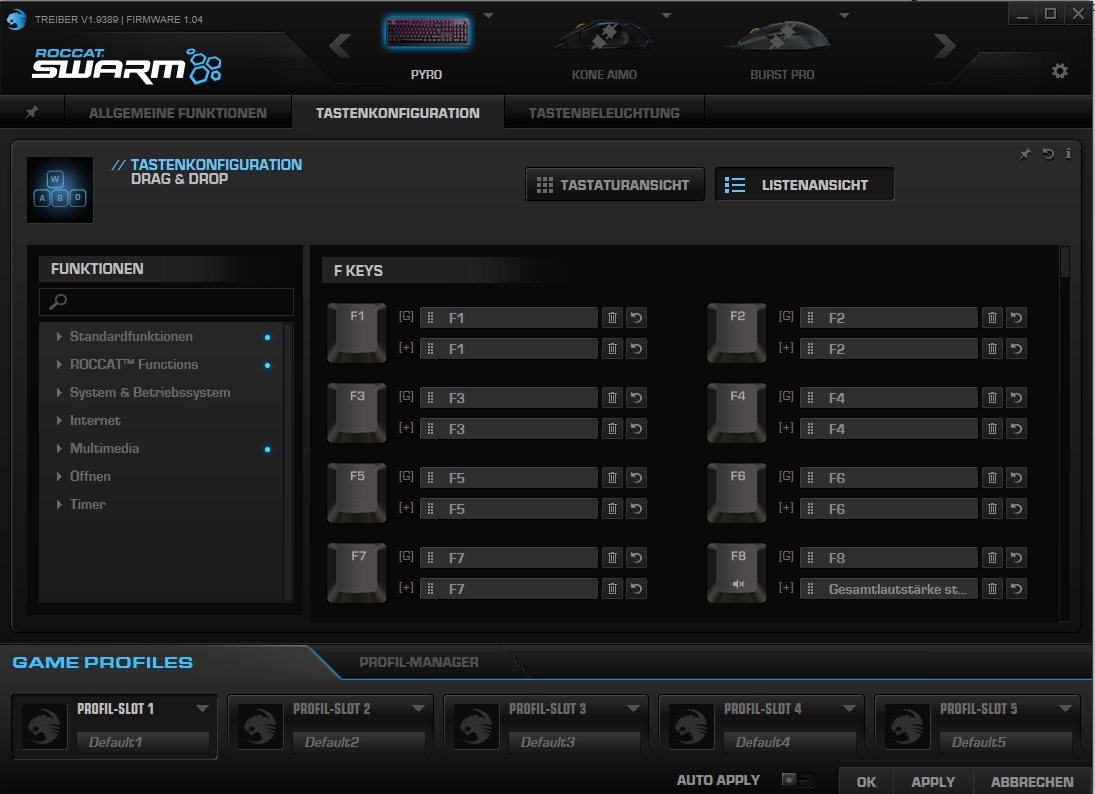
What we don’t like: Roccat’s “Swarm software” remains confusing. While the software generally offers an enormous range of features, it is likely that very few buyers will use it. We would continue to wish for more intuitive menus or a window with the most important functions, similar to what Fnatic does with its OP software.
In Practice
In this section, we will show you how the keyboard performs in practical tests. We will discuss ergonomics and handling. We will also look at how well typing and gaming on the keyboard is and what possibilities the keyboard offers in practice. We will explain the following points:
- Ergonomics and handling
- The keys and volume
- Macro functions
- Performance
Ergonomics and Handling
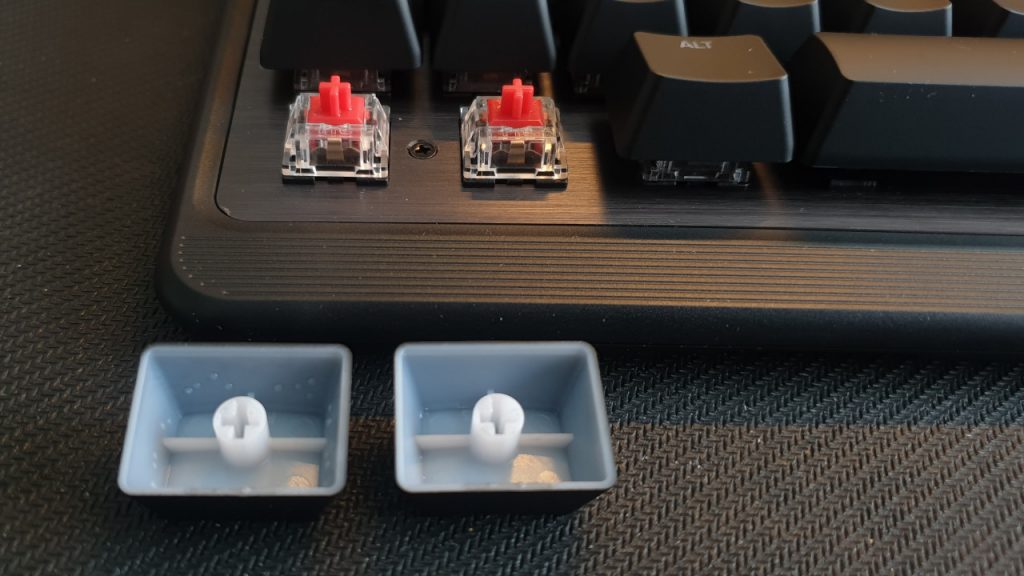
What we like: Roccat uses similar keycaps for the Pyro as those found in the Fnatic Streak tested by MeinMMO. The keys are gray-black, and the keys are integrated into the keycaps and not glued on. Additionally, all keycaps can be easily removed and cleaned.
The keys feel pleasant and premium under your fingers. The wrist rest fits snugly and cannot be moved after installation. The wrists rest comfortably on it.
The media control wheel offers a decent rotation with stepped increments. The wheel does not spin freely; instead, we feel the notches. In Windows, the volume can be adjusted in increments of 2. This is acceptable, but absolute fine-tuning is not possible this way.
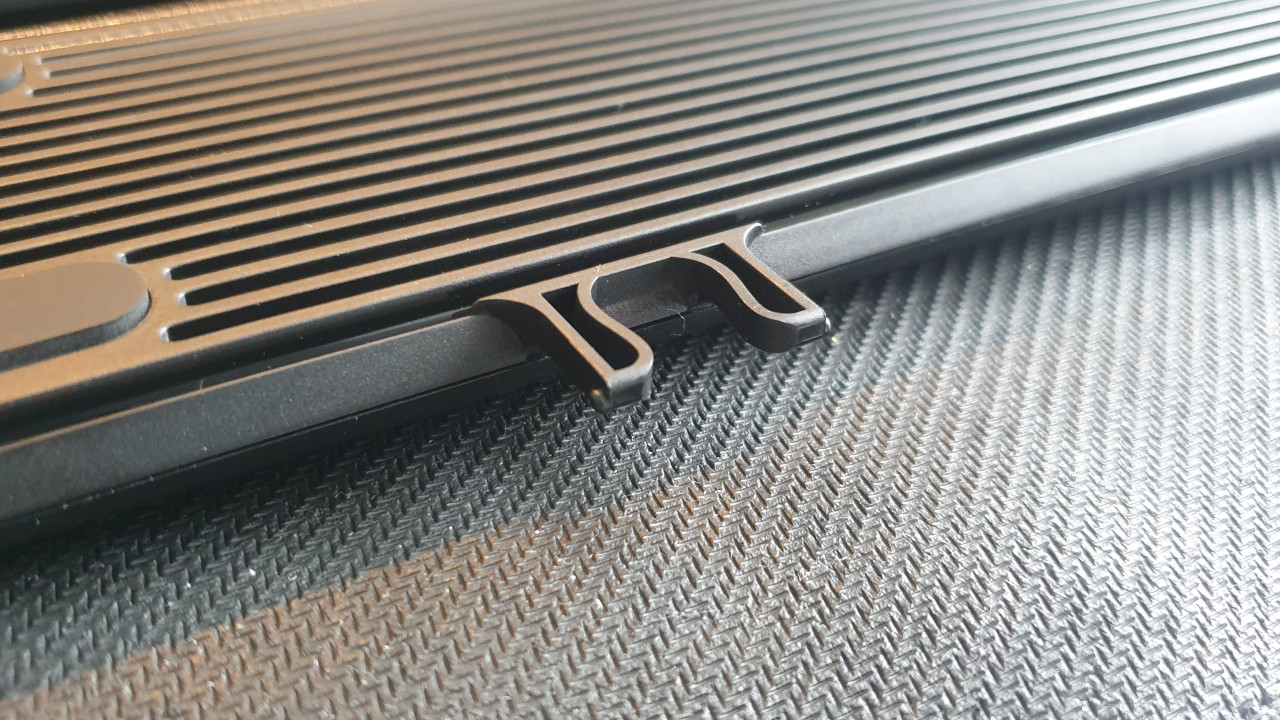
What didn’t go well: While Roccat used a magnetic attachment for the wrist rest in the Vulcan series, here a plastic clip is used. The rest is pressed into the keyboard until the clip snaps into place.
We cannot yet tell you how quickly these plastic clips will wear out after about 2 weeks of use.
Keys and Volume
The keys of the keyboard: The Pyro features red switches from the manufacturer TTC. Red switches provide neither a distinct click nor are they tactile. As a result, the keys always feel the same.
Those who primarily purchase the gaming keyboard for gaming will appreciate the high speed, low resistance, and especially the low noise. We like the keys here. They are quick and responsive and not quite as loud as comparable switches.
For heavy typists or for home office use, the red switches are only conditionally suitable. Here, blue and brown switches feel significantly more comfortable and precise, as we feel each keypress distinctly. There is hardly any noticeable difference between the red TTC switches and comparable Cherry switches. We can say little about durability after about 3 weeks.
While the red keys are fast and nimble and suitable for gaming, we miss the crisp actuation point that we are used to from other keys when it comes to typing.
In practical tests, we also noticed that dirt is easily recognizable on the keys. Slightly greasy fingers are enough to leave unsightly fingerprints on the keys. Cleaning the keycaps is, however, straightforward.
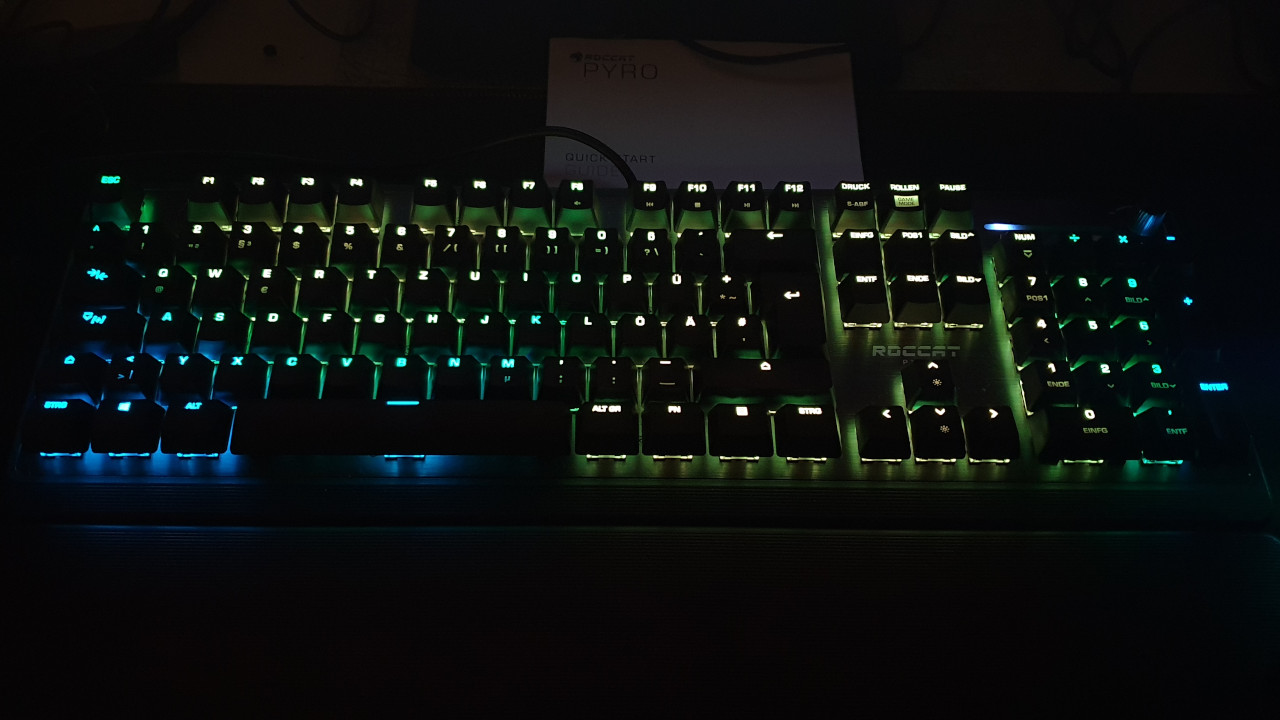
The lighting of the keyboard: After Roccat’s Kone Pro (Air) disappointed us in the MeinMMO test regarding lighting, the AIMO lighting on the Pyro is more convincing again.
The lighting is more subtle and understated than that of Roccat Vulcan TKL Pro tested by MeinMMO. It is bright enough for evening gaming and can still be configured. Through the Swarm software, we can assign lighting to each key.
Macro Functions
What we like: The FN function works well. Like on a laptop, pre-defined keys can be used this way. Additionally, the option to swap the Windows and FN keys is helpful: thanks to this feature, the functions of the keys switch places.
In game mode, certain keys are disabled or offer different functions that we can set ourselves. For example, in game mode, the Windows key is deactivated. This is especially helpful in heated battles and is a sensible extension for a gaming keyboard.
What we don’t like: The Easy-Shift key can only be awkwardly used in normal office use by first switching to game mode via the FN key. This is unnecessarily complicated and was criticized with the Roccat Vulcan TKL Pro as well.
Conclusion: Gaming Keyboard for Gamers, Suitable for Office Use to a Limited Extent
Who is the gaming keyboard suitable for? With the red key switches, Roccat primarily targets gamers. The keys are fast and quiet and can also convince us in competitive gaming.
For heavy typers or those looking for a keyboard for the home office, we would rather recommend the Vulcan series with the in-house Titan switches (brown, tactile). The red switches lack the crisp actuation point and distinct key actuation that we personally prefer. My personal recommendation for heavy typers remains the Roccat Vulcan 121.
For around 100 euros, you get a well-made gaming keyboard with fast and quiet keys and a successful lighting system that looks particularly impressive in combination with other Roccat devices.
What alternatives are there? With the HyperX Alloy Origins, you get a good gaming keyboard with similar features to Roccat’s Pyro. Additionally, with the Alloy Origins, you can detach the cable. Here too, you get linear, red switches optimized for speed.
With the SteelSeries Apex 3, you also get a good gaming keyboard under 100 euros. However, the Apex 3 uses membrane keys instead of mechanical switches. Still, you also get good workmanship and independent media keys here. However, Roccat’s Pyro offers significantly more options in terms of lighting.
You can find more gaming keyboards in our overview here on MeinMMO: Here we introduce you to the best gaming keyboards currently available for purchase.

Your opinion is important to us!
Do you like the article? Then let us know!