Red Dead Redemption 2 on PC is having issues. Players report that their RDR 2 crashes, screen goes black, or they get kicked to the desktop – “has stopped unexpectedly.” For some players, it doesn’t even start. We’ll show you fixes here to resolve the issues.
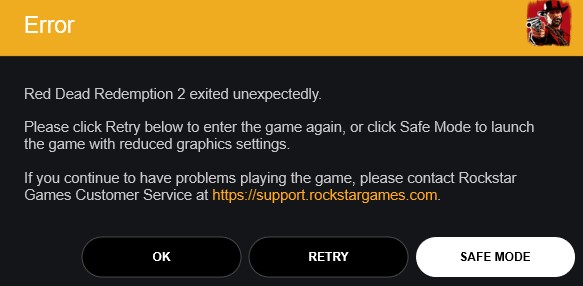
What is the problem? Yesterday, on November 5th, Red Dead Redemption 2 launched on PC. However, the launch was far from smooth for some players. Many report crashes and black screens. Red Dead Redemption 2 then “exited unexpectedly”.
Some players cannot even start the game, while others get stuck on endless loading screens.
Reasons for these issues can include outdated graphics drivers, anti-virus programs, or the Rockstar Games Launcher itself. We will show you how to start the game.
1. Update Rockstar Games Launcher – against PC crash
What should you do? To fix some of the reported issues from the first hours, Rockstar Games has released an update for its new Rockstar Games Launcher.
You should definitely install this to ensure that the launcher runs smoothly. The update should automatically download and install when starting the launcher. The new version number is “v1.0.9.164”.

2. Exceptions for Anti-Virus Software
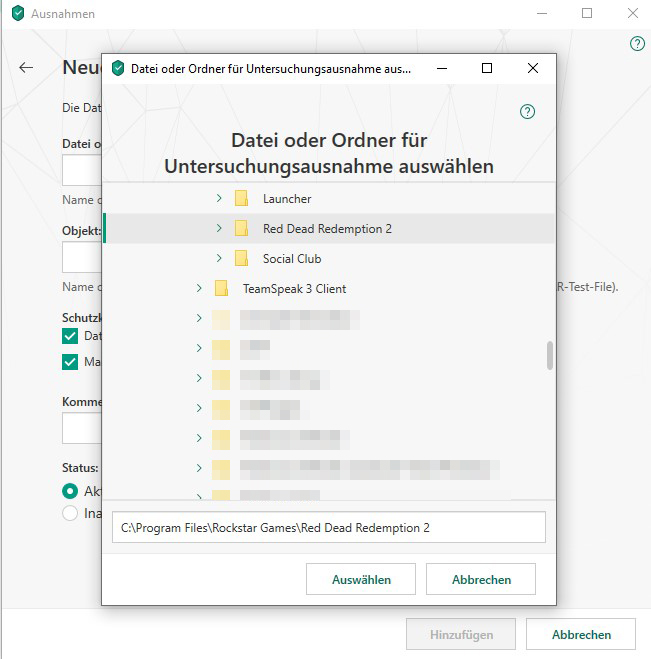
What should you do? If the launcher doesn’t start correctly or doesn’t download updates, it may be related to anti-virus software.
The solution is to add exceptions in the software for Red Dead Redemption 2. As a test, you can temporarily disable the software and try to start the launcher and Red Dead Redemption 2. If everything works with the anti-virus software disabled, then that is where the issue lies.
Examples of allowing exceptions:
- Add exception in ESET software (support.eset.com)
- Add exception in Kaspersky software (support.kaspersky.com)
- Add exception in McAfee (service.mcaffe.com)
- Add exception in Norton (support.norton.com)
3. Update Graphics Drivers – for “exited unexpectedly”
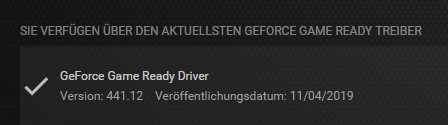
What should you do? In some cases, an outdated graphics driver can cause issues while playing. Black screens or unexpected game crashes can be the symptoms. Make sure your drivers are up to date.
You can find the download links here:
- Latest Nvidia driver at nvidia.de/download
- For Nvidia, look for version 441.12
- Latest AMD driver at amd.com/de/support
- For AMD, look for version 19.11.1
Download the latest drivers, install them, and then perform a restart. After that, try to play Red Dead Redemption 2 on PC again.
4. Run Red Dead Redemption 2 on PC as Admin
How to do that? A common issue with Windows is user rights. Some games or programs simply need to be run as an admin. The reasons are deeper, but the execution is quite easy.
Locate the Red Dead Redemption 2.exe on your PC. It is either in the folder where the game was installed or as a shortcut on your desktop. Right-click the file and select “Run as Administrator.” In the next dialog, confirm and then RDR 2 should start on PC.
5. Safe Mode of RDR 2
What should you do? If none of the solutions above work for you, then the safe mode of Red Dead Redemption 2 may help you.
After the game crashes with the error message “Red Dead Redemption 2 exited unexpectedly,” there is an option for Safe Mode. If you select this, the game will start with significantly reduced graphics settings. Try adjusting these settings piece by piece if everything runs smoothly.
Did any of the solutions help you, or do you have further assistance? Then feel free to write them in the comments. If Red Dead Redemption 2 starts on PC, use these tips right away: