

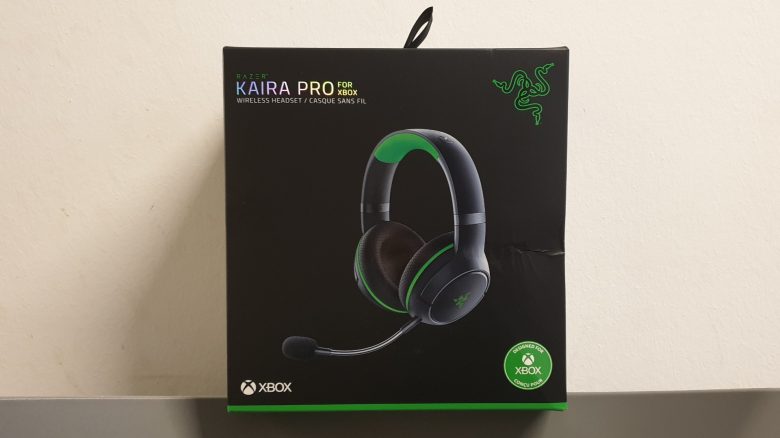
The Kaira Pro by Razer is specifically designed for the Xbox Series X. We tested the wireless headset and will tell you for whom the device is worthwhile. At the end, we will also present alternatives..
The most important thing in brief:
- The Razer Kaira Pro is a wireless headset and supports Bluetooth and Wifi.
- Supported are Xbox One, Xbox Series X|S, Android, and PC.
- The headset costs 169 Euros and is currently only available through Razer’s store.
- In our test, the headphones provide very high comfort, even for eyeglass wearers.
Which headset is it? The Kaira Pro is a wireless gaming headset from the manufacturer Razer. Technically, it is most comparable to the Arctis 9X from SteelSeries or the Turtle Beach 700 Gen 2. All three offer similar connection types, Xbox support, and are in a similar price category (150 – 200 Euros).
In our test, we examined the Kaira Pro in detail for you.
Razer Kaira Pro Review: How did we test?
We were able to test the headset over several days:
- We played games, listened to music, and chatted with friends.
- The device was used via both Bluetooth and “Xbox Wireless”.
Razer Kaira Pro in detail
In the following section, we will present the gaming headset in detail. We will address the following aspects:
- Scope of delivery
- Design and build
- Processing
- Software
After that, we will explain how the headset performs in practice. Here, we will also cover audio and voice quality.
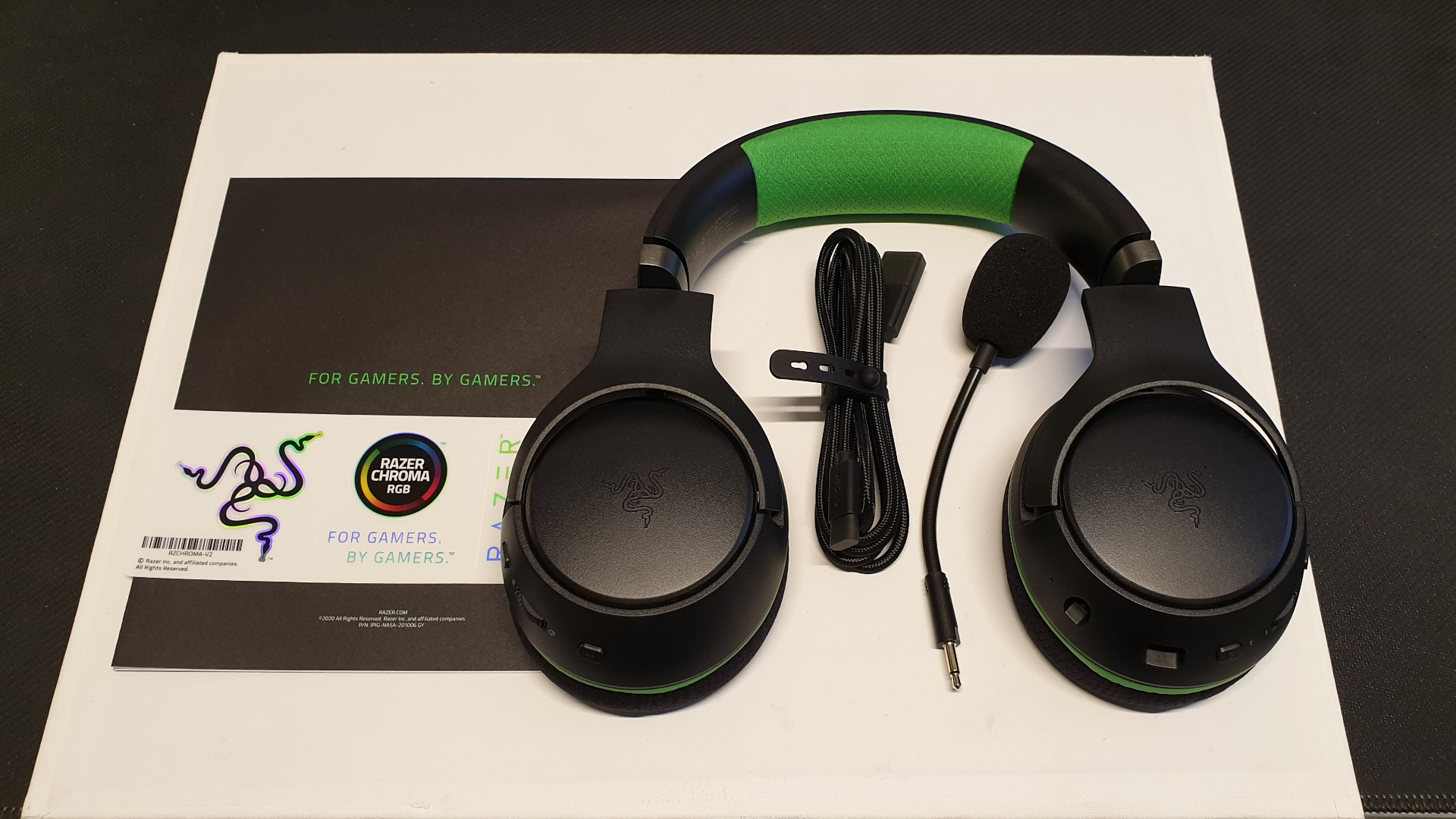
Scope of Delivery
What accessories are included? In addition to the headset, the box also contains:
- the removable microphone
- a quick start guide
- a “USB-A to USB-C” cable
You will not find a dongle or similar in the Kaira Pro’s scope of delivery. Therefore, if you want to use the headset not only on the Xbox but also on the Windows PC, you will need an adapter: either a Bluetooth adapter or an Xbox Wireless adapter. The headset cannot be used with the included USB cable; it can only be charged.
Our purchase recommendation for PC: Here, we would generally advise you to go for the Xbox Wireless Adapter. This costs around 20 – 30 Euros more, but the transmission quality is significantly better than with Bluetooth. The configuration of the Xbox Wireless Adapter is also very easy.
Design and Build
What does the headset look like? The headset features Razer’s characteristic green and black colors. The padding on the head and the boundary to the ear cushions are in green. On both sides of the ears is the Razer logo, which can be subtly illuminated but can also be turned off.
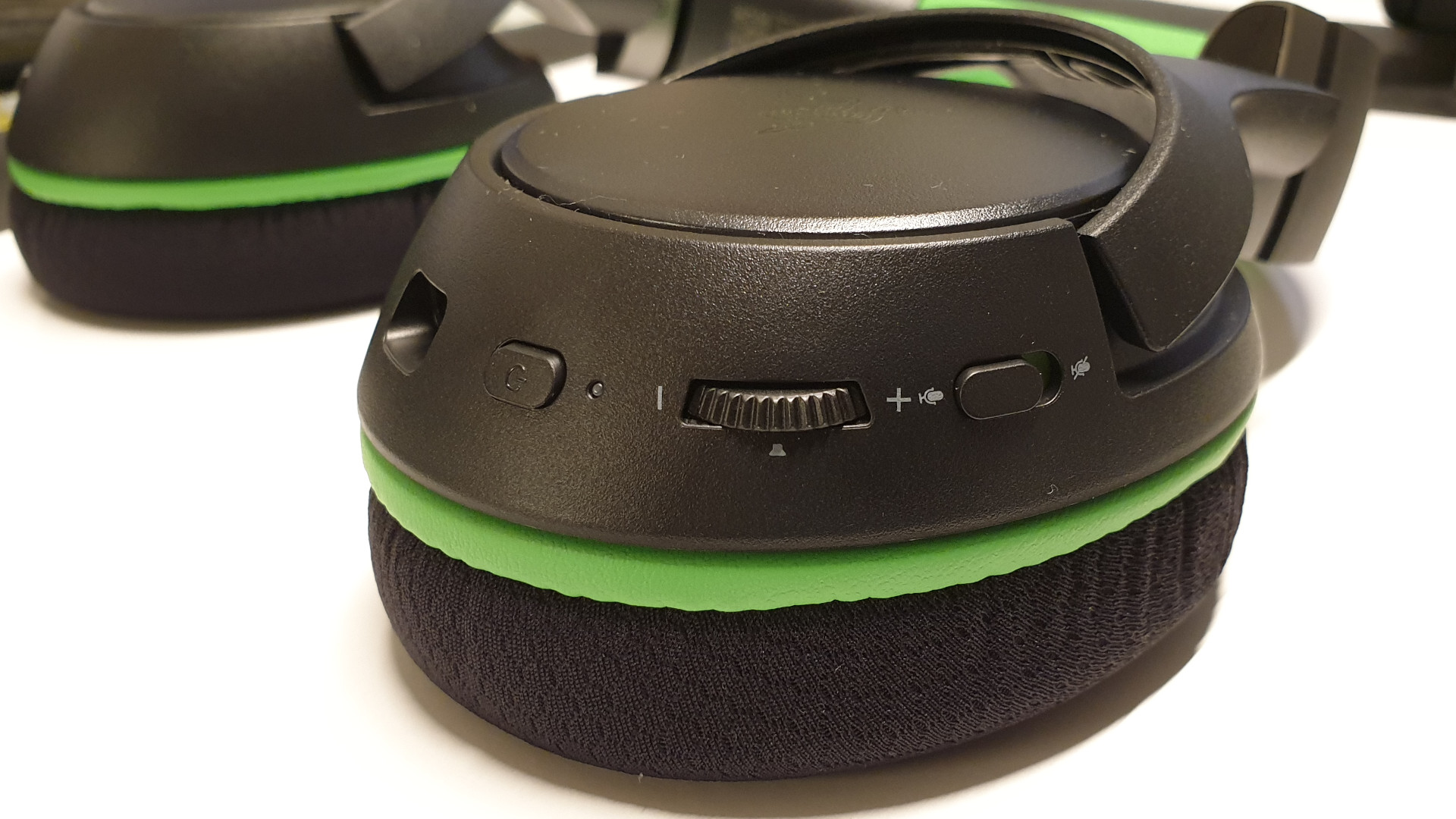
What buttons does the headset have? All important functions of the headset are located directly on the ear cups:
On the left side, there is:
- the on-off switch, a slider to mute the microphone.
- a jack port to plug in the microphone.
- the USB-C port to charge the headset or connect it to the PC.
- Additionally, there is a textured wheel to increase or decrease the volume.
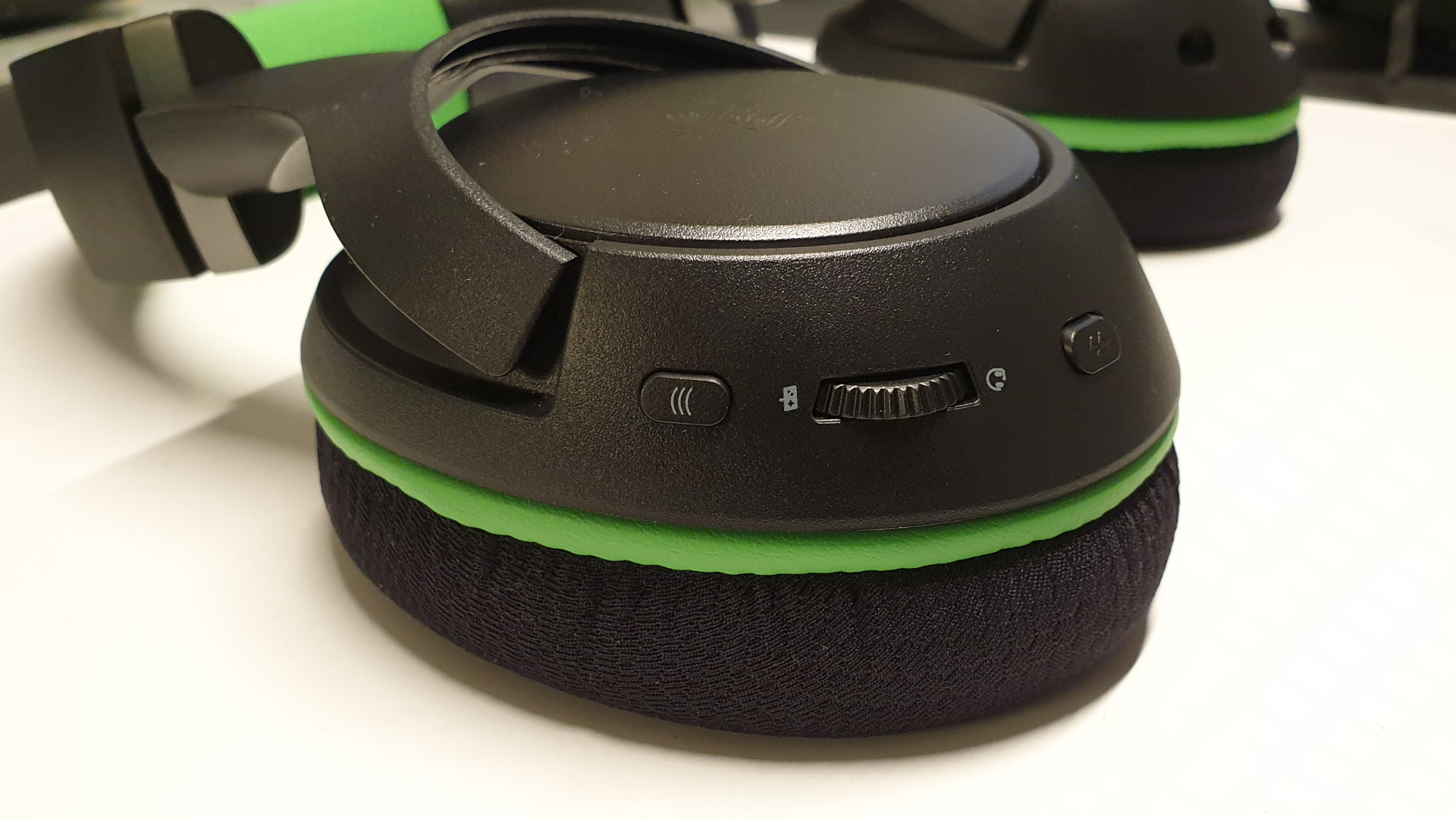
On the right side, there are three switches:
- a switch to establish the connection via “Xbox Wireless”;
- a switch to start pairing mode for Bluetooth;
- a textured wheel to increase or decrease the microphone volume;
How does the device fit? The Razer Kaira Pro is an over-ear headset: this means the headset is worn completely over the ears, and the ears sit inside the ear cushions. The latter cannot be detached from the headset. The microphone, on the other hand, can be removed and stored separately from the headset.
Drivers of the headset
Razer uses its own “Razer Triforce 50 mm” drivers for this headset. These use titanium-coated membranes, which are said to ensure clear voice reproduction and lag-free sound quality.
Processing
In general, the headset gives us a stable and well-processed impression. The headband is reinforced with metal, and there are no gaps or obvious workmanship errors. The function keys on the ear cups are made of plastic but provide good, clicking feedback. Two dials are textured and also feel good in the hand.
Software: Razer Headset Setup for Xbox
What we like about the software: On the Xbox and Windows PC, Razer uses its “Razer Headset Setup for Xbox” app. With it, you can create various sound profiles for sound and microphone.
The app is clearly structured. There is only a simple menu, and the settings for the crucial points lie directly behind the individual items. Everything works precisely and is wonderfully easy to handle: With two clicks, we are in the equalizer menu, and with one more click, we can configure the microphone.

It is also worth mentioning positively that with the software, you can get more out of the sound. While music sounds very static without the software, some nuances can be drawn out from the headset using the equalizer: for example, the plucking bass from the jazz group has clear contours, while the singer shines above it.
This is less successful: The software can only be updated via the Windows PC. It is important to note that the firmware update only works via the Windows PC. Manufacturers like Roccat show how it can be done better: With the “Roccat Swarm Software,” the firmware can be updated directly through the software.
Features and Technical Details
| Design | Over-Ear/Closed |
| Connection Type | Bluetooth or Xbox Wireless (adapter not included) |
| Frequencies | 20 Hz – 20 kHz |
| Compatibility | PC, Xbox, and Android smartphone |
| Weight | 365 grams |
| Scope of Delivery | Headset, removable microphone, USB-A to USB-C cable, and quick start guide |
| Special Features | Dual connectivity: Simultaneous Bluetooth pairing with PC and smartphone possible; “Razer Headset Setup for Xbox” as software on PC and Xbox |
| Price (RRP) | 169.99 € |
The Kaira Pro in Practice Test
So far, we have presented the general data and facts of the Razer Kaira Pro. But how does it perform in practice in terms of sound, wearing comfort, and microphone? We will present impressions and experiences from practical use.
Comfort
What we like: The Razer Kaira Pro does not have a bulky appearance like the competition. While the GSP 670 from EPOS | Sennheiser appears large and robust, the Kaira Pro looks significantly slimmer and more space-saving. Yet, the Kaira Pro weighs only about 30 grams less than the GSP 670 (398 grams).
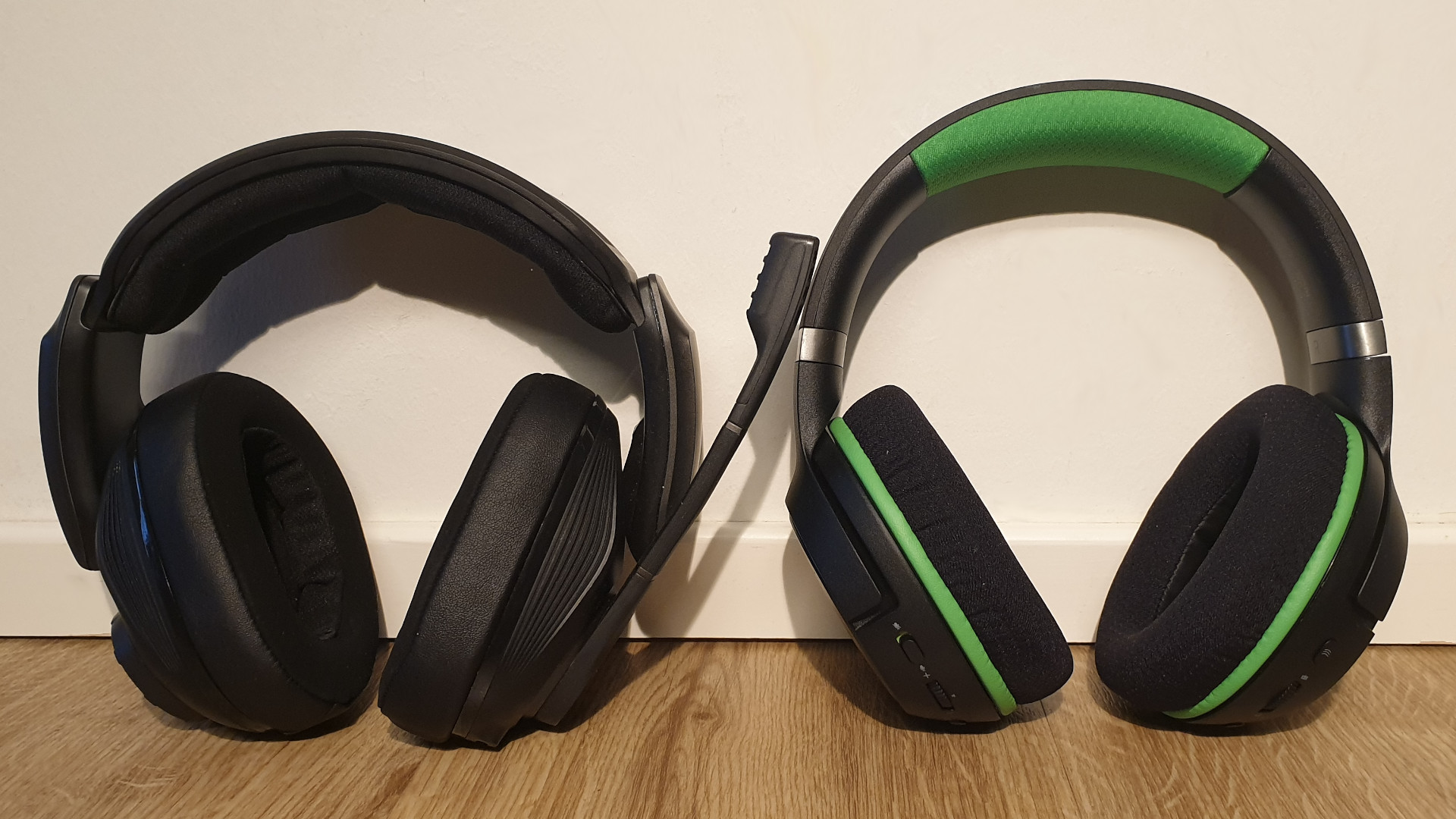
Overall, the headset sits very comfortably on the head. The headband can also be adjusted in width; the headphones sit comfortably and softly, and nothing presses.
With the combination of a large head and glasses, the headset also remains comfortable over long gaming sessions, and we felt no discomfort from the device. Other testers also praised the high comfort of the headset.
The buttons on the headset are also easy to reach.
This is less successful: It is only through the software that you can find out how full the battery of the device is. There is no acoustic indication like that of the GSP 670, which tells you how full your battery is. If you use the headset wirelessly and the battery is empty, the headset turns off with an acoustic signal. There is no warning or indication of a nearly empty battery.
Sound Quality
With 20 Hz – 20,000 Hz, Razer attempts to cover all frequencies detectable by the human ear. Below 10 Hz, we perceive nothing, and the same applies above 20,000 Hz.
What we like: The overall picture is balanced. No frequency appears too strong or dominant in the base setting. In particular, voices are transmitted clearly and distinctly. This applies to music, games, and colleagues with whom we spoke. Deep voices sound warmer and more voluminous than high voices.
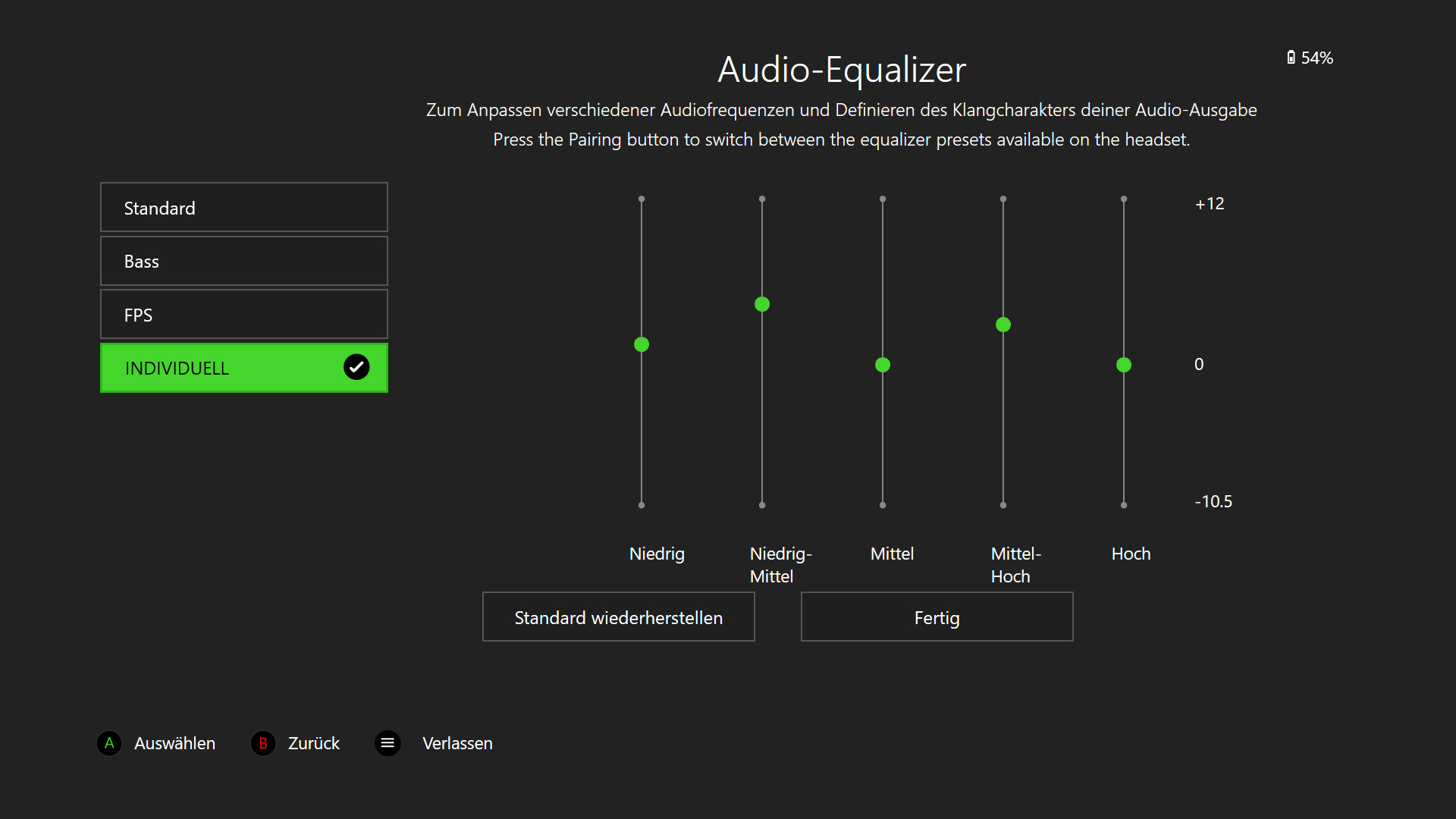
This is less successful: Without an equalizer, music sounds clinically clean. With an equalizer, a lot of tonal nuances can be extracted. In the test, we raised the frequency ranges “Low-Mid” and “Mid-High” a bit, and immediately had a more contrasting sound:
For gamers, this means that details in the sound can be distinguished from one another: footstep sounds can be perceived better, and explosions sound even more powerful than before.
What impact does the software have? With the software, you can make fine adjustments. Besides the standard profile, the software also offers you two preset examples:
- The “Bass” mode emphasizes the low frequencies. This makes the bass significantly stronger and more powerful, almost too dominant.
- The “FPS” mode mainly enhances the mid frequencies.
In general, however, we would advise you to customize the sound individually. The preset gaming modes are only partially useful as the individual frequencies become far too dominant.
Microphone
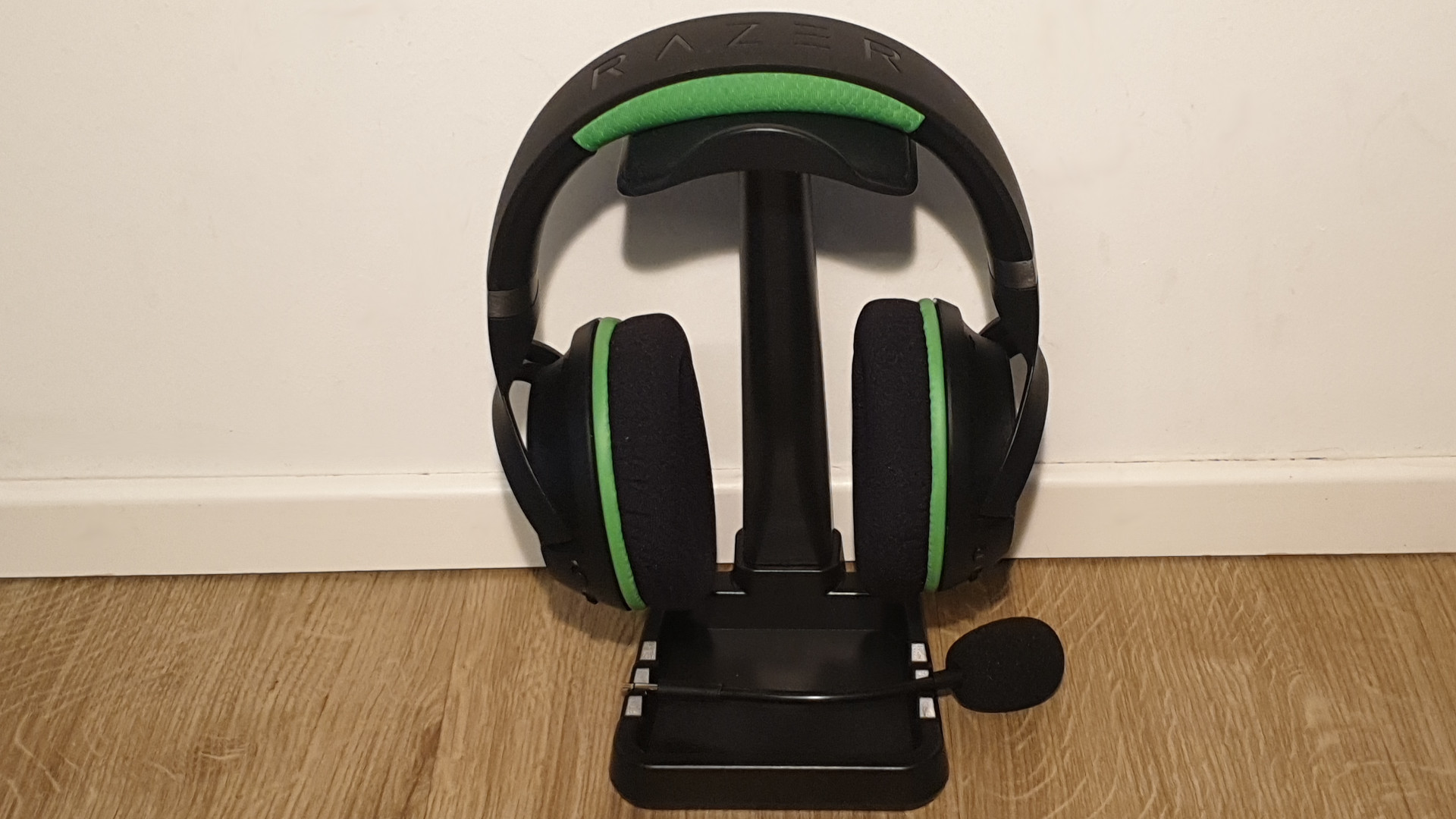
What we like: The microphone connects easily and is recognized immediately. Our voice is clear to other users and sounds homogeneous and natural in conversations. In general, background noise and sound sources are not picked up by the microphone. When the voice is transmitted via “Xbox Wireless,” it is delivered clearly and without distortion on the other side.
Another advantage: You can adjust the microphone volume directly on the headset. When you change the microphone, the headset will give an acoustic signal.
This is less successful: Besides the microphone that we connect via “3.5 mm” jack, Razer has also integrated a small internal microphone. The quality here is significantly poorer and sounds more like a bad tin can phone. Therefore, if you want to use the headset for speaking, you should definitely connect the jack microphone.
The transmission quality is worse via Bluetooth than via “Xbox Wireless”. This is noticeable during phone calls when connecting the headset to the smartphone.
Kaira Pro: Connection Type/Connectivity
The Kaira Pro offers you a dual-wireless function. Thanks to dual wireless, the headset can connect to Bluetooth-enabled devices like smartphones while simultaneously being connected wirelessly to the Xbox. The headset thus allows you to listen to music or podcasts in addition to the game sound, which can be adjusted, or make calls in between. MeinMMO currently also offers the MeinMMO podcast.
What we like: The connectivity of the headset remained stable throughout the test. We noticed no connection drops and otherwise had no issues. Connecting with all compatible devices was straightforward, and the transmission quality was always flawless.
This is less successful: The transmission quality via Bluetooth is noticeably worse than via “Xbox Wireless”. If you’re mainly gaming on the Xbox, this won’t bother you – the same goes for PC gamers who own an Xbox Wireless adapter. Users who prefer to use the device primarily on their smartphone may find it frustrating at times.
Out of curiosity, we also tried connecting the headset to the PlayStation 4. The headset is recognized immediately via Bluetooth, but when attempting to connect, there is a message indicating that Bluetooth headsets are not supported. Therefore, it does not work. However, since the headset was specifically designed for the Xbox, this does not affect our test.
Conclusion
For whom is the headset suitable? If you are looking for a comfortable wireless headset with many function buttons and a good microphone, you should definitely consider the Kaira Pro. Also, pure gamers who appreciate high compatibility and device variety should definitely take a look at the Razer Kaira Pro. Pure music lovers may, however, find more convincing headphones in terms of sound quality. However, it should be noted that high-end models like the Beyerdynamic DT 1990 PRO cost 423.00 Euros as well.
What alternatives are there? The biggest competitors for the Kaira Pro are the SteelSeries Arctis 9X and the Turtle Beach 700 Gen 2. Both gaming headsets offer you good sound quality, a decent microphone, and also dual wireless, allowing you to connect multiple devices.
While the Arctis 9X costs around 200 Euros but can currently also be found on sale for around 170 Euros, the Turtle Beach 700 Gen 2 is priced slightly lower with an RRP of 149 Euros. If you have a large head, you will generally be better served with the device from SteelSeries. The Turtle Beach 700 Gen 2 fits tightly on large heads.
If you do not want to opt for the 169 Euro Kaira Pro or equally expensive alternatives, you can consider the regular Kaira model. Here, you will have to forgo the internal microphone and Bluetooth. However, the internal microphone is negligible.
More headsets on MeinMMO: Are you looking for more headsets that you can use on your PC or with your new Xbox Series X|S? Then check out our MeinMMO purchasing guide. Here we present the best Xbox gaming headsets currently available for purchase.

Your opinion is important to us!
Do you like the article? Then let us know!