Every console player knows and hates it: Stick Drift. A frustrating moment that turns gaming into a nightmare, but what if I told you that you don’t need to buy a new controller? MeinMMO author Christos shows you a trick to repair your controller without having to spend 70 €.
What is Stick Drift? You take your controller from the PS5 or Xbox, want to play a round of Warframe or Destiny 2, and suddenly your character moves or looks around even though you haven’t made an input. This is called Stick Drift. Every player who plays on consoles or with a gamepad knows this problem, and often there are few solutions.
Either you still have a warranty and get a new controller, or in the worst case, you have to buy a new one and throw the old one in the bin. This is not only frustrating but also costly in the long run.
My name is Christos, and I have been playing on consoles for years. Whether it was the PS2, Xbox, Xbox 360, or even PS4 and PS5, I encountered this problem everywhere, and eventually, I couldn’t accept having to spend money again.
Recently, I faced the problem with my PS5, and I tried to find a way to “repair” the controller. After some research, I found the culprit that almost made me replace two of my controllers – the potentiometer.
How to Repair Stick Drift on Your Controller
The potentiometer is a component on your analog stick. To repair your controller, you need to open it and expose it until you have access to your sticks.
The sticks are firmly soldered with the potentiometers to the motherboard, and it’s usually these green or orange components that cause the annoying “Stick Drift” problem.
Here I have embedded a video on YouTube that explains step by step how to disassemble the PS5 controller:
Once you have disassembled your controller to the point where you have the motherboard and the analog sticks in front of you, you need to remove the black sticks. Now you can see the analog stick and potentiometer components in front of you.

Each analog stick has two potentiometers that are clicked onto the large component. You now need to bend them in the opposite direction with a little pressure and a narrow object. Then you will see a white component that is responsible for the x- and y-axis of the respective stick. Take a pair of tweezers and remove the white component.
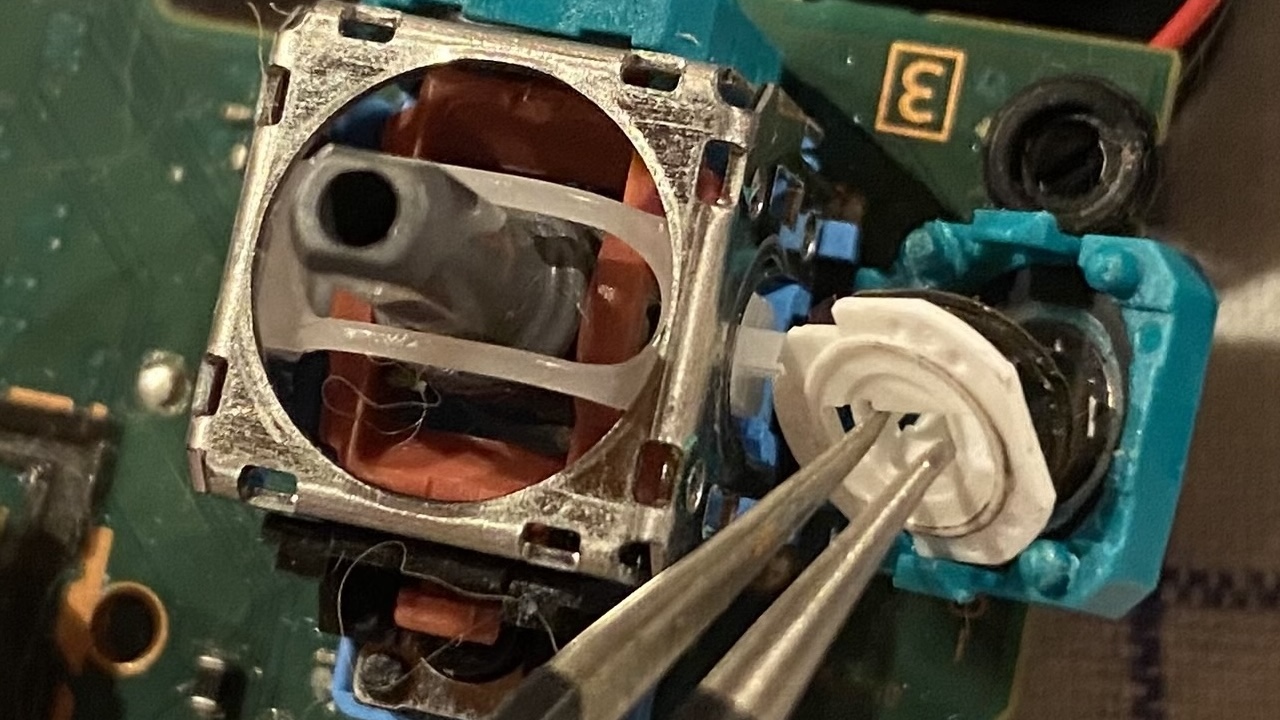
Pay attention to the metal wire of your white component; make sure not to lose it, bend it, or damage it. This metal wire is responsible for allowing inputs on the carbon fiber rings of the potentiometer.
Now you have a disassembled potentiometer in front of you. Take a small brush and clean it dry. If there is heavy dirt, you can dampen a cotton swab with some cleaning alcohol and gently clean it. However, be careful not to damage the carbon fiber ring, or you will have a bigger problem than your stick drift.
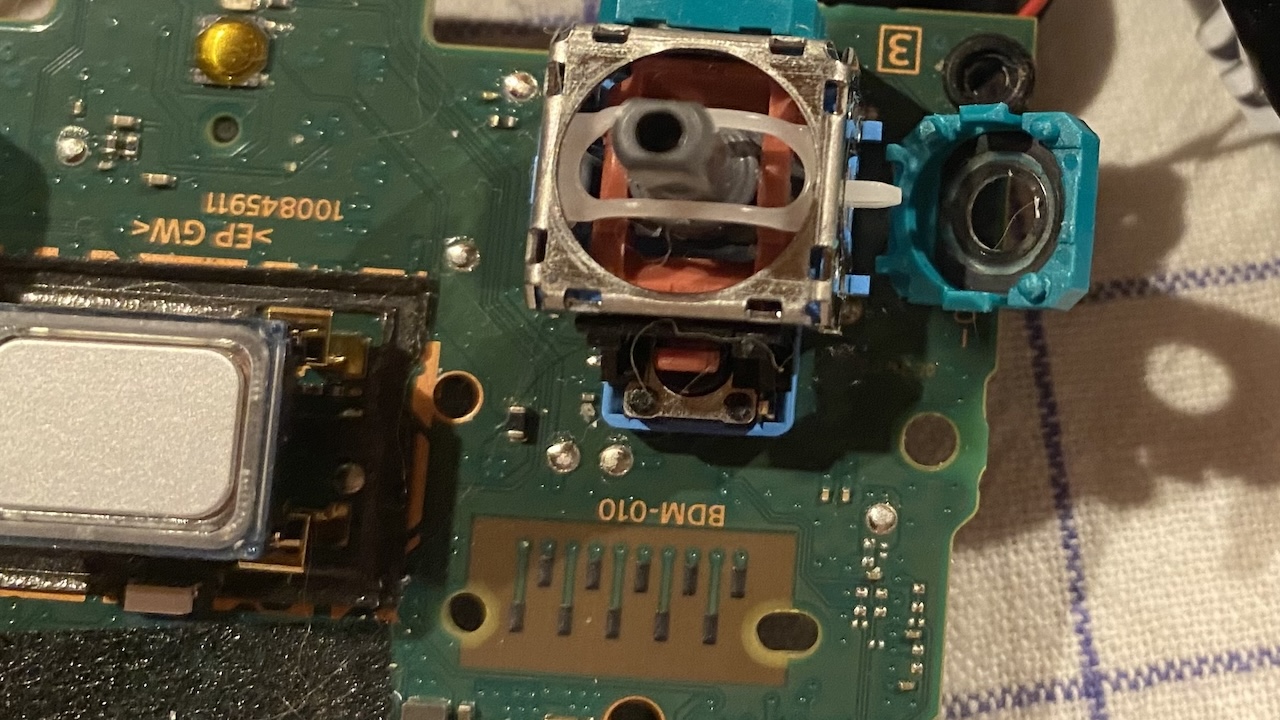

Why is the potentiometer to blame? The potentiometer transmits the inputs of your stick to your console. The problem here is the quality of the analog sticks, as they are substandard in almost all controllers. Moreover, they are wear parts that break down depending on the level of use. In the worst case, the wire of the white component can erode your carbon fiber ring to the point that it is no longer existent. Then, no inputs will be possible.
The trick of cleaning the components can be repeated as often as you like, but if your carbon fiber ring in one of the potentiometers is completely gone, you will need to solder in a suitable replacement.
I have been using my controller since the PS5’s release and play about 4-6 hours daily. Both had stick drift, and both are still functioning well since I performed the cleaning of the components. So it’s a good way to save your wallet.
Did my trick help you? Feel free to share your tricks on how you try to keep your controllers more durable!
You should definitely do this with your PS5 once a year to extend its lifespan