

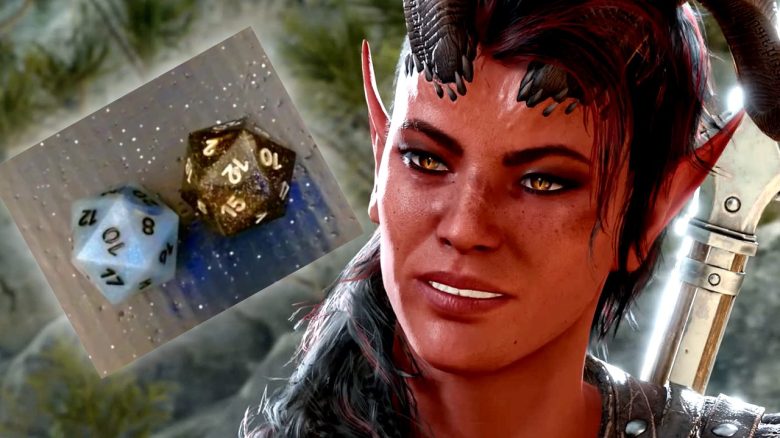
What kind of mod is this? The modder SkyExplosionist, together with GameWithPixels, Tsuda Kageyu, Michael Matsev, and Andrey Unis, has developed a mod for Baldur’s Gate 3 that connects smart dice directly with the game. The mod is available on NexusMods.

What dice do you need for this? The mod is primarily designed for the smart dice from Pixels, but should also be compatible with other models. If in doubt, check with the NexusMods community or the mod’s developer if your dice will work.
Does this work with all control types and in co-op? Mouse and keyboard as well as DualSense and Xbox controllers are supported, and the mod works perfectly in co-op mode.
Installing and Using the Dice Mod in Baldur’s Gate 3
How do you install all of this? You can find a detailed guide on Github. But basically, you need to follow these steps:
- Download the mod from NexusMods
- Use the installer
- There may be a warning from Windows or your antivirus here. Players who frequently use mods are familiar with this
- Click on the button here that you want to use the file anyways (as long as you are aware of the risks)
- There may be a warning from Windows or your antivirus here. Players who frequently use mods are familiar with this
- Configure your smart dice with the PixelsTray at the path: Baldur’s Gate 3binmodsPixelsDiceTray
The PixelsTray app should automatically search for your smart dice so that you can pair them. Once you have done that, the mod should be usable.
How do you activate the dice in the game? If everything went well during the setup, the PixelsTray should automatically start with the game whenever you launch Baldur’s Gate 3. If it doesn’t work, it might help to disable Steam Input as follows, as this can block the mod:
- Right-click on Baldur’s Gate 3
- Then go to Properties
- Then click on Controller
- Then click on the button at “Override for Baldur’s Gate 3”
- Select “Disable Steam Input” there
Then restart and try again.
What if you still have problems? On Github, there are some solutions for various problems. Just scroll through and see if your specific issue comes up there. Otherwise, contact the developer if you still have issues. You can do this, for example, by opening a ticket via Github.
In addition to this mod, there are nearly 18,000 different modifications for Baldur’s Gate 3 available at NexusMods that you can install and significantly adapt your gaming experience. Therefore, we have compiled our 10 favorite mods that will prepare you perfectly for your next run: Baldur’s Gate 3: The 10 Best Mods for Your Run

Your opinion is important to us!
Do you like the article? Then let us know!