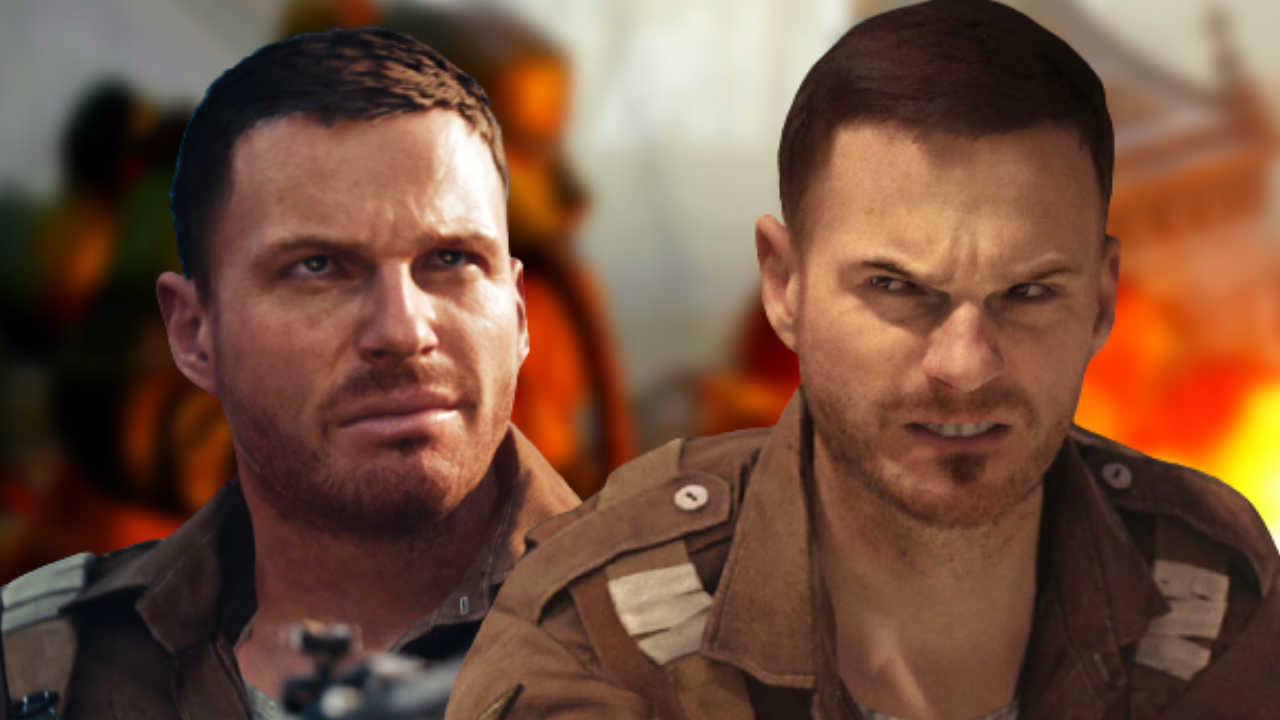
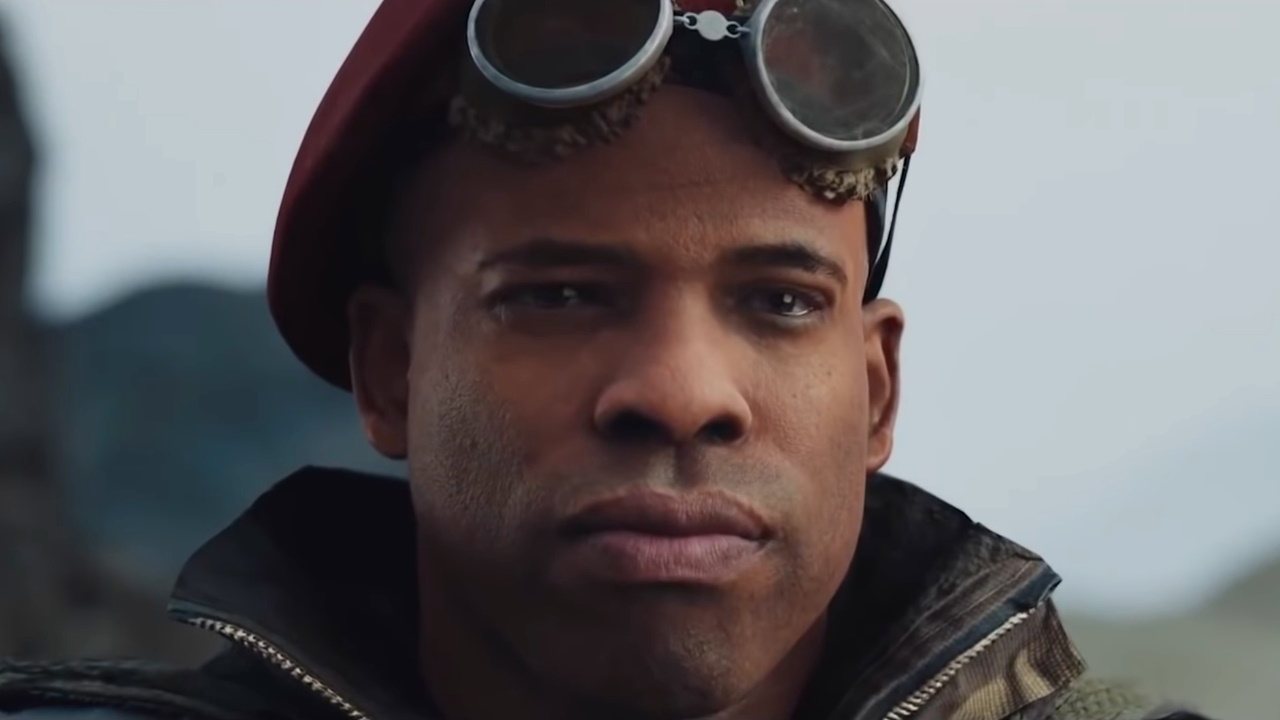
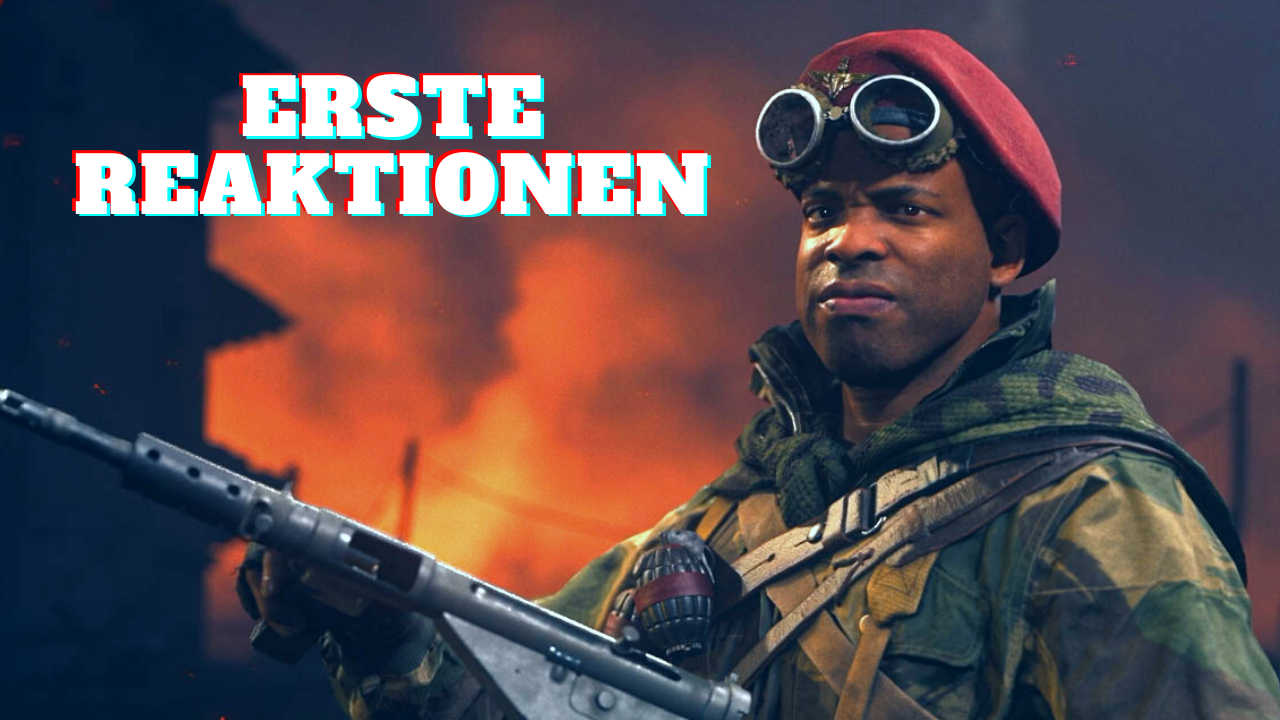
Call of Duty: Vanguard offers a new feature in multiplayer that allows you to designate a player as the top gamer of the round. This gives you additional experience points. Players appreciate it, but unfortunately, there is a catch that fans do not like. Here you can find everything about the new MVP system in Vanguard.
What is an MVP feature? MVP stands for “Most Valued Player”. In other words, the player who is most valued. After each round in the multiplayer mode of CoD Vanguard, the game evaluates the actions of the players and the three best gamers are selected at the end of the match.
Then the achievements are listed, including heroic feats such as multi-kills or kill records. The corresponding player avatars perform their victory poses while players have the opportunity to cast a vote for one of the three candidates. Anyone who knows games like Overwatch will find this feature familiar.
What’s the fun in it? Each vote gives the player who cast it a small bonus of experience points. Currently, that’s 25. It’s not much, but the gesture counts. The winner of the voting is then the MVP of the match and can boast with their glory.
Start video
Everything you need to know about the new Call of Duty: Vanguard – in 2 minutes
Players love the MVP feature, but one thing is really annoying!
How is this received by the players? Initial reactions from the community to the MVP feature are quite positive. Players think it’s great that they can show appreciation to their teammates and the small XP bonus is well received.
Moreover, players are delighted when they win the MVP award and are appreciated by their teammates.
What’s bothering about the new MVP feature? However, there is a significant downside to the MVP system that quickly diminishes the joy of many players and causes them to complain about the feature: the voting lasts a whole 35 seconds, and before that, you have to watch the animations of all three players for over 10 seconds.
You cannot cancel or skip all of this, so you have to stay until the end of the voting and cannot start a new round.
In that time, you could have already started the next round of multiplayer in the predecessor Cold War, and that annoys many fans. One player on reddit succinctly summarizes what many are thinking right now: “I like the concept, but I think voting should take 15 seconds or so, not 30!”.
Other players don’t like the whole thing as they see it as a cheap ploy by Activision to sell more skins and animations. After all, you see these in all their glory when you enter the MVP selection.
It remains to be seen whether the developers will reduce the voting time with the next patch or make the voting phase skippable.
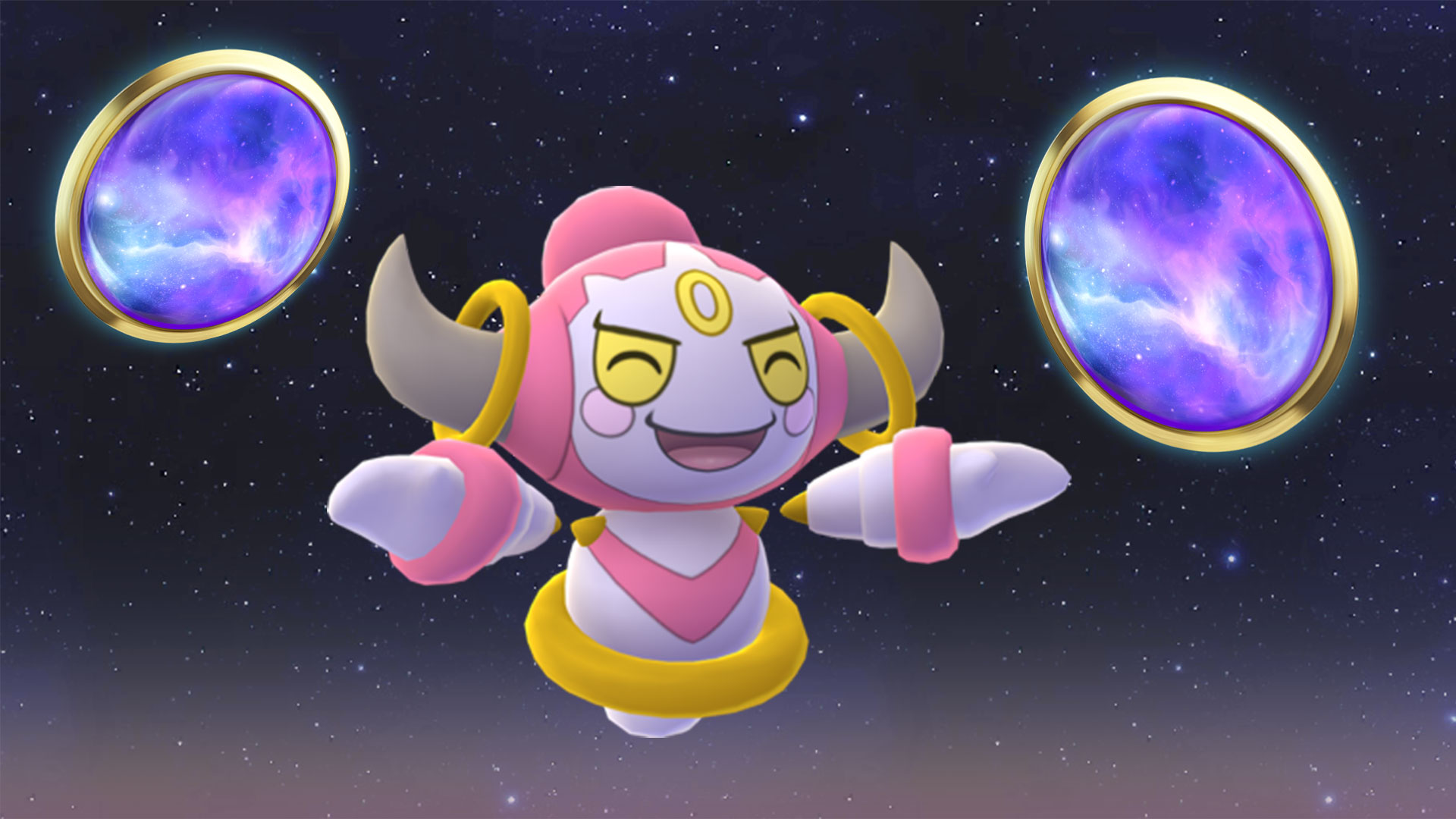
In Pokémon GO, there’s a special research for trainers since the start of the current season about Hoopa. Soon, there will be a second part of such research, which will not be free for every player. We at MeinMMO have looked into what it’s all about.
What is the special research about Hoopa? On September 1, 2021, the current season “Season of Mischief” started in Pokémon GO. In line with this theme, the Mischief Pokémon Hoopa has been causing mayhem in the game.
What makes Hoopa’s tasks so special? Unlike previous special research tasks, they were not all unlocked on a specific date. Trainers receive only two new sections of this research at irregular intervals with the start of various events.
With the start of today’s Festival of Lights, another two task sections will be released. In total, the special research consists of 16 task blocks. So, the special research will soon be completed, and as Niantic has already announced, there will be a second special research about Hoopa. Below, we will show you what we know about it and who can access it.
What we know about the new special research on Hoopa
On November 4, 2021, Pokémon GO announced via their Twitter account that there will soon be another research on Hoopa.
They write: “Hoopa…? Trainers, remember to complete the special research for this season. Once you’ve done that, you can participate in an exclusive special research at the end of the season, which focuses on Hoopa!” (via twitter.com).
Recommended editorial content
At this point you will find external content from Twitter that complements the article.
I consent to external content being displayed to me. Personal data can be transmitted to third party platforms.
Read more about our privacy policy.
Who gets the special research? In its blog, Pokémon GO also mentions that the second special research is set to reveal even more about Hoopa (via pokemongolive.com). It will be unlocked for all trainers who have completed the first special research “Misunderstood Mischief”.
But even trainers who are progressing slowly through the tasks have a chance to activate the second research. For a price of $5, you can purchase it.
Will there be Hoopa outside of this research again? As stated by Pokémon GO, there might also be another opportunity to catch Hoopa (Unbound) in the future. When that will be and the context in which you can then access Hoopa is not yet known.
What kind of Pokémon is Hoopa? Hoopa is a mysterious Pokémon from Generation 6. It is of Psychic and Ghost type. With its golden rings, it can teleport things from one place to another, opening a sort of portal. Hoopa can also assume the forms of “bound” and “unbound.” So far, it has only been possible to catch it in Pokémon GO in its bound form via special research.
Will there be Unbound Hoopa?
There is currently no official information regarding the release of Unbound Hoopa. However, the PokeMiners, a group of data miners, have already found early hints about Unbound Hoopa. This group regularly analyzes the game code for updates and publicly shares their findings with other trainers.
In their current search, they have come across the first texts from Professor Willow regarding the new special research, which also has hints about an Unbound Hoopa, such as: We have no time to lose—we must stop them! Hoopa (Unbound) is incredibly powerful, and I have no doubt that Giovanni intends to use it for some sinister purpose.
In the game code, this text looks like this (via pokeminers.com):
+RESOURCE ID: quest_special_dialogue_season4_14_3 +TEXT: There’s no time to lose—we have to stop them! Hoopa Unbound is incredibly powerful, and I have no doubt that Giovanni intends to use it for some sinister purpose.
However, the data from the PokeMiners is not official information, which is why it can be adjusted by Niantic at any time in the game code or not published at all. Therefore, you should always view these findings with a certain skepticism. Whether Hoopa can then also be caught in its Unbound form remains to be seen for now.
In the texts found, Giovanni is mentioned, which intensifies the rumors around him. Why trainers hope for a return of the Rocket boss, you can read in our following article:
In social networks, there are mixed opinions on the second part. On one hand, many trainers are happy about further tasks and want to continue. Particularly the fact that they have to wait after every second block of tasks annoys them.
This opinion is shared by Riotmike_IE, who writes: “I’ve been at it for days and would love to finish if you would release the rest – time-limited research is not attractive.” (via twitter.com)
Trainers are still working on past tasks
However, some players are not even up to date with the current research related to Hoopa. Especially the tasks around the Halloween event are giving them trouble.
Aker666 writes: “I forgot to evolve a Psyduck, and now I don’t know how to catch 30 Ghost-types since they are very rare in my area.” (via reddit.com). Legofiu also asks on Twitter: “How can I get Dark-types? I need them for the research.” (via twitter.com).
Concerns of the players
Other trainers, like REDRogersRevenge, have different concerns regarding the research. He writes on reddit: “Considering those who are actively working on the research are at step 12/16, Niantic will publish some super hard/monetary tasks for 16/16, in an attempt to make more people fail and pay $5? I hope not, but time will tell…” (via reddit.com).
Users like Kirinn42, however, have no such concerns: “I don’t think so. This is a backup option for people who haven’t kept up with the tasks for the entire season during the events when the tasks were easier to complete.” (via reddit.com).
Are you looking forward to another special research with Hoopa? How far are you with your tasks in the current research? Will you be able to finish them on time? Feel free to share your opinion on this topic in the comments here on MeinMMO and exchange ideas with other trainers.
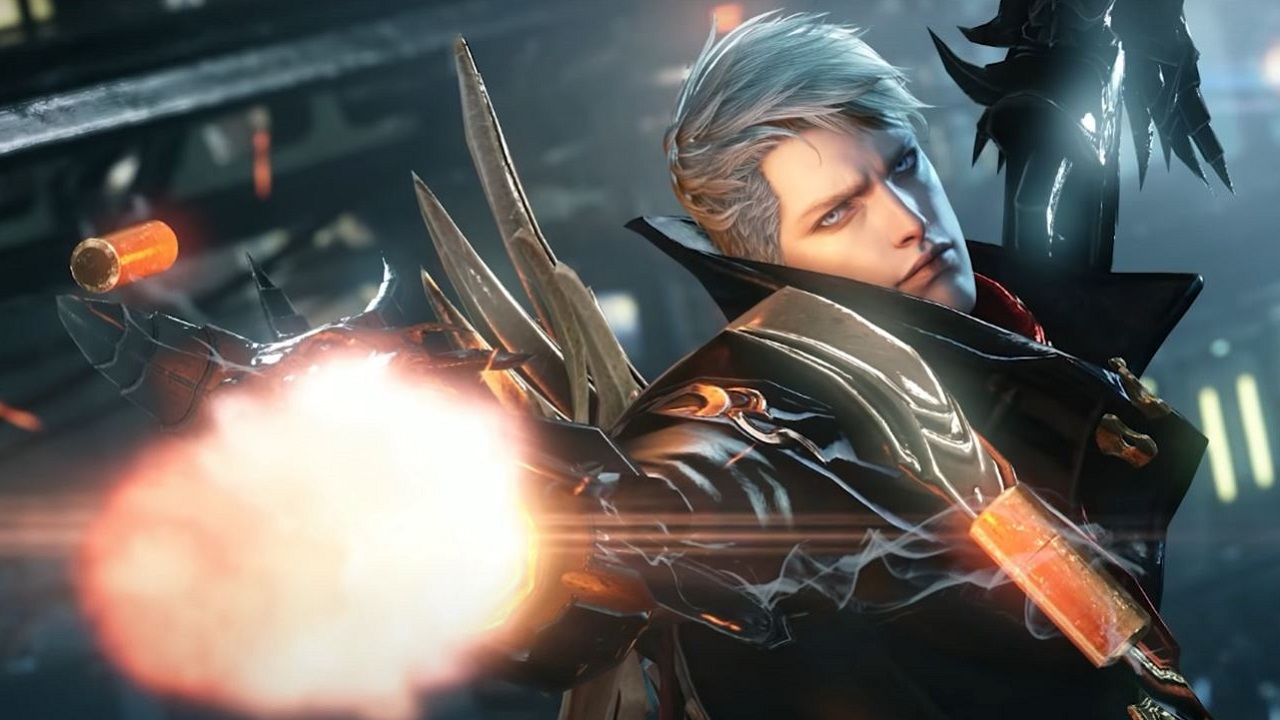
Yesterday, the beta for the new MMORPG Lost Ark started successfully. Right at the beginning of the closed beta, the Diablo MMO reached the top 10 on Steam. We at MeinMMO summarize.
What happened with Lost Ark? The Korean MMORPG is actually not set to release in our region until next year. To ensure a smooth launch, a technical closed beta started yesterday, allowing some players to play for the first time.
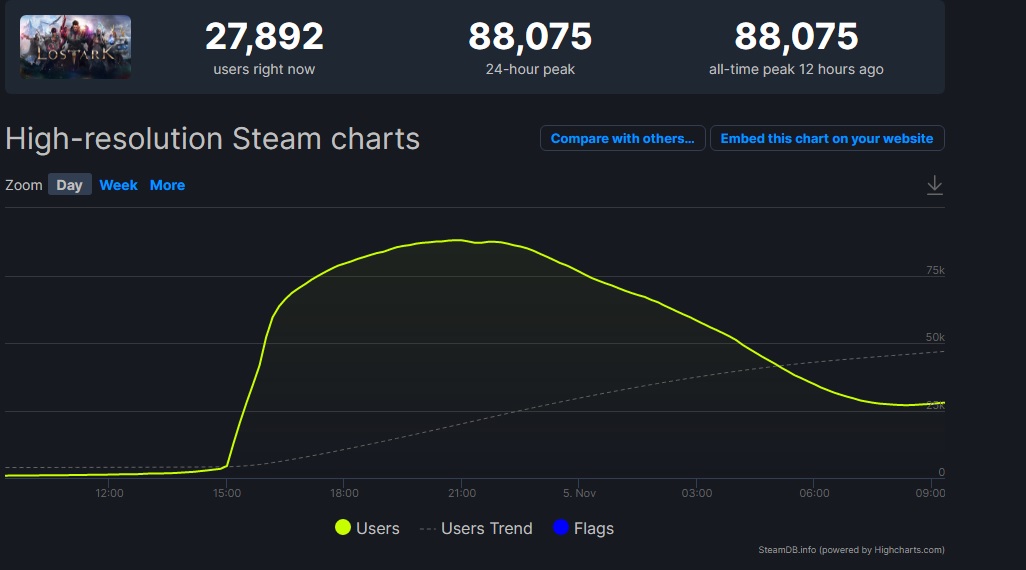
There is a large demand for the game, as although only pre-order customers and those who won a key are allowed to play, Lost Ark reached over 88,000 simultaneous players last night.
This led to enormous login queues at the beginning of the beta, which were intentional by the developers. They stated on Twitter that there would be targeted login queues during the first three hours to test this and ensure a good final release (via Twitter).
This earned the beta a spot in the top 10 of the most played games on Steam. It gets even more exciting when looking at the Steam sales charts.
Start video
Everything you need to know about the MMORPG Lost Ark – in 2 minutes
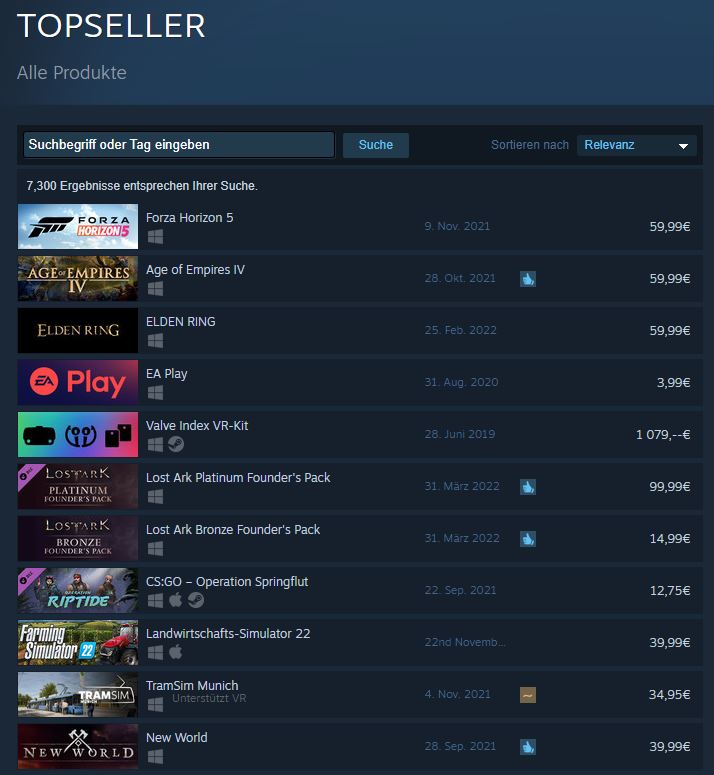
Free2Play game as a bestseller: In addition to the high player numbers already in beta, another Steam top list stands out even more. The game, which is set to release as a Free2Play title, is still holding on to positions 6 and 7 in the sales charts after the beta launch.
These are the pre-order packages that promise certain advantages at launch and are also practical before the release, as they grant immediate access to the ongoing beta.
However, this would already be the cheapest package for €14.99. This so-called Bronze package is at position 7 on the charts, while the Platinum Edition of the packages, which costs a hefty €99.99, holds position 6.
Lost Ark is competing at the top of the sales charts, although it is Free2Play
The players love Lost Ark
How is Lost Ark received by players? In addition to its good placement in the sales charts, the ratings of the MMORPG stand out particularly.
What do the players say? Currently, a thread is being hotly debated on reddit titled “Amazon should have released Lost Ark first.” Other threads discussing how much fun the game is have also received numerous upvotes.
The user Zambash writes (via reddit): “I know that many people are having technical issues right now. But guys, this is a beta and the game is just super. I couldn’t stop playing after an hour and I am really looking forward to the final release.”
User CoffeeLoverNathan also writes: “I have been waiting for this game for years and it is absolutely worth it. I just can’t put the game down. Everything feels so good and smooth.”
User Pariah adds: “My only criticism is that the new prologue feels really weird. […] The gameplay is just damn cool. It feels so satisfying to beat trolls with a sword that is bigger than I am. I can’t wait for the launch!”
Lost Ark is great for Diablo fans, but not a Diablo alternative
What is Lost Ark? At its core, Lost Ark is an MMORPG and many players overlook this when they only briefly engage with the game. Due to the isometric perspective, monster hordes, and the focus on the hack&slay combat system, this is more than understandable.
But Lost Ark is not a second Diablo, it is an MMORPG, with many skills, character optimizations, role-playing and raids. Those who expect a hack&slay game here will not be satisfied in the long run.
Because the MMORPG goes deeper in many areas than a hack&slay would. Especially regarding the optimization of your character or your island. The various romances are also quite untypical for the genre.
What can you expect? The battles in Lost Ark are good, feeling powerful and fluid. What you get is, however, an MMORPG that has more to offer than just the combat system.
Lost Ark is therefore recommended for all Diablo fans who do not want to play another Diablo. As well as for MMORPG fans looking for a refreshingly new kind of MMORPG.
Have you played the beta yet? What do you think of the game so far and what are your biggest criticisms? Feel free to let us know in the comments here at MeinMMO.
Our author Mark Sellner was able to play the game before the beta and tells you why the game does many things right, but also one thing wrong:
In the test, both the cardioid and stereo modes convinced us. Our voice is clearly understandable, and the microphone reproduces the speaker’s voice neutrally and without distortion. We set the microphone up about 20 centimeters away, and it sounds clear and understandable.
In the whisper mode, the compression can be clearly heard, which is why we hardly used this mode. Additionally, we sound uneven in volume, and not everything is transmitted.
Roccat Torch – Whisper Mode
However, the Roccat Torch is susceptible to interference. The stand with the control elements picks up vibrations and transmits them into the microphone. If you make adjustments to the microphone, your listeners may hear that. If you sit in a larger room and the microphone is farther away, the sound quality also suffers.
For recordings, the Torch is not always practical since you cannot adjust sound and other properties through the software. We are hoping that Roccat will provide more comprehensive software in the future.
Yeti Nano Sound Test
The microphone offers two different recording modes. In addition to the cardioid mode, there is also an omnidirectional mode. While the first mode is especially suitable for podcasts and streaming where one person speaks, the omnidirectional mode is intended for instruments, multiple voices, and singing. The microphone does not offer a bidirectional mode for a conversation between two people.
In the test, both recording modes work very well, but we mainly use the cardioid pattern. The recording quality is high, and it is possible to position the microphone 20 centimeters away from the head without compromising quality. However, the click sound when pressing the mute button is audible in the recording. There is also a slight echo in the audio track.
However, we noticed that it takes some time for the microphone to sound really good. However, if you take the time to click through the software and adjust the microphone to your voice, you will get a really good microphone.
Conclusion on Audio Quality
Both devices offer high quality: With both, we are clearly and distinctly understood, and our voice sounds natural at a distance of 20 centimeters. In both cases, a gaming keyboard is positioned between us and the microphone. In larger rooms, you will hear some echo with both devices. The echo is somewhat more pronounced with the Yeti Nano.
The cardioid pattern impresses us with both the Roccat Torch and the Yeti Nano. We prefer the stereo mode of the Roccat Torch over the omnidirectional mode of the Yeti Nano, which sounds too muffled. The Yeti Nano does not have a whisper mode, but the exclusive Roccat mode does not convince us either.
Winner: Tie
Roccat Torch or Yeti Nano – Which is the better microphone?
Both microphones offer different strengths and weaknesses, but overall we prefer the Yeti Nano. The deciding factor in the end is primarily the more mature software with the Yeti Nano. Here you can make numerous adjustments, while with the Roccat Torch you currently have to rely on the basic settings being in order.
Thus, the purchase decision ultimately also depends on what you expect from your microphone. If you want good basic settings without having to adjust much, then the Roccat Torch is the better choice. Here you can also make necessary adjustments directly on the device. The Roccat Torch is a good microphone for beginners in the podcast or streaming field who do not want to waste much time on adjustments.
However, if you take the time to go through the numerous settings of the Yeti Nano, you will end up with a better microphone overall. With BlueVo!ce and the equalizer, you have significantly more options here.
Oops, unfortunately this affiliate widget is no longer available.
Roccat Torch
Who should choose the Roccat Torch? If you are looking for a microphone with good base settings and stability on the desk, then the Roccat Torch is a good choice. The microphone looks nice and allows synchronization with other Roccat hardware. The new NEON software has great potential but currently offers too few functions. The price for recording quality and build is reasonably set.
Pros
Good basic settings
stable and good tactile feel
good voice quality with three recording types
attractive design
Cons
mostly made of plastic
underdeveloped software
Yeti Nano
Who should choose the Yeti Nano? If you are looking for a microphone with good build quality and many adjustment options for around 100 euros, then the Yeti Nano is a good option for you. The software is mature and offers numerous functions, and the microphone takes up little space on the desk. However, you will have to forgo colorful lighting like on the Roccat Torch.
Pros
High-quality build
slim stand
developed and extensive software
Cons
few functions can be adjusted directly on the microphone
micro USB connection on the microphone
Further recommendations: If you are looking for suitable headphones for the microphone or just a gaming headset, check out our buying guide here on MeinMMO: Here we present the best gaming headsets, headphones, and microphones that you can currently buy.
With the Roccat Torch, the microphone is connected with the control elements. Then the plate with the elements is connected to the PC. If you want to hang the microphone, you have to keep it connected to the plate.
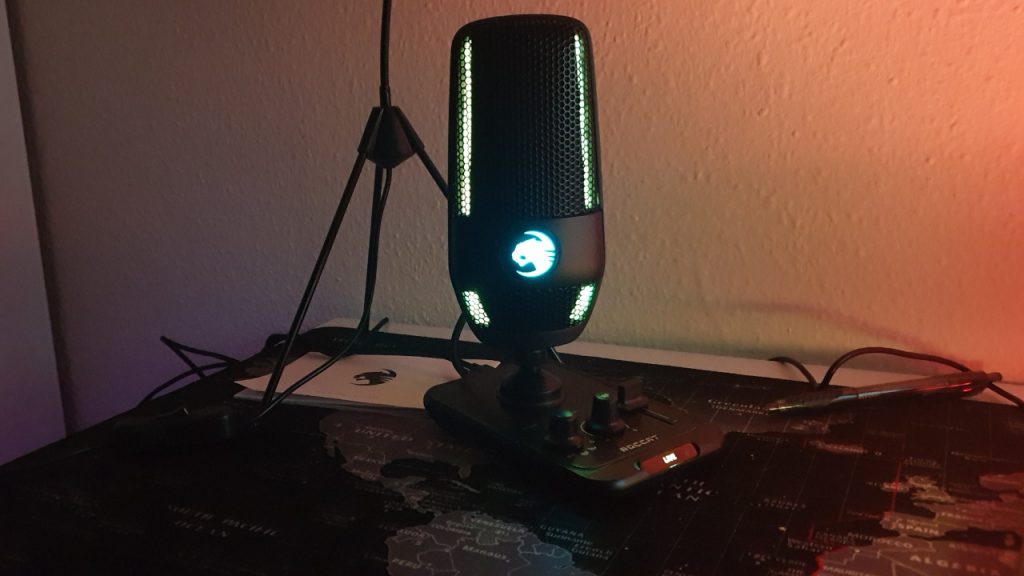
The Roccat Torch lights up when it is active. The Roccat cat can be synchronized with other Roccat devices.
Yeti Nano
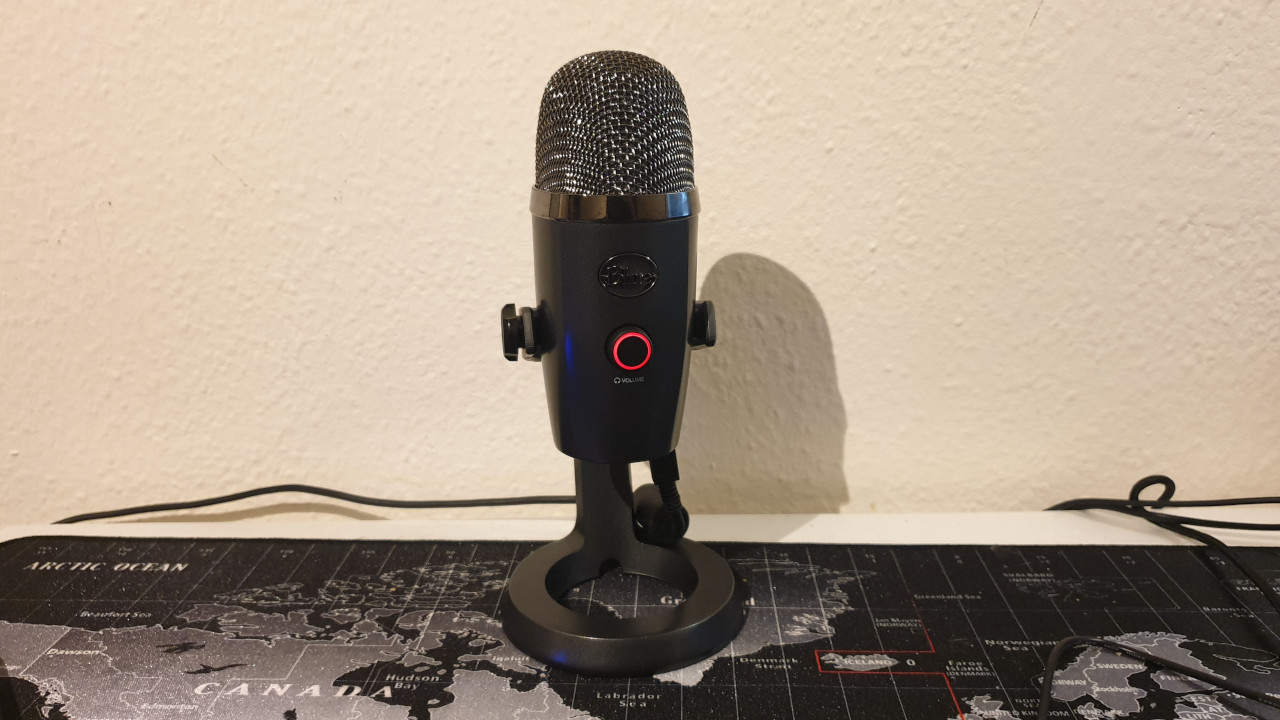
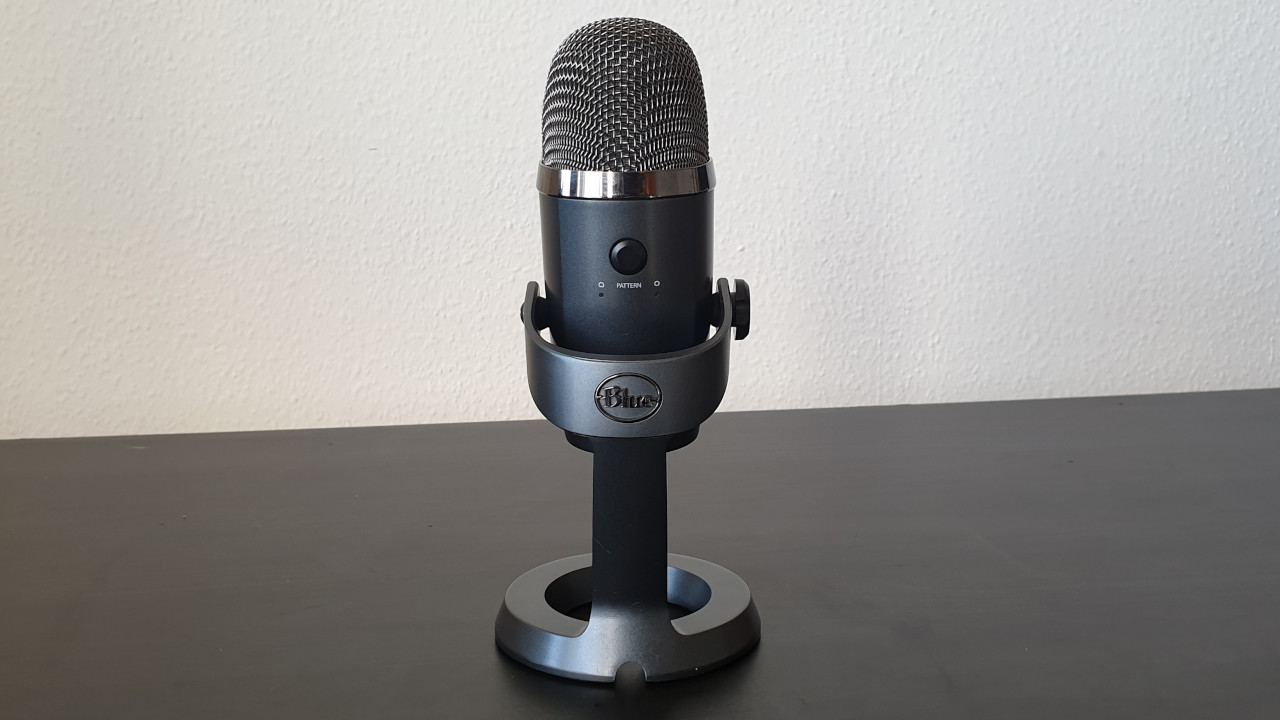
The Yeti Nano sits in a round holder and is mounted there. On the front, there is a round switch on the body of the microphone, which allows you to switch the volume of the connected headphones and mute the microphone. On the back, there is another switch to change the polar patterns. You can also connect a headset via the 3.5mm jack on the bottom of the microphone.
If you want to hang the microphone, you can connect it directly to the PC. The stand has only a supportive function with no additional features. The Yeti Nano is available in various color variations. The microphone completely dispenses with color play and RGB.
The Yeti Nano is simple and understated, foregoing RGB lighting.
Conclusion on Design and Build
We prefer the design and build quality of the Roccat Torch in comparison to the Yeti Nano. In particular, the modern USB-C port on the Torch is more appealing than the micro-USB option on the Yeti Nano.
With the Torch, we can reach all important settings via the panel below the microphone, while the Yeti Nano offers significantly fewer adjustable options directly on the microphone. However, the downside is that the Torch requires a bit more space on the desk and must always be connected to the panel.
If you want to hang the microphone, you have to first connect the hung Torch with the button and then plug it into the PC. This step is unnecessary with the Yeti Nano.
Winner: Roccat Torch
Build Quality
In this section, we look at the build quality of both devices and compare them. We will then explain which of the two devices makes a better impression.
Roccat Torch
The plate with the control elements and the microphone itself are made entirely of plastic. However, the surface of the plate has a metallic look, giving it a valuable impression and reminiscent of the Roccat Pyro, where Roccat uses a similar design. The body of the microphone is mounted on the housing with a metal thread.
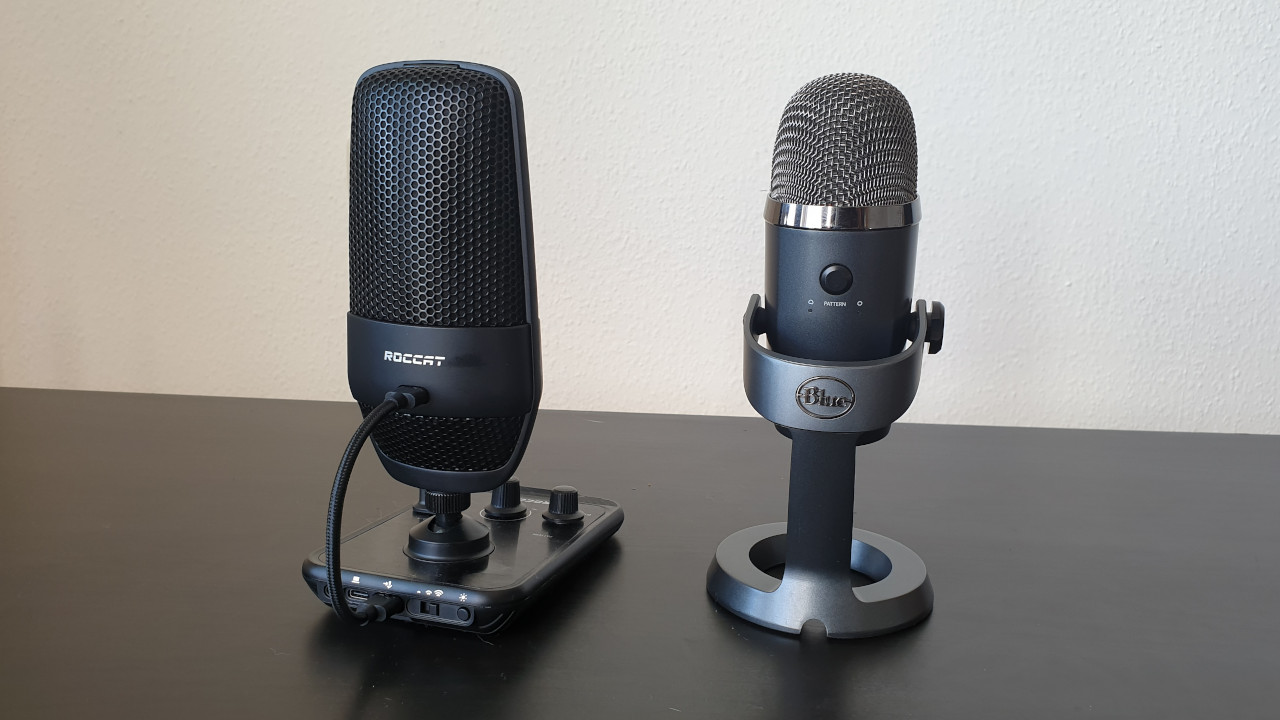
Front and back of the Roccat Torch
Yeti Nano
The Yeti Nano features a sturdy metal desktop stand, giving the microphone a high-quality impression. The buttons on the front and back are large enough to be easily and comfortably accessible.
The cable management on the underside is not very convincing once the microphone is on the table. Here the connection cable bends significantly, which will not be beneficial for the durability of the cable in the long run.
Front and back of the Blue Yeti Nano
Conclusion on Build Quality
In terms of build quality, the Yeti Nano has the edge and overall impresses us more than the Roccat Torch. The Yeti Nano’s stand is made of metal, and the microphone itself appears to be more qualitatively manufactured than the predominantly plastic Torch. The only exception is the connection cable on the Yeti Nano.
Winner: Yeti Nano
Software
Here we look at what software the microphones offer. We discuss the functions of the software and how intuitive it is to use.
Roccat Torch
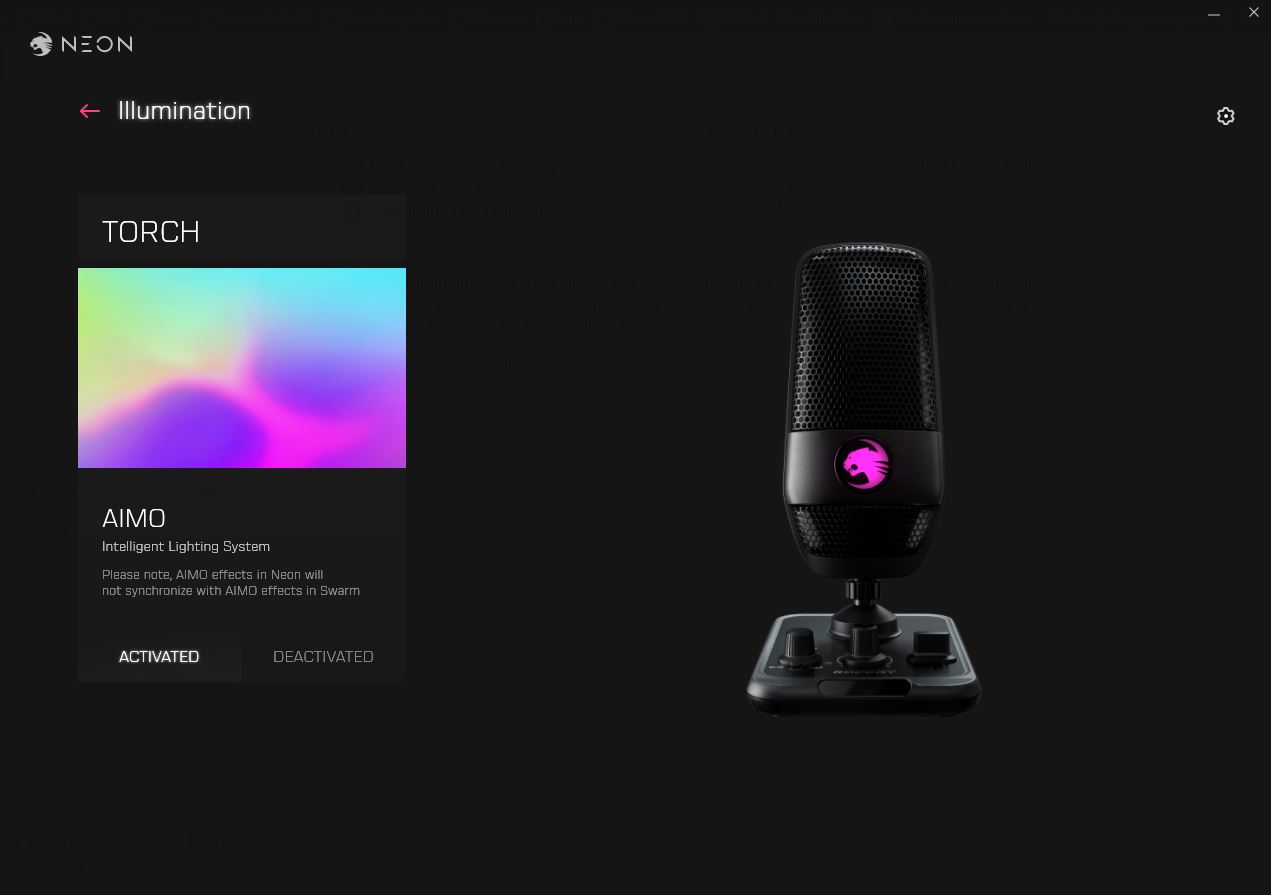
Roccat uses the new NEON software, as with the Syn Air Pro. We are using version 0.91.6-beta. At this moment (October 27, 2021), the software only offers one function. With the software, you can only turn the microphone’s lighting on and off for now. Microphone functions or an equalizer are not available to us.
In the Neon software, you can turn the lighting on and off. That’s it.
Yeti Nano
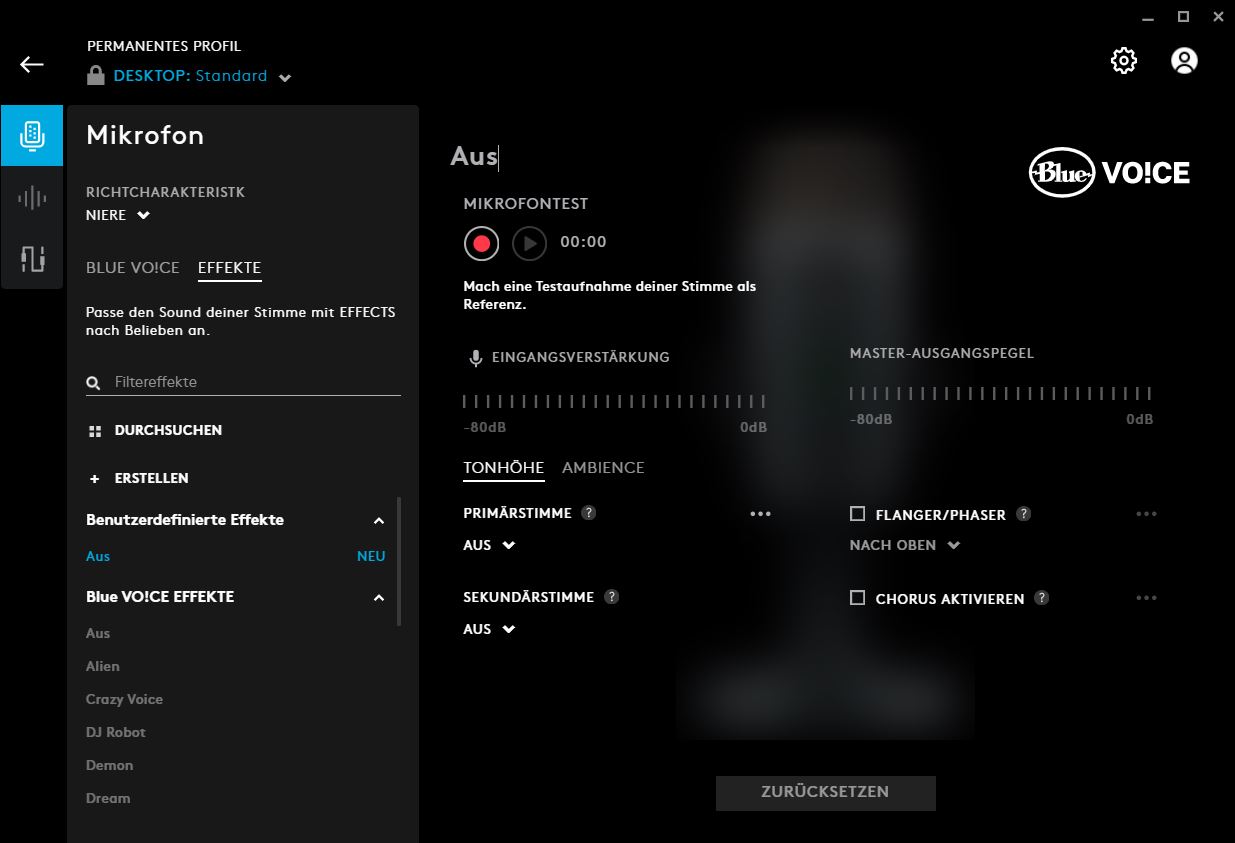
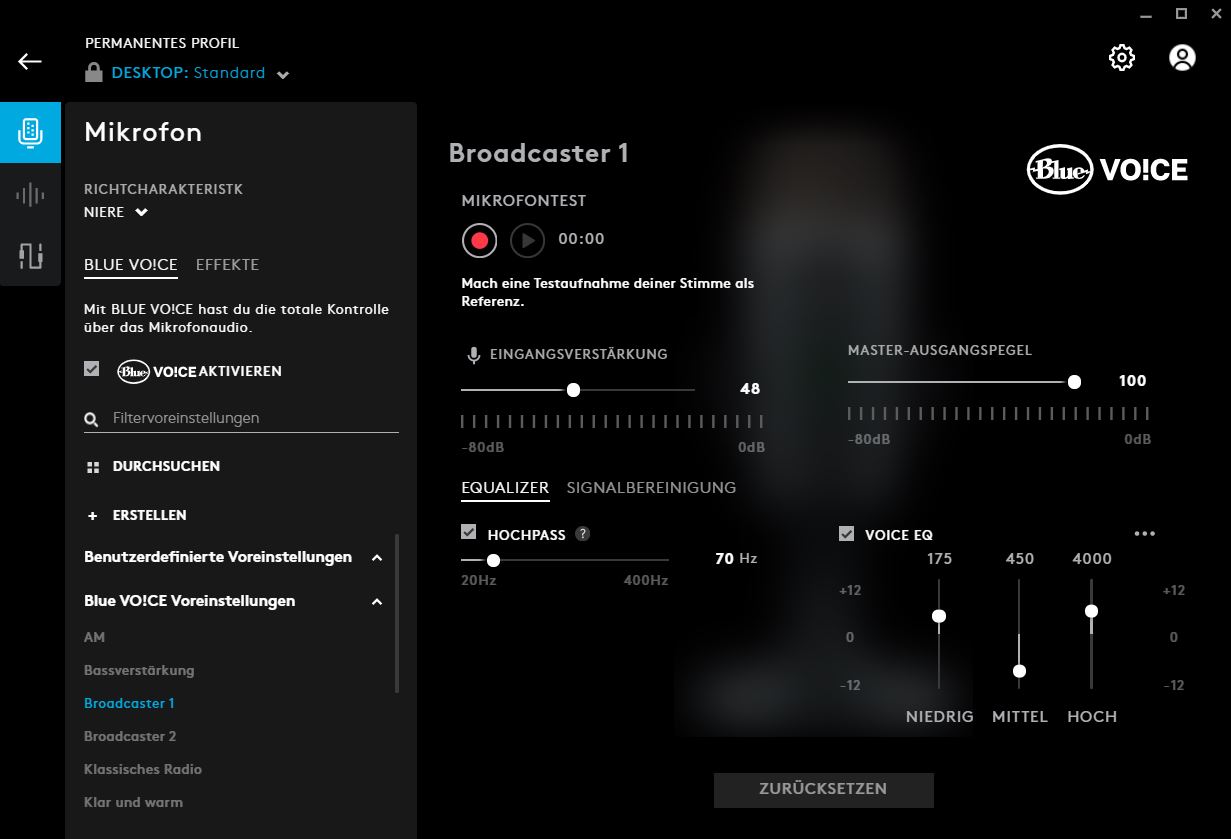
The Yeti Nano uses Logitech G-Hub software. We are using version 2021.10.8013. Currently, within the software, we can adjust numerous microphone functions. For example, we can adjust the input gain or use an equalizer for the voice. Alternatively, we can choose from several presets.
In another aspect, we can additionally adjust the microphone signal and set noise suppression or determine under which threshold the device should not pick up sounds. This is useful, for example, if you don’t want your listeners to hear the typing of your keyboard.
Software of the Blue Yeti Nano. The device uses Logitech’s G-Hub software
Conclusion on Software
With software, the Yeti Nano is the clear winner. You can make numerous adjustments to the microphone through the G-Hub software, which is extensive. The software for the Torch is very poor; you can only turn the lighting on and off.
Winner: Yeti Nano
Price
The suggested retail price (RRP) for the Roccat Torch is 99.99 euros, and you currently can’t get it cheaper.
The RRP for the Yeti Nano is 120 euros; however, you can currently get the microphone for around 90 euros on average. Over the past 6 months, the price has ranged from 90 to 110 euros.
There is no clear winner when it comes to price, as both are closely priced at the time of the review (as of October 27, 2021). You pay 99.99 euros for the Torch and about 9 euros less for the Yeti Nano.
Winner: Tie
Audio Quality
The recording quality is perhaps the most important criterion for evaluation. After all, a microphone should primarily produce recordings of acceptable quality. In this section, we want to explain whether the microphones can meet expectations.
For the recording test, we used Aesop’s 29th fable, “The Donkey and the Lion.” The recordings were made using the Audacity software.
Roccat Torch Sound Test
The Roccat Torch offers three different recording modes. In addition to the cardioid mode, the device provides a stereo mode and a whisper mode.
The stereo mode is especially helpful when spatial sound is important or when you want to conduct a conversation with multiple people. The whisper mode is said to enhance and compress the input signal simultaneously. This way, even with a quiet voice, good recordings should be possible.
In the test, both the cardioid and stereo modes convinced us. Our voice is clearly understandable, and the microphone reproduces the speaker’s voice neutrally and without distortion. We set the microphone up about 20 centimeters away, and it sounds clear and understandable.
In the whisper mode, the compression can be clearly heard, which is why we hardly used this mode. Additionally, we sound uneven in volume, and not everything is transmitted.
Roccat Torch – Whisper Mode
However, the Roccat Torch is susceptible to interference. The stand with the control elements picks up vibrations and transmits them into the microphone. If you make adjustments to the microphone, your listeners may hear that. If you sit in a larger room and the microphone is farther away, the sound quality also suffers.
For recordings, the Torch is not always practical since you cannot adjust sound and other properties through the software. We are hoping that Roccat will provide more comprehensive software in the future.
Yeti Nano Sound Test
The microphone offers two different recording modes. In addition to the cardioid mode, there is also an omnidirectional mode. While the first mode is especially suitable for podcasts and streaming where one person speaks, the omnidirectional mode is intended for instruments, multiple voices, and singing. The microphone does not offer a bidirectional mode for a conversation between two people.
In the test, both recording modes work very well, but we mainly use the cardioid pattern. The recording quality is high, and it is possible to position the microphone 20 centimeters away from the head without compromising quality. However, the click sound when pressing the mute button is audible in the recording. There is also a slight echo in the audio track.
However, we noticed that it takes some time for the microphone to sound really good. However, if you take the time to click through the software and adjust the microphone to your voice, you will get a really good microphone.
Conclusion on Audio Quality
Both devices offer high quality: With both, we are clearly and distinctly understood, and our voice sounds natural at a distance of 20 centimeters. In both cases, a gaming keyboard is positioned between us and the microphone. In larger rooms, you will hear some echo with both devices. The echo is somewhat more pronounced with the Yeti Nano.
The cardioid pattern impresses us with both the Roccat Torch and the Yeti Nano. We prefer the stereo mode of the Roccat Torch over the omnidirectional mode of the Yeti Nano, which sounds too muffled. The Yeti Nano does not have a whisper mode, but the exclusive Roccat mode does not convince us either.
Winner: Tie
Roccat Torch or Yeti Nano – Which is the better microphone?
Both microphones offer different strengths and weaknesses, but overall we prefer the Yeti Nano. The deciding factor in the end is primarily the more mature software with the Yeti Nano. Here you can make numerous adjustments, while with the Roccat Torch you currently have to rely on the basic settings being in order.
Thus, the purchase decision ultimately also depends on what you expect from your microphone. If you want good basic settings without having to adjust much, then the Roccat Torch is the better choice. Here you can also make necessary adjustments directly on the device. The Roccat Torch is a good microphone for beginners in the podcast or streaming field who do not want to waste much time on adjustments.
However, if you take the time to go through the numerous settings of the Yeti Nano, you will end up with a better microphone overall. With BlueVo!ce and the equalizer, you have significantly more options here.
Oops, unfortunately this affiliate widget is no longer available.
Roccat Torch
Who should choose the Roccat Torch? If you are looking for a microphone with good base settings and stability on the desk, then the Roccat Torch is a good choice. The microphone looks nice and allows synchronization with other Roccat hardware. The new NEON software has great potential but currently offers too few functions. The price for recording quality and build is reasonably set.
Pros
Good basic settings
stable and good tactile feel
good voice quality with three recording types
attractive design
Cons
mostly made of plastic
underdeveloped software
Yeti Nano
Who should choose the Yeti Nano? If you are looking for a microphone with good build quality and many adjustment options for around 100 euros, then the Yeti Nano is a good option for you. The software is mature and offers numerous functions, and the microphone takes up little space on the desk. However, you will have to forgo colorful lighting like on the Roccat Torch.
Pros
High-quality build
slim stand
developed and extensive software
Cons
few functions can be adjusted directly on the microphone
micro USB connection on the microphone
Further recommendations: If you are looking for suitable headphones for the microphone or just a gaming headset, check out our buying guide here on MeinMMO: Here we present the best gaming headsets, headphones, and microphones that you can currently buy.
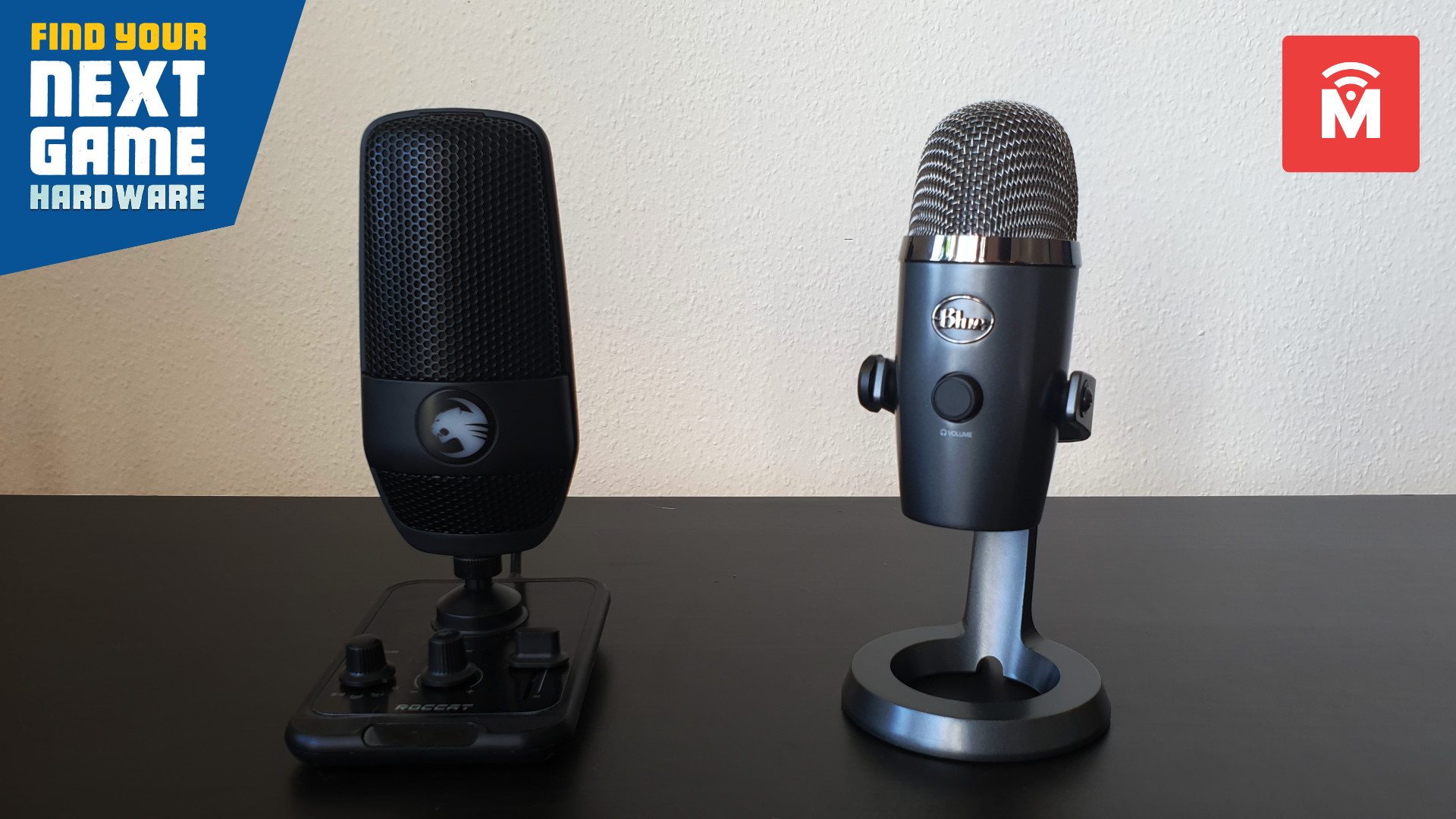
With the Torch, Roccat has released its first USB microphone. We compare the Roccat Torch with the Yeti Nano in this review and tell you which is the better device for 100 euros.
The most important points at a glance:
The Roccat Torch and the Yeti Nano are both desktop microphones for under 100 euros. You connect the devices via USB to your desktop PC or laptop.
The Yeti Nano appears better manufactured in our tests and comes with significantly more mature software. The Roccat Torch, on the other hand, offers lighting and better out-of-the-box sound settings.
What it’s about: With the Torch, Roccat released its first USB microphone. With a suggested retail price of 99.99 euros, the aim is to reach many potential buyers.
Similarly positioned is the Yeti Nano. The device is priced slightly above the 100-euro mark at 120 euros, targeting mainly beginners as well. By now, you can get the device for around 90 euros.
MeinMMO has looked at both devices and compares them in a comprehensive test. In the conclusion, we explain which microphone ultimately convinced us more.
Features and technical details:
Roccat Torch
Blue Yeti Nano
Sampling rate
48 kHz
48 kHz
Bit depth
24-bit, optionally at 44.1 kHz
24-bit
Capsules
2 x 14×6.5mm condenser capsules
2 x 14 mm condenser capsules
Polar pattern
Cardioid (unidirectional), Stereo, Whisper
Cardioid (unidirectional) and Omnidirectional
Frequency response
20 Hz – 20 kHz
20 Hz – 20 kHz
Sound pressure
110 dB
120 dB
Price (RRP)
99.99 euros
119.99 euros
Oops, unfortunately this affiliate widget is no longer available.
Design and Build
In this section, we discuss the design of the Roccat Torch and Yeti Nano. What do the microphones look like and what features are attached to the microphone?
Roccat Torch
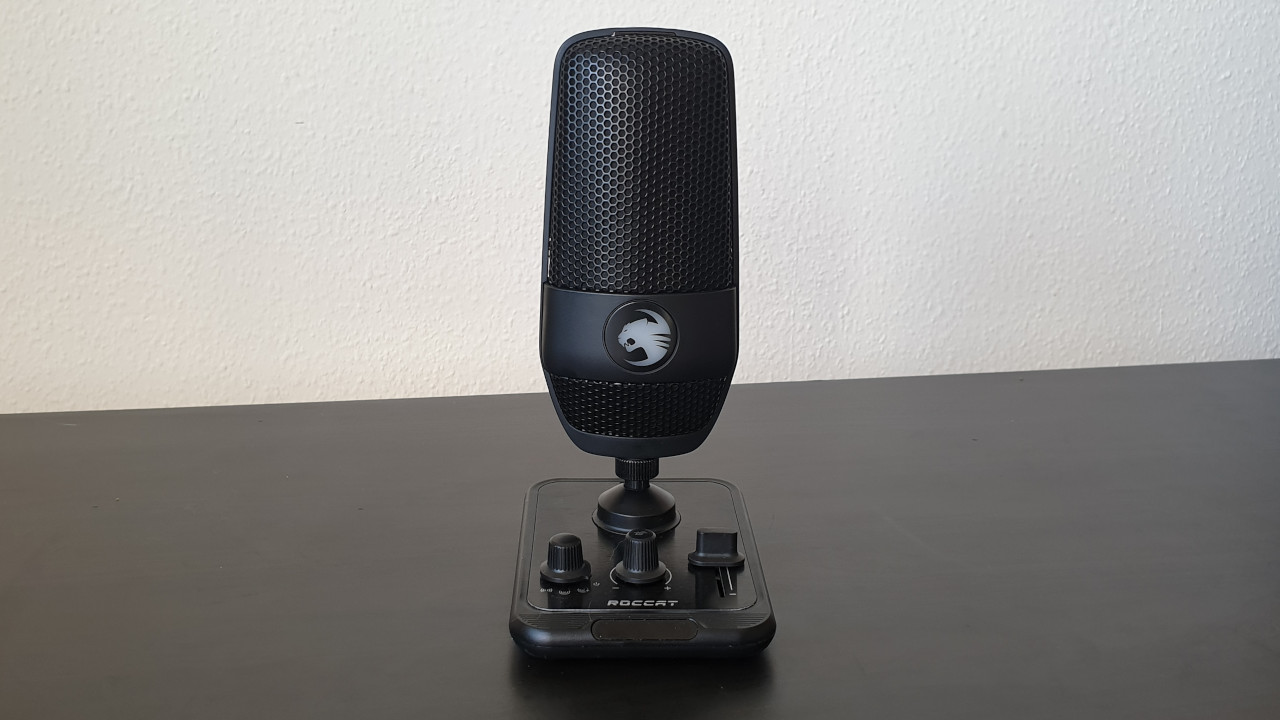
The Roccat Torch stands on a square base where all control functions for the microphone are integrated. Here you can adjust the recording volume (gain) of the microphone, change the polar patterns, or turn the device completely off. The controls are intuitive and easy to understand. The elements have a good tactile feel and are also easy to operate.
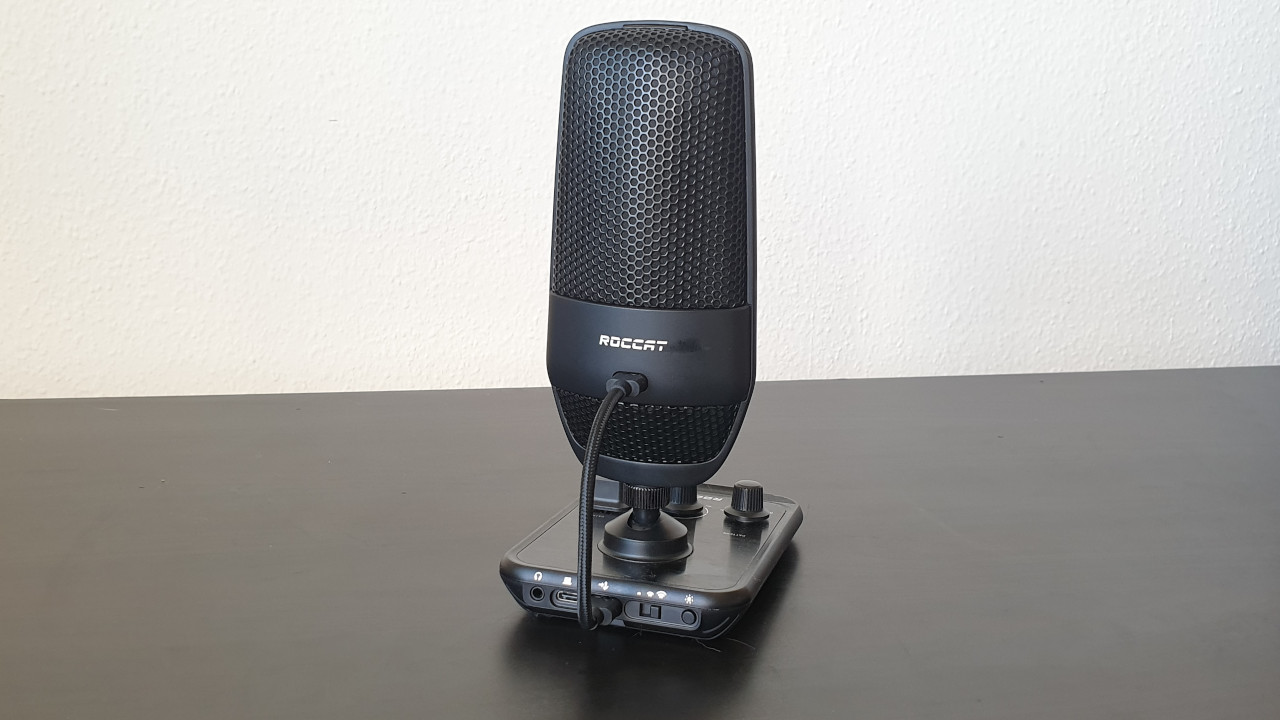
On the back of the microphone, you can also connect a headset via the 3.5mm jack. On the top of the microphone, there is a quick-mute function. If you touch the microphone at the top, you can mute or activate it.
With the Roccat Torch, the microphone is connected with the control elements. Then the plate with the elements is connected to the PC. If you want to hang the microphone, you have to keep it connected to the plate.
The Roccat Torch lights up when it is active. The Roccat cat can be synchronized with other Roccat devices.
Yeti Nano
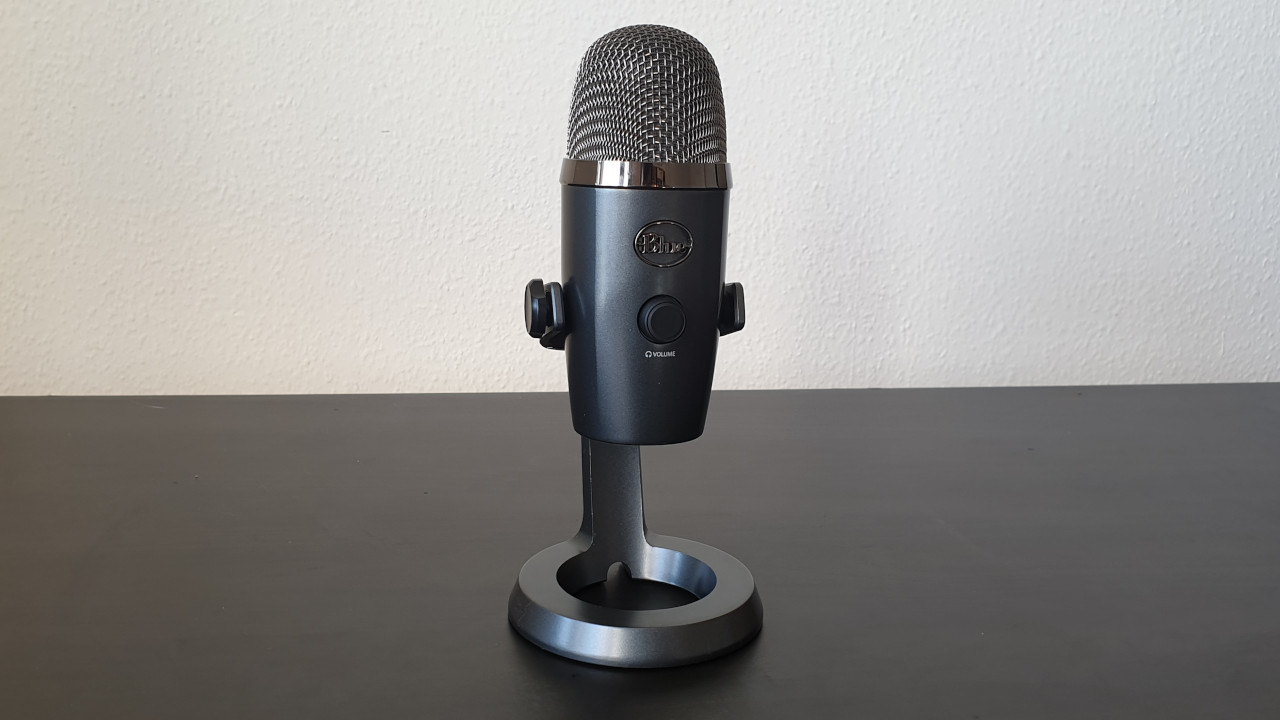
The Yeti Nano sits in a round holder and is mounted there. On the front, there is a round switch on the body of the microphone, which allows you to switch the volume of the connected headphones and mute the microphone. On the back, there is another switch to change the polar patterns. You can also connect a headset via the 3.5mm jack on the bottom of the microphone.
If you want to hang the microphone, you can connect it directly to the PC. The stand has only a supportive function with no additional features. The Yeti Nano is available in various color variations. The microphone completely dispenses with color play and RGB.
The Yeti Nano is simple and understated, foregoing RGB lighting.
Conclusion on Design and Build
We prefer the design and build quality of the Roccat Torch in comparison to the Yeti Nano. In particular, the modern USB-C port on the Torch is more appealing than the micro-USB option on the Yeti Nano.
With the Torch, we can reach all important settings via the panel below the microphone, while the Yeti Nano offers significantly fewer adjustable options directly on the microphone. However, the downside is that the Torch requires a bit more space on the desk and must always be connected to the panel.
If you want to hang the microphone, you have to first connect the hung Torch with the button and then plug it into the PC. This step is unnecessary with the Yeti Nano.
Winner: Roccat Torch
Build Quality
In this section, we look at the build quality of both devices and compare them. We will then explain which of the two devices makes a better impression.
Roccat Torch
The plate with the control elements and the microphone itself are made entirely of plastic. However, the surface of the plate has a metallic look, giving it a valuable impression and reminiscent of the Roccat Pyro, where Roccat uses a similar design. The body of the microphone is mounted on the housing with a metal thread.
Front and back of the Roccat Torch
Yeti Nano
The Yeti Nano features a sturdy metal desktop stand, giving the microphone a high-quality impression. The buttons on the front and back are large enough to be easily and comfortably accessible.
The cable management on the underside is not very convincing once the microphone is on the table. Here the connection cable bends significantly, which will not be beneficial for the durability of the cable in the long run.
Front and back of the Blue Yeti Nano
Conclusion on Build Quality
In terms of build quality, the Yeti Nano has the edge and overall impresses us more than the Roccat Torch. The Yeti Nano’s stand is made of metal, and the microphone itself appears to be more qualitatively manufactured than the predominantly plastic Torch. The only exception is the connection cable on the Yeti Nano.
Winner: Yeti Nano
Software
Here we look at what software the microphones offer. We discuss the functions of the software and how intuitive it is to use.
Roccat Torch
Roccat uses the new NEON software, as with the Syn Air Pro. We are using version 0.91.6-beta. At this moment (October 27, 2021), the software only offers one function. With the software, you can only turn the microphone’s lighting on and off for now. Microphone functions or an equalizer are not available to us.
In the Neon software, you can turn the lighting on and off. That’s it.
Yeti Nano
The Yeti Nano uses Logitech G-Hub software. We are using version 2021.10.8013. Currently, within the software, we can adjust numerous microphone functions. For example, we can adjust the input gain or use an equalizer for the voice. Alternatively, we can choose from several presets.
In another aspect, we can additionally adjust the microphone signal and set noise suppression or determine under which threshold the device should not pick up sounds. This is useful, for example, if you don’t want your listeners to hear the typing of your keyboard.
Software of the Blue Yeti Nano. The device uses Logitech’s G-Hub software
Conclusion on Software
With software, the Yeti Nano is the clear winner. You can make numerous adjustments to the microphone through the G-Hub software, which is extensive. The software for the Torch is very poor; you can only turn the lighting on and off.
Winner: Yeti Nano
Price
The suggested retail price (RRP) for the Roccat Torch is 99.99 euros, and you currently can’t get it cheaper.
The RRP for the Yeti Nano is 120 euros; however, you can currently get the microphone for around 90 euros on average. Over the past 6 months, the price has ranged from 90 to 110 euros.
There is no clear winner when it comes to price, as both are closely priced at the time of the review (as of October 27, 2021). You pay 99.99 euros for the Torch and about 9 euros less for the Yeti Nano.
Winner: Tie
Audio Quality
The recording quality is perhaps the most important criterion for evaluation. After all, a microphone should primarily produce recordings of acceptable quality. In this section, we want to explain whether the microphones can meet expectations.
For the recording test, we used Aesop’s 29th fable, “The Donkey and the Lion.” The recordings were made using the Audacity software.
Roccat Torch Sound Test
The Roccat Torch offers three different recording modes. In addition to the cardioid mode, the device provides a stereo mode and a whisper mode.
The stereo mode is especially helpful when spatial sound is important or when you want to conduct a conversation with multiple people. The whisper mode is said to enhance and compress the input signal simultaneously. This way, even with a quiet voice, good recordings should be possible.
In the test, both the cardioid and stereo modes convinced us. Our voice is clearly understandable, and the microphone reproduces the speaker’s voice neutrally and without distortion. We set the microphone up about 20 centimeters away, and it sounds clear and understandable.
In the whisper mode, the compression can be clearly heard, which is why we hardly used this mode. Additionally, we sound uneven in volume, and not everything is transmitted.
Roccat Torch – Whisper Mode
However, the Roccat Torch is susceptible to interference. The stand with the control elements picks up vibrations and transmits them into the microphone. If you make adjustments to the microphone, your listeners may hear that. If you sit in a larger room and the microphone is farther away, the sound quality also suffers.
For recordings, the Torch is not always practical since you cannot adjust sound and other properties through the software. We are hoping that Roccat will provide more comprehensive software in the future.
Yeti Nano Sound Test
The microphone offers two different recording modes. In addition to the cardioid mode, there is also an omnidirectional mode. While the first mode is especially suitable for podcasts and streaming where one person speaks, the omnidirectional mode is intended for instruments, multiple voices, and singing. The microphone does not offer a bidirectional mode for a conversation between two people.
In the test, both recording modes work very well, but we mainly use the cardioid pattern. The recording quality is high, and it is possible to position the microphone 20 centimeters away from the head without compromising quality. However, the click sound when pressing the mute button is audible in the recording. There is also a slight echo in the audio track.
However, we noticed that it takes some time for the microphone to sound really good. However, if you take the time to click through the software and adjust the microphone to your voice, you will get a really good microphone.
Conclusion on Audio Quality
Both devices offer high quality: With both, we are clearly and distinctly understood, and our voice sounds natural at a distance of 20 centimeters. In both cases, a gaming keyboard is positioned between us and the microphone. In larger rooms, you will hear some echo with both devices. The echo is somewhat more pronounced with the Yeti Nano.
The cardioid pattern impresses us with both the Roccat Torch and the Yeti Nano. We prefer the stereo mode of the Roccat Torch over the omnidirectional mode of the Yeti Nano, which sounds too muffled. The Yeti Nano does not have a whisper mode, but the exclusive Roccat mode does not convince us either.
Winner: Tie
Roccat Torch or Yeti Nano – Which is the better microphone?
Both microphones offer different strengths and weaknesses, but overall we prefer the Yeti Nano. The deciding factor in the end is primarily the more mature software with the Yeti Nano. Here you can make numerous adjustments, while with the Roccat Torch you currently have to rely on the basic settings being in order.
Thus, the purchase decision ultimately also depends on what you expect from your microphone. If you want good basic settings without having to adjust much, then the Roccat Torch is the better choice. Here you can also make necessary adjustments directly on the device. The Roccat Torch is a good microphone for beginners in the podcast or streaming field who do not want to waste much time on adjustments.
However, if you take the time to go through the numerous settings of the Yeti Nano, you will end up with a better microphone overall. With BlueVo!ce and the equalizer, you have significantly more options here.
Oops, unfortunately this affiliate widget is no longer available.
Roccat Torch
Who should choose the Roccat Torch? If you are looking for a microphone with good base settings and stability on the desk, then the Roccat Torch is a good choice. The microphone looks nice and allows synchronization with other Roccat hardware. The new NEON software has great potential but currently offers too few functions. The price for recording quality and build is reasonably set.
Pros
Good basic settings
stable and good tactile feel
good voice quality with three recording types
attractive design
Cons
mostly made of plastic
underdeveloped software
Yeti Nano
Who should choose the Yeti Nano? If you are looking for a microphone with good build quality and many adjustment options for around 100 euros, then the Yeti Nano is a good option for you. The software is mature and offers numerous functions, and the microphone takes up little space on the desk. However, you will have to forgo colorful lighting like on the Roccat Torch.
Pros
High-quality build
slim stand
developed and extensive software
Cons
few functions can be adjusted directly on the microphone
micro USB connection on the microphone
Further recommendations: If you are looking for suitable headphones for the microphone or just a gaming headset, check out our buying guide here on MeinMMO: Here we present the best gaming headsets, headphones, and microphones that you can currently buy.
Call of Duty: Vanguard lets you experience World War II as part of the Vanguard unit in the solo campaign. But how long does the fun last and how much gameplay is involved? Is Victory Day reached after just a few hours or do you need to take more time until the Nazis are defeated? Here on MeinMMO you will find out the length of the campaign in single-player mode.
What is included in the campaign’s playtime? In the solo campaign of Vanguard, you play in the eponymous special unit, where members of various special forces of the Allied forces are represented. Your goal is to stop the nasty Nazi villain Colonel Group Leader Hermann Wenzel Freisinger and his secret Project Phoenix.
To do this, you fight your way through nine different missions across various war zones, including the already known Battle of Stalingrad. Each of them lasts between 30 and 45 minutes, depending on how much time you take to explore the maps and what difficulty level you have chosen.
Everything you need to know about the new Call of Duty: Vanguard – in 2 minutes
The length of the single-player campaign of Vanguard is in line with the average duration of the series
This is the length of the campaign in Vanguard: Assuming a regular difficulty level and a player who is somewhat competent in shooters, the campaign should last between 4.5 and 7 hours.
So if you play quickly or are very skilled, you might defeat the Nazis after a good afternoon post-release and celebrate Victory Day.
How long is the duration of a CoD campaign on average? With an average length of just over 5 hours, Vanguard is in line with the CoD series average. For comparison: The last title, Cold War, was also completed in just over 5 hours. The longest title in the series so far was Black Ops III, which required about seven hours of playtime.
The campaign playtime is over, what should I play now in Vanguard? Fortunately, the campaign is not the only thing you can play in the game. Because if you enjoy mowing down AI opponents but don’t like playing alone, you can have fun in the new Zombie mode and slay masses of undead.
Competitive players can battle in various game modes in multiplayer, and later in the year, the new Warzone with the Pacific map will finally arrive. Furthermore, things will quickly continue after release: Here is the roadmap for the time after the release of CoD Vanguard.
This is an AI-powered translation. Some inaccuracies might exist.
Call of Duty: Vanguard is on the market, many players have already had their first rounds, and many content creators have been bustling on the servers for days. MeinMMO shows you the first impressions of the multiplayer of Vanguard and they are positive.
The next CoD generation has officially launched with Call of Duty: Vanguard. To give you an impression of how the shooter is received by players after the first hours, we summarize some opinions.
We followed the release of Vanguard in the live ticker and also paid attention to the voices from the community. The opinions that we encountered repeatedly are found in this article. For a short insight into Vanguard, check out our video:
Start video
Everything you need to know about the new Call of Duty: Vanguard – in 2 minutes
What is well received?
Changes after the beta: There is much praise for the implemented feedback after the rather mediocre beta phase. The beta was received rather mixed in the community and the spectrum was broad – between “Best CoD” and “A disgrace!”
It is not easy to pinpoint which change stands out compared to the beta. It is the overall package that can convince. Although there are exceptions and not everything is perfect. However, most of the major criticisms have been addressed and improved in some cases:
Gameplay is faster and supports mobile, aggressive players
Especially with the audio, there are still some problems, but the improvements are “audible.” The CoD expert and YouTuber “Drift0r” says after a few days in the game: “I am pleasantly surprised how much the game has improved compared to the beta” and especially praises the improved visibility of enemies (via YouTube).
Much content at release: Another point on the positive side – 16 maps in 6v6 at launch. This impression arises mainly due to the experiences from the previous year.
Cold War had only 8 maps at launch and half of them could be extensively played in the beta at that time. Vanguard offers a wealth of multiplayer content and even players who spent many hours in the beta see a lot new at release.
As @FlamenautLucas writes on Twitter: “Vanguard has perfected what CoD MW did wrong and launched with more quality and content than Cold War, except for zombies.”.
Diverse and good maps: But not only the amount of content is well received, the quality also meets the approval of many players. The maps are well received after the first hours – in terms of structure and variety.
At launch, all maps are unique and offer both visual and gameplay variety. The focus on the 3-lane system is noticeable and is well received. The long-time data miner and CoD player @TheMW2Ghost writes on Twitter: “I haven’t played a map that I don’t like so far. All are visually (and play) so nice.”.
Much praise is also received by the large news account @ModernWarzone on Twitter: “Vanguard is the best and most complete CoD multiplayer experience at release that we have had since Black Ops 2. And that’s almost 10 years ago.”.
Recommended editorial content
At this point you will find external content from Twitter that complements the article.
I consent to external content being displayed to me. Personal data can be transmitted to third party platforms.
Read more about our privacy policy.
Combat pacing forces larger matches: With combat pacing, you actually have control over how many players start a match. However, the system is not particularly strict after the release. This is especially annoying for players of the normal 6v6 matches.
For although you set the tactical pacing for 6v6, it may be that you end up in a match with attack pacing but actually blitz pacing. You thus have a completely different experience than intended. @CODWarfareForum says on Twitter: “6v6 plays really well, but I could only play it once last night. Stop forcing me to play 8v8 and 10v10. I hate it.”.
Audio needs improvements: The sound was a major critique in the beta and remains a certain problem for some players after the release. While there were clearly improvements, they were not sufficient for some.
On reddit, the user Paulkdragon writes: “My biggest problem with the game is the audio. Seriously – I can’t hear anything, everything is so dull.” However, opinions vary widely regarding the audio.
Certain start-up problems: Furthermore, there are some small bugs, lags, and connection issues at launch. The server problems seem to be an individual issue and not everyone had a problem after the release.
Additionally, there are still difficulties in unlocking some weapon camos. Apparently, not all progress currently counts towards challenges and with some weapons, you cannot unlock certain camos. Ken_kerlijerIs on reddit: “Is it just me or are the camos not unlocking for the StG? The weapon is level 30 right now and the only camo I have is 15 multi-kills, but I have 0 on the elimination counter”.
These were our first impressions from the community after the launch. Have you already played a few rounds? Then feel free to leave your thoughts on the new Call of Duty: Vanguard in the comments.
In Pokémon GO starting from November 5, parts 13 and 14 of Misunderstood Mischief will be available. This is the special research featuring Hoopa. We will show you the tasks and rewards.
What are the tasks? In Pokémon GO, the Festival of Light begins on November 5 and brings cool bonuses. Part of the event is the continuation of the special research featuring Hoopa, which you will find in your research overview under the title “Misunderstood Mischief.”
Stage Reward: If you successfully complete all three tasks and claim their rewards, you will also receive an encounter with Electabuzz, a Snorlax, and 10 Dedenne candies.
How to find new friends: In Pokémon GO, you can add new friends by using QR codes or their friend codes. In our overview, we show you how to find new friends in Pokémon GO.
Misunderstood Mischief 14/16
Professor Willow is still researching this task area. Once the task is unlocked, you will receive 720 Stardust and 720 XP.
The current event: The Festival of Light runs in Pokémon GO until November 14. You will encounter the new Pokémon Dedenne, which belongs to the Electric and Fairy types. Additionally, you will see an increased spawn rate of Electric and Fire-type Pokémon in the wild.
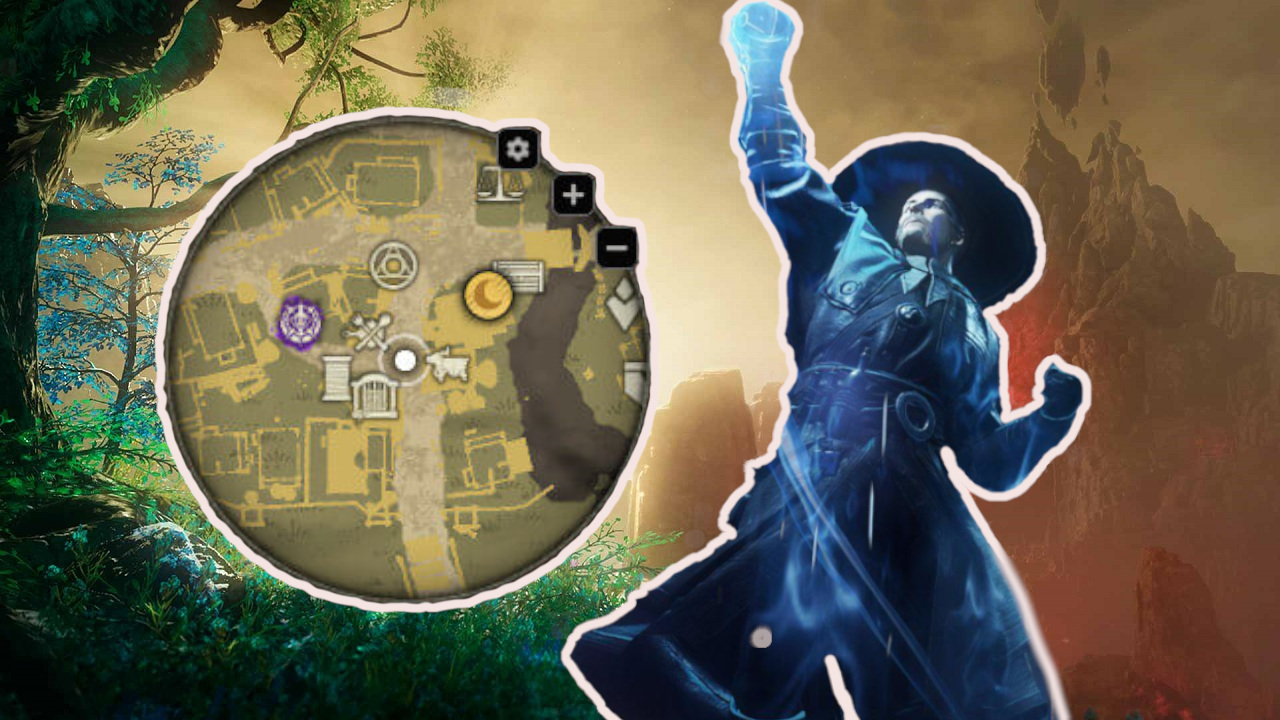
For many fans of MMORPGs, addons and mods are simply part of the experience. For New World, players have created their own minimap to navigate the world more easily. This minimap was initially banned by Amazon, but is now officially allowed. In general, there is now a statement regarding addons through Overwolf.
Are addons now allowed? Partially. As community manager Luxendra stated in the forum, addons from Overwolf that are overlaid on the game and do not access the client or external websites are allowed.
However, addons that provide gameplay advantages through client manipulation or external websites are prohibited.
Here is the official statement:
Greetings adventurers,
We continue to discuss this specific addon [the minimap] with Overwolf. At the moment, we have decided that client-controlled addons that solely use the player’s position in the world are acceptable.
However, if the functionality changes in a way that violates our terms of service, such as incorporating other websites to determine resources, paths, or safe/unsafe areas of the map, we will first announce an official change in our stance and then take action.
What does this mean specifically? An overlay like the minimap that two players created is allowed under the current regulations.
It becomes critical once the overlay provides advantages, such as revealing the locations of nodes, which paths are safe or unsafe, or showing quest objectives that are not marked with an official marker. These remain prohibited.
Addons that access the client, such as implementing a DPS meter, are anyway prohibited in the terms of service.
What do you think about Amazon’s decision? Do you find the restrictions in New World acceptable or too harsh? Will you use the minimap addon now that it is allowed? Feel free to write it in the comments.
New World also announced the first major update for November, which will bring some interesting changes for the economy and expeditions:
The MMORPG Star Wars: The Old Republic will receive the new expansion “Legacy of the Sith” in 2021. This will introduce new content and a new max level, but also some general improvements. One of them revolves around the topic of randomness in loot, which is to be significantly reduced in the future.
What changes with loot? As the developers have communicated, the RNG factor regarding loot will be removed from the game. Instead, players will be able to specifically aim for better equipment and work towards upgrading it.
Specifically, the changes are as follows:
You should now receive most new equipment items and upgrades for your equipment guaranteed through weekly missions.
The Group Finder will offer a limited number of Flashpoints and Story Operations each week, through which you will receive a guaranteed upgrade for your weakest piece of equipment. Players running the Flashpoints multiple times will receive a currency that can be invested in upgrades.
Bosses will now drop either a new currency with which you can buy new equipment, or a fixed reward through which you can upgrade your gear.
The system in PvP will resemble that of the Flashpoints, where there will be certain missions that grant you upgrades.
Glory and random drops are to be removed with Patch 7.0.
The equipment items are to be static and cannot be modded, making the upgrade path easier.
At level 80, you should be able to obtain equipment with an item rating of 320. The maximum level at the release of the expansion will be 334.
Are there really no random drops anymore? Yes. In Flashpoints, you will receive random crafting materials and vanity rewards. You can find a detailed overview of the drops on the official SWTOR website (via SWTOR.com).
The following content is to be offered by the expansion:
The maximum level increases from 75 to 80 during the story
We will travel to the water planet Manaan and some other locations
A new Flashpoint on the planet Elom
A new operation in the wreckage of a research station
A new “Combat Styles” feature that combines a class story with abilities of other classes
Redesign for a “tighter” class design
Improvements for character creation
Concept Art of the new planet Manaan.
For 2022, several events and updates are planned to be released throughout the year. It will be a special year for SWTOR, as the MMORPG was released in 2011. The 10th anniversary will be celebrated accordingly.
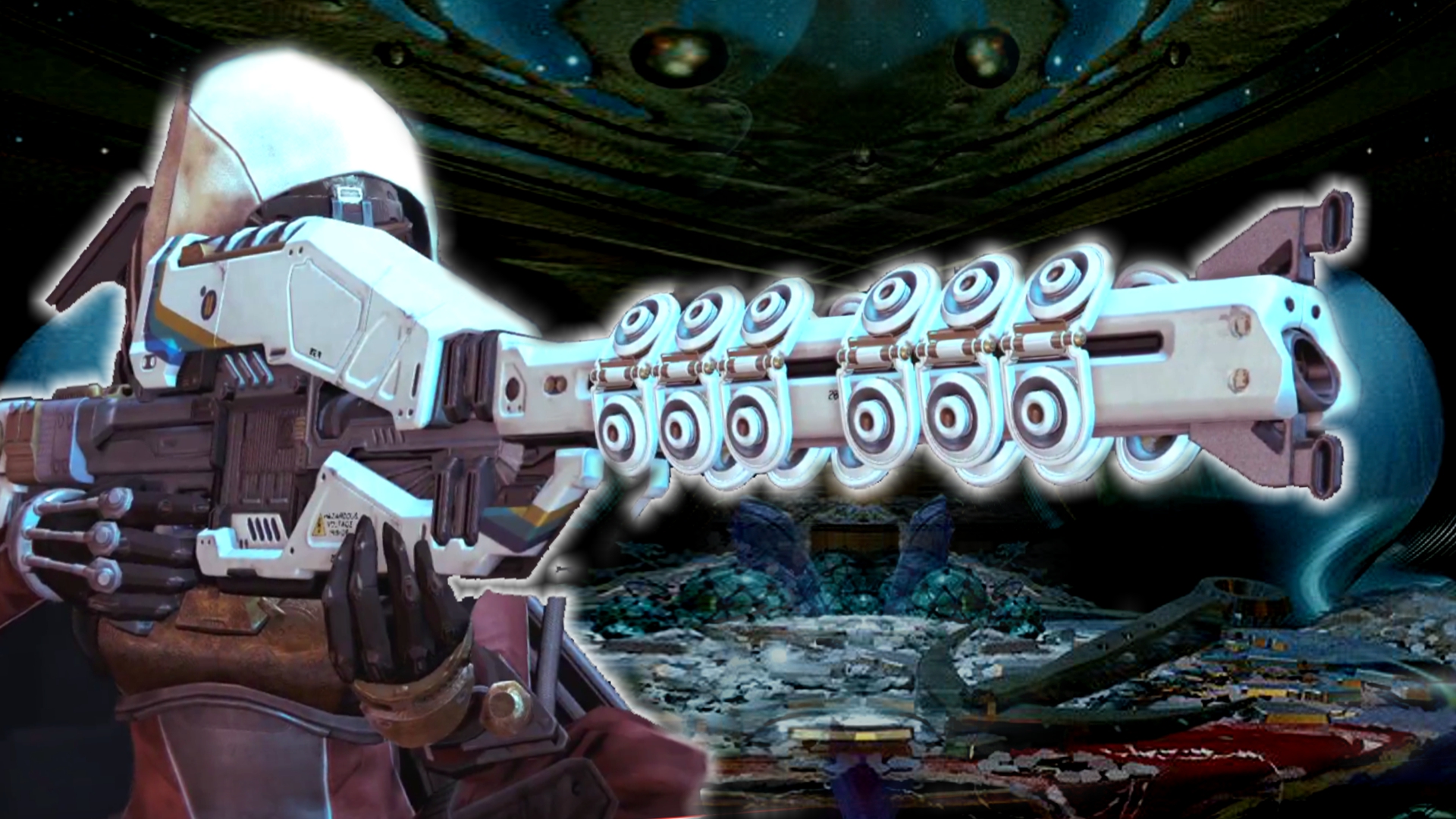
December is approaching, and with it, the “30 Years of Bungie” expansion pack in Destiny 2. Some returning items, like Eyasluna, have been confirmed. However, new rumors suggest that the exotic sniper rifle Icebreaker could also make a return.
On December 7, the “30 Years of Bungie” pack will bring new and old content to Destiny 2. Confirmed weapons include the once-famous Exotic rocket launcher Gjallarhorn, the legendary hand cannon Eyasluna (the legendary version of the Hawkmoon) and the sniper 1000-Yard Stare.
In addition, the birthday pack will offer more content:
A new dungeon will be coming.
Additionally, there will be a new 6-player activity.
Plus, ornaments and cosmetics, such as the Thorn armor set.
However, rumors have surfaced in the community that this might not be all.
What we currently know: We know that upon release, on December 7, there will also be a huge sandbox patch. This will mainly include ability and weapon changes. Since the rocket launcher Gjallarhorn will also make its debut in Destiny 2, players are now speculating about another revised exotic weapon.
Why the Icebreaker sniper specifically? Reddit user XOnslaught (via reddit) shared a screenshot showing the percentage of weapon usage in the Trials of Osiris. The exotic sniper rifle Icebreaker can be seen along with Eyasluna. XOnslaught speculates about the return of the considered overpowered sniper.
Recommended editorial content
At this point you will find external content from Reddit that complements the article.
I consent to external content being displayed to me. Personal data can be transmitted to third party platforms.
Read more about our privacy policy.
The fact that Eyasluna is in the same screenshot lends credibility to the source. Moreover, it shows that the data for the exotic sniper is already present in the game.
What can the exotic sniper Icebreaker do? Anyone who played Destiny 1 probably has good memories of this classic exotic. Icebreaker is an exotic solar sniper rifle and became extremely popular due to its ability to regenerate ammunition over time. In the first game, it was almost indispensable. It played a key role in PvE activities and was a powerhouse in PvP.
The rumor about the return of the exotic sniper has been received positively, especially among long-time players in the community. Players definitely see possibilities for a return of Icebreaker. Reddit user Aggressive-Pattern writes:
What if they made infinite/regenerating ammunition more interesting? That it regenerates after each kill with a different weapon (not loading from reserves)? That seems a bit more balanced.
The presence of Eyasluna gives me hope that Icebreaker actually returns. Even if the weapon is completely overhauled, it was a sick weapon.
The legendary hand cannon Eyasluna is returning to Destiny 2 in December 2021.
One should not forget that Bungie has already reintroduced many weapons from the past. Iconic examples include the Vex Mythoclast or the Hawkmoon.
How credible is the comeback? There has been no leakage or confirmation from Bungie’s side regarding this, especially not about the return of the Icebreaker. So we can only speculate.
However, even if it turns out in December that Icebreaker returns, it will no longer be the weapon that veterans from Destiny 1 know. Bungie continues to clarify this. Joe Blackburn stated in an interview that “Destiny weapons are never the same when they are reintroduced for Destiny 2”.
This is what the Destiny 2 community is currently talking about:
Destiny 2 needs a replacement for exotic quests soon
The Icebreaker sniper would be an excellent reward for players in a new exotic quest, similar to Omen or Signs. Both were challenging missions that were popular. However, both missions will have to leave Destiny 2 soon.
Bungie has definitely announced a replacement for these unique seasonal activities. But when and how they will be implemented in the game remains mostly secret. This makes it difficult for players to determine whether it is worth paying for a new expansion or season.
Do you believe in the return of Icebreaker? And do you think Bungie might have a new exotic quest hidden in December?
This is an AI-powered translation. Some inaccuracies might exist.
Update 05:15: A quarter of an hour after launch on PC, things look quite good. The servers are holding up and there seem to be no further issues.
Update 05:05: There are wait times in the Battle.net launcher, but the CoD servers apparently are not affected. Wait a moment and stay in the queue, everything should work perfectly afterwards.
Recommended editorial content
At this point you will find external content from Twitter that complements the article.
I consent to external content being displayed to me. Personal data can be transmitted to third party platforms.
Read more about our privacy policy.
Update 04:55: Good morning! The worldwide release of Vanguard on PC is just minutes away. If there are any issues, you can find more information here.
Update 00:20: Even 20 minutes after the official launch, there are no issues with the servers. We will say goodbye until the PC release at 05:00. We wish you a lot of fun and a good night.
Update 00:08: After launch, the servers are stable and we had no problems starting a match in multiplayer.
Update 00:00: Vanguard is available on consoles.
Update 23:55: The release is imminent for console players. If there are issues with login or the servers, we will keep an eye on the official CoD channels.
Update 20:00: A warm good evening to all readers and welcome to the release ticker for Vanguard. The first content creators are already allowed to show Vanguard and if you want to take a look at the game, here are some options:
If you are waiting for the release or looking for information on the latest CoD, you will find here a collection of interesting articles regarding the launch:
Everything you need to know about the new Call of Duty: Vanguard – in 2 minutes
Vanguard takes CoD back to World War II and brings back the original setting. And although the background story does not resonate well with everyone, Vanguard could become a strong year for CoD fans.
We would also love to read your thoughts on the new Call of Duty and discuss with you in the comments. How do you perceive the release this year? Are you excited or rather cautious and observing Vanguard before purchasing?
This is an AI-powered translation. Some inaccuracies might exist.
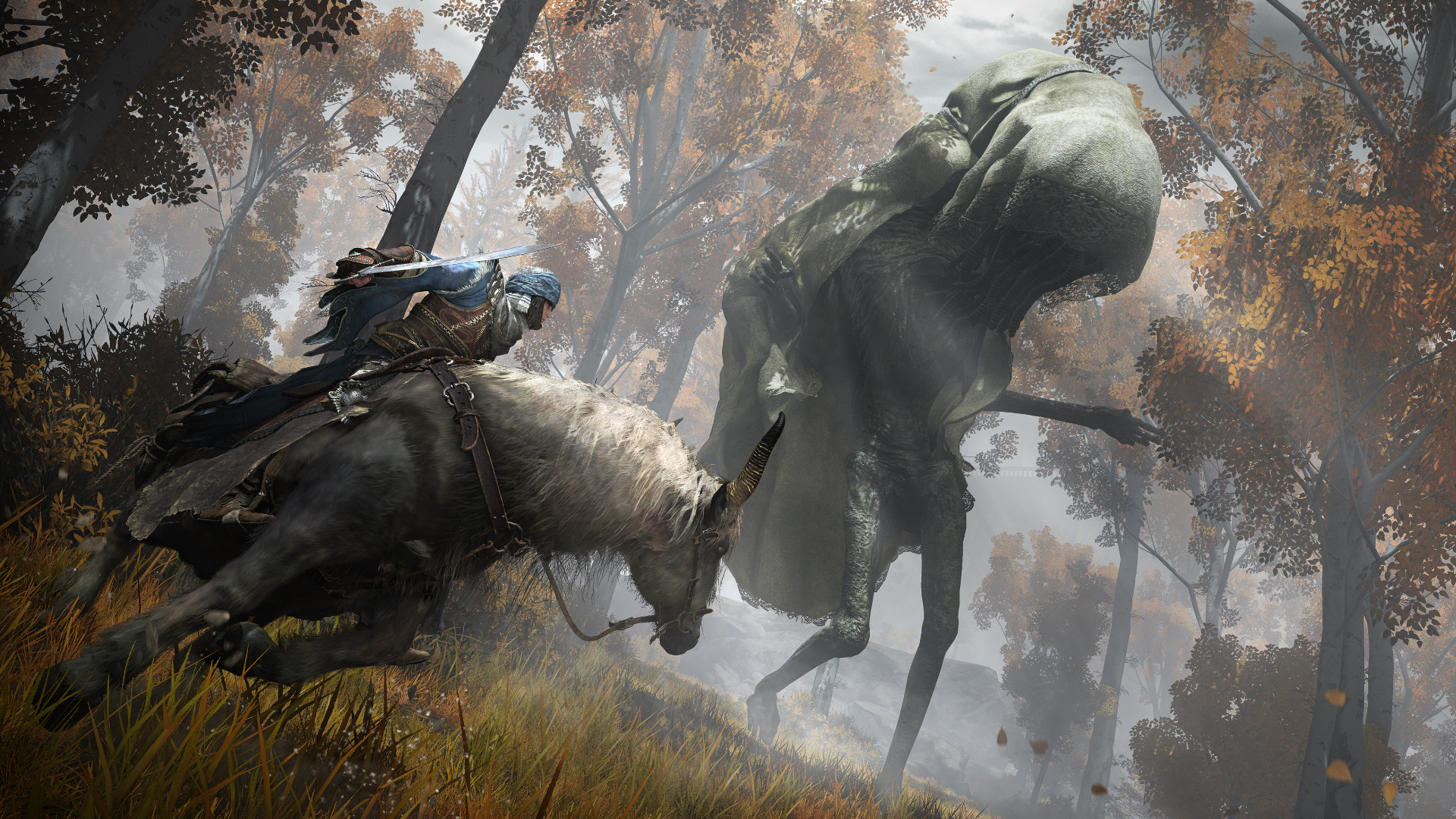
Fans have been waiting for Elden Ring for a long time and now they have been given a good insight into the gameplay of the upcoming game. Judging by the first reactions, it seems to be exactly what many had hoped for.
Here’s what’s in the video: A total of almost 19 minutes of gameplay from Elden Ring were shown. One voice comments on what we are actually seeing. And it’s quite a lot. Among other things:
An insight into the open world areas of Elden Ring. We see forests, ruins, castles, fortresses, and all sorts of inhabitants of these places. We also see how the weather affects the area, for example, by covering it with lightning strikes.
The game’s map is introduced.
We see the pot creatures that can talk to our character.
We see how the riding feature works and how you are catapulted into the air using “Spirit Springs”.
The crafting system is shown.
Numerous battles are presented – both against simple foot soldiers and impressive bosses. Among other things, a dragon descends in search of trouble – reminiscent of good old Skyrim times.
If you don’t want to fight, you can also sneak through enemy lines.
But the best thing is to just see for yourself to get an impression:
Start video
19 Minutes of Gameplay from Elden Ring – With Coop
The community reacts excitedly to the Elden Ring insight
The Elden Ring video is well received: The gameplay was presented in the form of a live premiere on November 4 at 3:00 PM on YouTube and has now, 3 hours after release, received remarkably positive reactions. The video currently stands at 112,819 likes, with only 1,112 dislikes (as of 6:12 PM).
A similarly positive ratio is offered by the separately uploaded gameplay video after the premiere, currently with 9,982 likes to 127 dislikes (as of 6:12 PM).
And also in the comments, both videos receive mainly eager and excited voices regarding the new Elden Ring:
“Incredible. Magic, the red lightning, new weapon abilities and movesets will definitely spice up the gameplay. However, my inner explorer is already crying in despair (but also in joy) over the size and complexity of the map,” says user Mikołaj Błaszczyszyn (via YouTube).
The open world generates excitement for many. Some draw comparisons to the last Zelda game, which also impressed with its great open world: “‘Breath of the Souls.’ I’m hyped and I really hope for the unmistakable signature level design. I imagine this to be quite difficult in an open world,” says user Max Power (via YouTube).
“Looks absolutely fantastic. I love how the landscapes look like a cover of an old fantasy novel. This is just top-notch material, Miyazaki has done it again,” says a user (via YouTube).
“Wow, the weapon abilities and spells look so incredibly satisfying. I know it’s only a fraction, so I’m really excited just because of this aspect,” says user Psyler (via YouTube).
“Absolutely amazing. Elden Ring seems to unite the best of every game. It looks like it will be a serious GOTY contender and could be the best game FromSoft has developed” (via YouTube).
Criticism is meanwhile coming from some regarding the graphics. Here, some players seem to have wished for something fancier.
Overall, fans seem to find most of what they expect from the gameplay video. It is commented repeatedly that Elden Ring apparently combines the best of Dark Souls, Bloodborne, Sekiro and an open world.
The new Call of Duty: Vanguard celebrates its release on November 5th, and if you need more information before purchasing, you can find here a collection with many details about the download, the content, and the innovations in the game.
Call of Duty is bringing out CoD: Vanguard, the 18th main installment of the shooter series. The franchise focuses on fast-paced battles, a lot of action, and the relentless fight Soldier vs. Soldier.
If you are considering buying Vanguard or looking for all the important information at a glance, you are in the right place. MeinMMO presents 10 important things for the release.
Start video
Everything you need to know about the new Call of Duty: Vanguard – in 2 minutes
1. Everything about the release – times, download, costs
When does Vanguard start? That depends on your platform. For consoles, the game will be released on November 5th at 00:00 and can be started. From 05:00 in the morning, you can start Vanguard on PC.
How much does the new CoD cost? PC players get it a bit cheaper and only have to pay 10,- Euros less for the corresponding editions. In total, you can choose between 3 editions:
Standard Edition: 59.99 € (PC); 69.99 € (PlayStation and Xbox)
Cross-Gen Edition: 79.99 € (only PlayStation and Xbox)
Ultimate Edition: 99.99 € (PC); 109.99 € (PlayStation and Xbox)
2. Pay attention to your edition when buying for console
What should you pay attention to regarding the editions? There are different versions of Vanguard on the console, and you should pay close attention to which one is right for you.
Players on next-gen consoles need the “Cross-Gen” edition if you buy the digital version to benefit from the advantages of better graphics and performance. You can also purchase a disc edition for the next-gen consoles PlayStation 5 and Xbox Series, but these versions will not work on PS4 or Xbox One.
If you are still transitioning to the new consoles and are starting with a last-gen console, we always recommend the digital versions – they can be easily upgraded for an additional cost.
However, do not get the disc version of the Xbox One! It cannot be upgraded. The disc version of the PS4, however, can be upgraded.
What setting does Vanguard offer? The CoD of 2021 goes back to the origins of the series, and you fight in World War II for the freedom of humanity.
In both multiplayer and campaign: You will experience many fronts at different times of the war and be sent almost all over the globe. There are locations for:
A burning windmill in France – One of the many locations.
4. 3 major game modes – Campaign, Multiplayer, Zombies
What game modes does Vanguard come with? Like its two predecessors, Vanguard again relies on the trinity of solo, PvP, and co-op content.
What is there for solo players? There is a story campaign where you relive the history of the very first special unit. You will take on the role of various allied soldiers that you first get to know individually and then accompany on the hunt for a hostile Nazi officer.
A first glimpse of the gameplay is provided by a 9-minute mission trailer:
What is there for PvP players? The centerpiece of Vanguard is again the large multiplayer mode. In quick battles, you fight with almost 40 different weapons and many different equipment for every kill. The maps are spread across different locations around the world.
You can find more information about the multiplayer here:
What is there for co-op players? If you prefer to shoot NPCs, then the zombie mode is for you. Here you fight through large hordes of the undead and either find out how long you can survive or what secrets are hiding on the first map “The Beginning”.
What is different this year with CoD? The paid titles of Vanguard are released every year, and the developers always try to create something unique so that you remember a title particularly well. Vanguard also relies on some changes for this:
Gunsmith with 10 attachments
Anti-Cheat system “RICOCHET”
Revamped zombie mode
World War setting
Combat pacing
Adjusted movement
Operator progression
Destructible level elements
Large amount of release content
New standard mode “Patrol”
Return of killstreaks
This is an overview of the most important adjustments. If you want more information on the individual points, you can visit here:
How much content does Vanguard offer at launch? Unlike the two predecessors Black Ops Cold War and Modern Warfare, Vanguard is packed with content at launch.
It is still unclear how big the campaign and zombie mode will be. But the numbers from the multiplayer speak a clear language:
20 maps at launch
Of which 16 are 6vs6 maps
Almost 40 weapons at launch
8 standard modes
In terms of 6vs6 maps, Vanguard comes with double the amount compared to the predecessor Cold War. An overview of all maps, weapons, and modes has been prepared for you here:
What’s the deal with the anti-cheat? Cheaters and hackers have been a plague of Call of Duty for years, and with the big, free Battle Royale Warzone, the problem has come more into focus.
With Vanguard, the CoD makers are essentially overhauling the entire security infrastructure in the background and also introducing a kernel driver for PC players that runs in the background. RICOCHET consists of several components:
Server-side analysis tools
Improved investigation processes
Increased account security
Kernel driver on PC
The kernel driver will, however, only be available for Warzone, and only the first three points of the list will go online at the launch of Vanguard. You can find more answers about the anti-cheat and the driver for PC here:
What advantages do players on PlayStation have? As in previous years, PlayStation players receive minor advantages, but there is no longer an exclusive mode on Sony consoles:
The Battle Pass bundle gives you 25 level jumps instead of 20
For PS Plus members, there is a monthly bundle with exclusive cosmetics for free
In a PlayStation player party, you receive 25% more weapon XP
Monthly there are 24-hour double XP events
2 additional loadout slots for equipment
The free cosmetics also work in the Battle Royale Warzone. You can find information about the current package of Season 6 of Cold War here:
How are Warzone and Vanguard related? The Battle Royale Warzone remains the link between the annual CoD titles. The live seasons run parallel and simultaneously bring content for Vanguard and Warzone. This year, however, the collaboration goes even further, and Warzone will even adopt the graphics engine from Vanguard.
However, there are even more similarities:
All Vanguard weapons come to Warzone
The cosmetics from Vanguard also work in Warzone
Shared progression system
Additionally, there will be a completely new map for the Battle Royale at the start of Season 1 of Vanguard on December 2nd. With the start of “Caldera”, the setting of Warzone changes from a city in the Cold War to a green island in the Pacific.
How exactly the gameplay changes after the transition is not yet fully clarified. You can find more information on this topic in the following articles:
We will embed the trailer for the start of the shared story of Vanguard and Warzone here:
Start video
New trailer shows the beginning of the story of CoD Warzone with Vanguard
10. What happens after the release
What happens after the release of Vanguard? The new CoD will be supplied with fresh, free content for about a year. There will be new maps for multiplayer, new adventures for the zombie mode, and a battle pass, with which you can unlock over 100 items for just under 10 Euros.
Part of the battle pass also includes new weapons, which you can get without additional costs when you level the pass to the corresponding level. Generally, gameplay-relevant content is completely free, only for cosmetics do you have to dig extra into your pocket.
After the release weekend, it will be seen how the new Call of Duty is received by players. Especially the setting caused a lot of skepticism at the presentation and is even a reason for many to skip Vanguard.
What is your current stance on a purchase? We would love to read your comments on the newest installment of the series and why you decided for or against a purchase.
On Lost Ark, the Closed Beta starts on November 4th. We at MeinMMO will accompany the launch with a live ticker and keep you updated on server issues, queues, and also the latest news.
What is this about? In this article, we will live cover the launch of New World. As with New World or Swords of Legends Online, we will keep you informed about any server issues and queues. So it’s worth checking this article regularly.
Update 19:20: We have taken a closer look at the Lost Ark shop and will inform you about all the content:
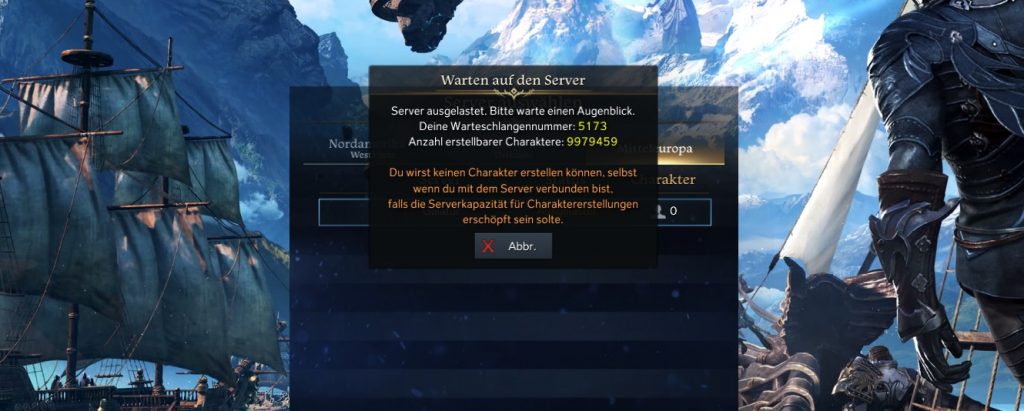
Update 16:55: Just before the official start of the beta – which is already live – there are queues. And they are not short. If you log in now, you already have over 5,100 players ahead of you.
It is also interesting: Only 9.9 million characters can still be created. When the number originally allowed 10 million character slots, there are currently about 21,550 players logged in.
Update 16:20: The servers are already live and you can play!
Update 16:00: One hour until the start of the beta. Our 500 keys have already been distributed. Let’s see if it starts sooner like in New World.
How can you participate in the beta? You need a beta key, which you can apply for on the official website of Lost Ark . However, these keys are distributed randomly. If you want guaranteed access, you must purchase a Founder’s Package.
Where could problems arise? The developers have already communicated via Twitter that they will focus on load testing from 5:00 PM to 8:00 PM. Thus, there will initially be only one world per region, and players should already prepare for issues. Generally, server problems are the norm with new MMORPGs.
Recommended editorial content
At this point you will find external content from Twitter that complements the article.
I consent to external content being displayed to me. Personal data can be transmitted to third party platforms.
Read more about our privacy policy.
Lost Ark is considered a great MMORPG hope finally coming to the West
What kind of game is this? Lost Ark resembles a mix of MMORPG and Diablo:
You use the isometric perspective, an action combat system, and fight against hordes of monsters. Additionally, loot plays an important role. This is reminiscent of Diablo.
At the same time, there are classic guilds, PvP content, an auction house, dungeons, and raids, as you are used to from an MMORPG.
Lost Ark delivers intense action with 15 classes – See here in the video what they look like
The game world is divided into many zones with loading screens, where you can meet other players, much like in Guild Wars 2. Additionally, you will encounter events such as dimensional rifts and larger bosses in the world.
We have prepared a detailed overview of the game for you:
In the forum of New World there was a large post about upcoming updates. The focus is on the economy, expeditions, and PvP. Additionally, the first “Major Update” has been announced. We at MeinMMO summarize everything important for you.
What about future patches for New World? They are supposed to happen every week. These weekly updates should fix bugs and adjust the balance in the MMO, and they will always come with downtimes.
The server downtimes should, whenever possible, occur in such a way that they do not hit prime time in a region. However, outages should be communicated more clearly in the future and announced on Tuesdays, so that players can better prepare for the update.
In addition to the weekly updates, the first “Major Update” is also planned for November (via New World Forum).
The first major update focuses on the economy and expeditions
What is included in the first Major Update? In the blog post, some adjustments for the economy and expeditions have already been announced, which are supposed to be included in the Major Update:
All trading posts will be linked to strengthen the economy and force players to teleport less. The tax costs will still be paid in the settlement you are currently in. Also, you can now only set up sales listings for a maximum of 14 instead of 28 days.
Bosses in expeditions are supposed to give 25% to 100% more coins in the future.
The costs for orbs for expeditions are supposed to be lowered.
The taxes for houses will be due every 7 instead of every 5 days, with no increase in costs.
What about new content in the Major Update? There is no mention of that in the blog post yet, but it is stated that the adjustments are just part of the Major Update in November. As soon as there is new information about upcoming content, we will inform you.
How is the economy in New World doing? A few weeks ago, we reported that there is a kind of economic crisis in New World because too few coins are generated in the game. In the blog post, Amazon gives partial reassurance.
Currently, more coins are still being generated than destroyed. However, the number of coins at endgame is supposed to be somewhat lower than at the beginning. As more and more players reach level 60, the number of generated coins shifts further into the negative. That’s why the changes mentioned above are also coming.
The current economic situation in New World as of October 20.
Statements on planned bug fixes and false reports in wars
Which bugs will be fixed in November? In addition to the statement about the first Major Patch in November, there was some further information regarding bug fixes:
There are some perks and gems that are not functioning correctly, including the Resilience perk. All these bugs are supposed to be fixed during November.
There is a bug with the attribute Strength as soon as you reach level 250. Work is already being done on this bug.
The “Crouching Bug” is supposed to be fixed with the upcoming update.
Work is ongoing on the lag issues during wars.
The World Clock bug is also known, but is currently not reproducible. However, work is being done on it.
Due to the many fishing bots, the gold rewards from the Fishing Chests have been removed. However, work is being done to ensure that fishing will yield good rewards in the future.
Additionally, there was a detailed explanation regarding the client and what bugs arose from it. It is emphasized that New World is not client-authoritative, but completely server-based.
However, the developers deny this, stating that the bans were justified. The blog post states:
Reporting can and has been used as a war tactic. The behavior pattern is that two rival groups have confrontations in chat before a war or major battle. These groups try to incite each other to violations of the code of conduct and promptly report each other when violations occur.
These violations are reported multiple times, checked by a moderator, and, if it concerns a legitimate violation, suspensions are issued. It is also true that the suspension does not depend on the number of reports, but on the legitimacy of the violation.
Finally, the blog post discussed the topics of luck in New World, the difficulty of invasions, and watermarks in more detail. Those who are interested should read the official post carefully. However, no announcements were made regarding future changes to these contents.
What do you think of the developers’ outlook? Do you feel they are addressing the right issues, or would you prefer other adjustments? And what new content would you like to see in the Major Patch in November? Feel free to share it in the comments.
A player recently focused intensely on the topic of luck. He has killed 1,000 wild boars for this:
The company Epos has brought a streaming microphone for PC, Mac, PS4, and PS5 for just under €200. Our author Schuhmann has tested the Epos B20 extensively in everyday use and in the podcast. He says these are €200 that you do not spend on yourself, but for your listeners, and you spend the money to look good while speaking. After all, the eye hears too.
This is how the microphone looks: The first impression of the microphone when it comes out of the box is initially positive. The microphone is simple and black, exuding a certain sober elegance. The black microphone stand is also stylish and simple, just stylish. Except for the control buttons, the device is made entirely of metal. It has a good feel.
Weight (microphone and stand): 1.2 kg (including packaging)
Weight (microphone only): 49.9g
Connections: USB (a 2.9m cable is included)
Easy setup, but defiant software
This is how the setup works: The microphone can be plugged directly into the computer with a 2.9-meter USB-C cable. If that’s enough, you can use your Epos B20 with the included stand as a desktop microphone.
However, it is advisable to spend an additional €40 and get a microphone arm. The Epos B20 comes with a 3/8 inch thread and can be easily screwed into the microphone arm. The arm also comes with a pop filter, which is not included by default with the €200 microphone.
Oops, unfortunately this affiliate widget is no longer available.
If you value sounding perfect, you can download the program “Epos Gaming Suite” from the internet and work on fine-tuning your voice. The software allows you to change the sound, making your voice sound a bit warmer or fuller. In the software, you can also listen to yourself to hear how you sound.
I found the software to be clunky. Because the program insists that you must use the Epos microphone as the base for the headset, otherwise it acts up. Because I refused to plug my headset into the microphone when my computer has suitable ports for it, it was a constant struggle over default devices or not.
I have always found it irritating that my computer tends to use the Epos microphone as the default audio output device for headsets. A common cause for the “Why can’t I hear you?” problem that has been well known since the pandemic.
Definitely wants you to obey its will: The sound program from EPOS.
On the microphone itself, there are two knobs on the back to modify the sound, along with a volume knob and a classic mute button with an LED indicator on the recommended front of the Epos B20. The LED indicator shows whether the microphone is currently on or off. However, other indicators on the microphone, such as how loud you are, are missing. You would have expected those for €200.
Overall, the setup takes only a few minutes. Sure, you can optimize the fine-tuning. But it is not strictly necessary; the sound is also fine “out of the box.”
The mute button is ideally the only button you need after installation.
A “€200” microphone that you can also drop on the floor
How is the microphone in practice? In practice, the Epos B20 is a stable, solid microphone that is well made and reliable. Those suffering from acute cable chaos know that such a microphone can fall from the desk to the floor over time: My microphone has survived two or three drops without issue while it was still on the table.
For continuous use, I still recommend installation via a microphone arm.
Recommended editorial content
At this point you will find external content from YouTube that complements the article.
I consent to external content being displayed to me. Personal data can be transmitted to third party platforms.
Read more about our privacy policy.
The Epos B20 is designed so you take 20 to 40 minutes to perfectly adjust your voice and then never touch it again except to operate the mute button. Some testers criticized that the control elements are inconveniently placed on the imagined back of the mic – which is true, but in everyday life, you usually don’t need to touch them again.
Here you can hear the EPOS B20: If you want to experience the EPOS B20 in action and also hear my voice, listen to the official podcast from MeinMMO. Here you can also see how the microphone can sound:
Recommended editorial content
At this point you will find external content from Spotify that complements the article.
I consent to external content being displayed to me. Personal data can be transmitted to third party platforms.
Read more about our privacy policy.
The current podcast from MeinMMO, from October 31, 2021
For many, the high price of €200 is certainly a hurdle. Here you’re paying for the aesthetics. Overall, such a high expenditure for a microphone seems strange because you don’t benefit from it yourself: An expensive graphics card is immediately noticeable, but a high-quality microphone is only noticeable by the reaction of the listeners – or by whether someone is actually listening to you.
Oops, unfortunately this affiliate widget is no longer available.
Overall, the Epos B20 receives a purchase recommendation, even if there are certainly alternatives in this price segment like the Blue Yeti.
The Epos B20 is suitable for people who do not have to worry about the price, who do not want to spend much time balancing and searching for the perfect sound, but who are looking for a good microphone that works out of the box and that you can set once and then forget.
Pros
stylish, simple design
robust construction
overall feels high-quality and stable
strong, authentic sound
Cons
relatively expensive
temperamental additional software
No info on the microphone about how loud you are
This is an AI-powered translation. Some inaccuracies might exist.
Today marks the start of the new MMORPG Lost Ark. At least the closed beta. For many, this is the first chance to play the game. Our author Mark has already spent 12 hours in the beta and shares his experiences.
What can you play? Today, on November 4th, at 5 PM, the closed beta for the new MMORPG Lost Ark kicks off. Anyone who pre-ordered the game, received a Twitch drop, or won in one of the giveaways can participate.
Besides the very limited alpha in June, this is probably the first opportunity for most fans to get a taste of their new favorite game. Even if you couldn’t snag a key in advance, getting access through the Twitch drops will be very easy once the beta starts.
Playable for a week is a beta build of Lost Ark. For the first time, you’ll also get a look at the cash shop of the EU version. This is particularly important, as the game has repeatedly faced Pay2Win accusations.
Amazon announced that it will completely revamp the cash shop for the western version. Every player will also receive a sizable amount of real currency to play around with in the shop.
What could we play? As one of the few lucky ones, our author Mark was able to play this beta build. The cash shop was still disabled in our version, but the versions were otherwise identical.
Everything up to level 55 was available, in multiple languages and in its full glory. MeinMMO author Mark reports on the first 12 hours in a game he has been looking forward to for 7 years.
Who is writing here? Mark Sellner is an MMORPG and news author at MeinMMO and has been involved with various MMOs since his childhood. The first trailer for Lost Ark in 2014 had already made his mouth water. Just 7 years later, he can finally play the MMORPG and explains why he is excited, but also somewhat disappointed.
The first 60 minutes get a lot right but also something quite wrong
How does the game start? At the start of Lost Ark, you’ll find yourself in the character selection. Here you can look at the 5 base classes of the game and watch short preview videos for the important sub-classes.
This is important since, thanks to the new prologue, you never actually play as a base class. Choosing a base class therefore feels somewhat obsolete after these 60 minutes, but more on that later.
You select your base class and then a short video tells you the story behind your class and why you do what you do. This video is different for each class.
Directly after the video, you land on a golden bridge at the edge of the world, where an angelic being asks you to choose your sub-class. Here, you also have the opportunity to try out all sub-classes beforehand and test them.
After that, you go through a portal, and the actual prologue of the game starts. On a ship, with several rascals and a priest, on the way to the island of Trua.
After the class video, you sail to the island of Trua
Is the prologue worth it? Attentive fans will notice that they can skip the prologue immediately in the menu or even at the top left. If you’ve played an MMORPG or a game with an isometric perspective before, you won’t really learn anything new here.
However, the prologue does a great job of setting up the story of Lost Ark. If you skip the prologue, you’ll soon encounter a villain in the main story who you neither know who he is nor what he wants.
This may have its appeal, but the approximately 30-minute prologue gives the story a narrative thread and characterizes the villain with a motive. This makes the main story of the game much more interesting right from the start and is recommended for every story fan.
What does it do wrong? What the prologue doesn’t provide is a good insight into the game. It’s immediately clear which characters are involved, as the others remain completely characterless.
Additionally, the staging of the island of Trua is very colorful. While this fits with the first city of Prideholm, which you visit right after, the general tone of Lost Ark is for a long time a darker one.
Moreover, there is far too little fighting during the prologue. The action-packed battles and the fast-paced, excellent combat system are hardly utilized here. Instead, mechanics are explained and a story is introduced.
So the prologue provides a great and cohesive introduction to the story and gives the first location you visit a much greater significance. You immediately understand what’s important.
What it doesn’t deliver is a good insight into what to expect in Lost Ark generally. If you’re not interested in the story and would rather jump right into the action, you can skip it.
Start video
Lost Ark: Trailer shows you gameplay for the Closed Beta
After the prologue, there’s another one
What happens in the first 60 minutes? After leaving the island of Trua, you save the priest Armel from dangerous bandits. It’s immediately clear that Armel must play a central role in the story of Lost Ark.
After that, you travel with him to the village of Prideholm, as he coincidentally seeks the same thing as you. What follows is about 30 minutes full of tutorial quests that involve “Talk to X” and “Bring me Y”.
You learn the various functions of the NPCs and buildings and get shown mechanics, but it just doesn’t seem to pick up speed.
What is good? The only noteworthy side quest is the one that explains how companions work. You should help a little girl pick up things. To do so, you open a jar that endlessly spits out many items.
To pick them up, you hammer the G key about 50 times, which is used to collect items. Then another NPC informs you how foolish it is for the little girl not to use a companion.
You acquire a companion, and the little girl asks you again to collect the items for her. This time, your companion, who has an auto-loot function, takes care of it.
The girl thanks you for simplifying her task, and we as players clearly feel the significant relief that companions provide. It actually feels really good. And you even get to keep the cute rabbit companion.
Good things come to those who wait
Why you must endure the beginning: Lost Ark takes a long time to really pick up speed. Especially the first area around Prideholm offers almost none of what the MMORPG excels at.
Because you start directly at level 10 and never got to play your base class, you receive your first real character progression when you learn your first new skill at level 14. And that takes a while.
Side quests in Lost Ark give hardly any experience and are incredibly generic tasks, especially in the beginning. Rarely does a side quest ask me for more than 10 dead enemies or 5 picked flowers.
If you want to get past this slow start quickly, you should really only take on the main quests. However, this feels wrong to me, as someone who likes to complete everything. So I push through the side quests and the start area.
In this video, you can see gameplay from the first dungeon:
Recommended editorial content
At this point you will find external content from YouTube that complements the article.
I consent to external content being displayed to me. Personal data can be transmitted to third party platforms.
Read more about our privacy policy.
When does it get good? It only gets exciting when the game lets me into the first dungeon. Here, Lost Ark shows its strengths for the first time. It feels fantastic to rush through entire armies of enemies.
Even in the first dungeon, various bosses greet me with different move sets. Lost Ark makes it clear right from the start that you can’t simply lean back and enjoy the action.
I quickly realize that even in the first of all dungeons, I can easily die if I’m not careful, dodge, and combine my skills sensibly. This is not necessarily demanding, but far from easy. And that is fantastic.
From level 25, the game really starts
Why continue? If you’re still bored after the first dungeon, I can only say: Hang in there. From the salt desert of Yurai and the ruins of the city of Morai, the game shows its muscles.
The Morai ruins deeply impressed me in terms of gameplay and design, and it only gets better from there.
The peak of the game’s beginning occurs with the conquest of the first “capital”. This happens as part of the main story, which we won’t spoil here, around level 25.
This battle is staged in an epic and grand manner like I’ve never seen in an isometric game before. During half of the battles, I was busy picking my jaw up off the ground.
The story also reaches a narrative high point, making me briefly think I had experienced the finale. I wouldn’t have been sad, because up to this point, the story is really good.
But I was mistaken. With a big plot twist and this truly breathtaking battle, the story and the game really begin.
What comes next? The world of Lost Ark will become much more open from this point on. Jobs, professions, a ship of your own, and islands will gradually be introduced. You could say the beginning of the game takes about 10 hours, and the tutorial only ends at level 25.
It’s not boring until then; on the contrary. At the very least, after about three hours in Yurai, the game has captured me. Exciting dungeons, world bosses, events, and grand action battles.
It feels like Lost Ark is leading you by the nose until level 25. You think you’ve been playing a really good game, only for the game to show you everything it can do. And I am very much looking forward to that.
Pro
Refined and fast-paced combat system
In-depth gameplay mechanics
Always plenty to do and little backtracking
Engaging story
Grand staging of important locations
Enormous class variety
Contra
Takes a long time to pick up speed
Complex systems often not explained well
Side quests often rather dull
Many characters remain bland and characterless
German translation still clunky
Conclusion on the first 12 hours of Lost Ark
After spending some time in the new MMORPG, it quickly becomes clear that it offers much more than I have seen from the game so far. I started several characters, all of which felt completely different, and that is great.
I decided on a Deathblade, which I played until level 34, and even then, I still felt like the game was just getting started. But you have to be able to cope with that feeling.
While it motivates me to see and explore everything, it bothers others to be stuck at the very beginning after over 10 hours. Lost Ark has a slow start and takes a long time to showcase its strengths. However, in my opinion, it is worth it because you’re in for a really strong game.
Mark Sellner MMORPG author at MeinMMO
What are your thoughts on the MMORPG? Feel free to leave a comment under this post if you’ve had a chance to play a bit. Your opinions interest me greatly!
Some players are now mockingly pointing to Back 4 Blood and claiming: The game must be a flop if its spiritual predecessor has more players on Steam.
In recent days, many critical articles about Back 4 Blood and Left 4 Dead 2 have been read on various sites. Basically, it always came down to one number: Left 4 Dead 2 still has more active players on Steam after 12 years than Back 4 Blood has after 4 weeks.
This often led to the conclusion that Back 4 Blood must be a huge flop, the critics “were justified in everything” and that the new zombie shooter is simply not a good game.
However, important points are often forgotten in this discussion, making much of the reporting seem quite one-sided. Therefore, I want to clarify a few points – to praise where it is due and to dismiss criticism where it does not make sense.
What is it really about? About the simple comparison of two numbers. Those who compare the current player counts of Back 4 Blood and Left 4 Dead 2 on Steam get the following values (as of: 04.11.2021, 14:45):
Left 4 Dead 2 has 24,341 concurrent players, peaking at 28,313 in the last 24 hours
Back 4 Blood has 19,004 concurrent players, peaking at 21,604 in the last 24 hours
The first assumption here is: Back 4 Blood is less successful than Left 4 Dead 2, an ancient game. Therefore, Back 4 Blood must be a flop. But is that true?
Left 4 Dead 2 – The genre leader without competition
What cannot be dismissed is the fact that Left 4 Dead 2 still comes across well after 12 years. The game has a loyal player base and has experienced a certain revival. After all, there were some who looked forward to Back 4 Blood but disagreed with the PvP mode. Others were reminded of the old classic Left 4 Dead 2 through Back 4 Blood and ventured back into the game.
The player counts of Left 4 Dead 2 have remained more or less constant in recent years.
However, there are several factors here that should not be overlooked when comparing both games.
Left 4 Dead 2 is available at a bargain price: Back 4 Blood is a full-price title with a purchase price of €60 – at least on Steam. Left 4 Dead 2, on the other hand, is available at a bargain price. In sales, the shooter is often reduced to €2 and there were times when it was even made completely free. The barrier to entry is so low here that it is not surprising that the game is highly popular. The popularity of the genre – also due to the lack of solid competition – makes Left 4 Dead 2 a perennial favorite.
The launch of Left 4 Dead 2 was troubled: Even though many like to forget this today: Left 4 Dead 2 initially lost many players after its launch. From the initial 12,000 simultaneous players, only about 6,000 remained 2 months later. It took several months, many patches, and improvements before the zombie shooter established itself and became more popular. The patch and DLC policy of the game is a good example of why a game can continue to function for years and now decades.
Back 4 Blood is available on many platforms: What is apparently often forgotten in the discussion on many sites: Back 4 Blood is not exclusively available on Steam. So when Steam numbers of Back 4 Blood and Left 4 Dead 2 are compared, it is simply not fair. After all, Back 4 Blood is also available in the Epic Games Store, the Microsoft Store, and also in the Xbox Game Pass – all options to play the game on PC as well.
Sure – Steam is the largest platform and will likely comprise the lion’s share. But how many players Back 4 Blood has on all the other platforms, we simply do not know.
Whether Back 4 Blood is truly a flop cannot be answered outright. Only developers and publishers can provide information, when sales or active player numbers are published.
Moreover, Back 4 Blood seems to be “here to stay”. The game is set to be supplied with many DLCs and it is already clear that the developers are working on numerous improvements to ensure that Back 4 Blood will be successful over months and years. Whether this strategy will pay off can only be assessed in about half a year.
Yet even if Back 4 Blood is set aside, one must give Left 4 Dead 2 credit for being one of the very few games that have endured for decades. Left 4 Dead 2 was good back then and is still good today – and that is appreciated by players.
How do you perceive this matter? Is Back 4 Blood clearly a flop if Left 4 Dead 2 has more players on Steam? Or should all of this be considered in context?
This is an AI-powered translation. Some inaccuracies might exist.
In a few hours it will be time: CoD Vanguard finally celebrates its long-awaited release. If you want to dive in right at the start, you’ll have to stay up longer – or get up early. MeinMMO tells you everything you need to know for the launch and the exact times.
When can you play Vanguard? Similar to the preload, Vanguard starts on consoles at a different time than on PC, and the release schedule is adjusted to the respective countries. However: Since there are no disc versions for PC, PC players can only join in from 5 AM. That is when the global release occurs.
All start times at a glance:
Console release (Xbox & PlayStation): November 5 at 00:00
PC release: Global release November 5 at 05:00
As soon as you can launch Vanguard, the multiplayer servers will be ready for you. So, at midnight for consoles, while PC players can start at 5 AM.
Vanguard requires significantly less storage space than Cold War
How large is the download? Since the game is already ready for preload, you can start the download immediately to be ready in time. The file size is significantly smaller than the previous Call of Duty games:
PlayStation 5
Download: 64.13 GB
Free space: 89.84 GB
PlayStation 4
Download: 54.65 GB
Free space: 93.12 GB
Xbox One
Download: 56.6 GB
Xbox Series S|X
Download: 61 GB
PC
61 GB of storage space required
Who can preload? To benefit from the preload, you must have pre-ordered Call of Duty: Vanguard. You can find more info in the pre-order guide.
Where do I find the preload? Search in the shop of your console for “Vanguard.” This way you can find the game page where you can start the download. PC players can find the download in the Battle.net launcher – click on the ‘V’ logo in the listing, or click on “All Games” at the top left and select Vanguard under the “Activision” tab.
With the release of Vanguard, players of Warzone can also look forward to new content. Information about the new map Caldera, set in the Pacific Ocean, is now available on the key landing points.
Caldera will be one of the biggest changes to Warzone since release, and it is highly anticipated by many players. Those who own Vanguard will even be able to try the map first: According to the official roadmap, Vanguard owners will have the opportunity to get to know Caldera a full day before other players on December 2.
What are you looking forward to the most? Will you be playing multiplayer at midnight, or will you venture into the campaign first? Or are you on PC and need to be a bit more patient? Let us know in the comments.
This is an AI-powered translation. Some inaccuracies might exist.
Call of Duty: Vanguard is available in many different editions. But if you play on Xbox or PlayStation, you need to be careful about what you buy. Because the versions for Last- and Next-Gen are not necessarily compatible. Find out here on MeinMMO everything about the possible problems when buying Call of Duty: Vanguard!
What are the problems with the console versions?CoD Vanguard offers numerous versions for purchase. Standard or Ultimate, digital or disc version? The choice is diverse. If you buy the ‘wrong’ version, you may be stuck with a version whose graphics are outdated or may not be able to play the game on your console at all.
It actually matters whether you have a version for the last or next generation of consoles.
Update November 5: In the original version of the article, it was stated that the disc version of the Xbox Series does not run on the Xbox One. That was not correct – the disc version of Xbox Series always also includes the version for Xbox One.
Start video
Everything you need to know about the new Call of Duty: Vanguard – in 2 minutes
What should you consider when buying Vanguard?
What about the Xbox? The worst pitfalls exist for the versions for Microsoft’s Xboxes. If you buy the standard disc version here, you will be ‘enjoying’ the graphics of the old Xbox One for all time. There is no chance for an upgrade to the new Xbox Series S or X. The digital standard edition, however, can be upgraded to next-gen.
If you buy the disc version from Xbox Series X|S for 10 euros more, you can play Vanguard on both consoles: Xbox One and Xbox Series. Always pay attention to the prints on the packaging.
If you want to be on the safe side, get the digital versions. They cannot be resold, but you can still purchase an upgrade if you have the wrong version.
What should be considered for PlayStation? With PlayStation 4, it doesn’t matter whether you have the digital or disc version. Both are upgradable to the next-gen version of the PS5.
But here applies: The other way around does not work. So if you buy the PS5 disc version of Vanguard, but don’t own one of the rare premium consoles, you won’t be able to get the game running on PS4.
What about the PC? On PC, it doesn’t matter what you buy, the graphics depend solely on your hardware.