

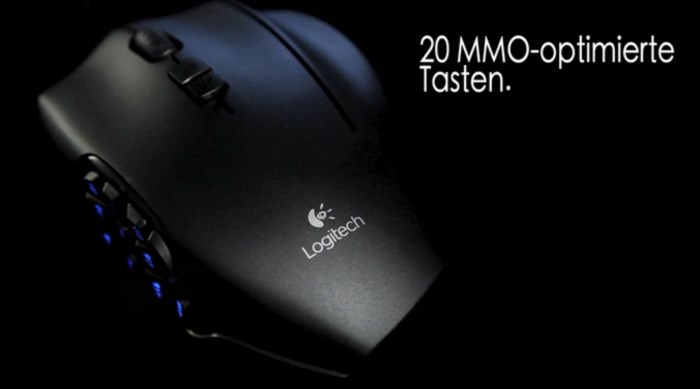
Once, a mouse was dull. Just the little brother of the keyboard. My first mouse belonged to a Commodore Amiga. If I’m not mistaken, that thing had two buttons and was quite bulky.
Nowadays, mice have evolved: From a mere tool to a piece of art. But not only in design have mice evolved: These little critters can do much more now.
G600 Overview
Especially in MMO games, the functions of modern mice are essential for the gaming experience. I have tested and tortured several of these “Human Interface” devices, and ultimately, I settled on a Logitech G600.
With its 20 buttons, I can configure the Logitech G600 exactly as I need it for a specific MMO. League of Legends has very different requirements than a round of WoW. And even within WoW, there are differences. A casual round of solo questing with my rogue feels quite different from raid night with my hunter or the battleground with my dwarf priestess.
The buttons are divided into three main buttons, twelve thumb buttons, and a clickable scroll wheel. The wheel can also be tilted to the side. Additionally, switching profiles and DPI settings is easy. No driver is required under Windows! I have no idea how it works with Linux or Apple.
The Gaming Mouse in the MMO Test
So many buttons and functions are perfect for gaming. For some games, the mouse is even perfectly set up right out of the box.
- Pleasant: Despite heavy use, there are no significant signs of wear, which unfortunately does not apply to every MMO mouse that has fallen into my paws.
With 8200 DPI, the mouse is somewhat oversized – I don’t push it to the limit – but it doesn’t hurt either. For someone using 8200 DPI for the first time, the mouse may seem hypersensitive, but thanks to the settings in the profiles, you’ll soon appreciate this accuracy! This makes it possible not only for MMORPGs but also a few rounds in Defiance, daredevil maneuvers in League of Legends, or headshot sessions in Planetside 2.
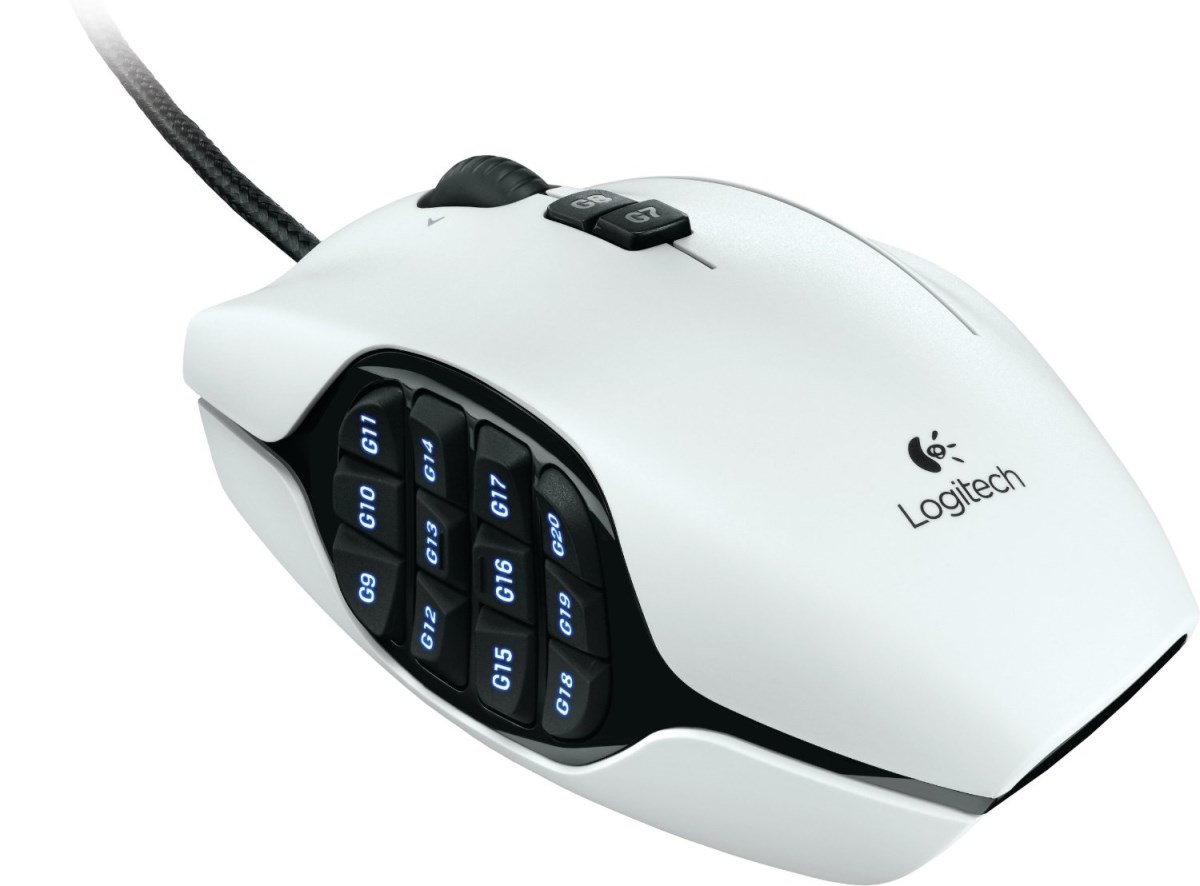
Most of the G-buttons are easily reachable with the thumb. A sign that the designers put a lot of effort into it and deserve their bread in the right job. I have functionally mapped the G-buttons using the Logitech Gaming Software, and I now use the mouse together with a Logitech Gaming Keyboard (G510S) – a satisfying combination for me. Even when working with Office, the buttons can be utilized if configured properly.
- Especially useful for online role-playing games like World of Warcraft, Aion, or Star Wars: The Old Republic, these additional buttons are extremely helpful for quickly and conveniently accessing numerous skills. An immense advantage! Not only can skills be activated quickly, but also emotes, buffs, or food.
Instead of just jumping on the defeated enemies in the BGs like a beginner, you can perform an elaborate victory dance consisting of a series of emotes with the Logitech G600!
The Thing About Hand Size
In my opinion, the only weak point of the Logitech G600 is its size. Players, especially female players with small hands, will have difficulties handling the somewhat wide G600 (the mouse has probably eaten too much cheese…). I occasionally notice that I have to stretch my thumbs a bit – you need pianist fingers (or larger hands than mine) for the front row.
- Maybe three rows on the left side would have been enough, especially since there is still the special G-Shift button on the right side that allows for additional assignments (as the saying goes: less is sometimes more). On the other hand, I simply mapped the buttons so that I mainly use those that are easiest for me to reach.
The “Swiss Army Knife” among MMO mice offers such a high range of functions that the device cannot be a micro mouse. That’s clear. In handling, I see small advantages with the Razer Naga or the R.A.T. mice.
Conclusion Logitech G600
The Logitech G600 is an excellent mouse for MMO games. Even after long and intensive use, it operates precisely. The buttons have good resistance. Those who enjoy this will appreciate the various lighting modes – others can also disable this option.
A little tip on the side: You will need a bit of adjustment time at first, probably more than with conventional mice. This can be a bit frustrating, but after some time, you’ll learn to appreciate the many functions if you use them.
And which mouse do you use for gaming? Or do you have other recommendations? Feedback is welcome!
This post was written by Frank, an avid WoW player and hardware fan who just wanted to contribute a visitor post (the text has been polished a bit by us).

Your opinion is important to us!
Do you like the article? Then let us know!