

Does it always have to be expensive hardware, or can a cheap setup also work for home office and gaming? MeinMMO editor Benedikt Schlotmann tested a setup from Streamplify and explains how well the system is suitable and whether it could be a tip for your own desk.
Whether streaming, gaming, or home office: A good setup is essential nowadays. In addition to a microphone and good headphones, a camera and lighting are now also part of it. But how much money do you have to spend if you want to have a reasonable setup?
Caseking offered me to test a beginner-friendly setup from manufacturer Streamplify for under 260 euros. The setup consists of:
- Lighting (Panel Light 14), around 90 euros.
- Camera (Cam, Full-HD), around 70 euros.
- USB hub with power supply (Hub CTRL 7), around 50 euros.
- Microphone with table mount (Mic), between 50 euros (with tripod) and 70 euros (with table arm).
In my test, I explain how the hardware performs in everyday use and whether the upgrade is worth it.
Who tested it?
I have a penchant for gaming mice and now privately own over 20 gaming mice. Since 2019, I have been testing hardware for our readers at MeinMMO. Mice are among my absolute favorites when it comes to peripherals for PC and console, along with gaming headsets and keyboards, and I am correspondingly experienced.
The 4-piece set from Streamplify was provided to me by Caseking.

Benedikt Schlotmann
Hardware editor MeinMMO
Processing and Setup
Processing: Almost all parts of the setup are predominantly made of plastic. Both the USB hub and the casing of the microphone are made of plastic, but they seem well made and have no sharp edges. I would have preferred metal for the general holder of the microphone casing.
Exceptions in processing are the microphone and the telescopic arm for the lighting, both of which are made of metal.
In webcams, a lot of plastic is not surprising, but in the microphone segment, there are manufacturers like Tonor or Logitech who offer better-made models with metal for under 100 euros.

Assembly: Both the USB hub and the lighting can be attached without major problems. The hub comes with plenty of accessories, such as cable ties and markings for the individual connections. It is bulky, but can also be placed well in tight spaces. The rubber foot prevents slipping.
The camera can either be mounted on the included tripod or attached to the monitor. For very wide monitors, the mount is unfortunately a bit short. Here, the mount of the Logitech C922 performs better and more stable.
The assembly of the microphone is a bit complicated: The various plastic parts must snap together correctly to keep the construct stable. Otherwise, the part is rather wobbly. The instructions do not really explain the steps, and the QR code in the instructions refers to a dead page (Error 404). After the second attempt, the microphone is then securely mounted on my desk.

The Setup in Detail
How well do the individual parts of the setup perform in practical testing? I take a detailed look at all 4 components. If you want to jump directly to a specific device, click on the corresponding jump mark:
Microphone
What I like: The microphone offers really good sound quality. I am clearly and understandably heard, and the pop filter prevents strange noises. The microphone mount is made of metal and can also be attached to thicker table tops (3 cm).
Even without software and with minimal possible settings, the sound quality is surprisingly good and almost noise-free. For most conversations, you get a really good microphone; for a podcast, I would wish for software with additional settings.
You can listen to a 30-second test recording here:
What I don’t like: The device comes completely without software. I actually find that a shame, as the microphone can therefore only be configured to a limited extent, namely via the built-in buttons. More than on, off, and lighting on or off is not possible. Here, Streamplify is leaving potential untapped.
Moreover, the mount for the microphone on the metal arm is made of plastic. While it is quite sturdy, I am skeptical about whether the plastic will not become brittle over time.
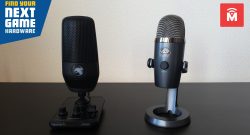
Another disadvantage: The microphone does not offer an opening or mount for other screws or mounts at the base. You can therefore only mount the microphone on the supplied mount. If I consider buying another mount, I would also need to buy another microphone. Logitech and Roccat handle this better:
Webcam
What I like: The cable of the camera is pleasantly long and can also be easily attached in a larger setup. The mount is wide enough for most monitors, but on my UWQHD monitor, it is already quite tight. The first impression is also okay.


What I don’t like: The image quality is okay for a call or a quick conversation, but it appears quite grainy overall. It is adequate for a rough overview, but for details, a better model is definitely needed. 70 euros are too much for this.
The image from my similarly priced C920 from Logitech offers a significantly sharper image and higher depth of field.
Overall, I don’t find this surprising. Webcams for 25 – 30 euros also offer a similarly average quality. By the way, I have also tested 5 different webcams extensively for MeinMMO:

USB Hub
What I like: The USB hub leaves a positive impression on me. The cables run all the way back and keep the desk looking neat. With the included cable set, you can also bundle the cables. Through the plastic cards, you can assign a function to the individual connections via images.
What I end up connecting is still up to me. The lighting of the individual cards is strong enough and can also be turned off if needed. The hub also comes with a power supply, which I can connect optionally. The hub also works without an additional power connection, but then some devices may not charge properly or function correctly (e.g., external hard drives).
6 USB ports rely on USB 3.0, while the 7th port additionally offers a fast charging function (2.0 A). Most devices like mouse, keyboard, microphone, or webcam do not need USB 3.0 anyway.
What I don’t like: I find it really annoying that when activating a USB port, a white light turns on. Especially when playing or working at the desk in low light at night, this light bothers me. However, this cannot be turned off, unlike the RGB lighting.

Lighting
What I like: The lighting comes with a reasonably long cable, so I can also use an outlet some distance away. The brightness is very high and lights up my entire workspace well. Even with a test recording with a camera and lighting, it is powerful enough for me to be nicely illuminated in the picture and not disappear into the darkness of the room. This is a good prerequisite for streaming or office work.
With the small remote control, the lighting can be quickly turned on or off or the light warmth can be adjusted. On the back of the lamp, details about light intensity (in percent) and light warmth (in K) are also displayed.
What I don’t like: It’s worth mentioning that there is no software solution. The light cannot be controlled via the computer, only via the lamp itself or the remote control. In my case, however, this was sufficient. Elgato’s Keylight offers higher brightness and can be elegantly controlled via an app, but it also costs 150 euros alone.
The details of the lighting strength and the light warmth are located on the back. This is only partially helpful, as I would have to turn the lamp around every time to see this information. Here, I would have wished for a more practical solution for everyday use.
Conclusion: A great set, if you overlook the webcam
Is the setup worth it? For the microphone, lighting, and USB hub, I can confidently recommend it, as all three products ultimately convince me:
- The assembly of the microphone is tedious, but the recording quality is excellent.
- The lighting is simple to set up and illuminates the setup and my face well.
- The UBS hub comes with plenty of accessories and performs the job that a USB hub does without problems.
Only the webcam cannot fully convince me. The recording quality is mediocre and the image is very grainy. Yes, it is adequate for a quick call, but here I would opt for a more expensive model, such as the C920 from Logitech. I have been using it for over a year and am very satisfied. Here, you can also make adjustments thanks to software. With Streamplify’s cheaper model, this is not possible, nor is it with many other cheap models.
Steam, Discord, and Co: 9 programs that you should install on every gaming PC

Your opinion is important to us!
Do you like the article? Then let us know!