


The PlayStation 5 is now also available here in Europe and owners can secure 20 games from the PS Plus Collection. We show you how to do it.
What is the PS Plus Collection? The collection consists of 20 top games that have been released on PS4 in recent years. These include hits like God of War, Bloodborne, or The Last of Us Remastered.
If you were able to secure a PS5 in pre-order and have an active PS Plus subscription, you will receive these 20 games directly from Sony for free. It’s a great opportunity to grab some of the best PS4 games.
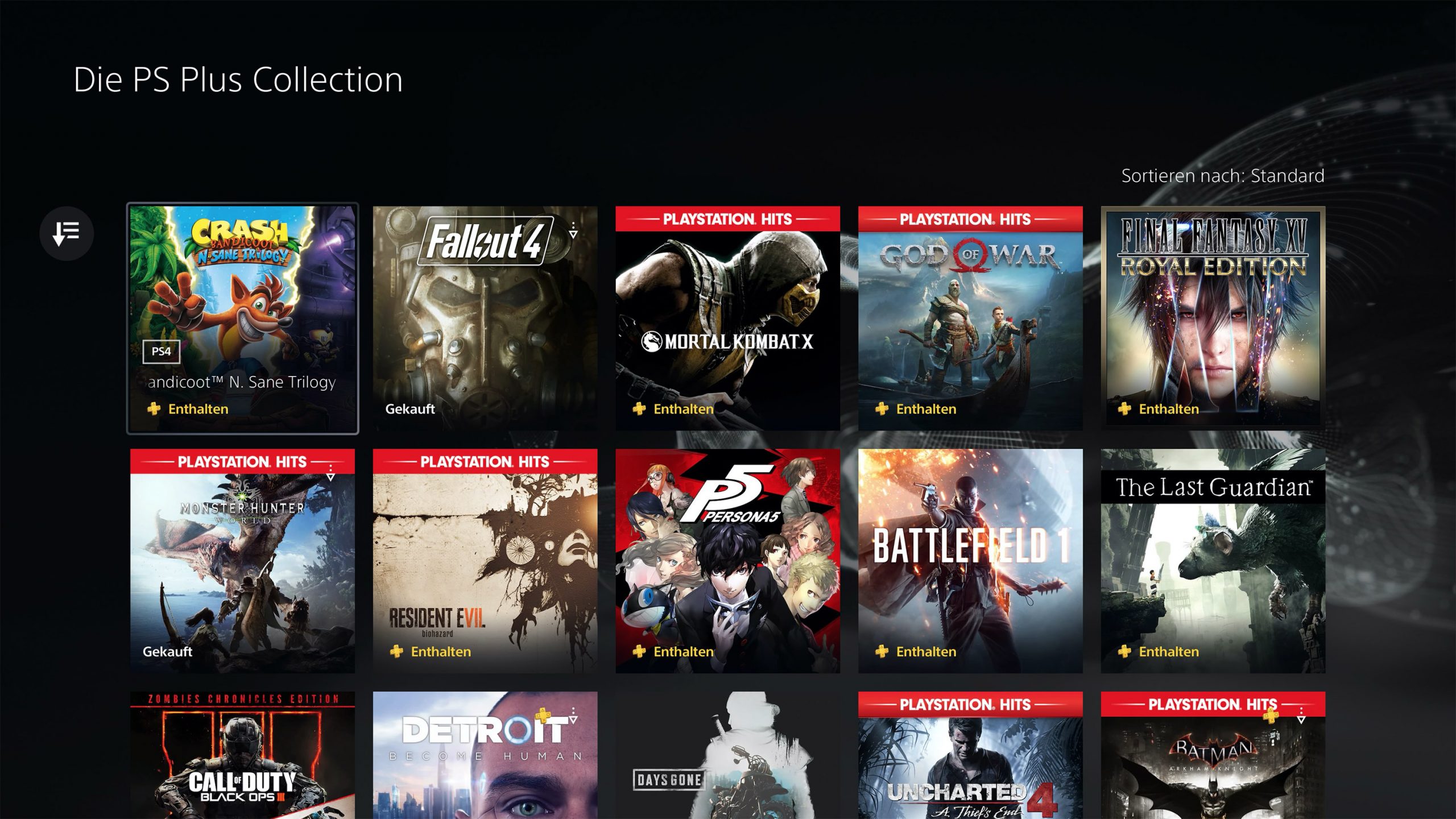
You can find the complete list of games here:

The most important questions about PS Plus answered
PS Plus is a paid service from Sony Interactive Entertainment. A subscription costs approximately €60 per year – depending on the type, i.e., duration, of the subscription. As a PS Plus member, you typically get 2 games per month for digital download from the PlayStation Store at no additional cost. There are also some other benefits.
Current free games for PS4 and PS5 in November can be found here.
The ongoing PS Plus subscription is automatically renewed by Sony as long as there is still money in your PSN account. To turn off this option, go to the “PlayStation Plus” button in the main menu of your console. Select “Manage Membership” at the top right and then “Subscription”. There you can turn off the automatic renewal.
In addition to the monthly free titles for PlayStation, with PlayStation
– Plus access to online multiplayer in many games,
– exclusive discounts in the PlayStation Store,
– exclusive in-game content for numerous games,
– access to free trials where you can try out some full PS4 and PS5 titles for free
– 100 gigabytes of cloud storage for your game saves
– access to the PS Plus Collection
One month in the PS Plus subscription costs €8.99. However, if you choose longer durations, the costs decrease. One year costs €59.99 and 3 months cost €24.99
You can choose between one month, three months, and one year durations.
Secure PS Plus Collection in the PSN Store
If you connected your new PS5 and adjusted all settings to your liking, you can grab the games.
This is how you get the Collection: First, go to the PS Plus icon in your “Games and Media” bar in the PS5 menu. If you don’t have a Plus subscription, you need to purchase one first. Without the subscription, there are no free games.
The Plus button is prominently located at the top left of the PS5 menu:

The button will redirect you to the PS Plus offer, where other options are also available. It looks like this:
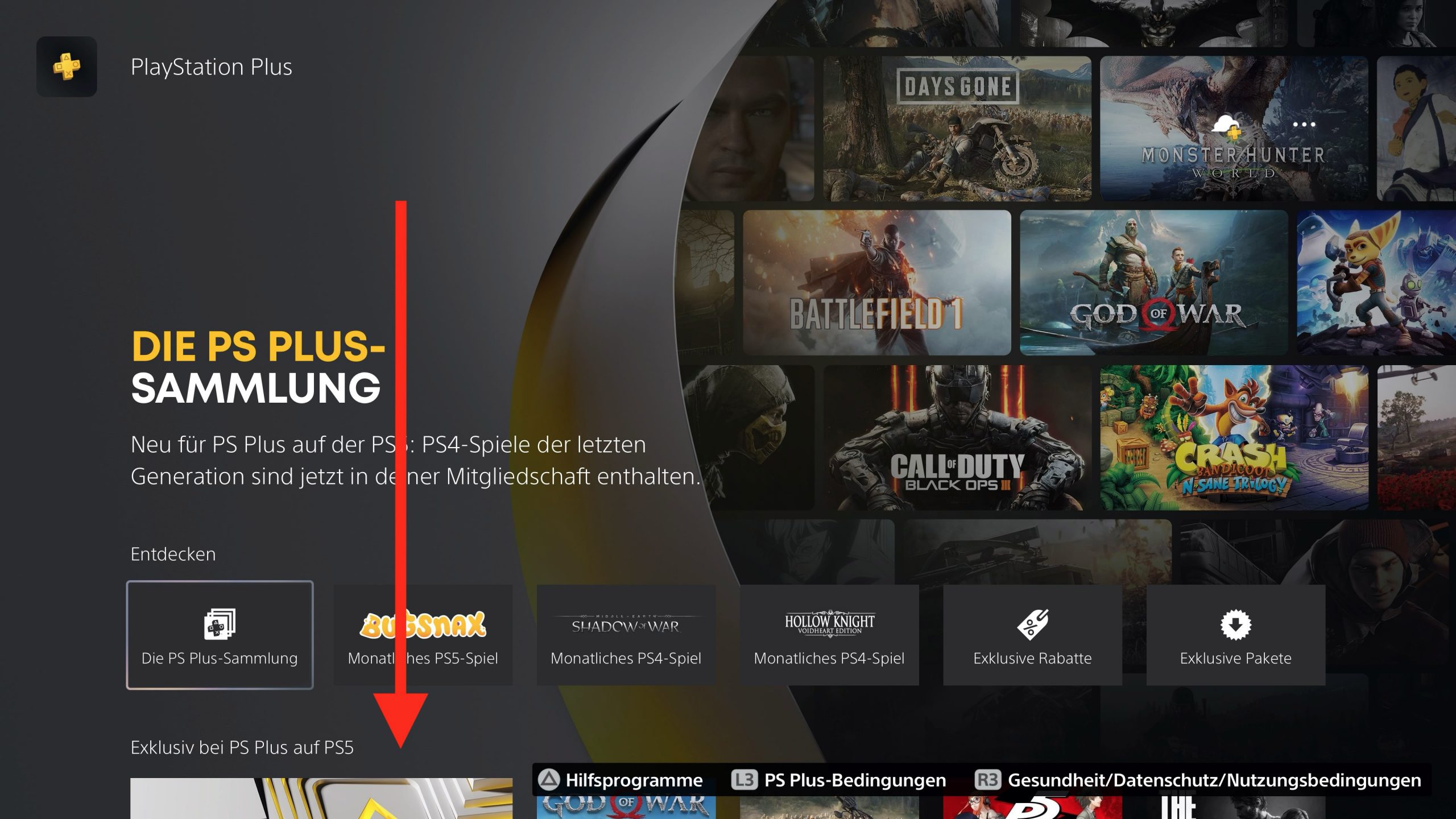
On this overview, you can scroll down further and find the actual button for the PS Plus Collection and also some games included in it:
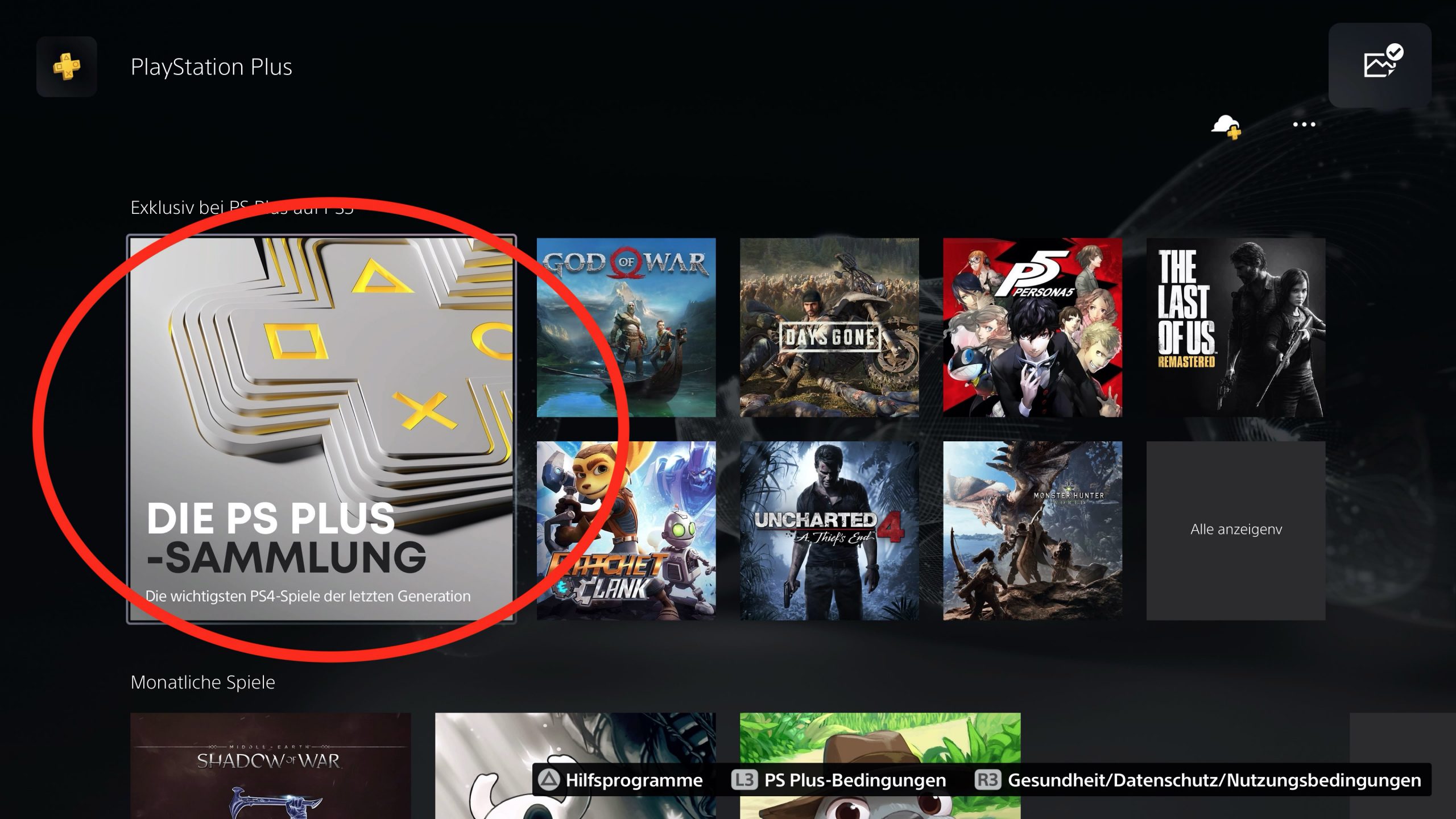
Click on the button and you will be redirected to the complete overview of the games included in the collection. There you can now add and download the games you want to your library.
By the way, if you don’t own a PS5 yourself but know someone who managed to get one, you can also have the collection for your PS4.

Your opinion is important to us!
Do you like the article? Then let us know!