


In November 2019, Google Stadia was launched. How is the platform doing after a few months? Everything around games, tests, controllers and possible alternatives.
What is Google Stadia? Google Stadia is a cloud-based gaming platform from Google. This means you no longer have to download games. Instead, you play games directly through Google’s servers. You don’t need a console or a powerful computer to use Google Stadia, as everything runs on Google’s cloud.
In the following, we will introduce you to the streaming service Google Stadia. We will explain the following points:
- Costs, requirements, and subscription models
- Internet connection and latency
- What games are available for Google Stadia?
- Tests of Google Stadia
- Who is Google Stadia suitable for?
- Stadia Controller and general information about Stadia
Update 8.04 2020: Google has today released its streaming service for all players. We explain what advantages Stadia offers you and what is included in the offer.
Google Stadia – Costs, Subscription, Availability, Internet Connection

How much does Google Stadia cost?
As of November 19, Google Stadia is officially available. If you are interested in Google Stadia, you need to order the Premiere Edition from the official shop. The Founder’s Edition is now sold out. The Premiere Edition also costs 129 euros and includes the following:
- a access code for Stadia Pro (3 months) for you and a friend (Buddy Pass)
- Stadia Controller in Clearly White
- a Google Chromecast Ultra
- unlike the Founder’s Edition, the Premiere Edition does not provide a Stadia name for founders anymore
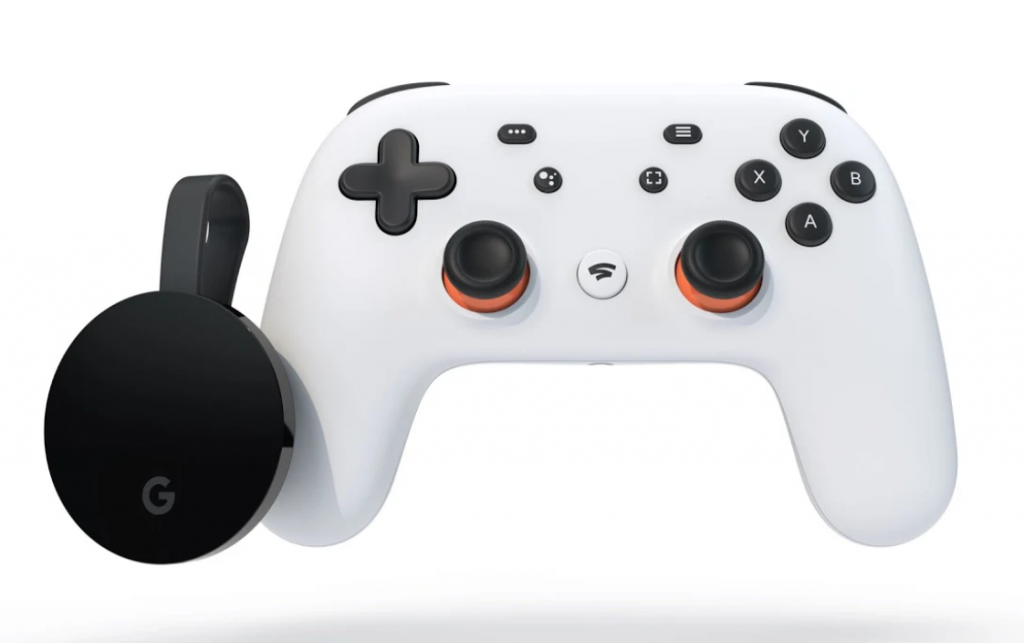
After the sold-out Founder’s Edition, the Premiere Edition offers the official entry into Google Stadia. The Premiere Edition replaces the Founder’s Edition in Google’s shop.
Is the Founder’s/Premiere Edition worth it? We took a closer look at the pre-order package for you. We check which games you get for free and how much you actually save if you don’t need a 4K-capable gaming PC. We also explain what advantages a Chromecast Ultra actually has:
What subscription models does Stadia offer?
Google offers two different models for Stadia:
- The paid Stadia Pro. 3 trial months are included in the Premiere Edition. After that, the monthly subscription Stadia Pro costs €9.99.
- The free Stadia Base. Google has announced that this will be introduced during 2020 and that expiring Pro subscriptions will be converted to Base.

This is Stadia Pro: The Pro subscription costs €9.99. With Stadia Pro, there is a selection of free games that you have full access to as long as your subscription is active. Similar subscription models are known to us from Xbox as Game Pass and PlayStation with PlayStation Now. Additionally, you get discounted offers on games with Stadia Pro.
Games that you have purchased can still be used in the free version of Stadia Base – but only at a maximum resolution of 1080p and with stereo sound. If you want to play in 4K and surround sound, you need Stadia Pro – and also an internet connection with at least 35 Mbps.
This is Stadia Base: The free version Stadia Base is expected to be available during 2020. Games that you have purchased through Google Stadia can be played at any time with Stadia Base. However, with Stadia Base, only a maximum resolution of 1080p and stereo sound are possible.
|
| Stadia Pro: | Stadia Base: |
| Available from | part of the Founder’s Edition | available from 2020 |
| Resolution | up to 4K | up to 1080p |
| Frame Rate | 60 FPS | 60 FPS |
| Sound | 5.1 Surround Sound | Stereo |
| Games can be purchased at any time | Yes | Yes |
| Free games are regularly released | Yes, starting with “Destiny 2: The Collection” | No |
| Exclusive Stadia Pro offers | Yes | No |
How fast must the internet connection be?
Google Stadia is a cloud gaming service that requires a stable and fast internet connection:
- If you want to use Google Stadia, you need at least 10 Mbps. This allows you to achieve a resolution of 720p.
- For Full HD, you need at least 20 Mbps; Google even recommends a minimum bandwidth of 25 Mbps if you want to play smoothly in 1080p and 60fps.
- For 4K resolution, you need at least 30 Mbps or more.
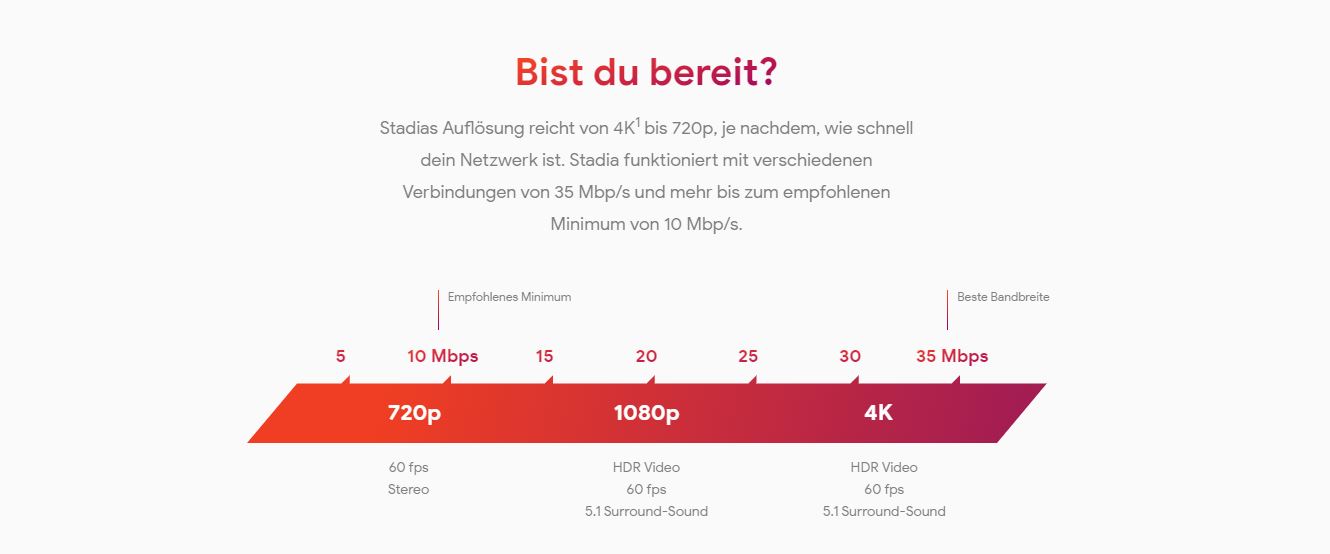
Can I test my internet connection for Stadia?: Are you unsure how fast your internet is and if it is sufficient for Google Stadia? Then check your connection with Google’s test (via projectstream).
Using negative latency, Google aims to counteract input lag and latency in cloud gaming. Google calculates potential latency with this trick and tries to mitigate possible lags.
In which countries can I use Google Stadia?
Currently, Stadia is offered in the following countries:
- USA (including Puerto Rico and Alaska)
- Canada
- United Kingdom
- France
- Italy
- Germany
- Spain
- Sweden
- Denmark
- Norway
- Finland
- Belgium
- Ireland
- Netherlands
Why is this important? You can only use games and Google Stadia where Google Stadia is supported. If you go on vacation to Greece for two weeks, you won’t be able to use Google Stadia there.
On which devices does Google Stadia run?
Google Stadia currently supports the following devices and platforms:
- The PC is supported
- Mac is also supported
- IOS with iPhone and iPad with the Stadia app from the App Store
In the smartphone sector, Google has since expanded support. Currently, Google Stadia supports the following smartphones:
- Google: Pixel 2, Pixel 3, Pixel 3a, and Pixel 4
- Asus: the Asus ROG Phone, ROG Phone II
- Razer: the Razer Phone and its successor Razer Phone II
- Samsung: Samsung S8, S8+, S8 Active, Note 8, S9, S9+, Note 9, S10, S10+, Note 10, Note 10+, S20, S20+ and the S20 Ultra.
The Stadia Controller is also supported on the mentioned devices. To use Stadia, you need the free Stadia app, which is available for free in Google’s PlayStore.
Google Stadia – Games and Crossplay
In this section, we explain which games are available for Google Stadia and whether crossplay is possible for certain games.
What games are available for Stadia?
Google briefly introduced its official lineup for Stadia shortly before release, triggering criticism that Stadia offers too few games. Therefore, the internet giant subsequently expanded the portfolio of its streaming service by adding ten more titles. Besides Destiny 2, Samurai Showdown is now also included for free in Stadia Pro.
The following games are currently available on Google Stadia (as of 18.02.20):
- Assassin’s Creed Odyssey
- Attack on Titan 2
- Borderlands 3
- Darksiders Genesis
- Dragon Ball Xenoverse 2
- Destiny 2
- Farming Simulator 19
- Final Fantasy XV
- Football Manager 2020
- GRID
- GYLT
- Just Dance 2020
- Kine
- Metro Exodus
- Monster Energy Supercross 3
- Mortal Kombat 11
- NBA 2K20
- Rage 2
- Red Dead Redemption 2
- Samurai Shodown
- Thumper
- Tom Clancy’s Ghost Recon Breakpoint
- Tomb Raider (2013)
- Rise of the Tomb Raider
- Shadow of the Tomb Raider
- Trials Rising
- Wolfenstein: Youngblood
Are there exclusive games for Stadia?
Google has now also announced a number of exclusive titles or is already offering them. These include, among others:
- Get Packed (6 months exclusive)
- GYLT
- Orcs Must Die! 3
- Stacks on Stacks (on Stacks)
- Spitlings
Update 9.10.2019: Bethesda and id Software have announced that Dooms Eternal will be postponed to March 20, 2020 (via Twitter).
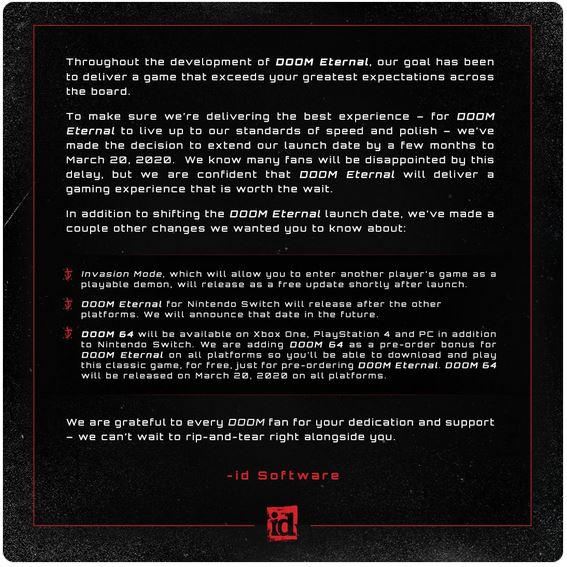
Id Software states that the game should be further improved. They also promise new features, like the invasion mode, and Doom 64 should be released on all platforms.
Google Stadia and Destiny 2
Destiny 2 free on Stadia: Destiny 2 is free for all Stadia Pro subscribers. This includes all content that has been released so far: the base game, the Forsaken expansion, the next expansion Shadowkeep, and all DLCs that have been released in between.
Players can transfer their characters from Xbox One and PC to Stadia. However, crossplay between Steam, PlayStation, Xbox One, and Google Stadia is not possible.
For more information about Destiny 2, the Steam launch, crossplay, and Google Stadia, you will find in our article:

Does Google Stadia offer crossplay with other platforms?
Google Stadia does not offer crossplay. It has its own standalone system where you play with other Stadia players. In Destiny 2, for example, you can transfer your characters to Google Stadia.
As Gamestar notes, Borderlands 3 on Google Stadia is an outdated version (external link). This makes it particularly problematic to transfer save games from one platform to another; this same problem also applies to crossplay.
One of our readers pointed out that cloud saving works between Stadia and PlayStation.
What has changed since the release of Stadia?
Since the release in November 2019, a lot has changed with Stadia:
- Google Stadia has increased its streaming library from 22 to 27 titles
- 6 more titles have been added to Stadia Pro, including GYLT and Metro Exodus in February 2020. Rise of the Tomb Raider and Samurai Shodown were removed at the end of January as free titles.
- improved functions for Chromecast Ultra and support for more TVs
- Support for Google Assistant and Achievements
- An additional second BuddyPass for Stadia Founder
Google also promises further improvements for 2020 (external link, via community.stadia) and additional features. This includes:
- Support for 4K in the browser
- Wireless gameplay in the browser with Stadia Controller support
- further features for Google Assistant
- Support for more Android smartphones
Google Stadia – Steam, Battlenet, Uplay, and Co
Can I play my Steam games on Stadia?
Currently, external platforms like Steam, Origin, or Battlenet are not supported.
The reason is simple: If you want to play a game via Google Stadia, you either have to purchase the Stadia Pro subscription or buy the game through Stadia. You also cannot play Xbox games on PlayStation that you purchased in the Xbox Store.
Google Stadia – Hardware, Features, and Initial Tests
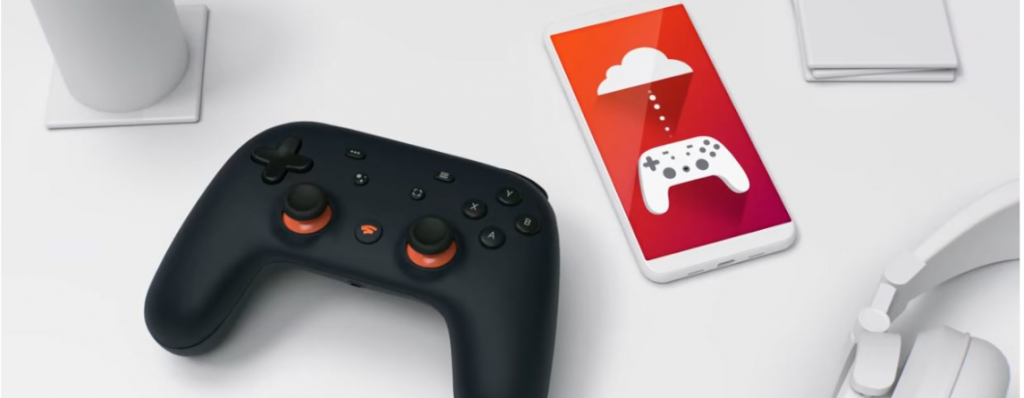
Google Stadia – The Hardware Behind the Cloud
This is what is provided to you: At 7500 locations, Intel x86 processors with 2.7 GHz clock speed with AVX2 and 9.5 megabytes L2 + L3 cache are available. Additionally, an AMD graphics processor with HBM2 memory, 56 compute units, and 10.7 teraFLOPS is in operation.
The data is stored on SSDs. Each system has a memory bandwidth of 484 gigabytes per second and 16 gigabytes of RAM.
How does Google Stadia work?
Google “lends” you computers: Google provides you with enough power to play top titles like Tom Clancy’s The Division 2, Assassin’s Creed Odyssey or MMOs like Destiny 2 and The Elder Scrolls Online.
You can play almost anywhere: With Google Stadia, you connect to Google’s server structure and stream your games in your web browser, on your smartphones, or using ChromeCast on your TV – you no longer need high-end hardware with Google Stadia. Moreover, it doesn’t matter whether you use Windows, Mac, or Linux.
If you have already purchased games through Stadia, you will not even have to pay anything to play with Stadia Base starting in 2020. Google had announced that Stadia Base would be available during the year 2020.
Tests of Google Stadia

There are now a wealth of tests related to Google Stadia. We have summarized the first tests in our article for you.
Our author Jürgen has also been able to try Google Stadia at Gamescom 2019. Jürgen played Doom Eternal at Gamescom with the Stadia Controller.
Especially as a new father, Jürgen is interested in investing as little time as possible in updates and downloads, as he simply wants to play in his limited free time.
Whether he liked it and what his concerns are, you can read in his experience report on Google Stadia:
Who is Google Stadia suitable for?
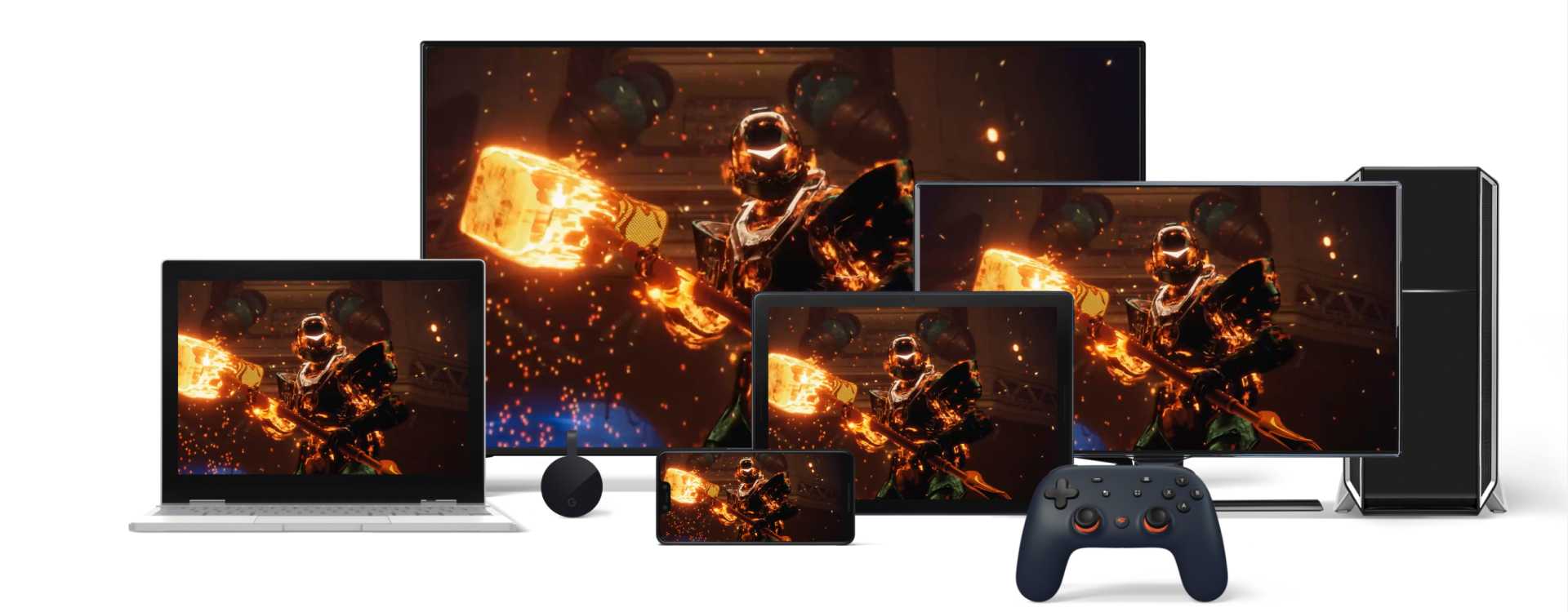
Mac Users: Google Stadia could be especially interesting for Mac users. Many Mac devices are equipped with weak graphics cards and the number of available games is very limited. Stadia offers completely new possibilities here.
Users with weak hardware: If you don’t own powerful hardware but still want to play current titles, Google Stadia could simplify your gaming experience.
For example, if you only game at home with a notebook, you can easily stream games using Google Stadia through your browser or transmit them to your TV via Chromecast Ultra. The prerequisite is that you have a stable, fast internet connection, as you stream the game through Google’s servers.
If you have both a weak computer and a slow internet connection, Google Stadia offers no benefits.
Early Adopters/Enthusiasts: The Premier Edition offers enthusiasts the opportunity to be part of the launch with an extensive package. The Google Stadia Controller is particularly interesting here.
Console Players: If you own a console and have an Xbox Game Pass or PlayStation Now subscription, Google Stadia is less interesting for you.
However, if you want to be independent of your console and play anywhere, then take a look at Google Stadia. The advantage is clear: for around ten euros a month, you can always use up-to-date hardware without needing to buy a new console every few years.
Alternatively, you could wait for the new Nex-Gen console from Sony: Sony has announced that cloud gaming and streaming will be important for the next generation. The catch: the new generation is expected to cost over €500.
Google Stadia – Controller, Chromecast, and Co
Do I need a Stadia Controller, can I use my old Chromecast, and are there alternatives? Below we want to clarify some basic things.
What is the Google Stadia Controller?
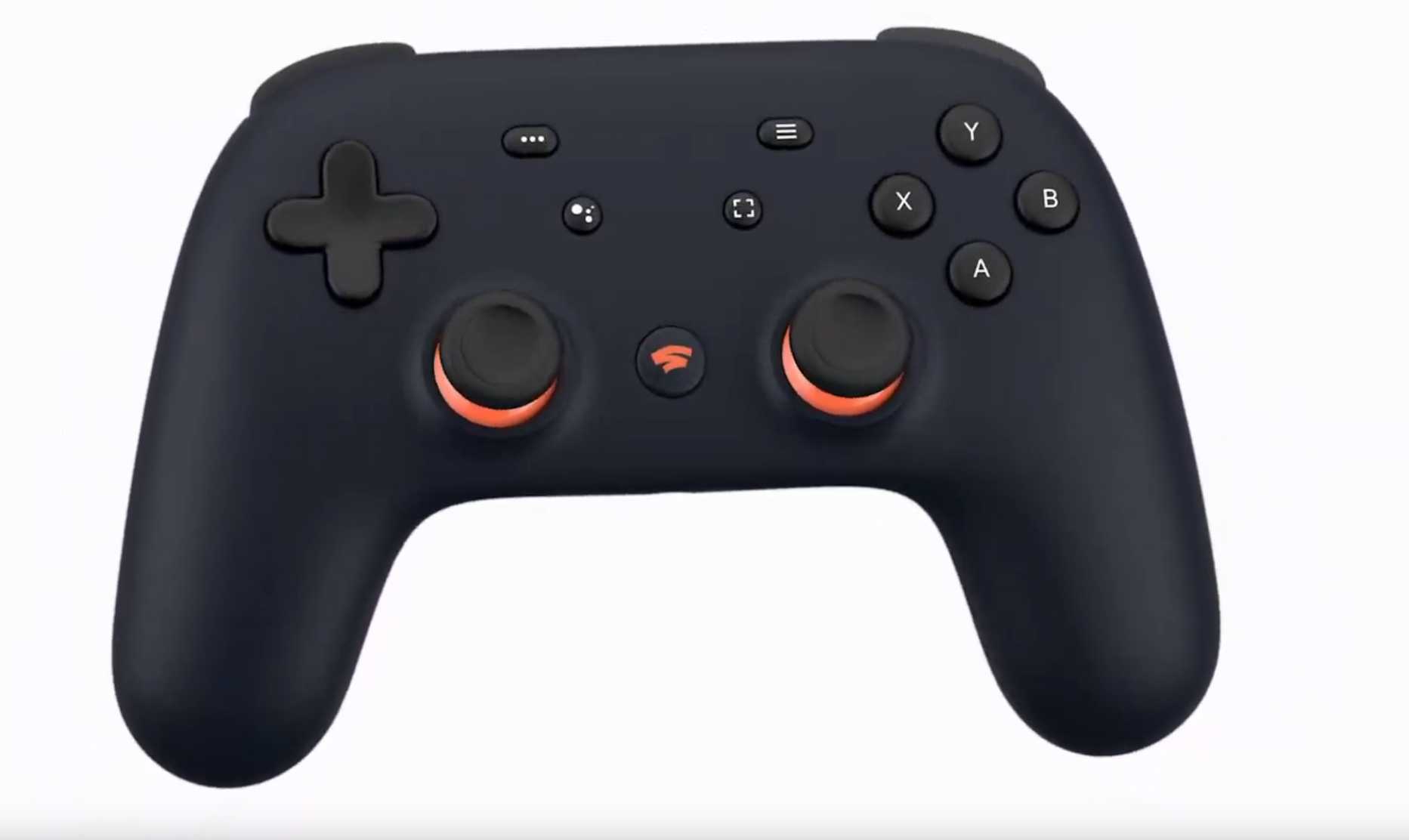
What is the Stadia Controller? A Stadia Controller is already included in the Premier Edition for €129. The controller costs €69 separately and is available in Colors Clearly White, Just Black, and Wasabi. The Night Blue color was only available with the Founder’s Edition and is now sold out. The Premiere Edition offers the controller in Clearly White.
This is what the controller offers: The controller features two analog sticks, four buttons, and four shoulder buttons. Gyro sensors are not included. The battery life is said to be similar to the competition. If you want to use the Stadia Controller wirelessly, you will need a Chromecast Ultra at the start of Google Stadia.
How well the controller performs and whether it’s worth buying the Stadia Controller, we have summarized here for you:

Stadia Controller does not provide access: Purchasing a separate controller only makes sense if you pre-ordered the Founder’s or Premiere Edition or have a Buddy Pass. With the Stadia Controller alone, you cannot access Google Stadia!
| Colors | Clearly White Just Black Night Blue (only available in the Founder’s Edition) Wasabi |
| Wi-Fi | Dual-band connectivity (2.4 GHz/5 GHz) IEEE 802.11 a/b/g/n/ac |
| Bluetooth | Bluetooth Low Energy 4.2 (BLE) |
| Headset jack | 3.5 mm headphone jack for headphones with or without microphone |
| USB | USB-C port for charging, connecting cables or accessories like USB-C headsets |
| Weight | 268 g |
| Dimensions | 163 mm x 105 mm x 65 mm |
| Battery | Integrated rechargeable lithium-ion battery |
| Special features | Assistant button and microphone Button for Google Assistant to activate the built-in microphone Recording button Quick access to image and video recording function |
| Price | 69 euros |
Is my Xbox/PlayStation controller compatible with Google Stadia?
According to Google, you can use all common controllers with Google Stadia when playing in the browser or on mobile devices. However, if you want to play on your TV, you will need the Stadia Controller and Google Chromecast Ultra.
Is my Chromecast device compatible with Stadia?
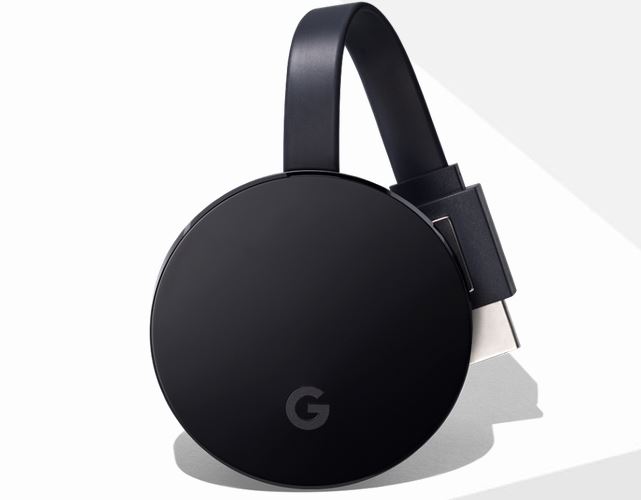
At the launch of Google Stadia, only Google Stadia Chromecast Ultra is compatible with Stadia. If you still have an old Chromecast device, such as the third generation (2018), you will need to be patient and hope that Google expands its compatibility.
Google Stadia and Family Sharing?
Google Stadia is also said to offer family features. This includes, for example, an age rating. Parents can restrict certain titles for their children.
However, the family features are expected to be available only from the next year.
Is Stadia a Netflix for Gamers?
Currently, there is only one title available for free via Google Stadia Pro, and that is Destiny 2. The subscription costs for Google Stadia Pro are primarily intended for the use of hardware that you no longer need to own. There is no game flat rate like Microsoft offers with Game Pass. Why Google Stadia is not a Netflix for gamers, you can read in our article:

If you are interested in a gaming flat rate, you should take a look at Microsoft’s Game Pass, EA Access, or Uplay Plus. Here you pay a fixed amount and have access to a large number of games.
Google Stadia’s head wants to know what users want
John Justice, the head of Google Stadia, wants to know what users desire from Google Stadia. A user posted the survey on Reddit. So far, around 13,000 people have voted.
What interests people in particular, what they have voted for so far, and how to participate, we explain in our article:

Google Stadia and Android TV?
Google Stadia is expected to be supported by Android TV from 2020. This is at least suggested by a post by xda-developers.
Xda-developers are not allowed to show images from the International Broadcasting Convention. However, the roadmap outlines Google’s future plans with Android. The roadmap states under Android 11 R/2020 “Stadia integration”.
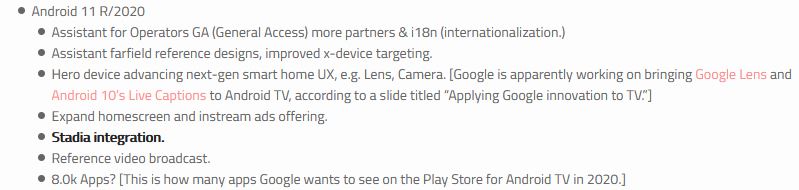
That’s why Android TV is so interesting: Android TV is nowadays installed in many media players and smart TVs. With the integration of Google Stadia, many new possibilities arise, such as access to the Playstore.
Google Stadia – Alternatives in Cloud Gaming
What alternatives are there to Google Stadia? In the following, we will explain the best-known alternatives.
Nvidia GeForce Now – Differences from Stadia
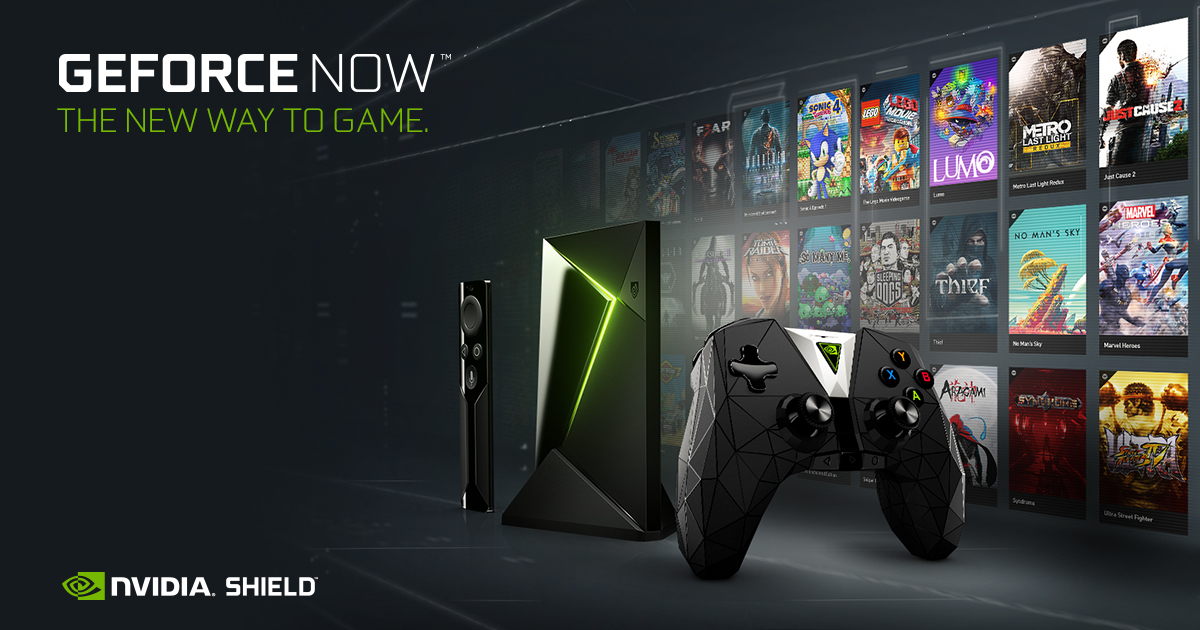
What is the difference from Stadia? A similar idea lies behind GeForce Now: You stream games via a server and do not need high-end hardware. For GeForce Now, however, you need your own Steam, Uplay, or Origin account and must link it with the Nvidia service.
However, GeForce Now must also support your game for you to use it through GeForce Now.
In early February 2020, all Activision Blizzard titles were removed from GeForce Now, including Call of Duty Modern Warfare, Overwatch, and many other titles.
That’s why GeForce Now is interesting: You stream your own purchased games and do not buy games like with Google Stadia. If you have a large library on Steam or other platforms, then GeForce Now might be more interesting for you.
Shadow – Differences from Stadia

What is the difference from Stadia? The cloud service Shadow also offers a cloud service like Google Stadia. In contrast to Stadia, you stream a complete PC, on which you can also use Steam, Origin, and co. using other software such as rendering programs is also possible.
If you want to play games with Shadow, you must have already purchased them on Steam, Uplay, and co.
That’s why Shadow is interesting: You stream your own purchased games like with GeForce Now and do not buy games like with Google Stadia. If you have a large library on Steam or use resource-intensive software like rendering, then GeForce Now may be interesting for you.
Google Stadia vs. Sony PlayStation 5
Sony has announced that cloud gaming and streaming will play an important role in the new console. This includes Remote Play and PlayStation Now.
The price of the new console could be over €500. While further info about PlayStation 5 is still awaited.
If you are interested in Sony’s next-gen console? In our hub, we have summarized all the information for you:

Your opinion is important to us!
Do you like the article? Then let us know!