

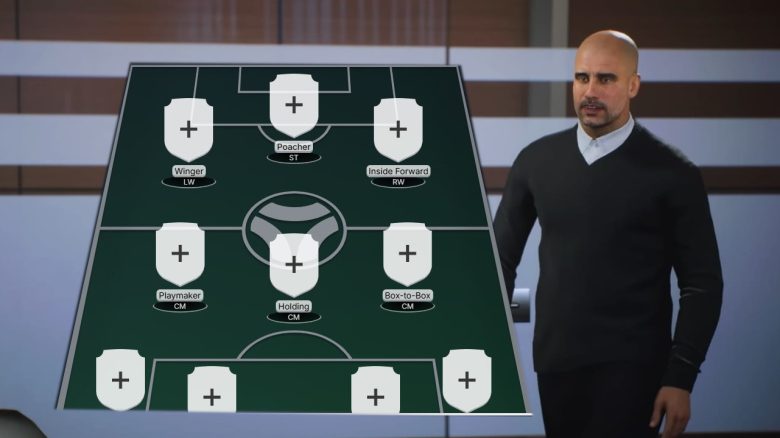
In EA FC 25 you can plan exactly how your Ultimate Team should look. We present to you the Squad Builder and its advantages.

What is a Squad Builder? As the name suggests, a Squad Builder helps you build your team for Ultimate Team. Especially at the start of FC 25, when you have no overview of the best players and their prices on the transfer market, the Squad Builder can help you avoid frustrating wrong purchases.
Squad Builder Comparison
We have looked at the Squad Builders from 3 different service sites for EA FC. In doing so, we established criteria to compare them:
| Service Sites/ Comparison Points | EasySBC | FUTBIN | FUTWIZ |
| Clarity | ✅ (all important functions immediately recognizable) | ✅ | ✅ |
| All formations from FC 25 selectable | ✅ | ✅ | ✅ |
| All players from FC 25 selectable | ✅ | ✅ | ✅ |
| Suitable player suggestions for positions | ✅ | ❌ | ✅ |
| Prices for cards visible | ✅ | ✅ | ✅ |
| Budget filter for maximum costs when building a team | ✅ | ❌ | ❌ |
| Assistant for team building | ✅ (with one click complete team can be created) | ✅ (each position must be selected individually) | ✅ (each position must be selected individually) |
| Other filters for leagues, nations, etc. | ✅ | ✅ | ✅ |
The Squad Builder from EasySBC impresses the most with good clarity and ease of use. Especially the completely assisted team building with a budget cap is very helpful and is not offered by the Squad Builders of the other service sites.
Thus, the Squad Builder from EasySBC wins our comparison. Next, we want to show you how to make the best use of the tool.
How to get the most out of the Squad Builder
We will explain how to use the most important settings of the Squad Builder from EasySBC so you can build your teams effortlessly.
To get started, first open the Squad Builder from EasySBC. Here, an empty field will first appear with the suggested 4-3-3 formation. You will find all the important filters for further action on the right side of the screen.
Step 1: Choose your formation
At the top of the right side of the screen, you can change your formation. All available formations in FC 25 are at your disposal.
If you are looking for a strong formation, this article may be helpful: Tactic Codes: Professional shows strong formations with instructions in overview
Once you have decided on a formation, you can immediately click on “Build Squads” at the bottom of the right screen without further settings and receive the best possible lineups for your formation.
Unfortunately, the prices of these teams are not feasible for most players. However, there is a section “Budget” on the right side under the formations.
Step 2: Specify a budget for narrowing it down
This step is essential for building your first starter team. Once you have opened your first packs and earned your first coins, you can specify a budget for your team depending on your current balance in Ultimate Team.
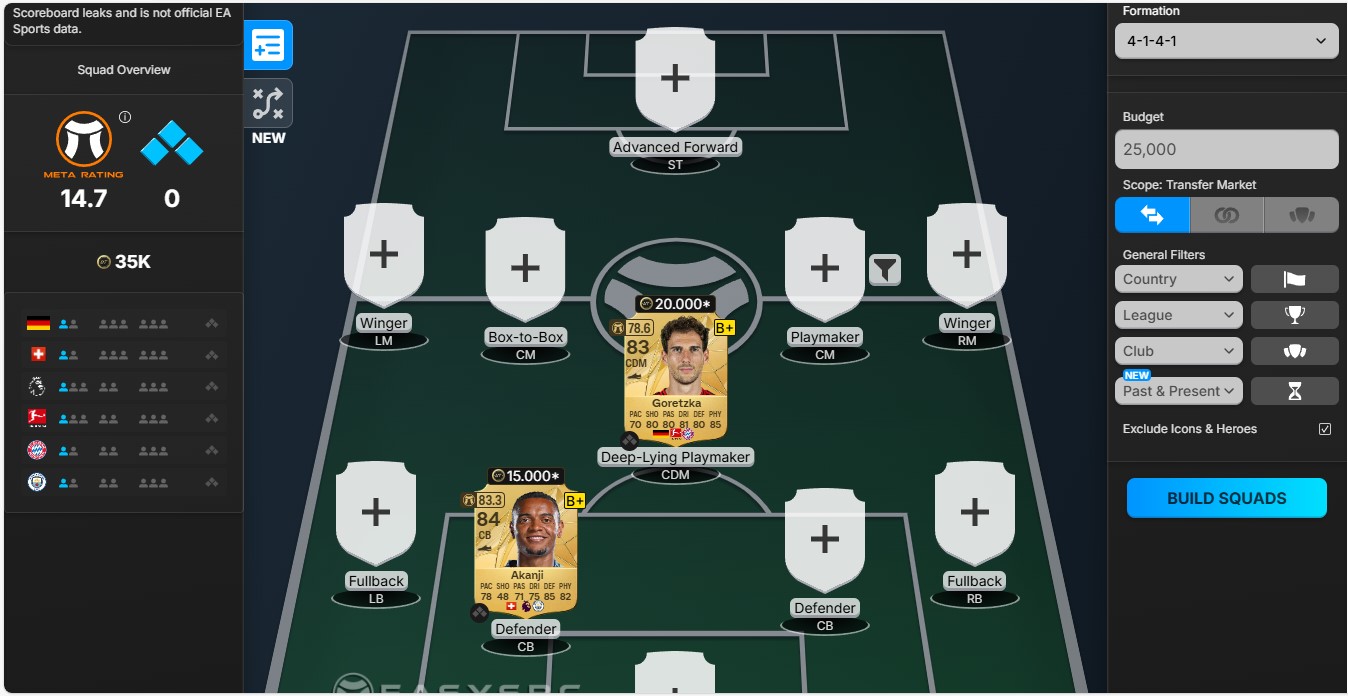
Here is a hypothetical example: We pulled Goretzka and Akanji untradeable from our packs and naturally want to play them. We add our two star players to the team in their positions of a 4-1-4-1 formation.
With the tradable packs, we additionally earned 25,000 coins. With this money, we want to build a complete team around our two stars. For this, we enter 25,000 in the budget bar (on the right side of the image):
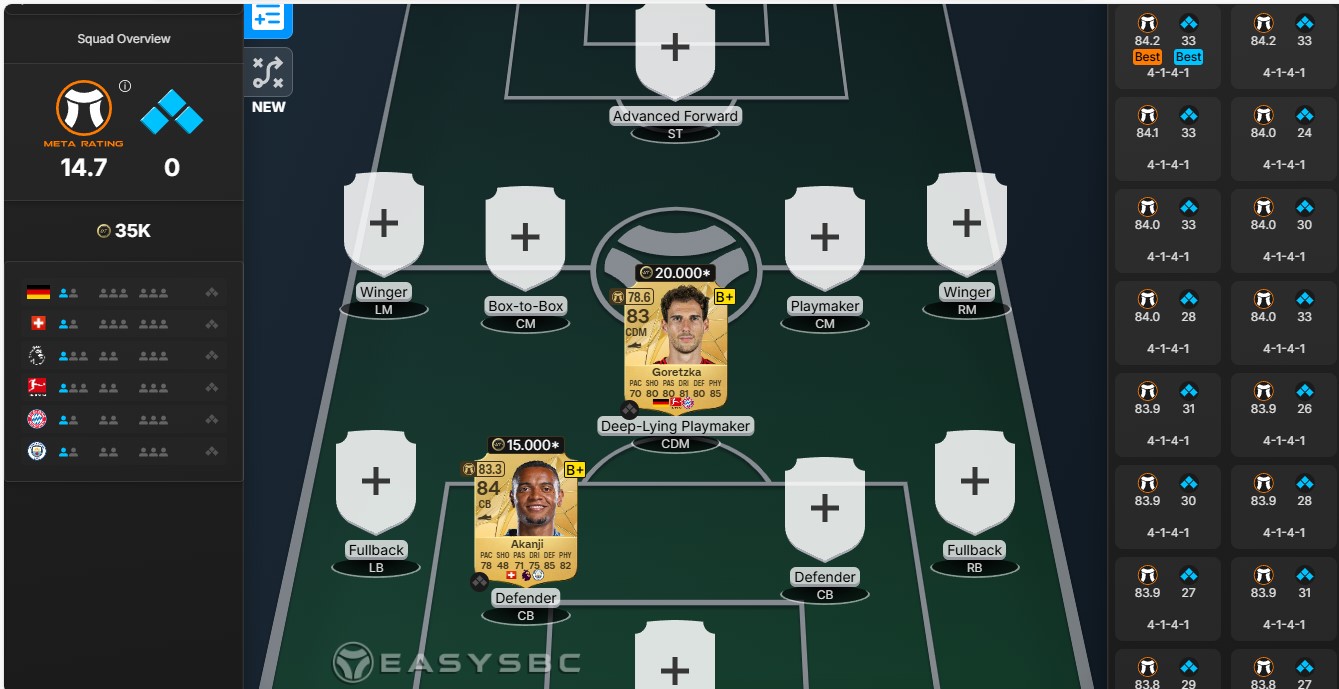
On the right side of the screen, a variety of possible teams with their meta-ratings (on the left) and chemistry (on the right) are now displayed to us. When you hover your cursor over the suggested teams, they will appear as a preview on your screen:
We choose the suggestion with the best meta rating and the best team chemistry and confirm our selection. And just like that, our first starter team in FC 25 is set:
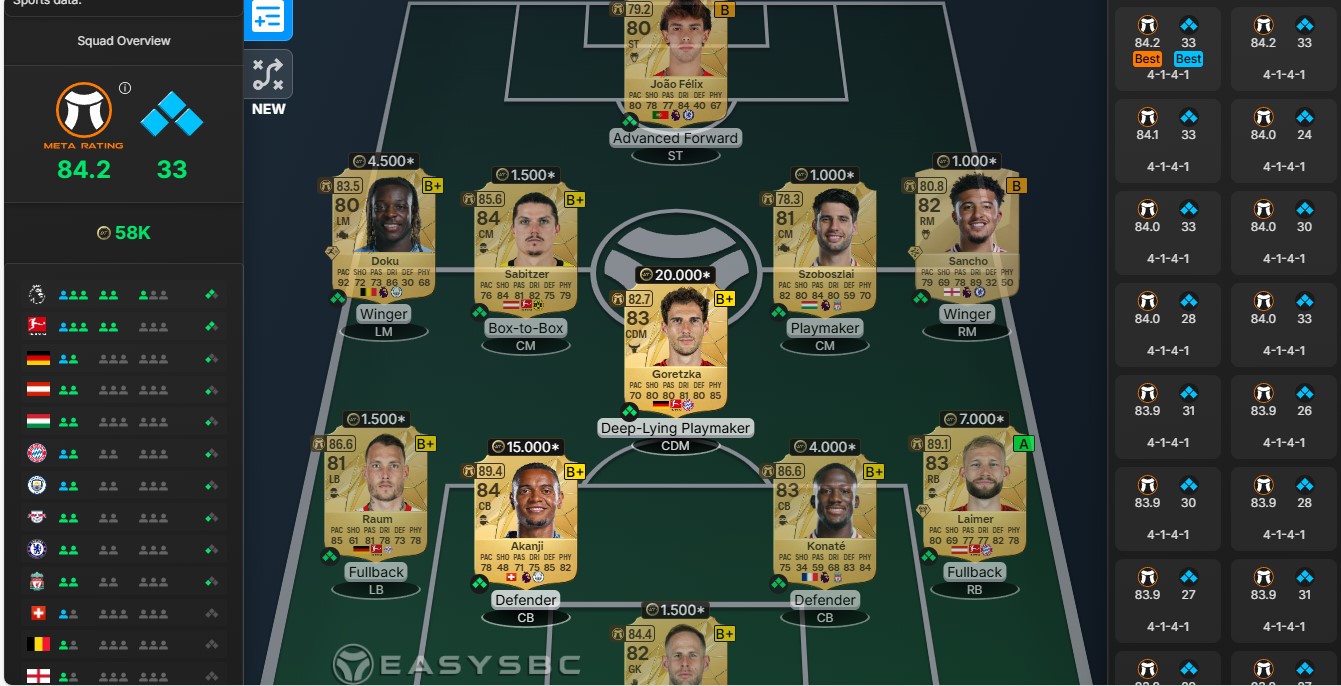
Each individual player is provided with a virtual price tag (The price suggestions of the displayed players date back to before the launch of FC 25. They were estimated based on their meta ratings and their prices at the last release in FC 24.)
Step 3: Build thematic teams with the remaining thematic filters
If you additionally value that your players come only from the Bundesliga or if you want to play only with Brazilians, then the “General Filters” will help you. You will find these in the lower segment of the right side of the screen.
Here you can let your creativity flow and build teams with different focuses. Especially the “Past & Present” filter is a nice gimmick. Depending on formation and budget, the Squad Builder assembles the best possible cards of current and former players of a club.
For example, here is a mix of Tottenham players with one of the 8 new icons in FC, Gareth Bale:
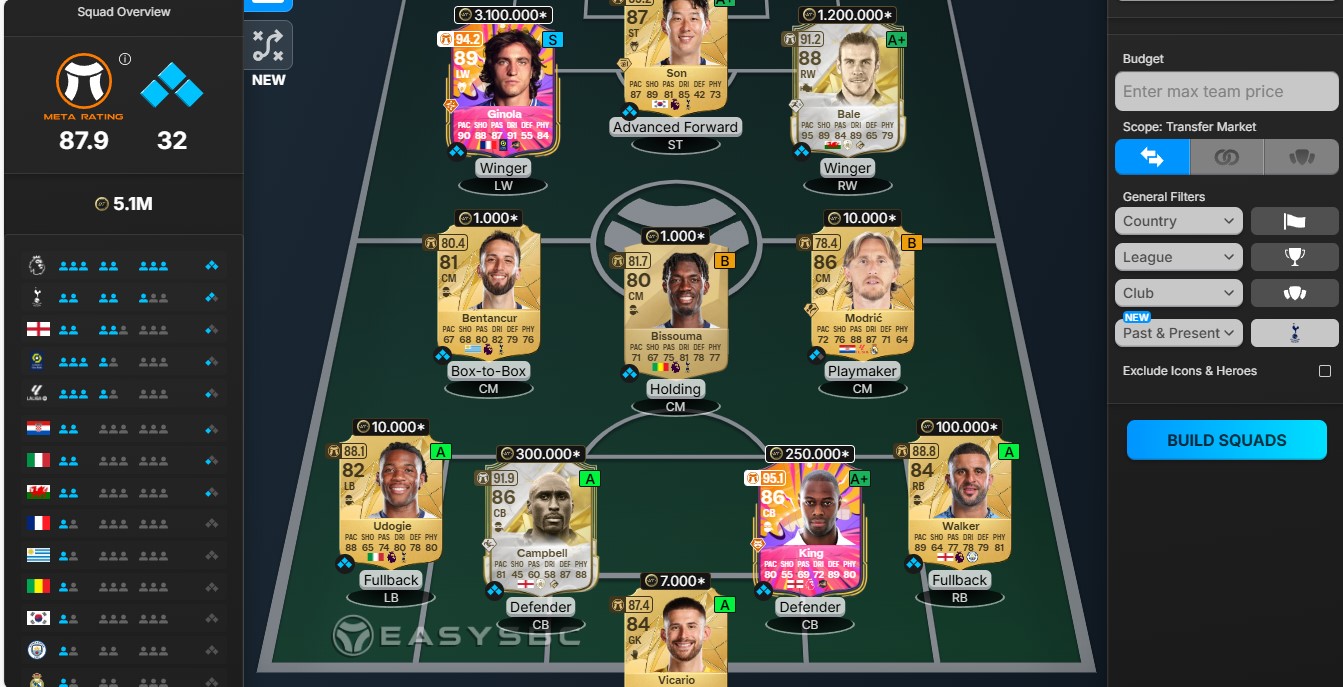
What other advantage does the Squad Builder from EasySBC bring? The greatest strength of the EasySBC site lies in its close cooperation with EA FC professionals. With the help of experts, EasySBC has developed the so-called meta rating, a proprietary analysis tool. Because every player from EA FC knows that the cards with the best overall ratings do not automatically have to be the most playable cards.
The meta rating indicates, according to EasySBC, how “well a card performs in the game”. The meta rating is based on a AI-based assessment of the cards according to the following criteria:
- general skills of the player
- ability with the weak foot
- availability of special moves
- body height
- body type
- playstyles
Based on this, players then receive their own rating (from 0 to 99) for their playability, which can change depending on their position or assigned role in the lineup.
To better categorize the ratings, the cards are additionally ranked with a letter. Players who are the most playable are marked with an “S”, followed by the descending ratings:
- A+
- A
- B+
- B
This is particularly a great help at the start of FC 25 and generally for casual players.


With that, you have the most important settings and advantages of the Squad Builder at a glance. This way you can gain an advantage over others, as you will know exactly how your Ultimate Team should look. What can also be an advantage: If you already know the best dribblers in FC 25 before the release: FC 25: 10 strong dribblers that give you an advantage in Ultimate Team

Your opinion is important to us!
Do you like the article? Then let us know!