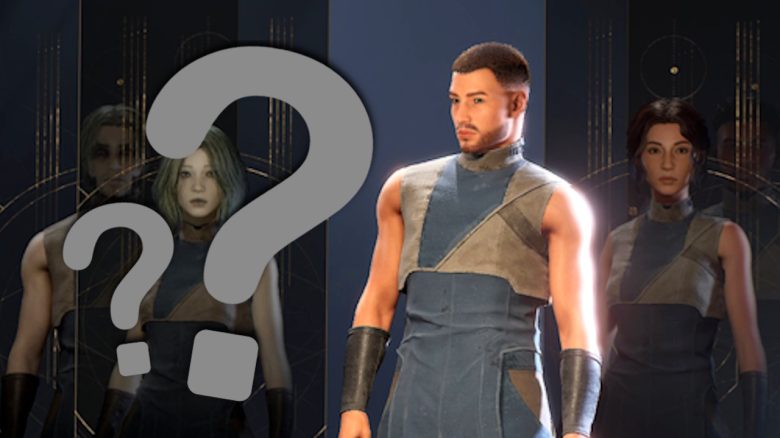
In Dune: Awakening you can import created characters into your character editor or share them with other players. We show you how it works and what you should pay attention to.
The character editor in Dune: Awakening offers you numerous options to create a customized avatar. So you don’t have to completely rebuild your character from the beta, you can simply import it from the game files. You can also add pre-made characters or those of other players to your editor.
Here you can read how it works and what you should pay attention to.
How to import a character
When you are in the character editor, you will see a button labeled “Import” in the lower right corner. Click on it.
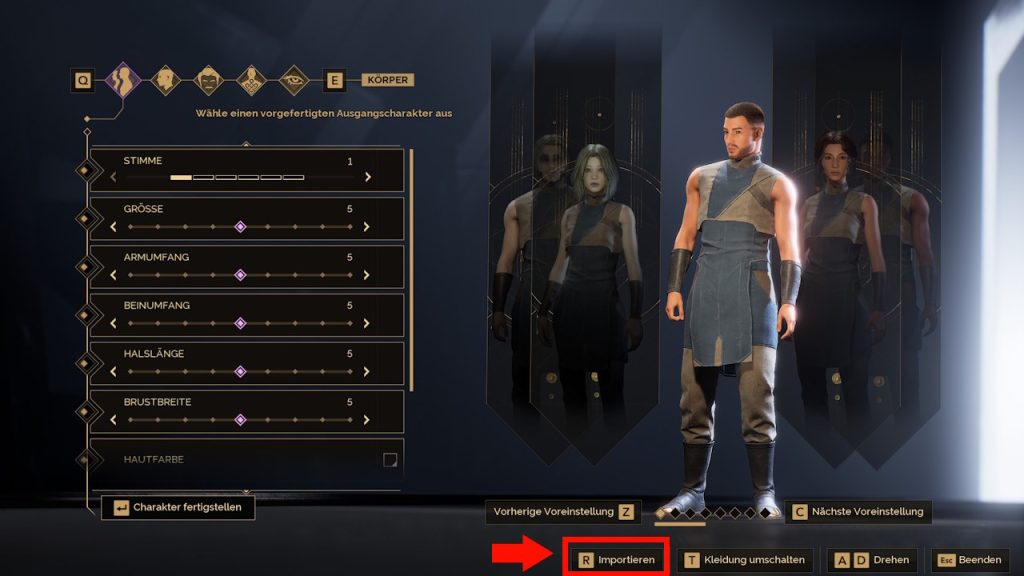
Then a selection box appears, where you can choose the file of your desired character. These characters can be created before release using the character creation and benchmarking tool on Steam or taken from the Beta or Early Access data.
The pre-made characters are displayed there only with their filenames ending in .json. So you may need to experiment a bit if you have multiple characters, or know exactly which file belongs to which character.
If you then click on the corresponding filename, the character will be automatically imported, and you can take it over or continue to customize it.
How to share characters
If you look closely at the selection window, you will see that a file path is indicated above the filename. This is often located in a folder named “Documents” and is labeled “Dune Awakening”.
In this folder, you will find all the json files of your saved characters. You can also send these to friends or other players. If your friends then place them in the corresponding folder, they can import your characters into their editor. Conversely, you can also add characters from other players if you place their files in your folder.
What to do in case of problems?
What should I do if it doesn’t work? Many players have found that it worked if they restarted their game once. Sometimes it also helps to delete the files and re-add them – caution: Don’t forget to copy and backup first!
Some players also report that it helped them to only place the json file in the folder that they want to import and keep the rest somewhere else.


Once you have imported your character and finished customizing it, you can almost get started. If you are still unsure about your starting class, we have a guide for you on which class is suitable for whom and which are the best for starting: Dune: Awakening: The best classes in ranking for a good start in the survival MMO