


In addition to the mobile version Ishtar Commander, the Destiny Item Manager shines as a fully integrated browser solution for item management in Destiny 2. We present the highlights!

Destiny 2 is a looter-shooter. More and more equipment and weapons accumulate that need to be managed. The possibilities for infusing gear, adding shaders or mods are so diverse that a good item management system is worth its weight in gold.
Even though Bungie offers an in-house app (the Destiny Companion App for Google and Apple’s iOS), community-developed solutions are significantly more practical and additionally feature things that are missing from Bungie’s official app.
Anyone who is on the go will be happy with the Ishtar Commander. Anyone who has their computer (or smartphone) handy while gaming can also be happy with the Destiny Item Manager (DIM).
A real highlight of DIM is the ability to view your reputation progress for each faction. The ranks have been removed in-game – the Destiny Item Manager makes them visible again! We will now introduce you to this and other core features of DIM.
Destiny Item Manager – Order and Clarity
To try out the Destiny Item Manager, you can access it directly in your browser. If you use Google Chrome, you can also install the DIM directly as a browser app.
It is also possible to open DIM on smartphone and tablet. When you go to the DIM page, an app can be opened.
After logging in with your Bungie account, a tidy view of all your characters including the available equipment awaits you.
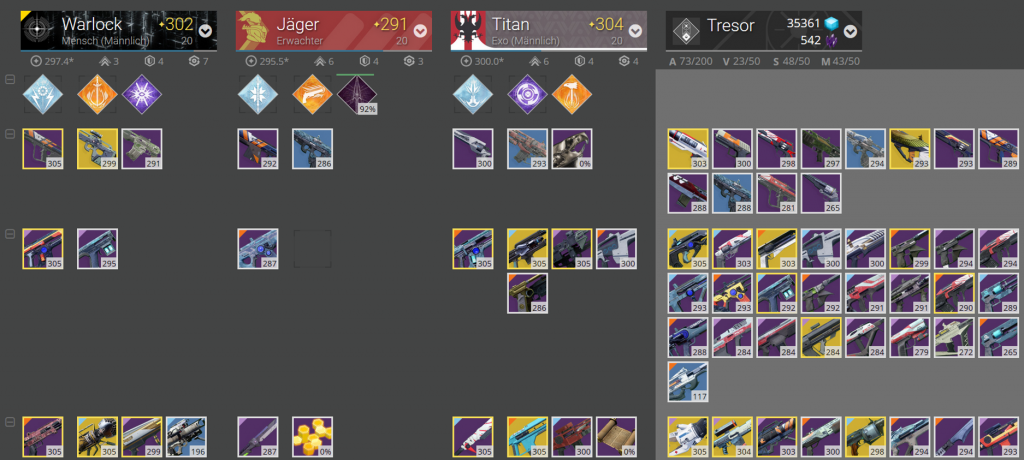
Directly under your character emblems, you will find the maximum equippable power level as well as the respective point distribution in resilience, mobility, and recovery. Below you will find all the focuses that your Guardians have already unlocked. If you are in a quest step to obtain a focus, the progress for this will also be displayed.
Once again, under the focuses, you will find the inventory of the respective Guardian, starting with weapons, through armor, to the rest of the inventory like ships, emblems, and gestures.
Not in the game, but in DIM – The Faction Reputation Levels!
At the very bottom, you can view your theoretical reputation ranks for the different factions. Bungie has removed these ranks of the different vendors in-game, but has left them in the database. Apps like DIM can read and display these. So you can quickly see how far you have leveled your factions. Nice!
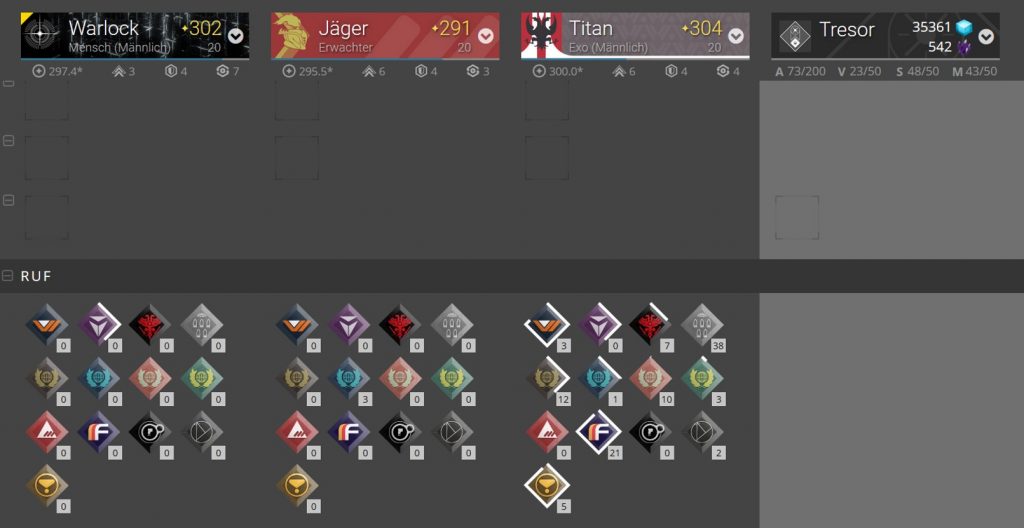
Many Guardians complain that these reputation levels are missing as a progress indicator in Destiny 2 itself. After all, many derive motivation from reaching higher levels. While in Destiny 1 there were still Grimoire points or faction levels directly in the game that indicated long-term progress, such things are missing in Destiny 2.
With the Destiny Item Manager, you can quickly and easily read the reputation levels and compare them with your friends.
Item Management and Load-Outs
If you want to transfer items from one character to another, there are different options. The simplest is to simply drag and drop the desired item from one Guardian to another.
This only works for individual items. If you frequently move a weapon arsenal back and forth, the Load-Out function is perfect. With this feature, you can simply bundle different gear pieces into a package and move them back and forth as needed.
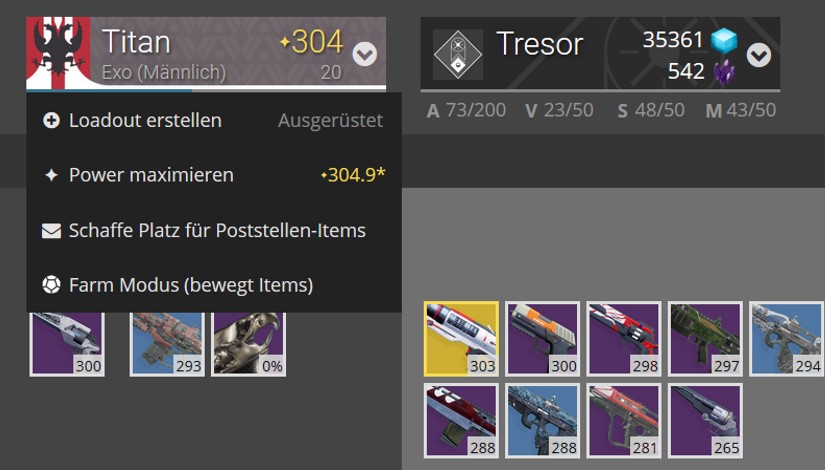
A fixed weapon choice for the Crucible? It can be easily created and transferred as needed. You can also create different weapon packages for the Leviathan raid and move them around.
The search function – Easily find duplicates
Another highlight is the search function. Here you can search for specific item types based on short commands. The great feature is the search for duplicates. Simply enter “is:dupe” in the search bar and immediately all items that you own in duplicate will be marked accordingly!
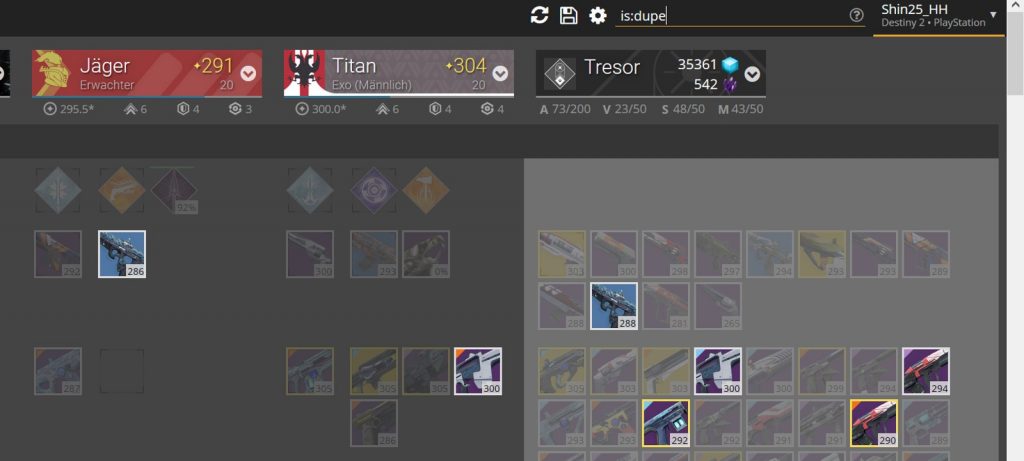
This also works with other search commands. For example, you can display only helmets or only ghosts.
No bulk disassembling of shaders
However, there are a few minor criticism points. A major disadvantage in Destiny 2 is the abundance of shaders found in the game. The corresponding space in the inventory fills up quickly. Anyone who wants to dismantle shaders they don’t need now has to do it individually.
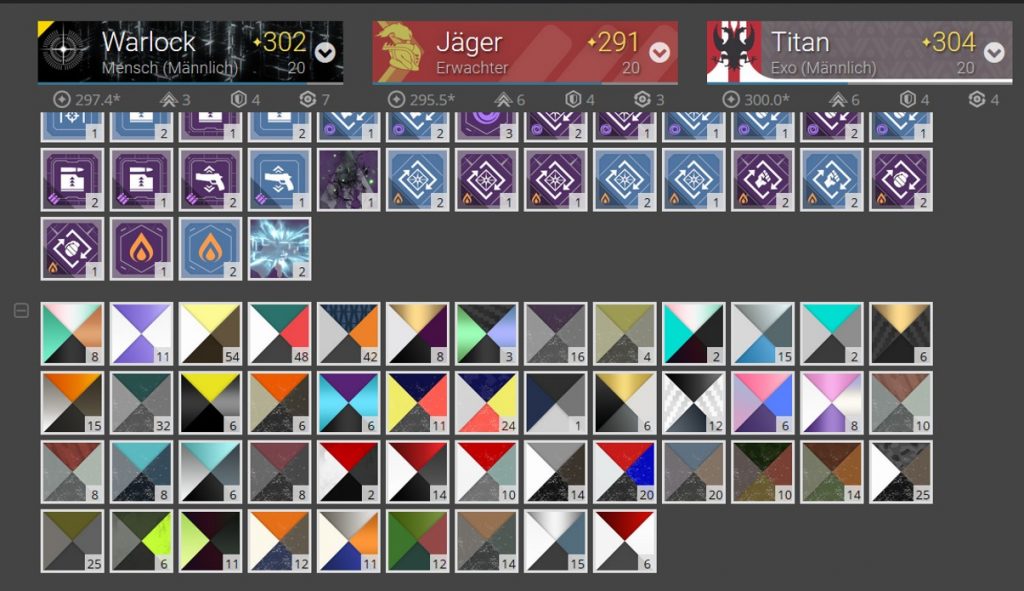
A daunting task that DIM cannot (yet) take off your hands. Because the developer of the site has already announced plans to work in this direction.
The mods are also quite overwhelming. If you have three blue mods of the same type, you can convert them into a legendary mod with Banshee-44. If you now have one piece in the vault and the other in the inventory, it is easy to lose track.
Therefore, we wish for future versions a display in DIM that visualizes the interchangeable mods for Banshee-44 and a function to let them flow directly into the inventory.
That all items are linked to DestinyDB is nice, but we hope that this will also be possible for the German version with the German DestinyDB in the future.
What else can you do with DIM, the following introductory video will tell you:
What do you think of the Destiny Item Manager? Do you use it extensively or are you more of an Ishtar Commander user?

Your opinion is important to us!
Do you like the article? Then let us know!
Comments