

Weight, Ergonomics, and Sensor
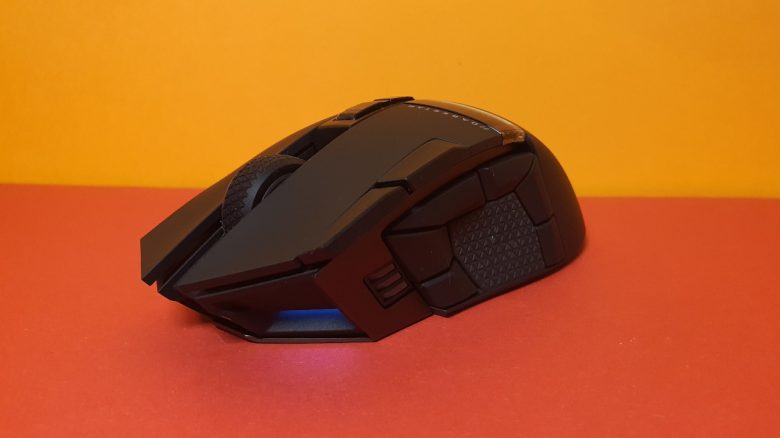
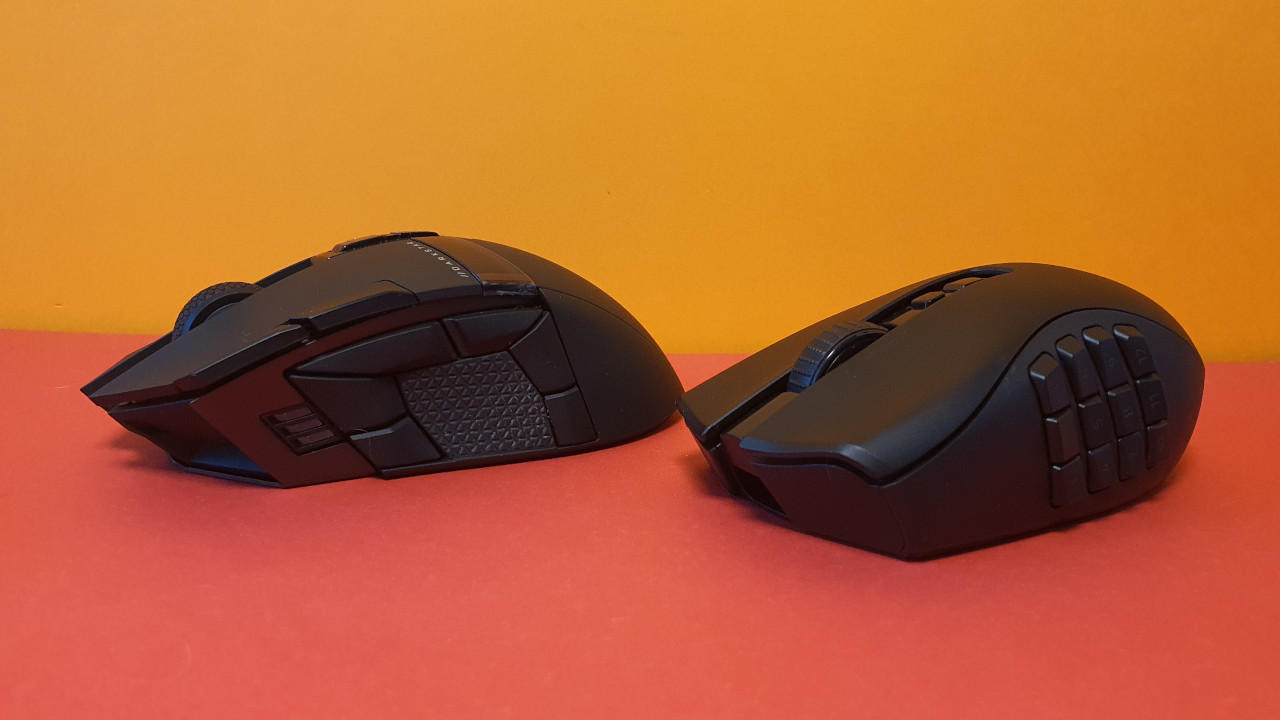
The weight: At 96 grams, the Darkstar Wireless is significantly lighter than the Razer Naga V2 Pro (134 grams) and is more comparable to the G502X or the Roccat Kone XP, which also weigh around 100 grams.
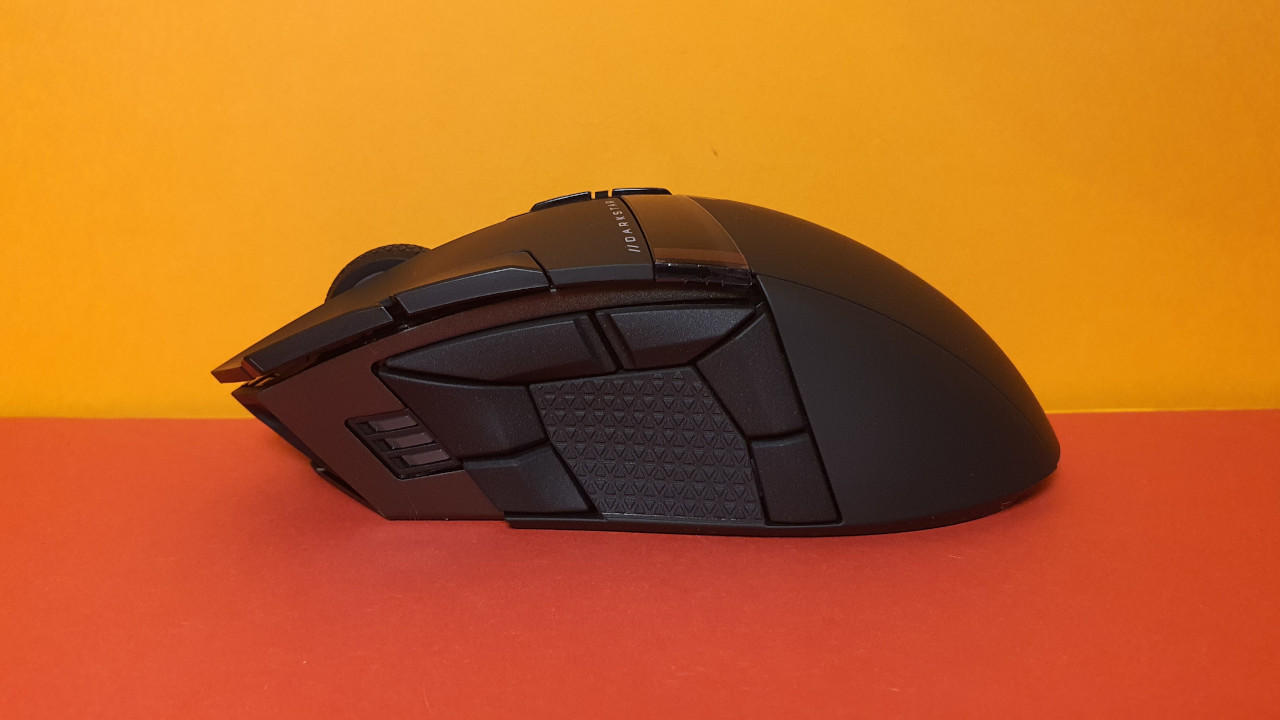
The ergonomics: With a hand size of 19 centimeters, I have very large hands and have no trouble reaching all the buttons on the mouse. However, the semicircle with the 6 buttons in the thumb area is quite broad.
With a normal thumb movement, I find it quite uncomfortable to reach the rear buttons towards the back of the mouse. It is easier and more pleasant to slightly retract my hand from the mouse surface to access the buttons. It’s not perfect, but this way the buttons can be pressed comfortably without cramping.
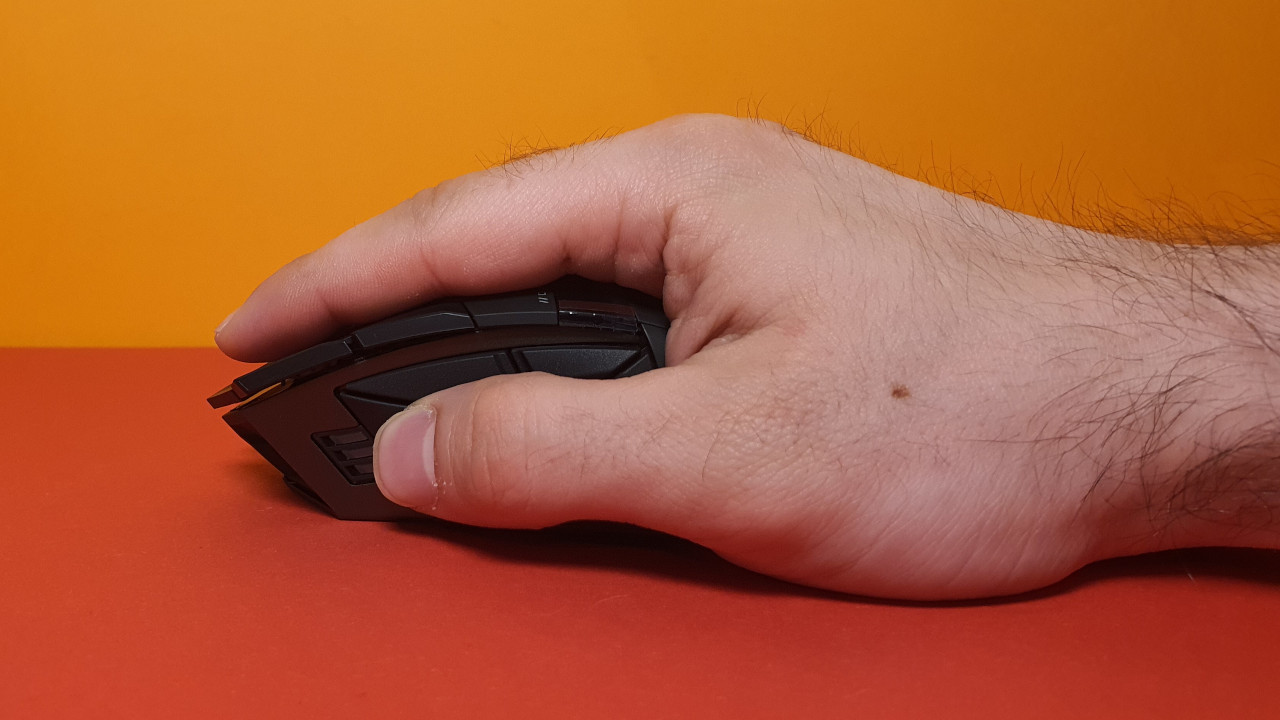
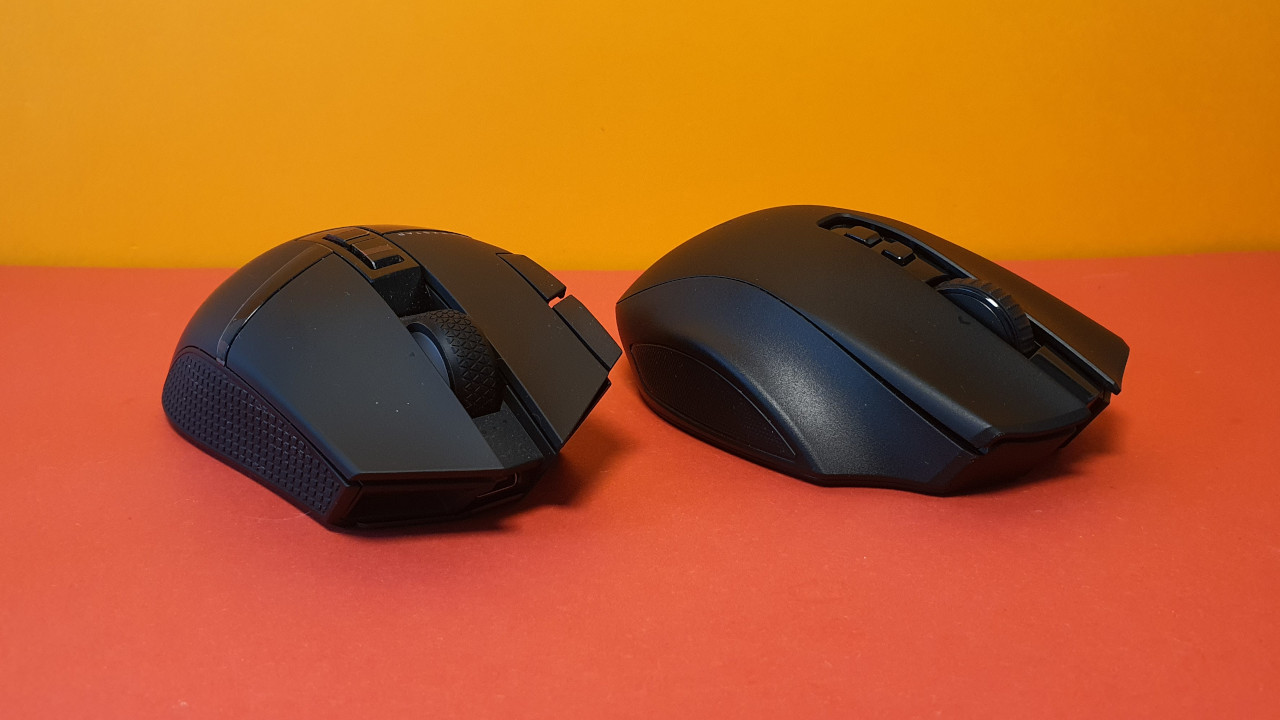
In general, I am very pleased with the ergonomics. The mouse feels good in the hand and is also better for everyday use than the Naga V2 Pro, as the Razer mouse is wider towards the back making it harder to grip. With the rubberized area between the thumb buttons, I can also lift and reposition the Darkstar Wireless. With the Naga V2 Pro, it’s hardly possible with the 12-button set.
In palm grip, the mouse is very comfortable to hold, and in fingertip grip, it also remains comfortable if you don’t want to use the thumb buttons. In my test, I mainly used it in palm grip. All grip types for gaming mice are explained here.
Sensor: Corsair uses the Marksman sensor in its Darkstar Wireless. This offers you a maximum resolution of 26,000 DPI and can be adjusted if needed.
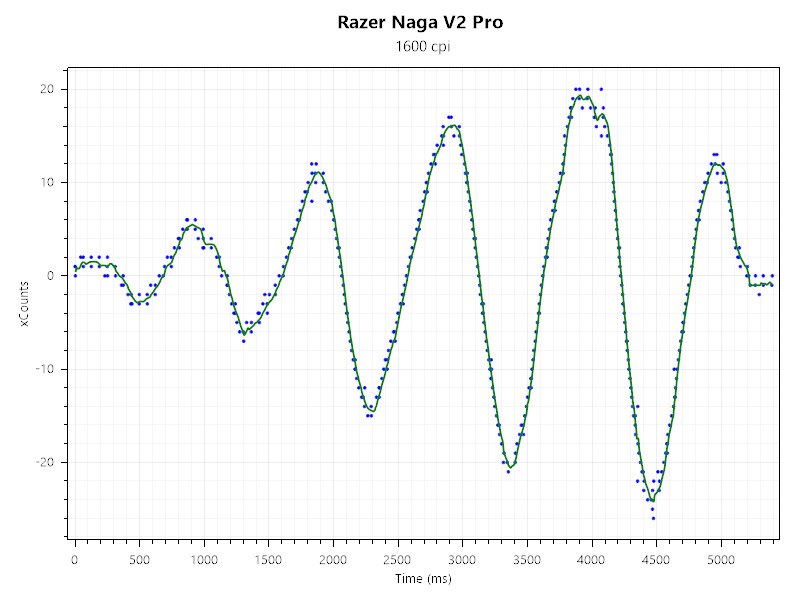
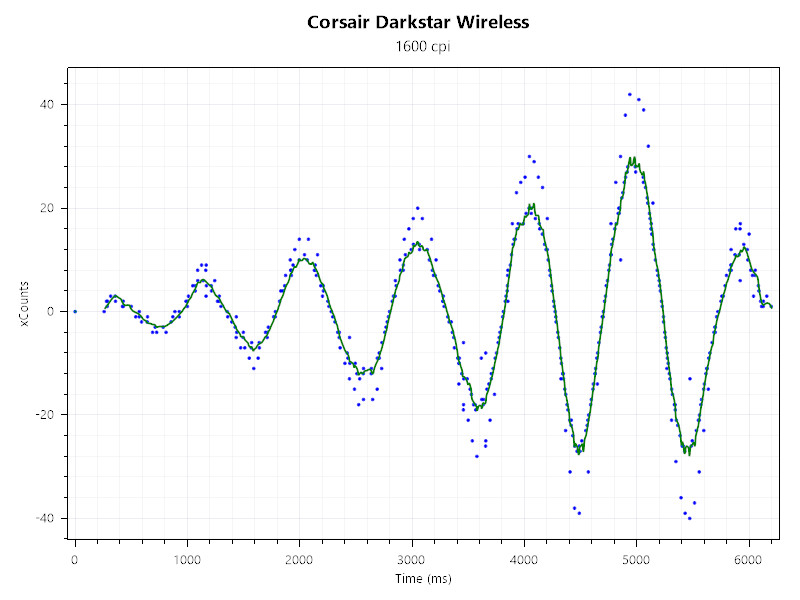
Compared to Razer’s “Focus Pro” sensor, which is used in the Razer Naga V2 Pro, the Corsair sensor performs worse. And this is especially noticeable when I test both sensors with a DPI of 1,600 side by side. In both cases, I use the same fabric mousepad.
In the test, I move the mouse in a circle and continually speed up. Ideally, all blue points should lie either directly on the green line or nearby:
- The amplitude (green) of the Corsair sensor remains stable overall and only shows slight deviations at very high speeds. However, during brisk movements, many measurement points (blue) deviate from the green line and lie partially far outside the green line.
- With the “Focus Pro” sensor from Razer, the measurement points also stay close to the green line at high speeds. This makes the sensor overall more precise and delivers a more accurate result.
The mouse buttons and scroll wheel
The mouse buttons: Corsair uses optical switches under the buttons, marketed under the name “Quickstrike”. What I definitely notice positively is that the buttons not only feel very clicky but are also very quiet.
This is especially noticeable compared to mice from Logitech or Roccat, which also use mechanical switches: they are always noticeably audible compared to the Corsair Darkstar Wireless.
The scroll wheel: The scroll wheel of the model feels precise under my fingers. The precision lies partly because it is stiff and cannot be turned without effort. This allows me to use the scroll effectively, for example, to switch my weapon.
The scroll wheel is similarly stiff as on my G502 X Lightspeed (test on MeinMMO), where I found it already bordering on the extreme.
Conclusion: A good gaming mouse for MMO players that could also be worthwhile for other genres
Who is the mouse suitable for? Corsair’s new Darkstar Wireless primarily convinces me with its lower weight and better haptics compared to the Naga V2 Pro. However, Razer clearly has an advantage with the sensor.
For both Corsair’s Darkstar Wireless and the Razer Naga V2 Pro, you pay an RRP of 169.99 euros. In practice, it ultimately comes down to personal preference and also a matter of flexibility whether you choose Razer or Corsair.
What alternatives are there?
- The Razer Naga Trinity is the best alternative if you don’t want to spend as much as for the Naga V2 Pro or the Darkstar. It offers similar functionality for around 70 euros. Also advantageous are the interchangeable side plates.
- The SteelSeries Aerox 9 Wireless weighs only 89 grams and costs around 100 euros. It has no interchangeable parts, but is a bit lighter than the Darkstar Wireless.
- Corsair’s SCIMITAR RGB ELITE is well made and offers nice buttons. With a price of around 100 euros, it is also a fair offer.
- The Logitech G600 is also an option if you can buy it in Germany. The price often lies between 60 and 70 euros, but the mouse is officially no longer manufactured in Germany.
More gaming mice on MeinMMO: If you are looking for more recommended gaming mice, check out our buying guide on MeinMMO. Here you will find the best gaming mice that you can currently buy:
The best gaming mice for shooters that you can currently buy

Your opinion is important to us!
Do you like the article? Then let us know!