If you want to buy a gaming mouse, you can invest a lot of money. But do you even notice that you are holding expensive hardware in your hands? MeinMMO editor Benedikt Schlotmann compared two mice and also has a tip for those who want to buy a mouse.
Gaming mice are available on the market in various sizes and at very different prices. While you can get gaming mice for 10 Euro at online retailers, other manufacturers offer gaming mice for significantly more than 100 Euro.
But is it worth investing so much money in a gaming mouse, and do you really notice the price difference? Is a cheap mouse really much worse than an expensive top model?
I tested two mice and will explain to you why the price should not be the most important factor in your purchasing decision.
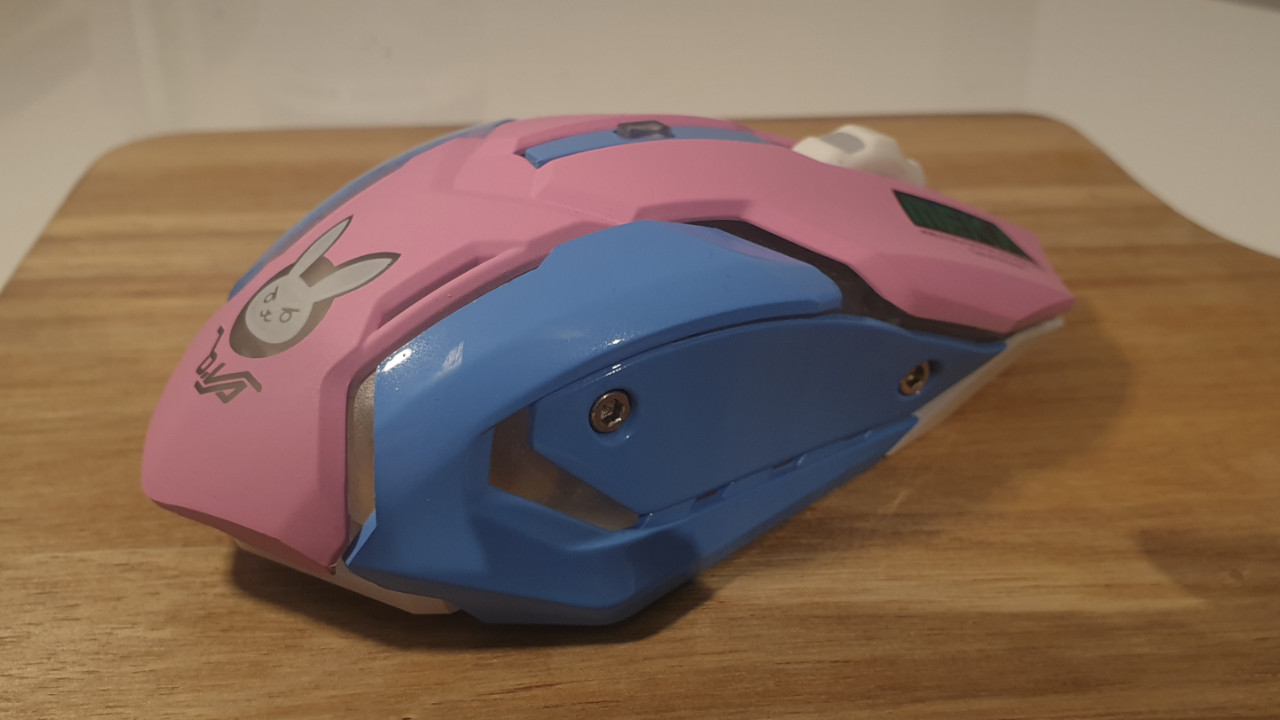
Which mice did I compare? The cheap gaming mouse is the DVA Wireless Mouse “Pink Rabbit.” There is no well-known manufacturer behind this mouse. I consciously chose such a cheap model. You can currently get the mouse for 15 – 17 Euro on Amazon.
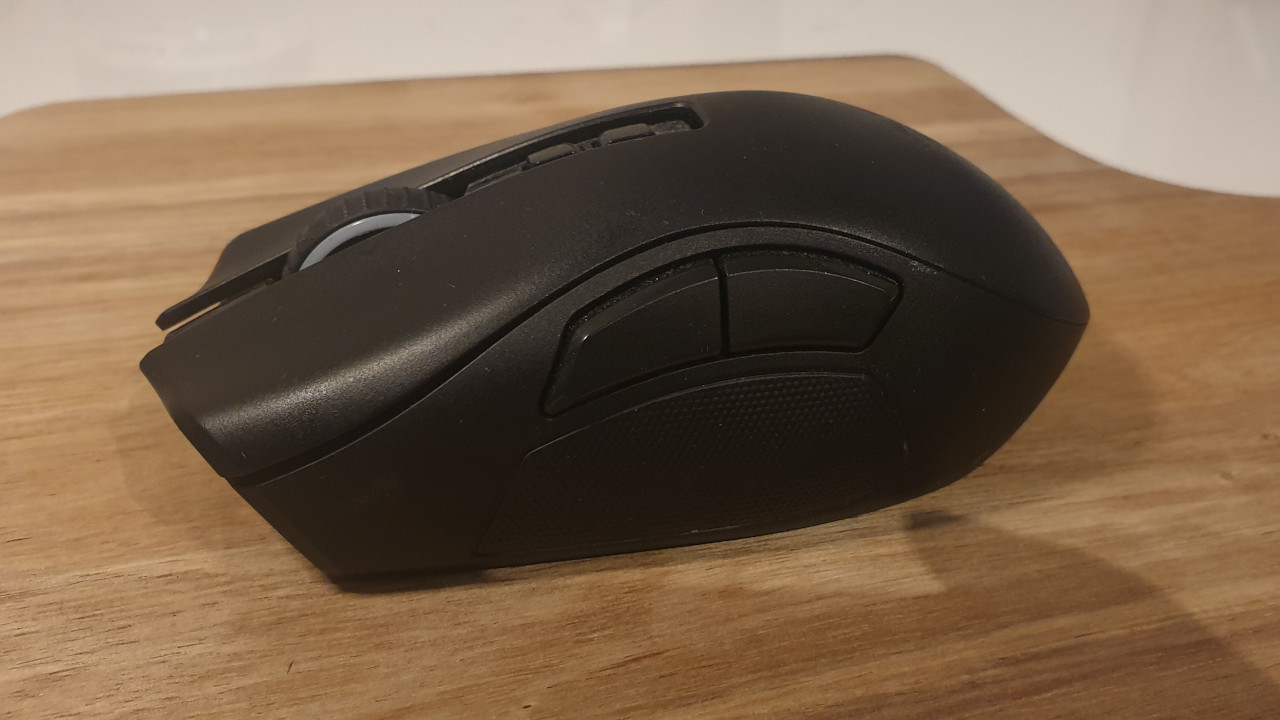
The top model is Razer’s Naga Pro. You can also read our extensive test of the Razer Naga Pro on MeinMMO. Razers mouse is currently available on Amazon for 133 Euro.
What do cheap gaming mice and high-end devices offer?
In this section, I will briefly introduce both mice and explain the features and details. You can also admire a few pictures of each mouse.
“Pink Rabbit”
First, the cool blue-pink design stands out, which suspiciously resembles a team shooter that you have probably already played.
The mouse also offers comfortable ergonomics and uses a wireless connection with a dongle. Thanks to an additional button, you can directly switch the DPI setting of the mouse.
The mouse wheel does not feel high-quality, and there is no software available to adjust lighting or other functions.

Razer Naga Pro
The mouse feels pleasant in the hand and offers a great tactile experience. Here, Razer’s years of experience in peripherals for gamers becomes evident. In addition, there is a very fast wireless connection and Razer’s proprietary high-precision “Focus+” sensor. Inside the mouse, Razer has installed its durable “Optical Mouse Switches” and overall, the mouse feels very high-quality.
Additionally, Razer’s Naga Pro offers many extra features. For instance, you can swap out the side panels, allowing you to use the mouse for different genres.
The software, however, seems confusing at first glance and offers many functions that some users probably won’t use. Also, the interchangeability of the side panels may not appeal to all users.

Cheap vs expensive mouse – A cheap mouse doesn’t have to be worse
Both the expensive high-end mouse and the cheap unknown model have their advantages.
This is what the cheap mouse can do: The cheap model offers a brilliant design and incredibly quiet clicks. This is especially a strength if loud mouse clicks annoy you terribly. Additionally, there is a good battery life in wireless mode. The latency is higher than with an expensive model, but for casual gamers, that probably doesn’t matter. Especially the quiet clicks and the good battery life make the mouse a good companion when I am on the go.
This is what the expensive mouse can do: The expensive model offers you much better quality. Here, nothing creaks, and I don’t get the feeling that the charging port will eventually break off from the mouse. The sensor is noticeably more precise, and you get a much more extensive software package. You can make many more settings and customize the mouse to your personal needs.
How noticeable is the difference? Especially in terms of quality and software, you can tell that the mouse from Razer is significantly more expensive. The difference in features is also noticeable, but it should be kept in mind that the Naga Pro is already a mouse for specialists.


*Affiliate-Links. Wir erhalten bei einem Kauf eine kleine Provision von Amazon. Vielen Dank für Eure Unterstützung!
Furthermore, I believe that price should not play the most important role when buying a mouse. Instead, you should pay attention to personal needs.
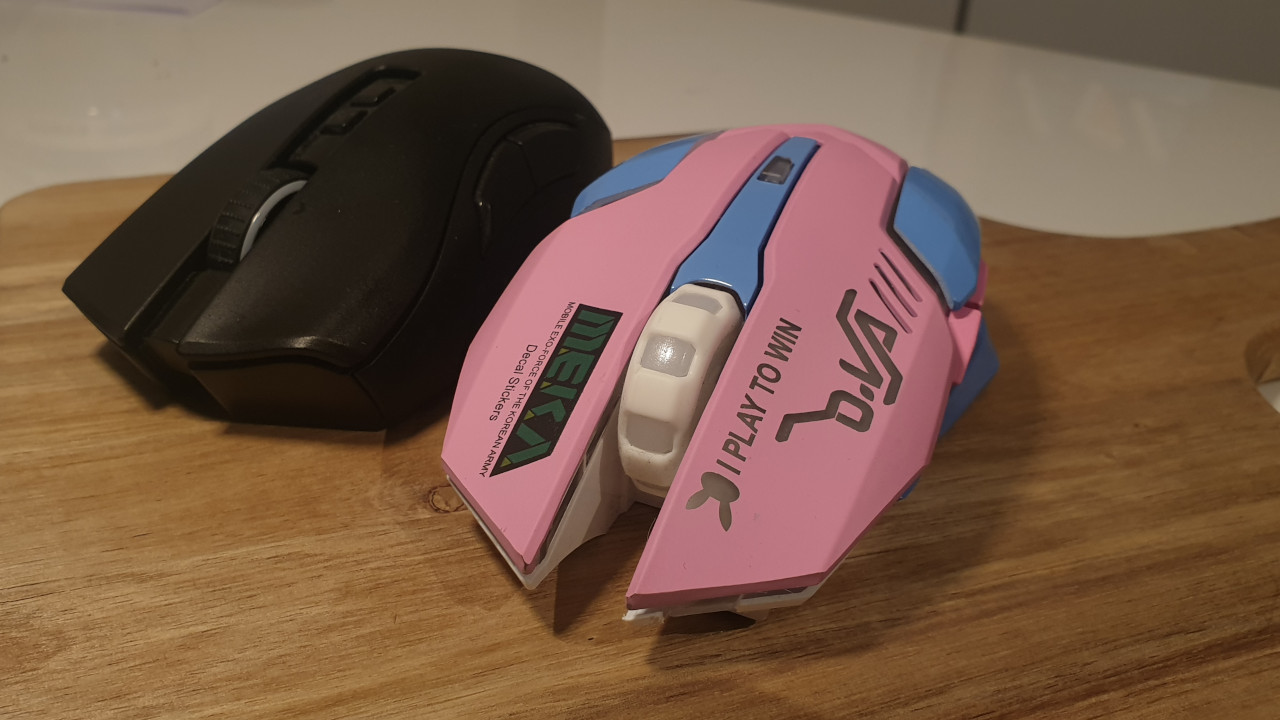
The price should not play the main role in buying a mouse
This is my tip: If you want to buy a gaming mouse, don’t let the price impress you. In the worst case, you pay 150 Euro for the mouse, but the device doesn’t fit at all with you and your playstyle. Here, you should consider how much DPI your gaming mouse needs.
I therefore recommend you take mice in your hand or order them for testing before buying. Because there is no recipe for the best mouse:
- Every hand is different, and every user prefers different grip types.
- Also, every gamer prefers different weights.
- Wired or wireless variants also play a role.
- Additional buttons or functions such as additional weights can also influence the purchasing decision.
- There are ergonomic and ambidextrous mice. Both types have advantages and disadvantages. For those who have played for a long time with an ergonomic mouse, switching to an ambidextrous mouse can take some getting used to.
Trying out can save you quite a bit of money. I myself once bought the Logitech G903 for 100 Euro out of curiosity. But the shape of the mouse does not fit my hand at all, and since then the mouse has been sitting unused in the closet while I sadly watch as I use other mice. When I am in a store and try out a mouse and immediately feel, “I have to have this mouse,” I almost never regret the purchase.
Your “best” mouse can certainly also be a cheap 20-Euro mouse. What matters is that you can play with it without any issues, don’t get cramps in your hand, and can hold it well.

In principle, it can be stated that you get a lot of features and functions for your money. If you don’t need the ultimate all-in-one mouse in the gaming sector, you can get mice with fewer functions for less money. If you’re looking for just an ergonomic mouse for first-person shooters, you should already be happy with the Roccat Kone Aimo Remastered or the Logitech G502 Hero.
What do you think? Have you already found your favorite mouse? Is the price irrelevant to you or do you have specific ideas when you buy a mouse or other hardware?
The best gaming mice have been listed here by MeinMMO with strengths and weaknesses: