

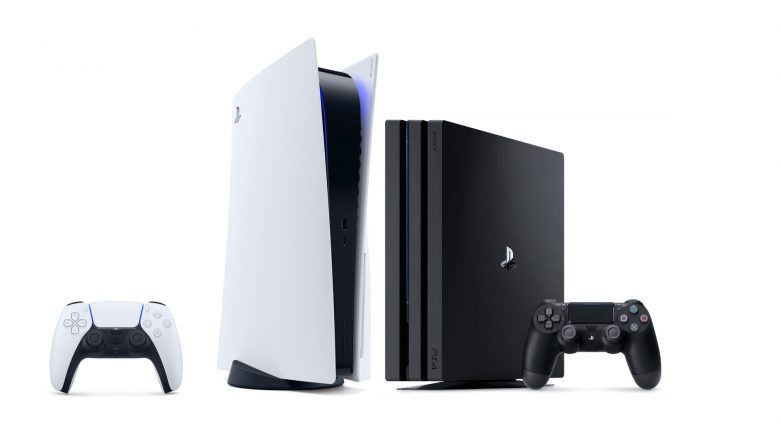
Some players are already downloading games for their PS5. But don’t make the same mistake as some of them, instead pay attention to this setting.
What is the problem? The release of the PS5 has already started in some parts of the world. And simultaneously, there are reports from players who accidentally download the wrong version of their games.
It is already known that the PS5 is 99% backward compatible with PS4 titles. For you, this means that you can also play your PS4 gems on the PS5 without having to buy them again or requiring significant updates. Just log in to your PSN account and find your PS4 games there.
However, some games like Call of Duty: Black Ops Cold War have a separate PS5 version. This utilizes the full power of the next-gen console and extracts everything the hardware has to offer.
However, the download is a bit unclear. Many accidentally play the PS4 version instead of downloading the new, better PS5 version. Currently, the PS4 version is still prioritized in some games for download and play on the PS5. We will show you how to bypass this.
Use this setting when downloading PS5 games
For a backward compatible game, you can choose which version you want to download. The one for PS4 or for PS5.
Here’s how to start the correct download:
- Select the respective cross-gen game in your library
- Now select the button with the three dots
- A menu will appear where you can choose whether to download the PS4 or PS5 version
So if you simply choose “Download” here, without having made the settings, you might accidentally download the PS4 version.
It is quite possible that a patch for the PS5 will soon fix this problem and automatically prioritize PS5 downloads. Until that is the case, you should pay attention to this setting.
Don’t make this mistake after the download
This happens after the download: According to reports from GameSpot it can also happen after the download that the “wrong” version is selected for gaming:
“During our early tests, we repeatedly had PS5 games that we had already played switched to PS4 versions on the home screen. This means that the next time you select a game that has switched, you’ll be prompted to start a download of the PS4 version instead of just playing the PS5 version.”
The support from Activision shows its players how to reliably start the PS5 version. You should select the game in the dashboard, mark “Play”, and then select the menu via the three dots. There you will find the PS5 version to play.
This is what players say about it:
A player warns: On reddit user devilzblood reported with an announcement for the community. He noticed after 3 hours in Assassin’s Creed Valhalla that he was playing the wrong version. He had accidentally launched the PS4 version instead of the PS5 version.
In the comments, other players agreed and explained that they could not understand why Sony made the PS4 version the default on the PS5 even though PS5 versions exist. This must be a bug, players estimate.
So pay close attention to which version of your PS4 games you download on the PS5 and which one you ultimately play.
There is also good news for pre-ordering the PS5 right now

Your opinion is important to us!
Do you like the article? Then let us know!