

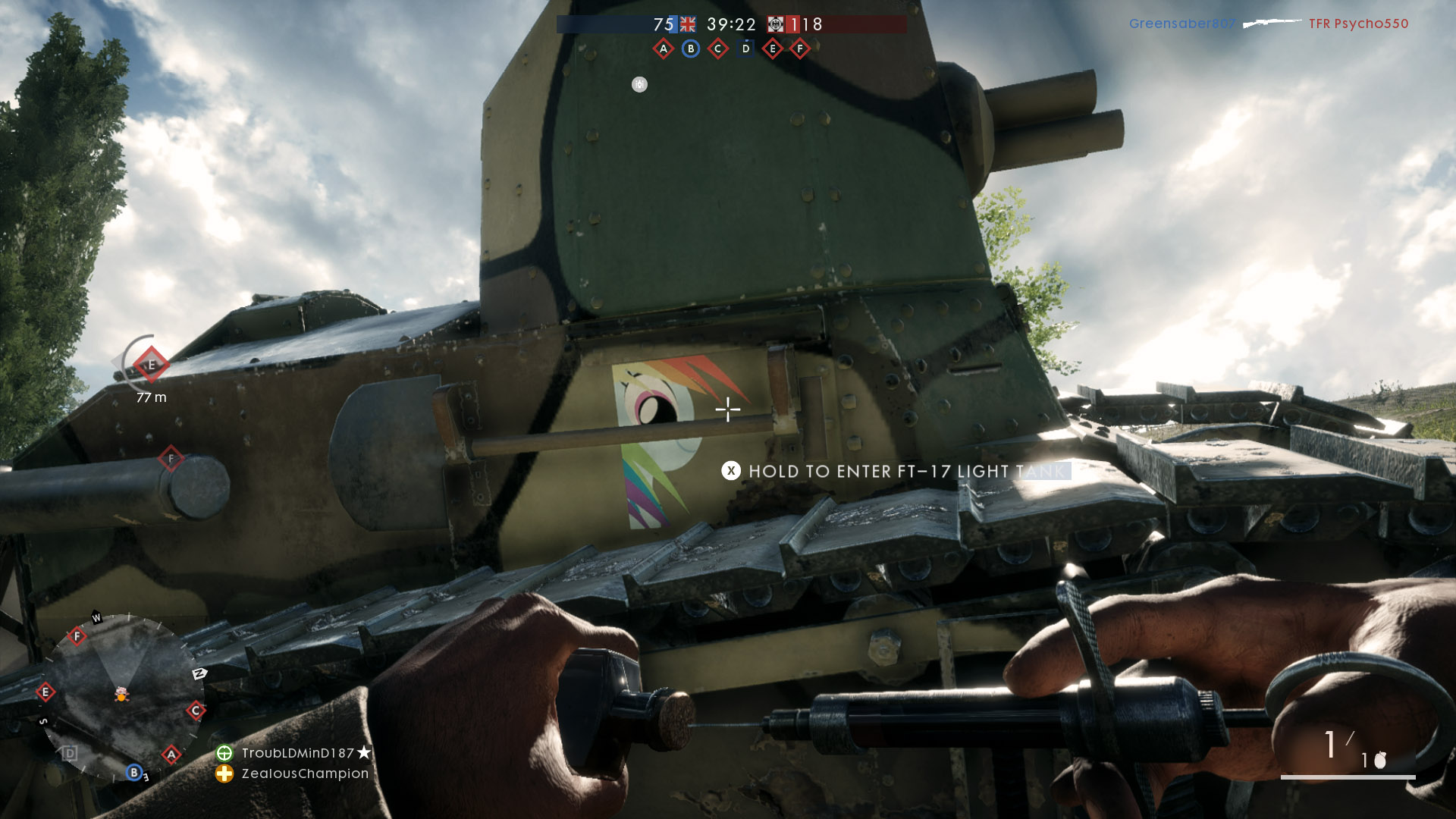
This is how you can create your own emblem in Battlefield 1 to showcase it in multiplayer.
If you want to create an emblem in Battlefield 1, you can either do it on the official website or use the BF1 Companion App. In this article, we will show you both ways to create an emblem.
Using Battlefield 1 Emblems
Emblems are displayed in multiplayer, for example, on tanks or on your clothing. To use an emblem, you can choose from predefined graphics and design your own emblem. An emblem can be created in just a few steps on the Battlefield website.
First, visit the official Battlefield website. Next, click on “Career”. Between your profile picture and your statistics, click on “View Emblems”. There you will see the emblems that are already part of your collection. Clicking on the box with the “+” will take you to the emblem editor.
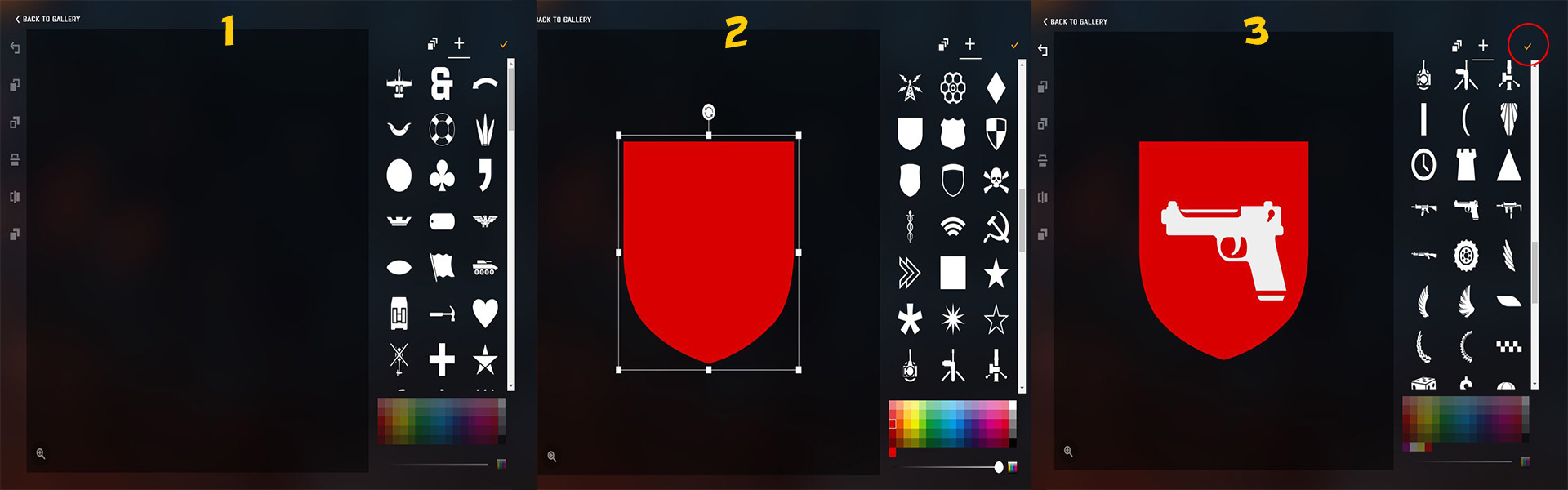
Next, choose the graphics that you like. In our case, we chose a crest and then colored it red. After that, we added a pistol. You can combine multiple symbols to create a unique emblem. When you are finished with the emblem, click on the checkmark located at the top right above the graphics. If you are satisfied with the result, you can then click on “Equip” to activate the selected emblem in Battlefield 1.
If you prefer to use the Companion App for smartphones, you can easily create an emblem there as well. Start the app and click on “Emblems” at the bottom of the screen. Here too, click on the box with the “+” and you can then design your emblem as previously described. When you’re done, click on the checkmark in the upper right corner. You can then decide whether to equip the emblem or edit it again. This is how easily you created your own emblem in Battlefield 1, which you can then showcase in multiplayer.
Also interesting:
- The best weapons for all classes in Battlefield 1
- Tips for class leveling in Battlefield 1
- Battlefield 1 bugs in the public bug tracker

Your opinion is important to us!
Do you like the article? Then let us know!