

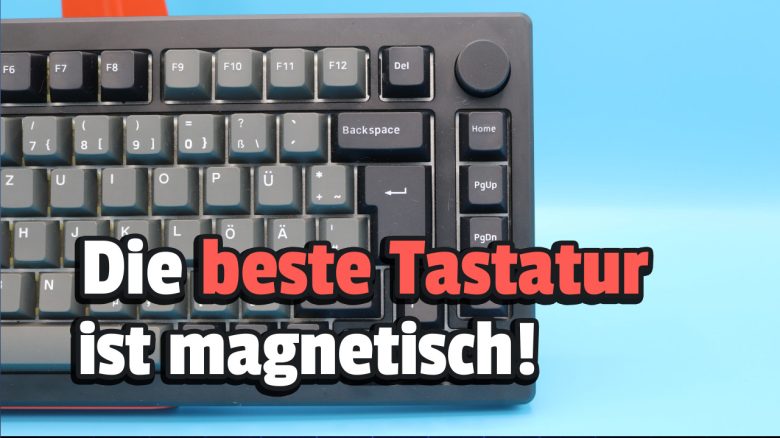
With the Mod007B-HE, the manufacturer Akko has introduced a robust and heavy keyboard with magnetic switches. Whether the price of around 240 euros for the gaming keyboard is worth it has been tested by MeinMMO editor Benedikt Schlotmann. After the test, he is sure that magnetic switches will play a major role in the future.
Under the cryptic name “Mod007B-HE,” Akko offers a gaming keyboard with magnetic switches for gamers. Akko promises not only its “first aluminum keyboard with magnetic switches and ISO layout,” but also some unique features such as Rapid Trigger and Dynamic Keystrokes (DKS). The HE in the name of the keyboard stands for “Hall-Effect,” more on that later.
What all this is and whether the gaming keyboard is worth it for you, I have tested extensively on MeinMMO for you.
Test Overview
- Scope of delivery, design, and build
- Processing
- Software
- Ergonomics
- In practice: keys and volume
- Conclusion
Who tested it?
I am a tech editor at MeinMMO and have a penchant for peripherals, testing mice, keyboards, and gaming headsets. For MeinMMO, I have been testing hardware for our readers for many years. In particular, gaming mice are among my absolute favorites. Besides the PS5, I also play on my Steam Deck.
Transparency Note: The model was provided to us by the manufacturer as a review sample. There was no influence on the test.

Benedikt Schlotmann
Hardware Editor MeinMMO
Here you will find the technical details as a table (click to expand):
| Design/Interface | Cabled, Bluetooth or Wireless Connection; 75% Design |
| Key Type | magnetic switches (Cream Yellow Magnetic) in German layout; PBT keycaps |
| Programmable Keys | Yes |
| Lighting | Yes |
| Compatibility | PC |
| Scope of Delivery | Keyboard, charging cable, manual, wireless dongle, keycaps, tool for key and switch replacement |
| Special Features | 75% design with dedicated media keys, rapid-trigger function, adjustable actuation point and dynamic keystrokes (DKS) |
| Price (RRP) | 239.99 euros |
Scope of delivery, design, and build
What does the scope of delivery look like? The scope of delivery of the Akko MOD007B-HE is very extensive. In addition to the keyboard, there is also a USB-C cable, the (German) manual, a wireless dongle, keycaps, and a tool for key and switch replacement in the box.
With the additional keycaps, the design of the keyboard can be further customized and there are some keys for ISO Nordic and ISO UK in the box. So, if you feel like it, you can switch from the German layout to another.
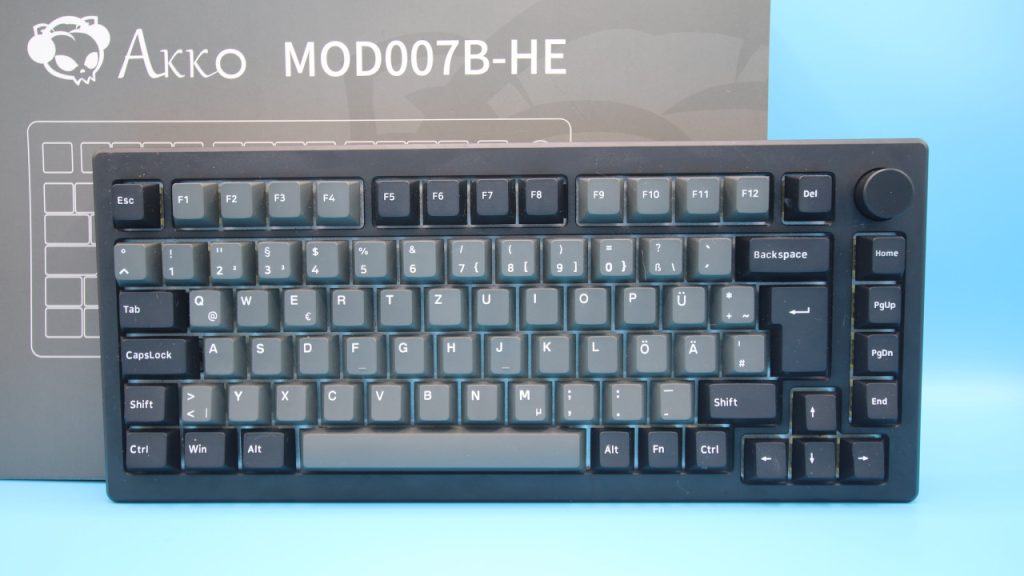
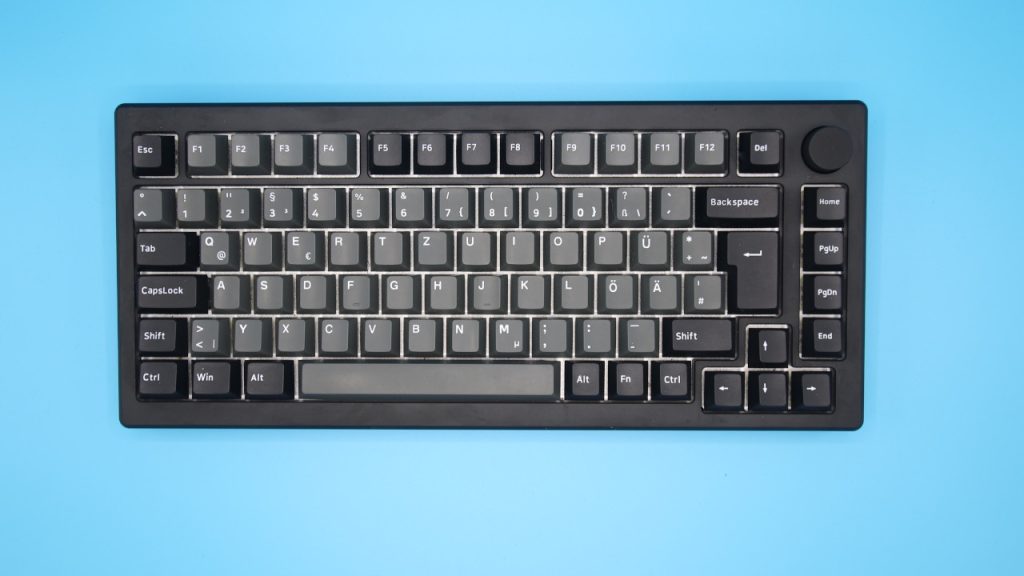
How is the keyboard built? The keyboard features a 75% layout. This makes the keyboard smaller than the regular TKL design, as the arrow keys slide slightly more into the letter area compared to TKL. Additionally, the special keys, which usually are located above the arrow keys, are arranged in a vertical line.
What does the keyboard look like? The keyboard comes in a simple, black design. Akko’s gaming keyboard offers a full backlighting feature, which you can further customize through Akko’s official software. However, the keycaps themselves are not translucent, and the keyboard thus reminds me of Corsair’s excellent K65 Plus Wireless (test here).
The brightness of the lighting is sufficient but does not illuminate the labels on the keys. If you want to use the keyboard with the built-in battery, it might be worth turning off the lighting completely.
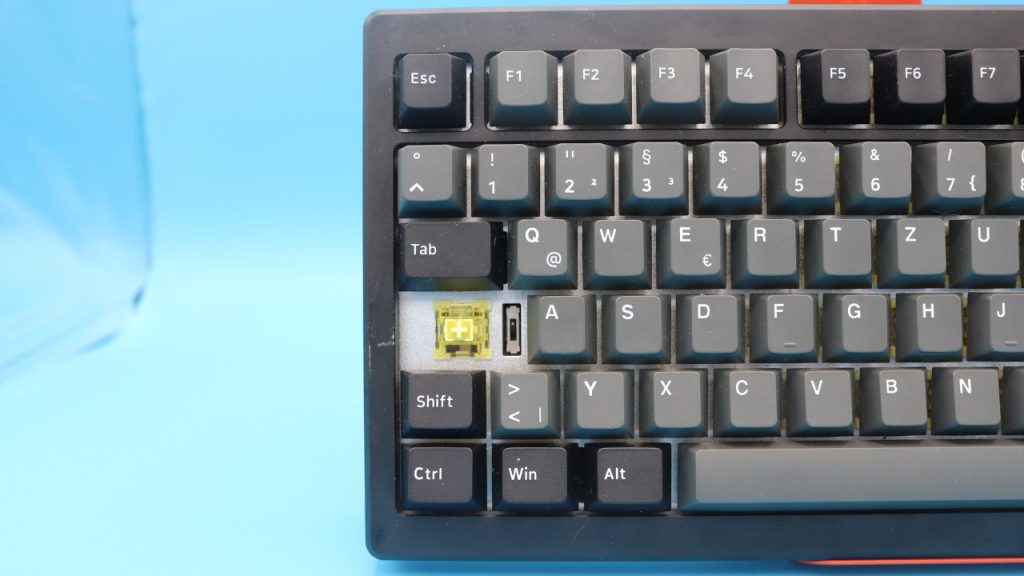
One strange decision is to hide the switch to change from wired to battery mode under the caps lock key. In my opinion, that’s quite cumbersome. The switch would have been better placed on the outer casing.
Processing
How much does the keyboard weigh? The gaming keyboard feels really high-quality and you can tell by its weight: After all, the keyboard weighs 1,985 grams and would have almost brought my kitchen scale to its limits. Because it can only manage 2 kilos and would have been overwhelmed by more weight. There are also kitchen scales that can easily handle 5 kilos, but in a small household like mine, I don’t need a heavier scale.
For comparison: The Turtle Beach Vulcan II TKL Pro (test here) weighs just around 700 grams. So about a third.
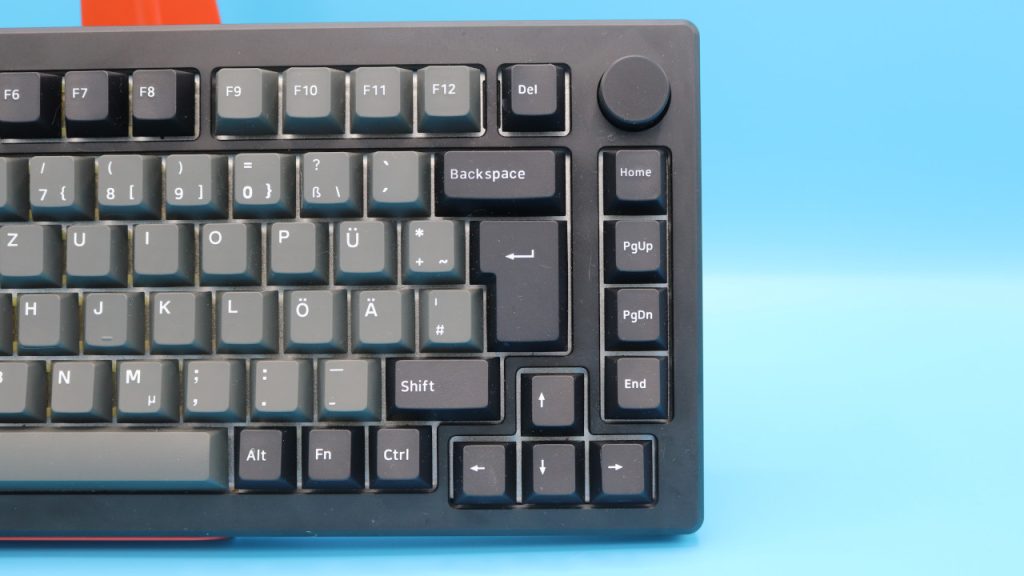
How does the keyboard feel otherwise? The gaming keyboard relies on a durable casing, which is reinforced on the underside with an aluminum weight bar. Inside, there is insulation made of silicone, ensuring that the keys sound quieter and less explosive.
For the keycaps, Akko uses PBT doubleshot material. This ensures that the keys wear much less than if you were using a keyboard with ABS keycaps. As Akko uses the usual Cherry cross profile in its switches, you can also use other keycaps.
Somewhat strange: While Akko describes the keyboard in the US layout as hot-swappable, this designation is missing for the ISO-DE version. I do not know why the specifications do not match. I also did not disassemble the keyboard for testing just to be cautious. However, I asked the manufacturer whether the German keyboard offers hot-swapping and will update the test accordingly once the information is available.
Software
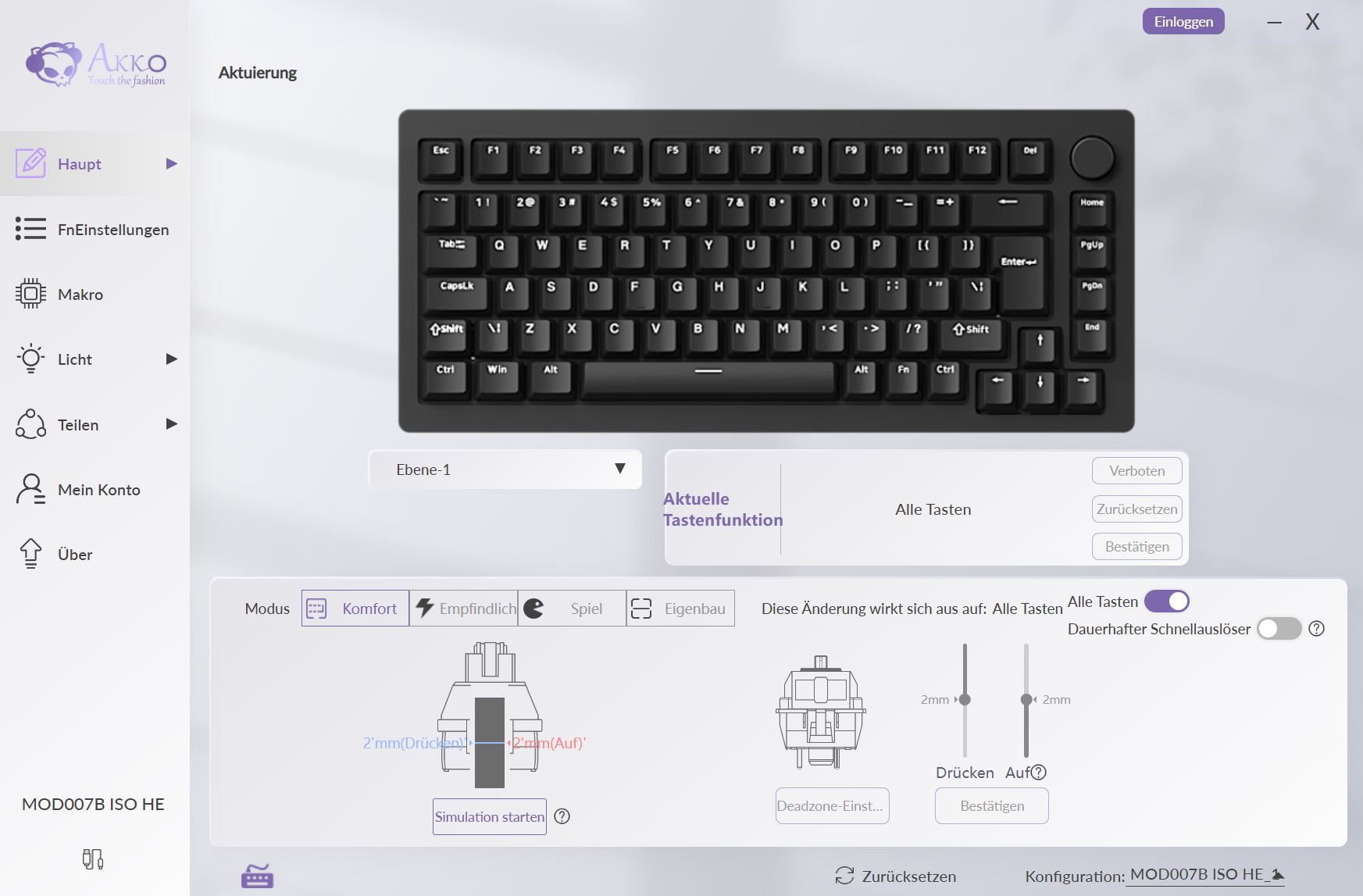
For software, the keyboard relies on the “Akko Cloud Driver.” The software is fully translated into English and is overall easy to understand. Through the software, you can customize macros, key mappings, and also the lighting.
However, the special feature is that you can adjust the actuation point of the keys between 0.1 mm and 4.0 mm at will. Additionally, so-called “Rapid Trigger” functions can also be adjusted via the software.
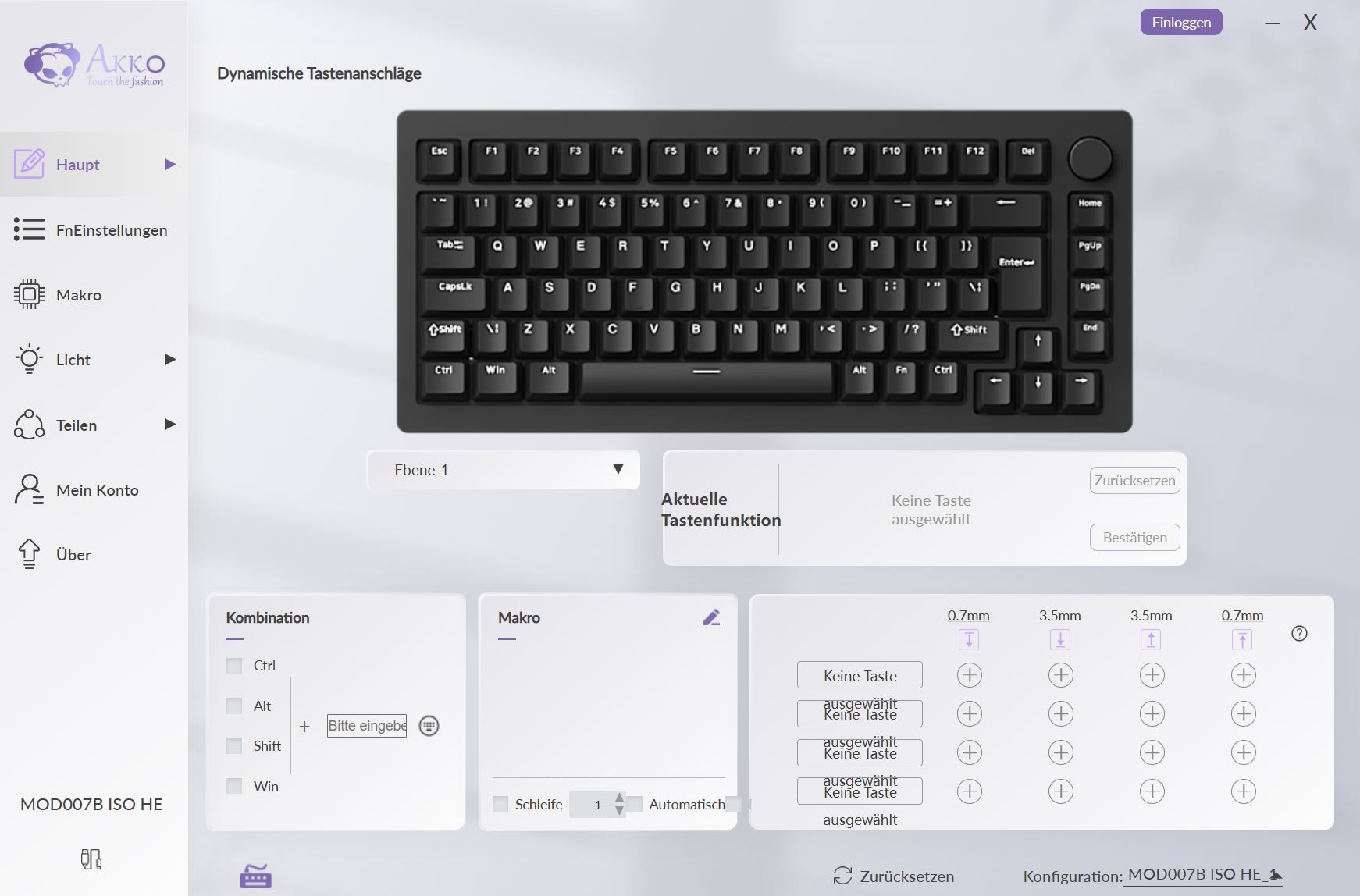
Also interesting are the so-called Dynamic Keystrokes (DKS). With this, pressing a key can trigger up to four different key functions. This depends on the strength of the key press:
- A light press triggers action 1.
- A deeper press activates action 2.
- Releasing the key also supports a two-stage key setting.
This way, keys can be doubly or even triply assigned. But I can tell you that this is really a matter of getting used to it. If you, like me, press the keys enthusiastically, you will quickly trigger more actions than you actually wanted. For this, a certain finesse with the keys is required.
Ergonomics
The keyboard is very pleasant from an ergonomic perspective due to its compact design, as the hand can slide closer to the body with the mouse. This reduces the angle between arm and torso, which is a plus point for ergonomics.
Due to the high weight, it is also almost impossible to inadvertently shift the keyboard on the desk. The keyboard is really secure on the desk.
The Keys
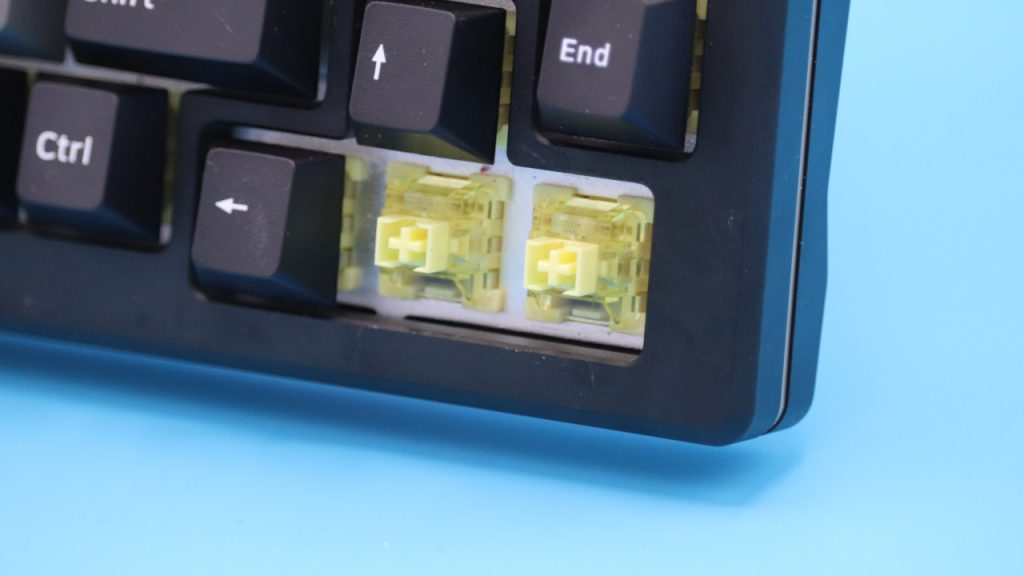
Under the keycaps of my keyboard lie “Cream Yellow Magnetic” switches, which are linear switches. This means you do not feel a clear pressure point when pressing the keys, as is the case with tactile switches.
What is the special feature of magnetic switches? The gaming keyboard bears the abbreviation “HE” in its name, which stands for Hall Effect. Magnetic switches have several advantages for gamers:
- Magnetic switches are more durable because there is no physical contact between the keycap and the switch. The result is less wear, leading to a longer lifespan and less contamination since there is no physical element.
- Additionally, magnetic switches provide an enormous speed advantage compared to mechanical switches. This is particularly important in games where speed matters.
- Hall Effect switches generally have an individually adjustable travel path and are softer and quieter when typing than mechanical switches.
How loud is the keyboard? Magnetic switches do not rattle as loudly as conventional linear or tactile mechanical switches, which are usually quite audible.
With the magnetic keyboard, however, each keystroke is heard with a clear and distinct “click.” If you don’t like such accompanying sounds, then this magnetic keyboard is fundamentally nothing for you. Otherwise, almost nothing can be heard from the switches themselves. Other than the soft “click,” you only hear the sound of your fingers hitting the keycaps.
Conclusion: High-quality, very fast gaming keyboard with many features
Is the keyboard worth it? With a recommended retail price of 239.99 euros, the keyboard is indeed quite expensive and surpasses the RRP of several keyboards you can find on the market. Even Logitech’s prohibitively expensive G Pro X TKL Lightspeed (test here) is 10 euros cheaper at the RRP. Meanwhile, the price here is also typically around 199.00 euros.
In direct comparison to Logitech, Akko’s Mod007B-HE offers several additional features. The keyboard feels not only higher quality and more robust, the magnetic switches are incredibly fast, and with the rapid-trigger function, adjustable actuation point and dynamic keystrokes (DKS), there are some exciting features included.
Especially the high speed of the magnetic switches outshines keyboards that rely on mechanical components. Because there is no physical resistance to overcome with magnetic switches.
If you are looking for a heavy, robust, and really high-quality gaming keyboard with numerous exciting features and especially very fast switches, then I can really recommend the keyboard, despite the high price.
However, if you do not need all the extra features, you can get the Ducky One 3 TKL (test here) for around 140 euros, which is equally good but with fewer features.
You can purchase the Akko Mod007B-HE with a German layout directly from Akko.
What alternatives are there?
- Logitech’s G Pro X TKL Lightspeed is competitively priced with the Akko Mod007B-HE but offers fewer features. Unfortunately, there is no hot-swap function and the media keys are somewhat lacking.
- The Ducky One 3 is available for 160 euros and is also a fair offer: Good switches, clean processing, along with insulation in the housing and hot-swappable switches.
- With Corsair’s K65 Plus Wireless, you also get a gaming keyboard for 160 euros. With PBT keycaps, lubricated and hot-swappable switches, and good battery life, you are getting an excellent keyboard.
More gaming keyboards: Are you looking for more recommendations in the peripherals category? Then take a look at the following buying guide on MeinMMO. Here we explain which keyboards are currently worth buying: The best gaming keyboards you can currently buy

Your opinion is important to us!
Do you like the article? Then let us know!