


Have you been on Steam for many years and added numerous friends to your list? Now you want to check how long you’ve been friends on Steam, but can’t find a tool on the gaming platform for that? Here you will find a trick on how to check that, under certain conditions.
Can you see how long you’ve been friends on Steam? Even though there is no display in the friends overview itself on Steam, you can still see how long you’ve been friends on the gaming platform through a little workaround.
However, there is a limitation: This only works if both people have a public profile and the trading feature is enabled. If the inventory is private or not available for trading, you cannot receive any offers.
How can I see how long I’ve been friends on Steam? To do this, simply propose a trade to the other person. In the upper left corner, you will then see a display of how long you’ve been friends on Steam.
Here is a step-by-step guide on how to proceed from your homepage:
- Step 1: Click on your name in the upper right corner and select “FRIENDS”
- Step 2: In the overview, click on the corresponding person
- Step 3: In the upper right corner of the profile, you will now see a button with three dots and a downward arrow, click on it
- Step 4: Now select the option “Propose trade” in the window
Now a new window will open. In this, you can see in the upper left how long you’ve been friends on Steam. Provided the person is open to trade proposals.
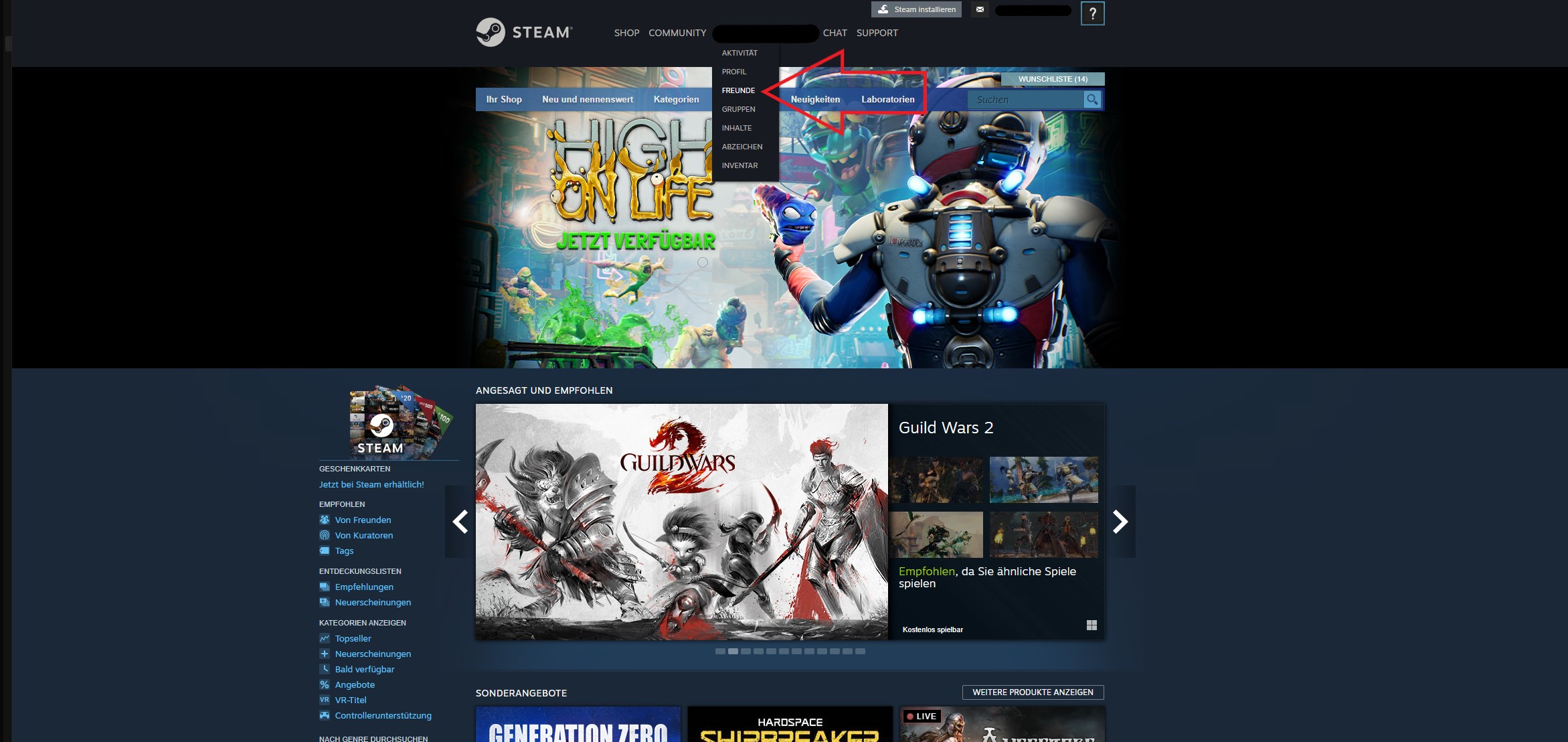
This also works through the Steam client by going to your profile name at the top of the bar and clicking on “FRIENDS”.
Are you still looking for game recommendations that you can play together with your friends on Steam? Then you’ll find here the currently 7 most popular MMORPGs 2022:
What happens if I reach the maximum number of friends? You can add up to 255 player accounts as friends on Steam. If you’ve accumulated so many friends over the years that you reach the limit, you can no longer receive or send any further invitations.
Note: This counts not only your friends on the list but also pending requests. This means you can create more space for new friends by withdrawing friendship requests that haven’t been accepted yet.
Here you can find a guide on how to see how much money you have spent on Steam so far.

Your opinion is important to us!
Do you like the article? Then let us know!