

Mods have kept Diablo 2 alive for years. Now there are already the first modifications for the remaster, Diablo 2: Resurrected. MeinMMO explains which ones exist and how to install them – and what to look out for.

What are these mods? With modifications, or mods for short, you can change all sorts of features of a game. In Diablo 2, this means, for example: adjusting the drop rate of items, changing the properties of enemies, or even creating new recipes for the Horadric Cube.
Since the release of Diablo 2 in 2000, there have been countless mods for the original game and the expansion. Now the first mods are also appearing for the remaster.
It has been said before that mods for Diablo 2: Resurrected are to be allowed and encouraged, but some providers have already been warned in advance. The use is therefore at your own risk.
What mods are there? Currently, the creators have only offered a handful of modifications for Diablo 2: Resurrected for download. You can find a list of mods, for example, on NexusMods and ModDB. Here are some of the more interesting mods:
- Enemy Multiplier and 10X Monsters increase the number of enemies in the game
- D2R Drop Mod and Guaranteed Drop adjust the probability that enemies drop items
- Lower Resist removes monster elemental immunity and replaces it with high resistances
- Hide helmet hides your headgear (purely cosmetic)
However, particularly exciting is Better SP – you can find the mod on ModDB. Better SP brings extensive improvements for the solo mode, such as:
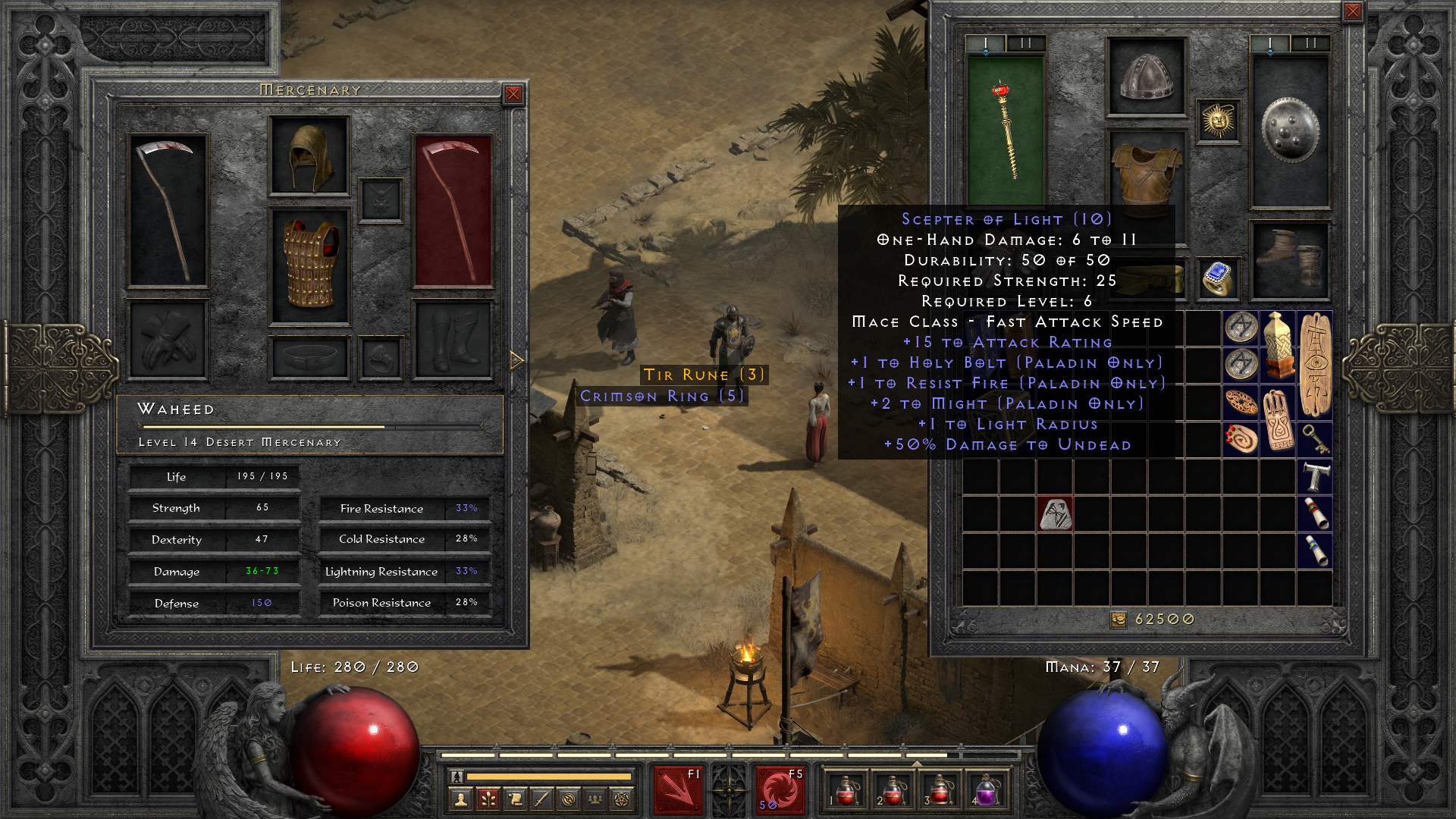
- significantly more space in inventory, stash, and Horadric Cube
- higher running and sprinting speed as well as less stamina consumption
- more customization options for mercenaries
- stackable items
With the mod, you can prevent losing misconfigured runes or gems through new recipes. That way, you won’t accidentally waste hours of farming work because you mixed up a letter.
Diablo 2: Installing mods – Here’s how
How do I install mods? First of all: As of now, you can only install mods for Diablo 2: Resurrected on PC. While the remaster is also available on PlayStation, Xbox, and Switch, we have not found mods for these platforms yet.
A modder has already explained on reddit how to generally install mods. To do this, you need to download and unpack the relevant files. You may need a special program like CascView to unpack.
The unpacked files then need to be placed in the corresponding folders. You can usually find them under: “[…]Diablo II ResurrectedData”. The exact locations for the files are stated in the description of the mods.
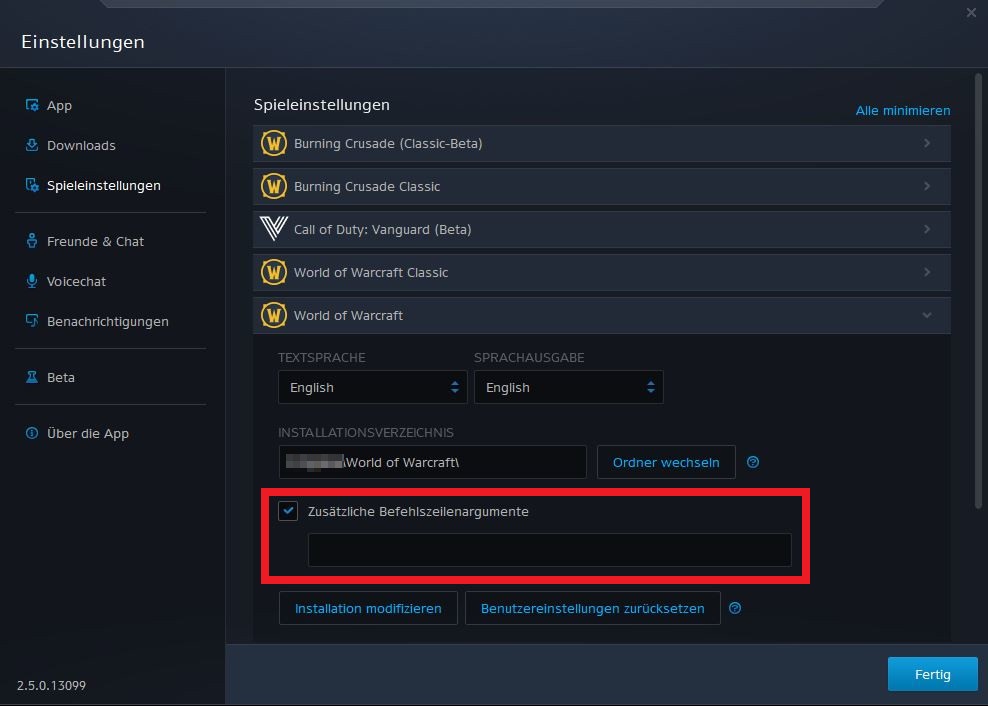
After that, you need to start the Battle.net client and click the small gear icon next to the “Start” button for Diablo 2 and make a few settings:
- open the “Game Settings”
- select Diablo 2: Resurrected
- under the installation directory, find “Additional Command Line Arguments” – tick the box
- enter the corresponding argument (e.g. “-mod Karla”; you will find the required argument in the mod description)
- to play Diablo 2 without mods, just delete the argument
What should I look out for? Only use mods in local offline mode and at your own risk. Modders always point out that even in offline mode, you have no guarantee of not receiving any possible penalties.
Mods can give you advantages, which is why they are not allowed in online mode. That would be unfair to everyone playing without mods and would be equivalent to cheating. Hence the potential penalties.
Trading items for real money is also not entirely permitted. However, that doesn’t stop players from trying anyway:
Diablo 2: Resurrected – 2 days after release, an item was already sold for €130 on eBay

Your opinion is important to us!
Do you like the article? Then let us know!