

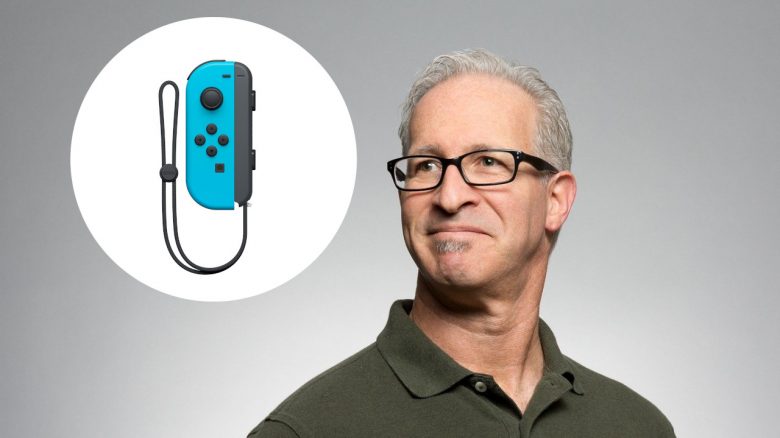
You are excited to play on your Nintendo Switch but keep moving unintentionally? MeinMMO presents a trick that can solve the so-called Joycon Drift.
What kind of problem is this? Imagine you want to shoot an arrow at a distant target, but you can’t stand still because you keep moving as if by magic. Or you want to drive straight ahead in Mario Kart, but you keep veering slightly to the left. Then your problem might be the infamous Joycon Drift.
How widespread is Joycon Drift? There have been numerous users on reddit complaining about problematic Joycons for a long time. One user claims, for example, that he can walk across half his island in Animal Crossing without touching the Joycons (via reddit.com). All we can do is hope that the problem does not occur in a potential Nintendo Switch Pro.
With a trick, you can fix the drift issue yourself if you want to keep gaming with your Joycons and don’t feel like buying new ones or sending them for repair. Nintendo has extended the warranty for Joycons to 24 months.
The trick requires manual skill but no technical knowledge
What you need: For the trick, you need a PH00 screwdriver and a Triwing (Tri-Point) Y00 screwdriver. You either already have these screwdrivers at home or can get them for about 10 euros on Amazon:
Additionally, you need a small piece of paper for the Joycon, approximately the size of a thumbnail. You don’t need technical knowledge, but some dexterity when performing the trick. You will also need between 30 and 60 minutes, depending on how experienced you are with small crafts.
Where does the tip come from? YouTuber VK-Channel introduced the tip in his video. If you are unsure how it works, you can watch the video again here:
What to do: A comprehensive video tutorial on how to disassemble the Joycon can be found on YouTube (via YouTube.com). Here we present the 4 steps you need to follow. The first images come from the YouTube video by iFixit, the last image from the video by VK-Channel.
Required time: 1 hour.
- Remove screws and open
First, open the Joycon with a screwdriver. You need to remove four screws. When opening, be very careful, as the two parts are connected by a thin cable. You must release these clips before you can remove the cover.
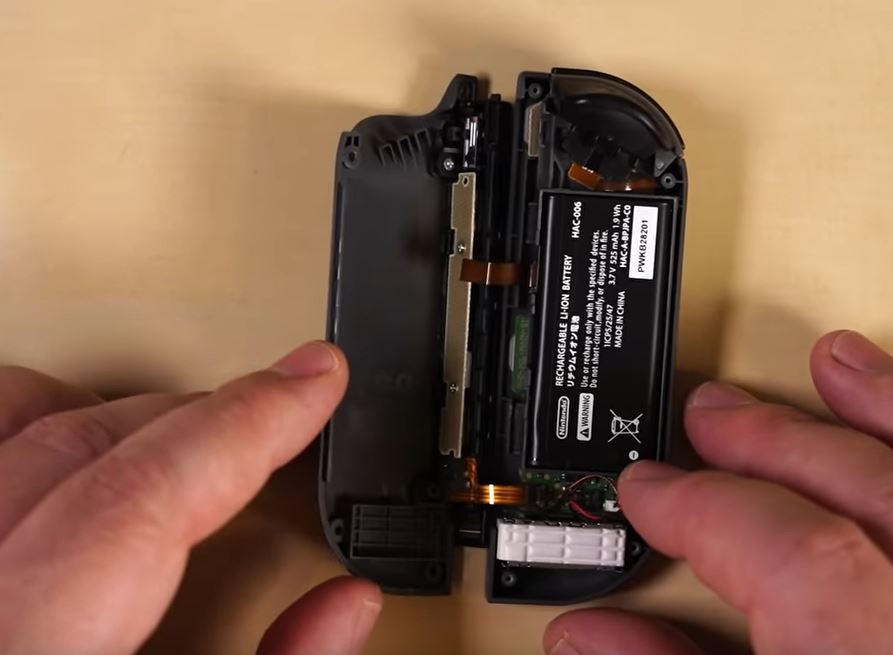
- Remove battery
In the next step, you need to detach the battery from the Joycon. The battery is attached to the mainboard with a small clip. Once you have released the clip, you can lift the battery out.
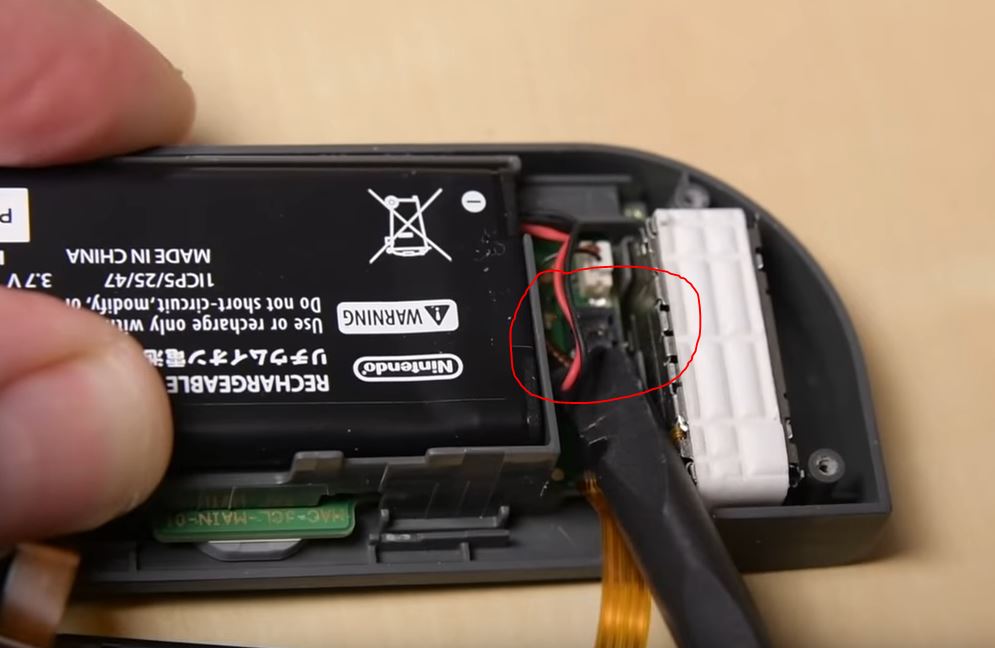
- Remove the battery holder
In another step, you detach the plastic holder in which the battery is mounted. You need to be careful not to damage the small cable. Once you have lifted the part off, you can unclip the cable of the plastic part.
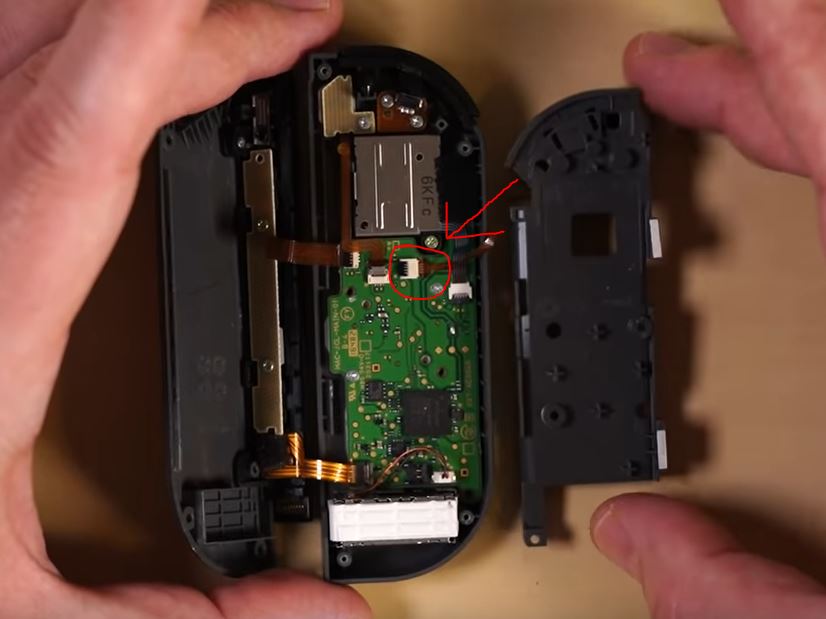
- Place paper on the Joycon
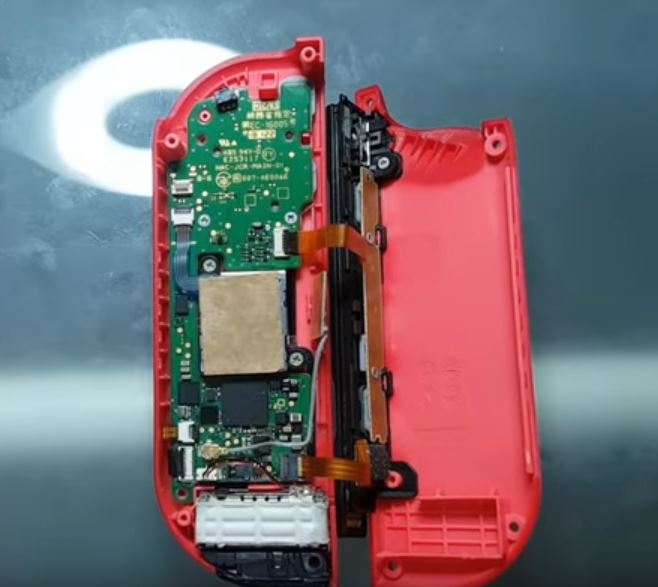
Now you see a small metallic surface about the size of a thumb in front of you. You place a thumb-sized piece of paper on it.
- Screw the Joycon back together
Then you screw your Joycon back together. Make sure you reconnect all cables and don’t forget any screws.
The trick helps the Joycon regain its grip
Why should this work? Inside the controller, the controller loses contact with the pad due to wear and tear. The paper fills this gap and restores the pressure. The Joycon only needs a bit of support to get back to doing its job properly.
Would you give the presented trick a chance or do you find the tip too far-fetched? Let us know in the comments.
Another user has also been inventive when it comes to his Nintendo Switch. One user played The Elder Scrolls: Online on his Switch. In our article, we explain why it’s cool, but you shouldn’t try it yourself.

Your opinion is important to us!
Do you like the article? Then let us know!