

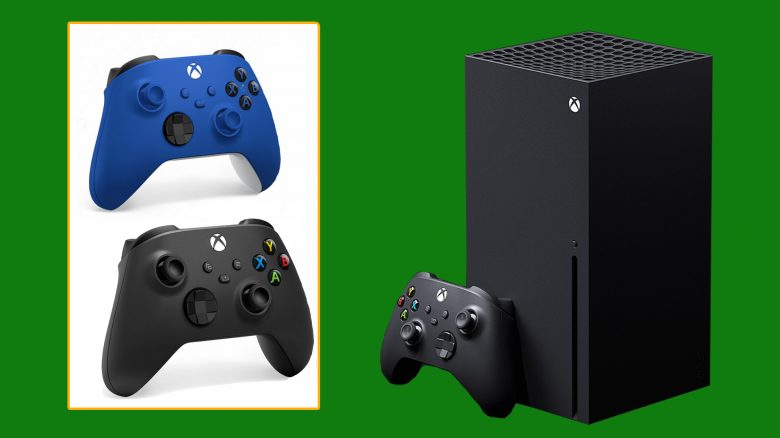
The Xbox Series X and Series S both come with a new controller. But what makes the new Xbox Controller better? We take a look at the features and tests.
What is it about? In the meantime, Microsoft has already given some deep insights into the new Xbox Series X and Series S. Testers have also been able to play with the consoles, try out next-gen games, and take a close look at the hardware. German tests describe the Xbox Series X as “fast” and “quiet.”
- Even smaller hands can handle the controller
- The D-pad has been revised
- The new Share button helps capture and share content
- Charging with USB-C
- Feels comfortable in testers’ hands
In this article, we want to focus on the new controller of the Xbox Series X and Series S. What has improved since the last gamepad?
Visual Differences to the Predecessor
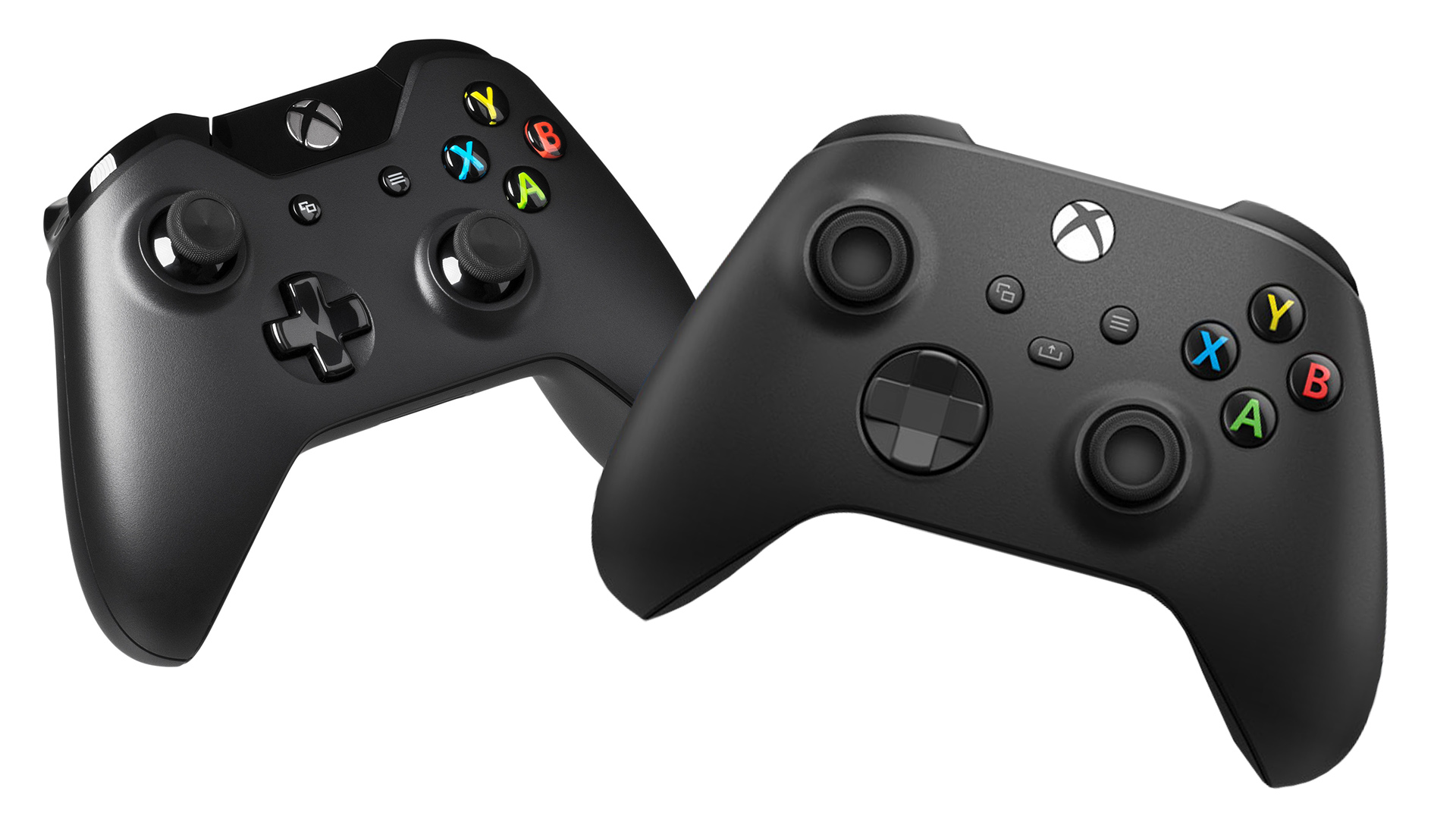
In direct comparison with the launch controller of the Xbox Series X, three changes are immediately noticeable
- The upper edge for separation has been omitted
- The new Share button is now there
- The D-pad has been revised
The Edge: The predecessor clearly shows an edge at the top near the Xbox symbol, which extends along the entire upper part of the controller to the sides at LB and RB. This edge has now been omitted. The new controller now looks more uniform from above.
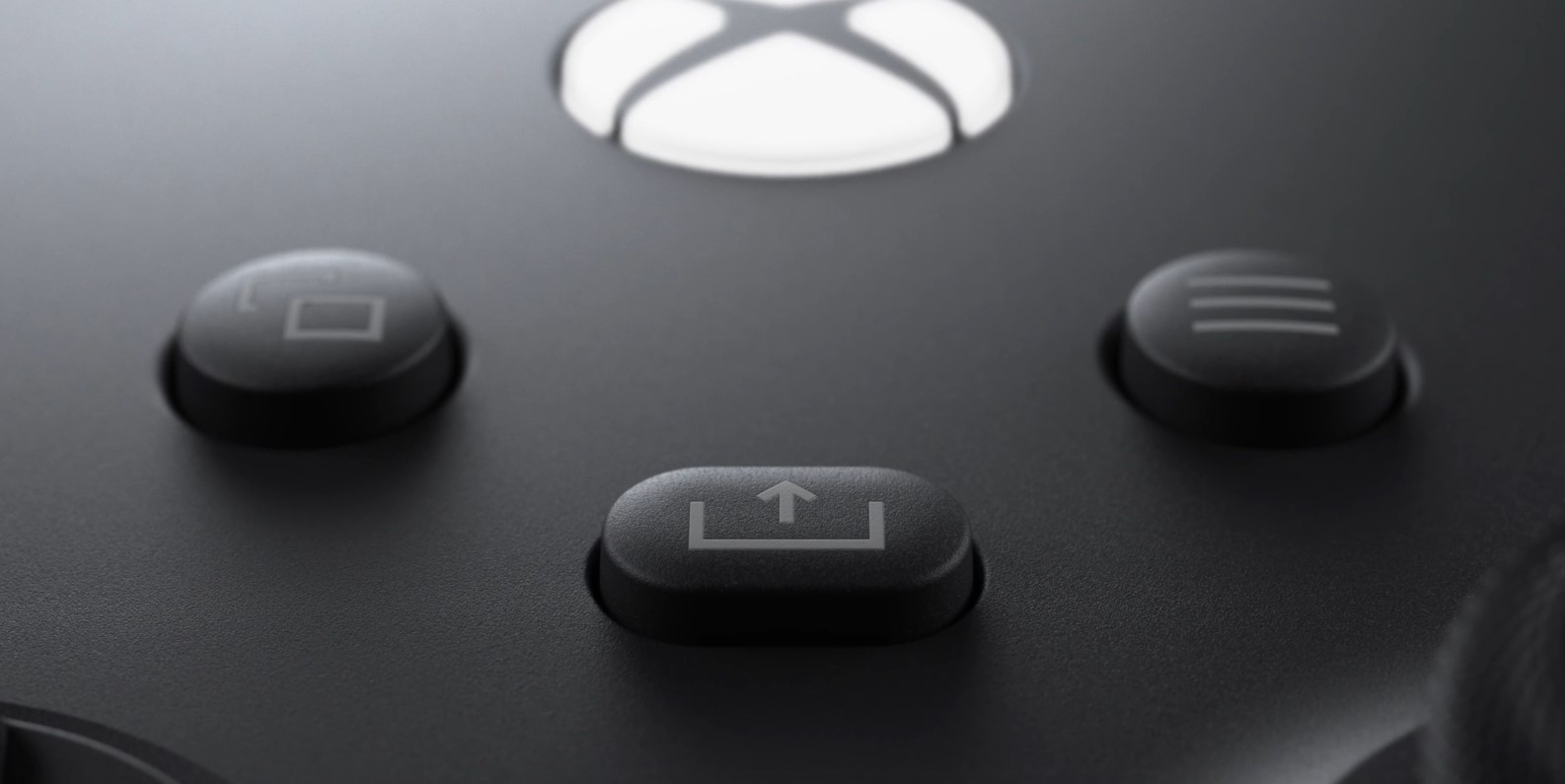
The Share Button: In the middle of the controller, you’ll find the new button. This allows capturing and sharing content like screenshots or recordings directly.
As GamePro states in the Xbox controller review, you can use the Xbox accessories app to assign the button. This makes capturing game content much easier. With the Xbox One, you always had to take the detour through the guide menu first.
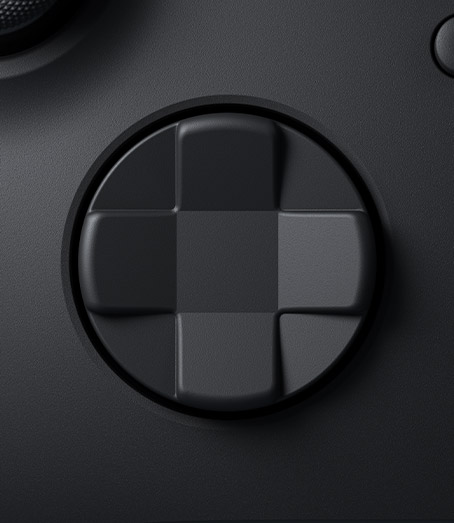
New D-pad: The D-pad may remind some of you of the Xbox Elite Controller Series 2. The new D-pad is designed to make hitting diagonal directions easier. Testers explain that the pressure point is much better recognized. However, the mechanical clicking when executing a directional command is also clearly audible.
Price of the Xbox Series X/S Controller
How much does the controller cost? If you buy an Xbox Series X or Series S, the controller is included in the package. If you want to purchase an additional controller, you have to pay about €60 for it.
In which colors is the Series X/S Controller available?
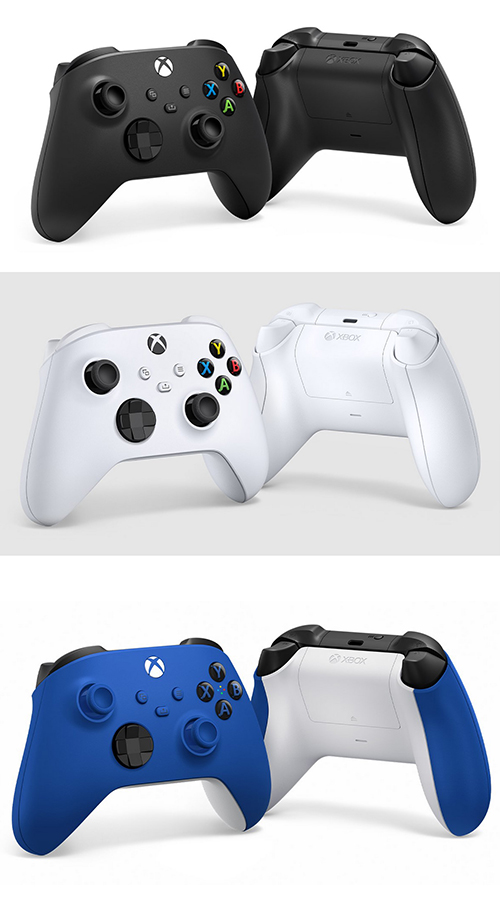
These colors are available: On the Xbox website, the controller is already available for pre-order in three colors: black, white, and blue.
In the comparison image, we show you the three colors of the controller side by side, so you can get an idea of which one might work for you.
How does the new Xbox Controller feel in hand?
The back of the controller is covered with fine bumps, which gave testers the impression of a firmer grip. On the YouTube channel ShortCircuit, Linus reports that the controller has a good grip. He feels it is rougher but still feels more like a premium product.
In the video, he talks about the feeling of the controller around the 5:00 minute mark.
Tobias Veltin from GamePro explains that the controller is also well-suited for players with smaller hands.
That the trigger area has become slightly narrower at the top suits me as a person with smaller hands. I also find the textured top of the triggers pleasant. “Pleasant” is generally the adjective I would use to describe the Series X controller, as the thumbs also naturally go “into position” when gripping the pad, making the gamepad feel really excellent in my opinion.
Source: GamePro.de
The Analog Sticks: In the review by Venturebeat, tester Jeff Grubb explains that the analog sticks feel more direct and tighter to him, which is good. He also states that even lighter movements are reliably recognized.
The Weight: Jeff Grubb also explains on Venturebeat that the controller is slightly heavier than the Xbox One’s. And that is by far the best change of the controller for him. While the weight adjustment is very subtle, it makes the controller feel even better in hand, he says.
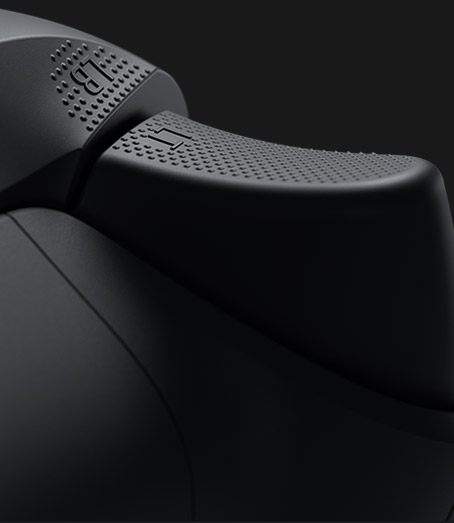
Shoulder Buttons: As Xbox shows, the shoulder buttons have been rounded and also textured. This way, the fingers know exactly where they should be and have good grip meanwhile.
Technical Info on the Series X Controller
Batteries: For the controller, you need 2 AA batteries or battery packs. According to some testers, battery packs from the Xbox One controllers are compatible, but not all from third-party manufacturers. You might have to try this yourself.
USB Charging: For charging the controller, there is now a USB-C port. This allows you to connect the controller directly to the console via cable or charge built-in battery packs.
Connectivity: Testers describe connecting the controller to the Xbox Series X as “fast” and “hassle-free.” Just as it should be.
How do you like the new controller of the Xbox Series X? Are you looking forward to playing with it or is there a change you don’t like?
Your old gaming gems get a performance boost on the Xbox Series X. This is how it looks.

Your opinion is important to us!
Do you like the article? Then let us know!