Before the upcoming E3 in June, the Xbox One will receive a major update. In May, the console from Microsoft will include a 120 Hz mode, a new way to manage games, and the ability to trim clips directly in the guide menu.
After the new features have already been tested by participants of the Xbox Insider Program, the update is scheduled to be rolled out to all Xbox One members in May. The exact date has not yet been announced. However, we already know which games will be available in May as part of Games with Gold.
Xbox One receives 120 Hertz mode
After the console was already enhanced with variable refresh rates and 1440p resolutions in April, a 120 Hertz mode will be added in May. Owners of a monitor or television with 120 Hertz can enable the mode after the update for 1080p and 1440p resolutions.
Groups for games and apps
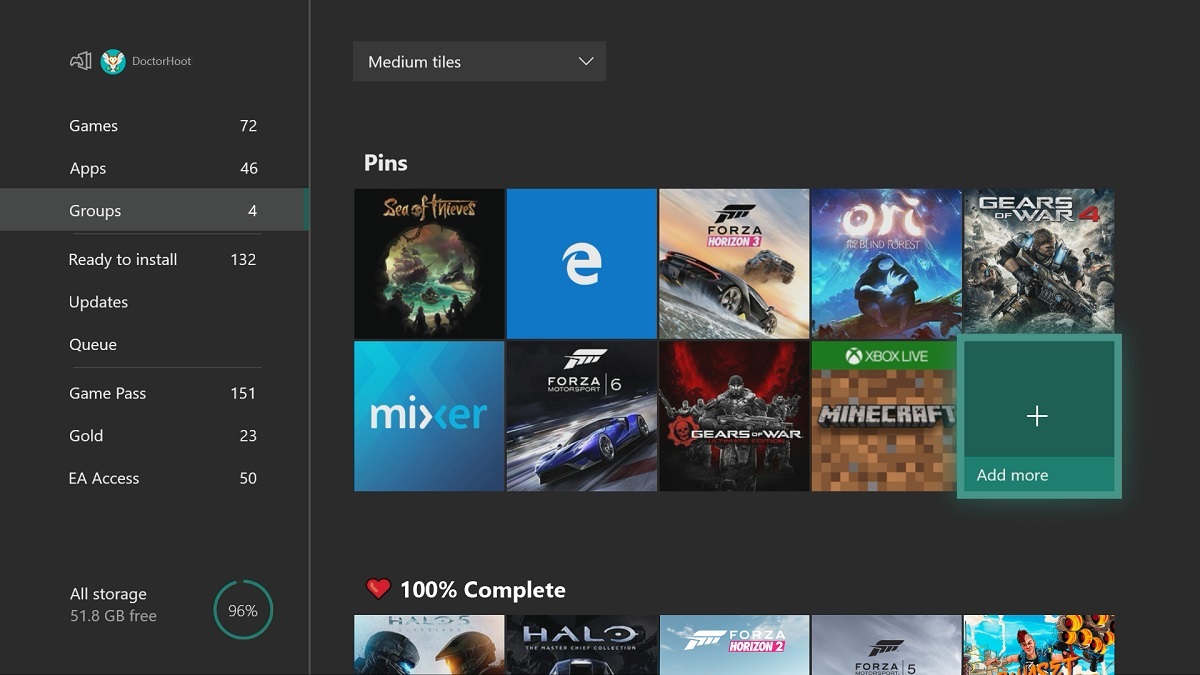
There will be a new way to manage your game and app library. With the update, these can be grouped into individual categories. The groups can be renamed and added to the home screen.
This allows for a variety of groups of games and apps to be created. For example, you can compile your favorite programs, or as Microsoft shows in a screenshot, group games for which you have already achieved all the achievements.
The groups are linked to your account and will be synchronized across multiple consoles.
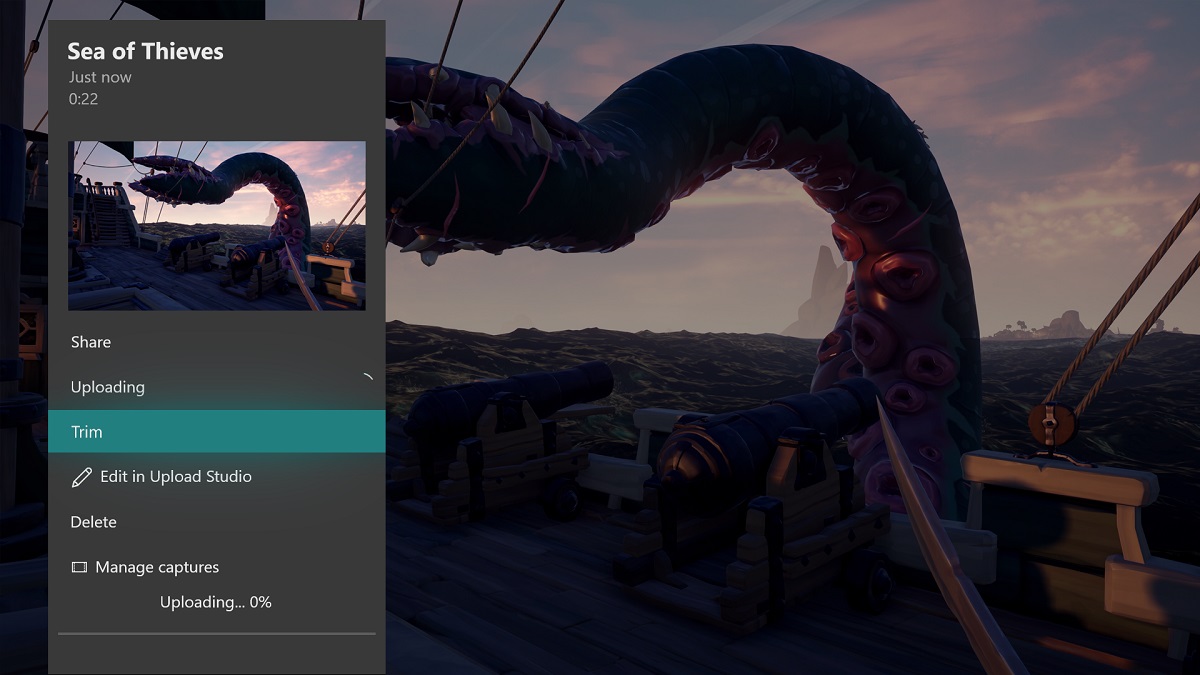
Trim clips directly in the guide menu
After screenshots and clips from the Xbox One can now be shared directly via Twitter, trimming small videos will be even more convenient with the May update. Clips can then be trimmed directly in the guide menu, eliminating the need to go through the Upload Studio.
Additional features
The update will also improve family settings. Under “Details,” all relevant settings will be available in the future. Additionally, important points will be highlighted.
Some settings, such as activity reports and restrictions, can only be accessed online. Microsoft aims to provide links that allow parents to quickly get to the settings.
The Xbox Accessories app is also set to be modernized to better align with the rest of the dashboard. Additionally, there will be changes to the button commands on the dashboard.
More on the topic: