After the Twitch app disappears as a manager for your addons for World of Warcraft with Shadowlands, Overwolf takes over. However, some players are not satisfied and are looking for alternatives. MeinMMO presents WoWUp and shows you how to install and manage addons with the manager.
What is WoWUp? The independent project provides an alternative to other addon managers for WoW such as current Twitch or future Overwolf. With it, you can update your existing addons or install new addons.
WoWUp has only existed since May 2020, making it relatively young. Its basic structure and features are somewhat reminiscent of the Twitch app, which will no longer support WoW addons from December. This is shortly after the release of the new expansion Shadowlands.
Like Twitch and Overwolf, WoWUp accesses Curse, the largest provider of addons in World of Warcraft. In addition, the manager sources addons from WoWInterface, TukUI, and directly from GitHub and can be used to manage the popular ElvUI.
Where can I get WoWUp and how do I use it? You can download WoWUp from the official website. There are versions for Windows, Mac, and Linux. The program is quite lightweight at just under 40 MB and requires no installation. You simply download the packaged file, unpack it, and start it.
Installing and Updating Addons with WoWUp
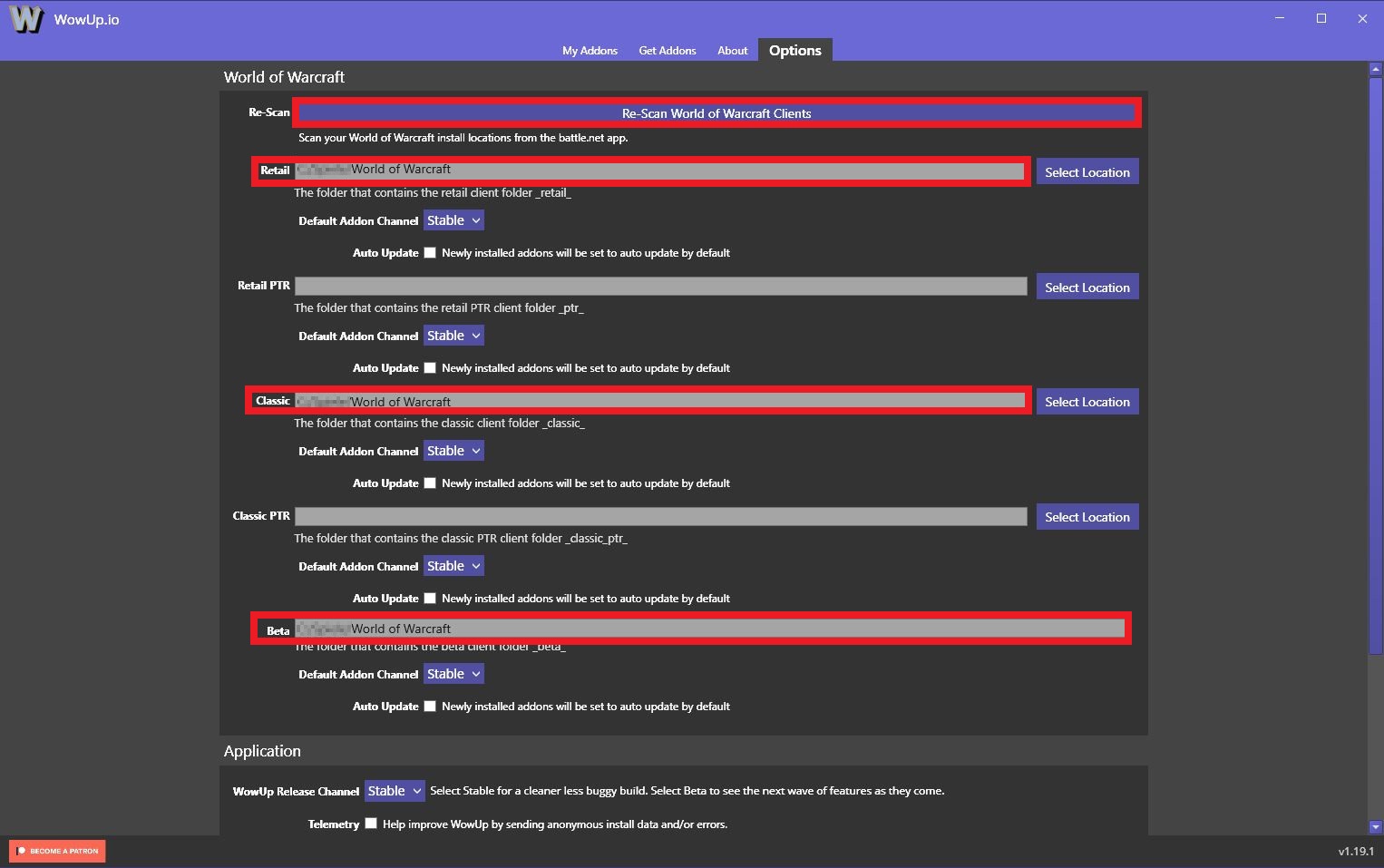
How do I install addons? The program should automatically recognize your installed WoW partitions, including the various versions like Retail, Beta, and Classic. If it does not detect them, you can manually enter the path to the corresponding installation via the options tab.
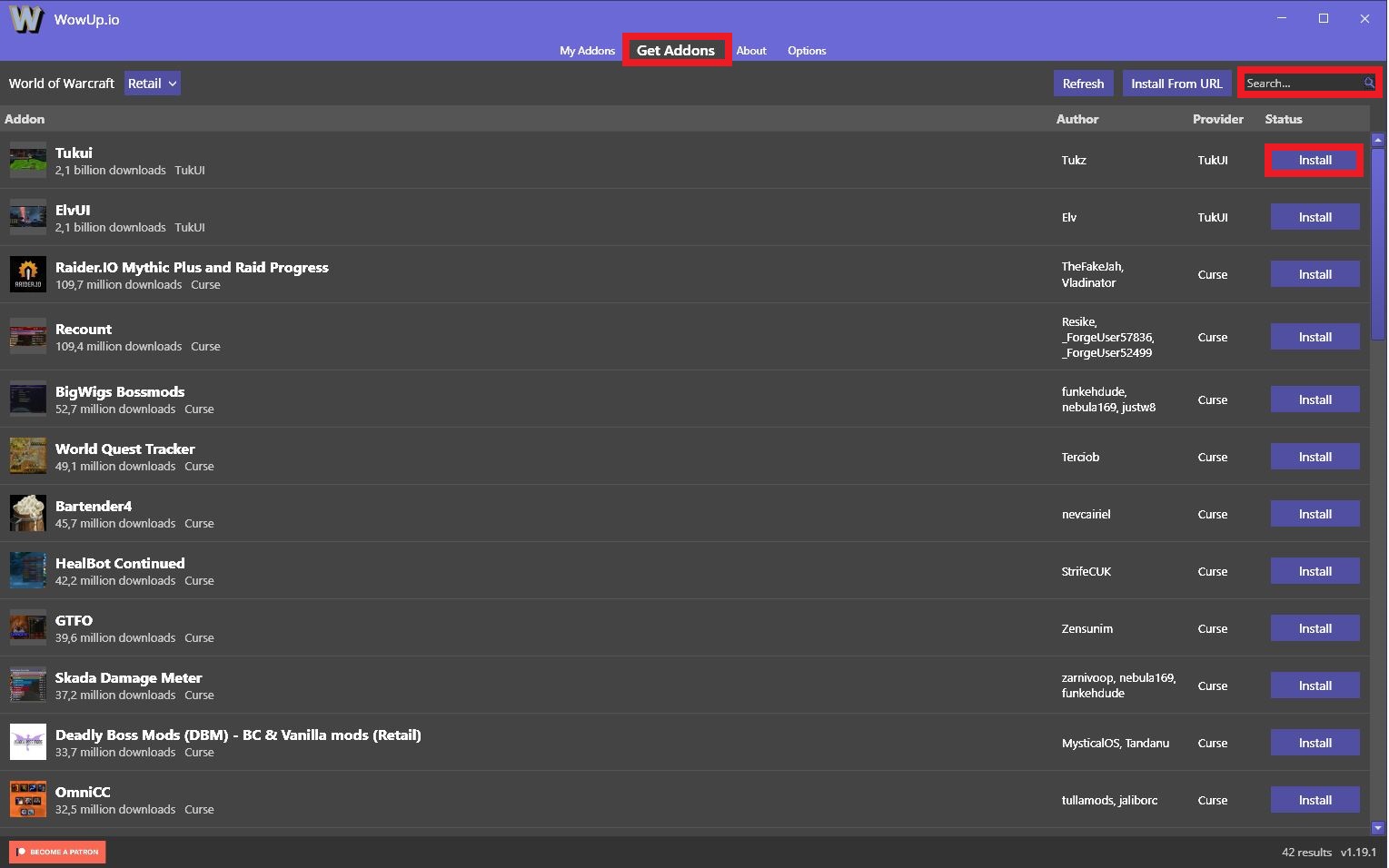
If you want to install new addons, navigate to the “Get Addons” tab. There you will find a search field in the upper right corner. You can search for the addon you want to install in this field. However, there is no keyword search or categories like in Twitch.
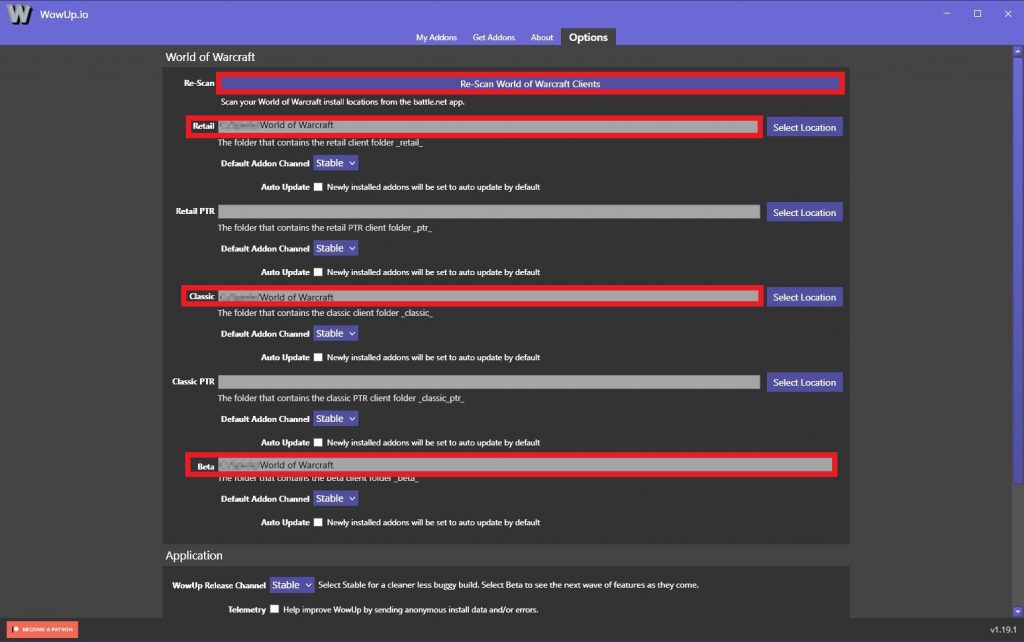
If WoW is not found? Simply enter it manually. 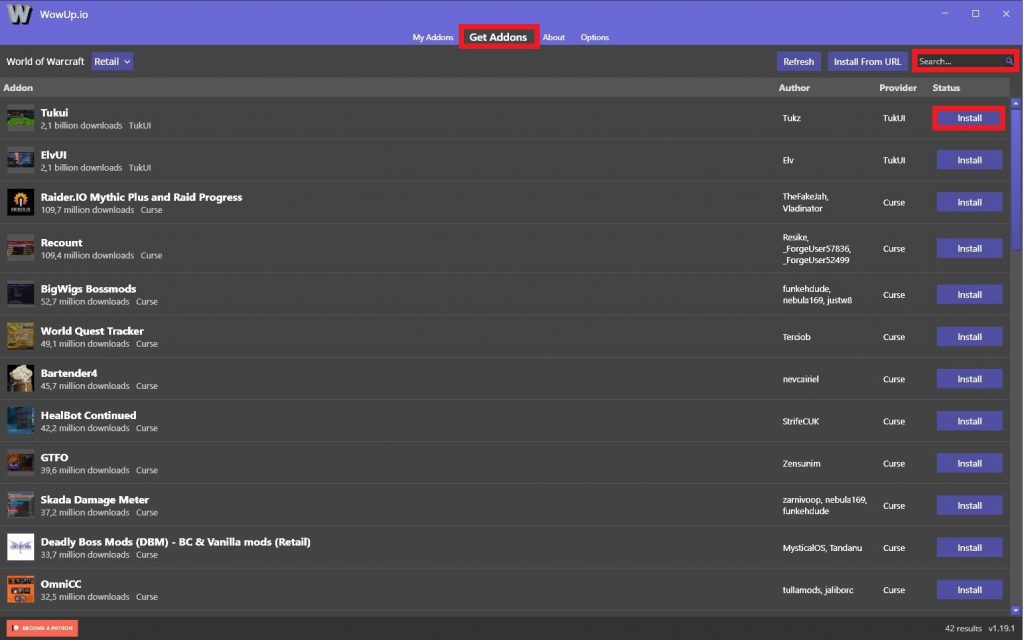
Here you will find new addons. 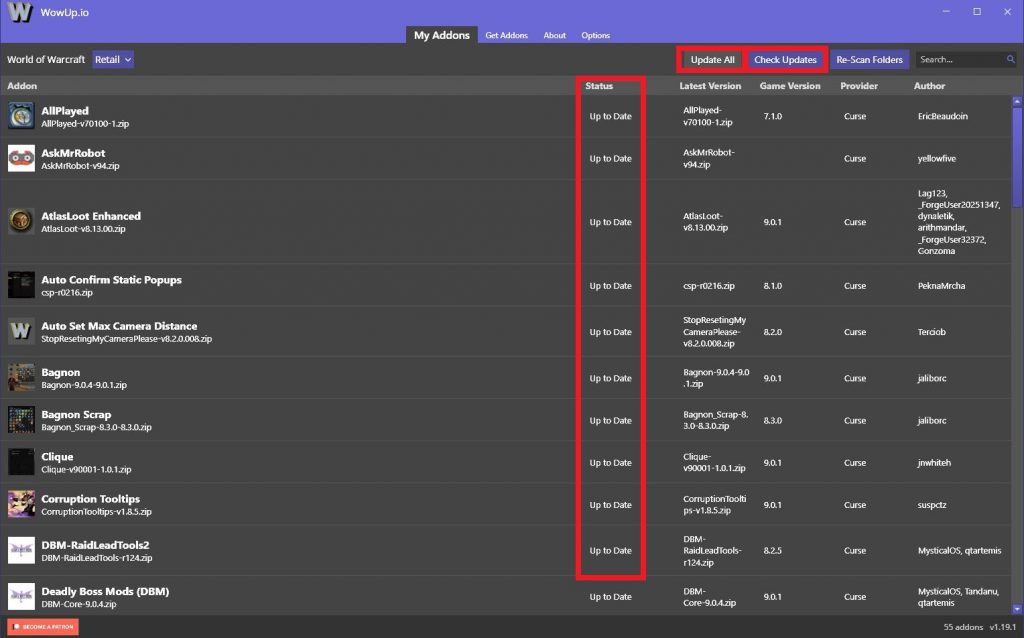
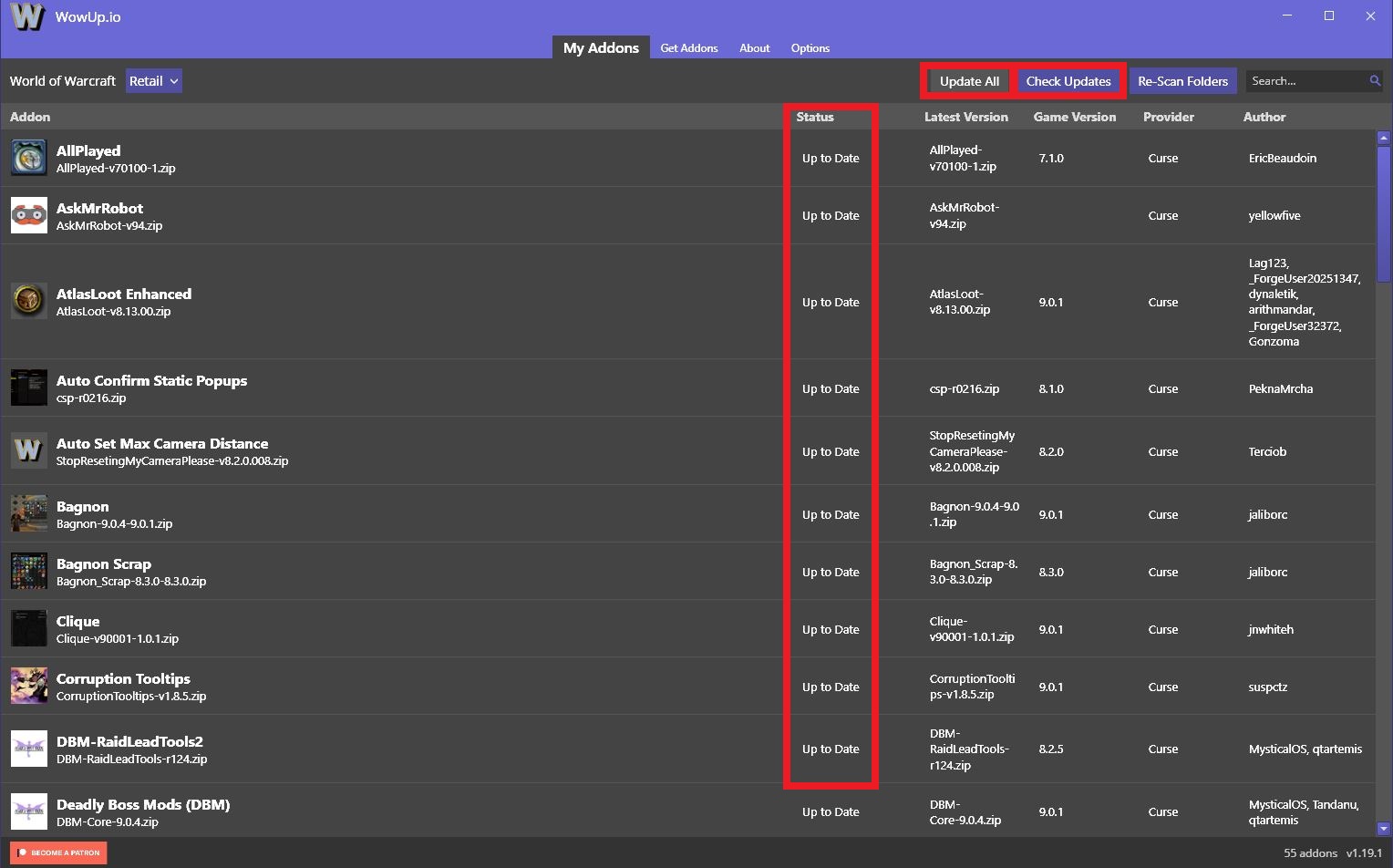
Here you can update addons.
In our special on MeinMMO, you can find the 9 most useful addons for World of Warcraft.
How do I manage updates? If you have already installed addons, you will find them in the “My Addons” tab. There you can click “Check Updates” to see if they are still up to date. This also happens automatically when starting the program.
If you see that an addon or several are outdated, you can either update them individually using the button next to the entry or click “Update All” to update all of them to the latest version automatically.
Why should I use WoWUp?
At the end of November, Curse is changing the provider from Twitch to Overwolf. This has already caused criticism in the community, as Overwolf has a bad reputation regarding advertising, which users complain about in the US forum.

Furthermore, the switch to Overwolf is supposed to take place right at the release of Shadowlands, which would mean that nobody can upload updates for existing addons at the start. However, Overwolf and Twitch have since agreed and postponed the move from Curse to November 30th. Everything should be up and running again by December 3rd at the latest, before the release of the first raid.
Nonetheless, the discussion about Overwolf has led players to search for alternatives. WoWUp offers this alternative and is already popular with many players, while others are increasingly looking for it. Moreover, the operation is really easy.