


Since May 19, you can play the Pre-Patch of WoW BC Classic. Many players have had problems installing or updating addons since then. Here you can learn how to get new addons and use the WoWUp addon manager.

Why were updates not working? With the Pre-Patch, Blizzard introduced two separate versions of Classic: WoW Classic and Burning Crusade Classic. This also changed the folders in which the games are located.
Burning Crusade is now simply “Classic” and the original Classic has been renamed “Classic_era” in the folders. Your old addons are now in the wrong folder and do not work properly there.
You can still play both versions, but when installing addons, you need to make sure to use the correct version of the game and the correct folder:
- Retail WoW is on version 9.0.5 and the folder is called “_retail_”
- Burning Crusade is on version 2.5.1 and the folder is called “_classic_”
- Classic is on version 1.13.7 and the folder is called “_classic_era_”
Some addon authors have not yet adapted to BC Classic and there are no new versions yet. Addon managers like WoWUp had to adjust as well. However, if you follow our guide, everything should work without any issues.
Installing Addons for BC Classic with WoWUp
What is WoWUp? The new addon manager appeared shortly before Shadowlands and is now very popular. It is an alternative to the established Curse client, but does not work with the somewhat unpopular Overwolf in the community.
With WoWUp, you can install new addons and uninstall or update old ones. The manager retrieves data from both the Curse website and other websites and the authors themselves.
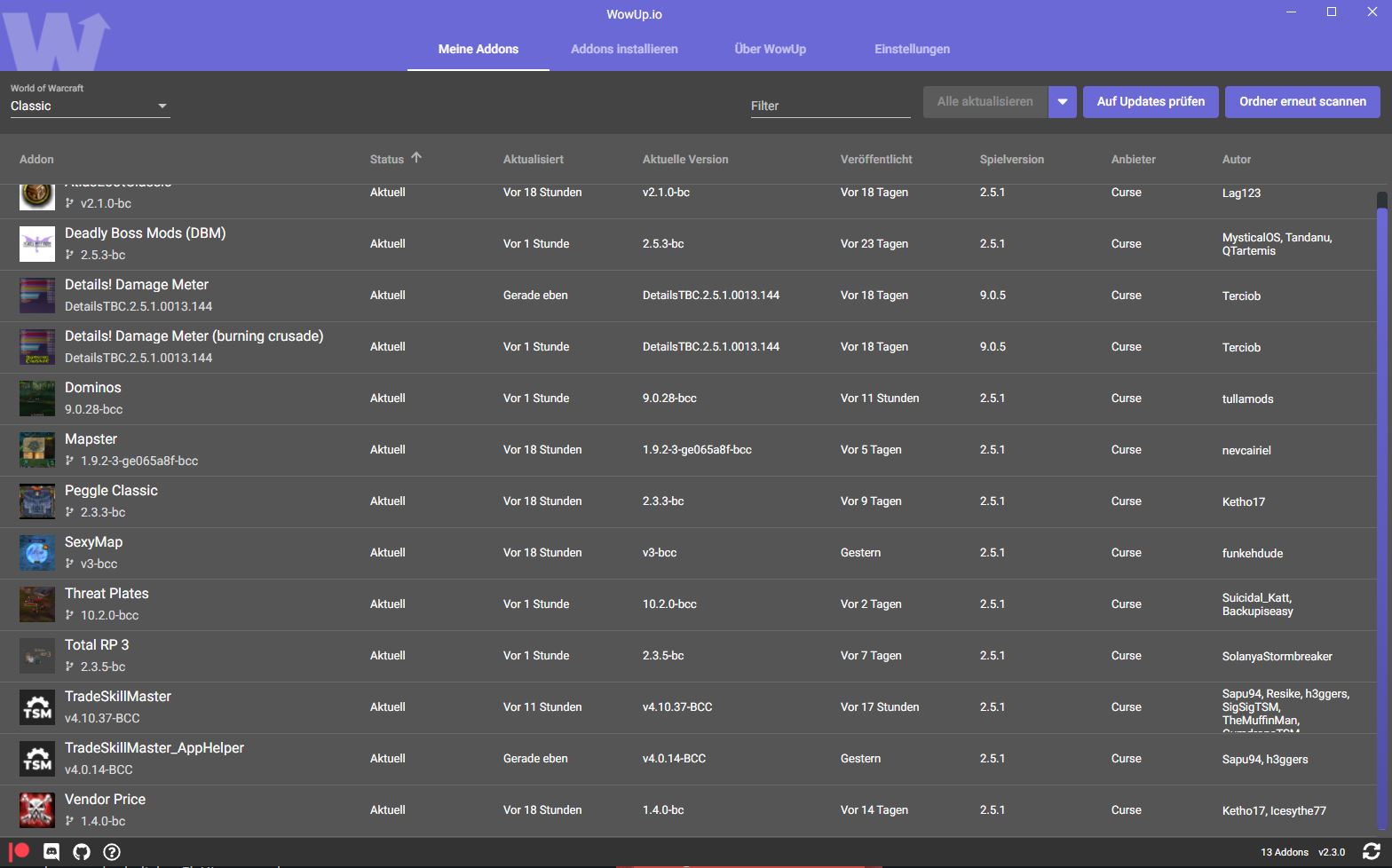
How to use WoWUp: At WoWUp.io, you will find the current version of the manager, 2.3.0. You absolutely need this version to manage your addons properly. Install WoWUp and let it scan your folders.
Normally, WoWUp should automatically find your WoW installation. However, you can also search manually via “Settings.” For new addons in BC Classic, follow these steps:
- Select “Classic” in the dropdown at the top left – this stands for Burning Crusade
- In the “Install Addons” tab, search for addons you want
- Install the addons via the corresponding button
- Under “My Addons,” you will find installed addons and the ability to update them
- You can also find a detailed guide to WoWUp here
If you played the “old Classic” before BC Classic, you need to check the versions of your addons in WoWUp. If version 1.13.7 is still indicated for the addon, you should uninstall it and look for the corresponding output for version 2.5.1.
Installing Addons for BC Classic without WoWUp
If you prefer to install addons manually, you can also do this without a manager. You need to download the addons from their respective sources and then extract them into your addon folder. You can find it for BC Classic under the following path:
- […]World of Warcraft_classic_InterfaceAddOns
You can obtain addons from databases or from the providers themselves. Many authors upload their works directly to Github or distribute them through the Curse website. Just make sure that the version of the addon is correct. You can explicitly filter for addons for version 2.5.1 on Curse (via Curseforge.com).
Three Important Addons in BC Classic
Many players are currently looking for addons they want to install in BC Classic. The most sought-after addons are listed here for you.
Auction House Addons like Auctioneer
What do the addons do? With these addons, you can improve your handling in the auction house. In Classic and Burning Crusade, many of the quality changes in the auction house that Retail WoW already has are missing.
The addons allow you to manage your auctions, set them up and cancel them more easily, and provide a better overview. You can also scan the databases of all auctions and gain insight into prices, making it easier to filter.
These addons are available: Auctioneer is one of the most popular auction house addons, but according to our information, it does not have a current and fully functioning version for BC Classic. However, there are three alternatives that have received an update or a fix:
- AuctionBuddy (via Curseforge.com)
- Auctionator via a fix (via Curseforge.com)
- TradeSkillMaster, short TSM (via Curseforge.com)
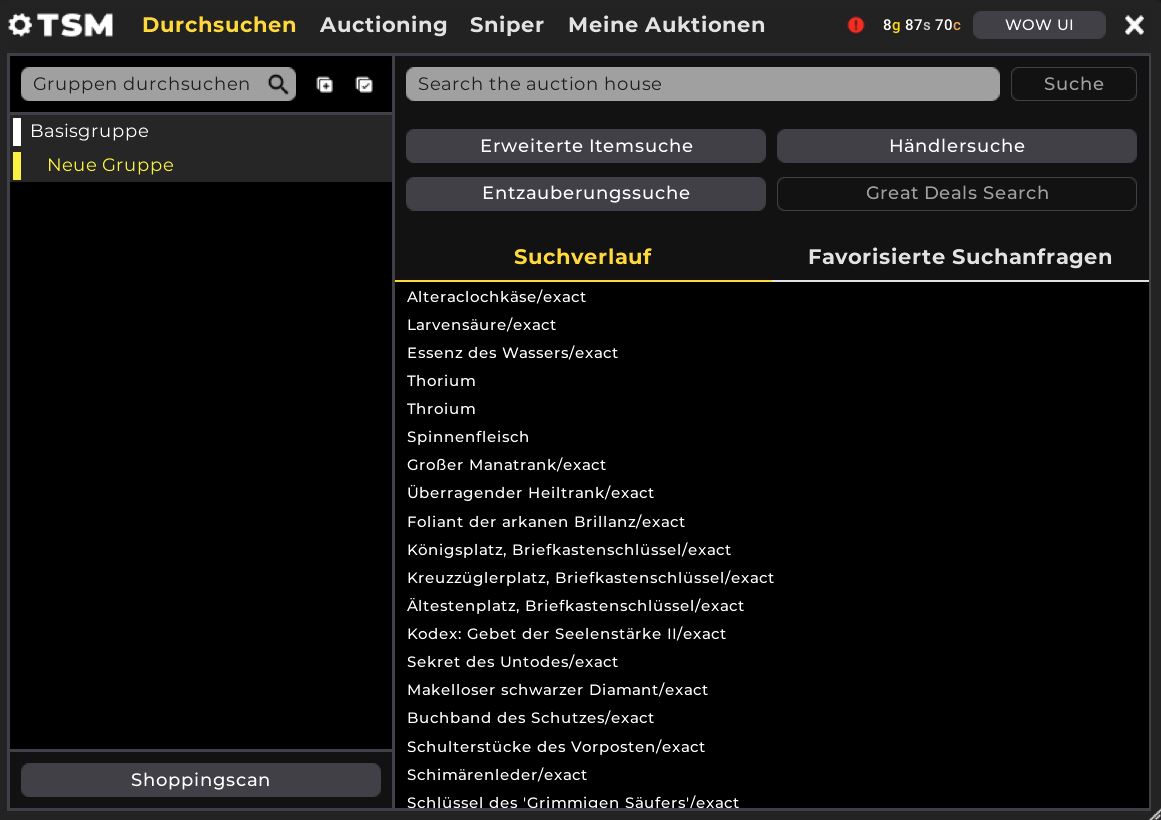
Currently, there may still be issues with all addons. Some players report that other auctions are set at absurd prices in the auction house, which confuses the addons. When testing, we had the least problems with TradeSkillMaster.
You can find Auctionator, AuctionBuddy, and TSM on WoWUp as well. Auctioneer is currently only available through Curse (via Curseforge.com).
Questie – Addon for easier leveling
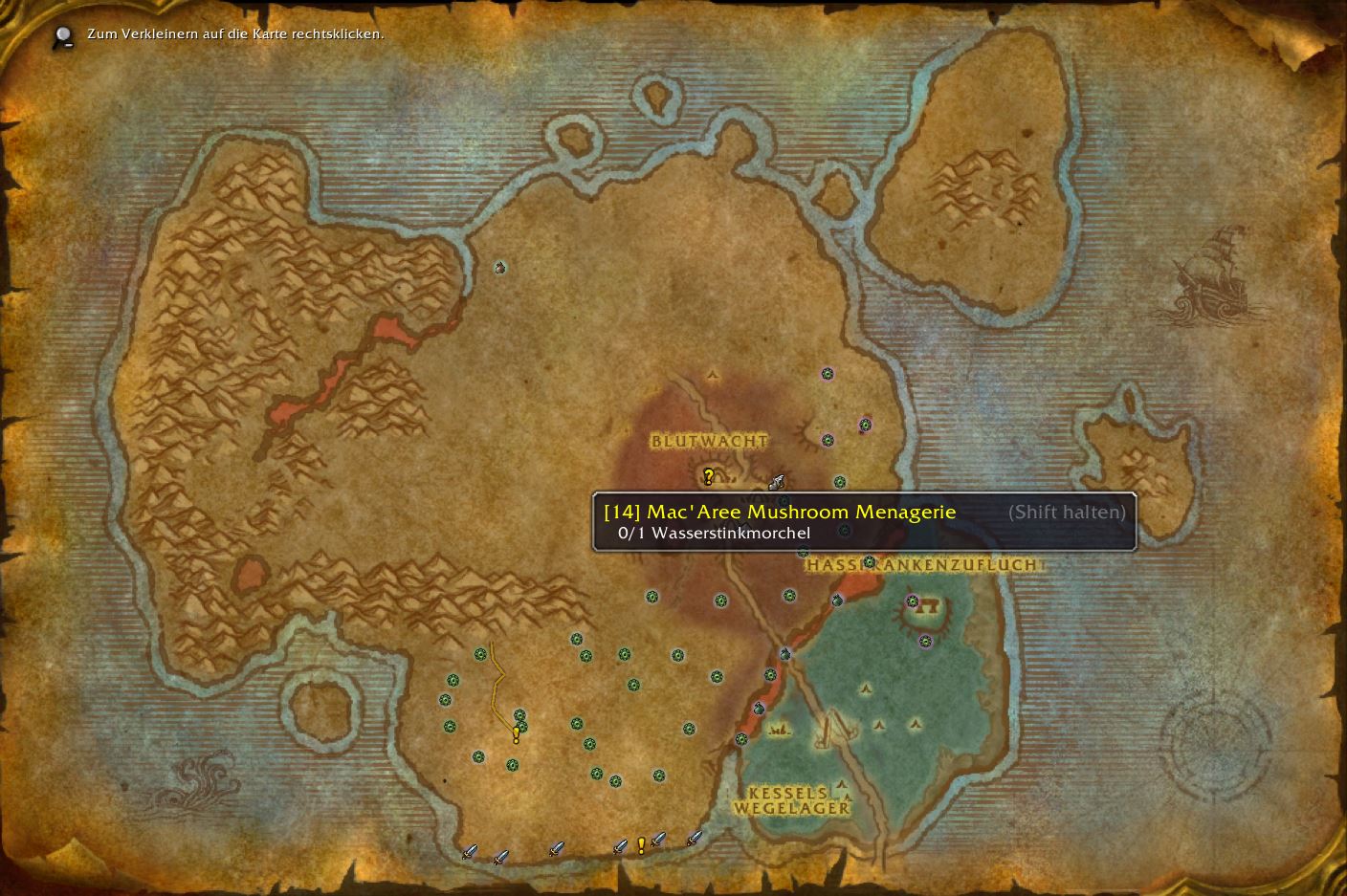
In BC Classic, you are not shown where to go for a quest. When you accept a task, you need to read the text to find out where it is exactly. However, you can bypass this with Questie.
Questie essentially takes on the role that the map has in Retail WoW today: The addon shows you where to find quest mobs or accept new quests. This makes leveling easier, especially if you don’t want to constantly search online for solutions or don’t know the quests from memory.
You can find Questie on WoWUp or directly via the website (via Github.com). In the official Questie Discord, you can also get help with the addon and chat with other users (via Discord.com).
Bagnon for better bags
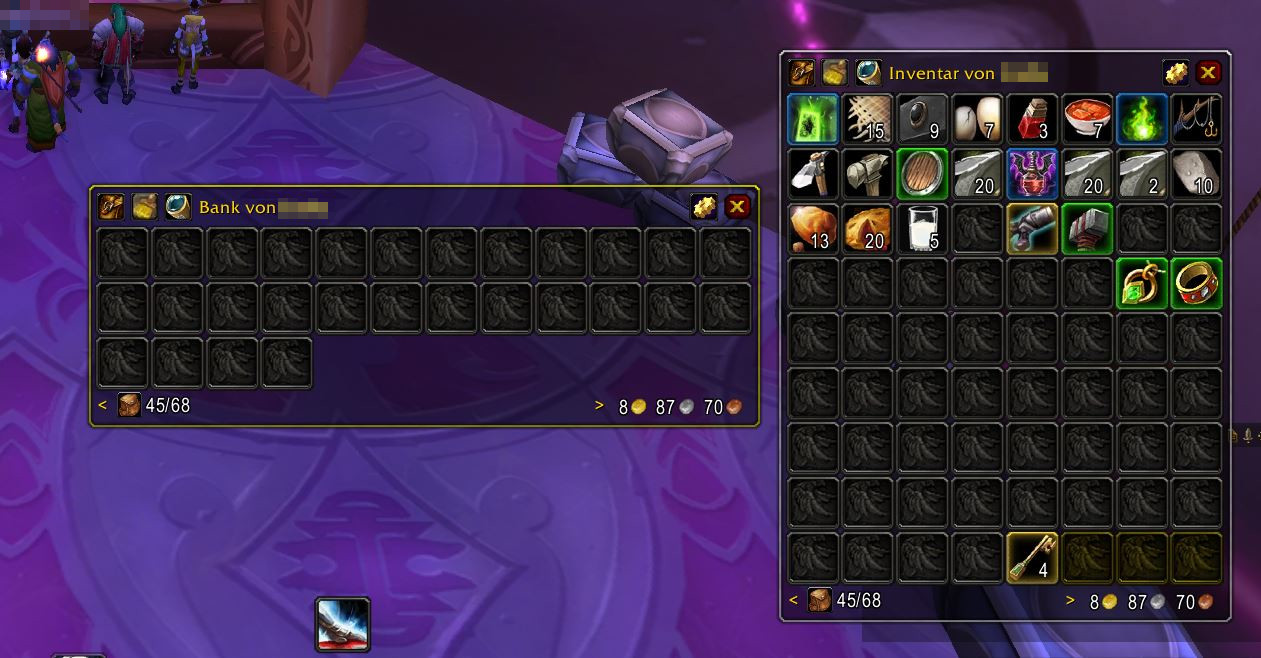
With Bagnon, you can merge all your bags and organize your inventory more easily. Furthermore, the addon improves the overview of your bank and allows you to see what is there from anywhere.
Especially with many larger bags, the overview is greatly improved. But even on a new character with few bags, Bagnon is useful as it highlights important or useless items. This makes it easier to sort items.
Currently, there is no version of Bagnon for Burning Crusade, but the Classic version should work. However, you cannot download it via WoWUp. You can find Bagnon directly on Curse (via Curseforge.com).
You can find countless other addons at WoWUp and Curse that you can already use. If your favorite addons have not received an update yet, you should check back frequently. Many authors are still working on new versions, and certainly, several more addons will be added by the release of BC Classic. BC Classic will be released on June 2. You can find more information about it in our special:
WoW Classic The Burning Crusade: Everything about release, pre-patch, and content phases

Your opinion is important to us!
Do you like the article? Then let us know!