


There are plenty of tools and addons that can help you improve in World of Warcraft. One special tool we want to introduce to you here is WoWAnalyzer. It helps you get better in raids and is not difficult to use.

What is WoWAnalyzer? WoWAnalyzer is a website that evaluates your performance in specific boss fights in raids.
The tool shows you exactly how you use your abilities, how efficiently you use your resources and cooldowns, and how you can improve most effectively. Additionally, the analyzer suggests what you can do better while fighting.
WoWAnalyzer evaluates logs that you need to create or pull beforehand. To do that, the warcraftlogs website helps you, which we also use for the evaluation of our DPS list for WoW. We will explain how everything works here step by step.
Update from January 29, 2021: We have updated the article to the latest version for Shadowlands.
How to use WoWAnalyzer to improve
So you can use the data correctly: First, you need a log for a fight that you want to evaluate. In most guilds, an officer takes care of the logs. You will learn how to create logs yourself further down in the guide.
Once you have chosen a fight and your character, you will receive an overview of your performance in the fight. Here, you typically find immediately the areas you can or should improve.
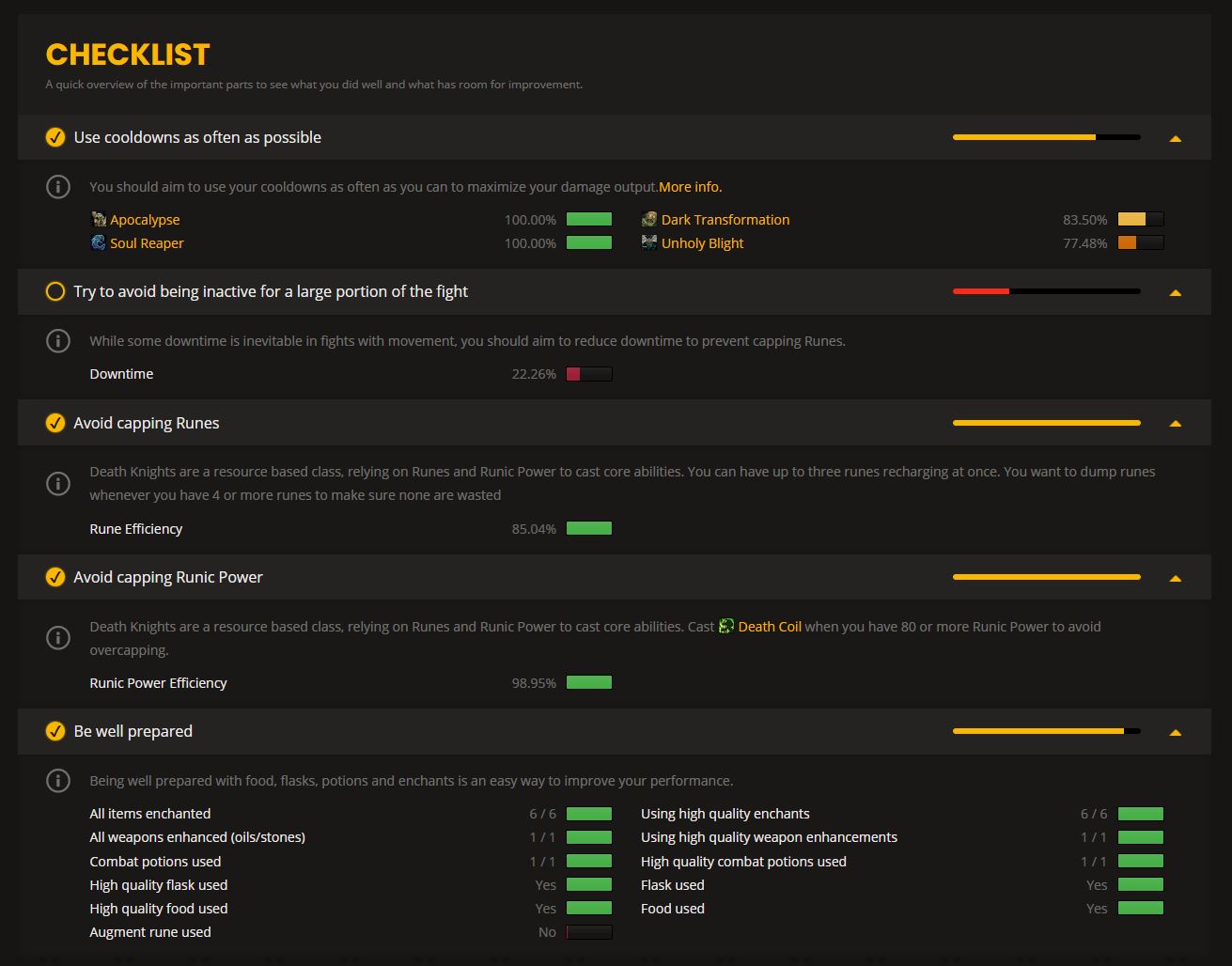
From the example of my Death Knight, it can be seen: I am already doing a lot of things correctly. There is, however, significant room for improvement in handling my most important cooldowns, Dark Transformation and Unholy Blight. However, there are other reasons for that, as you will learn shortly.
Further down, there is an overview with improvement suggestions, marked with:
- “Major” – for things you should urgently look at
- “Average” – to eliminate important but not overly significant errors
- “Minor” (default hidden) – to rectify even the smallest mistakes
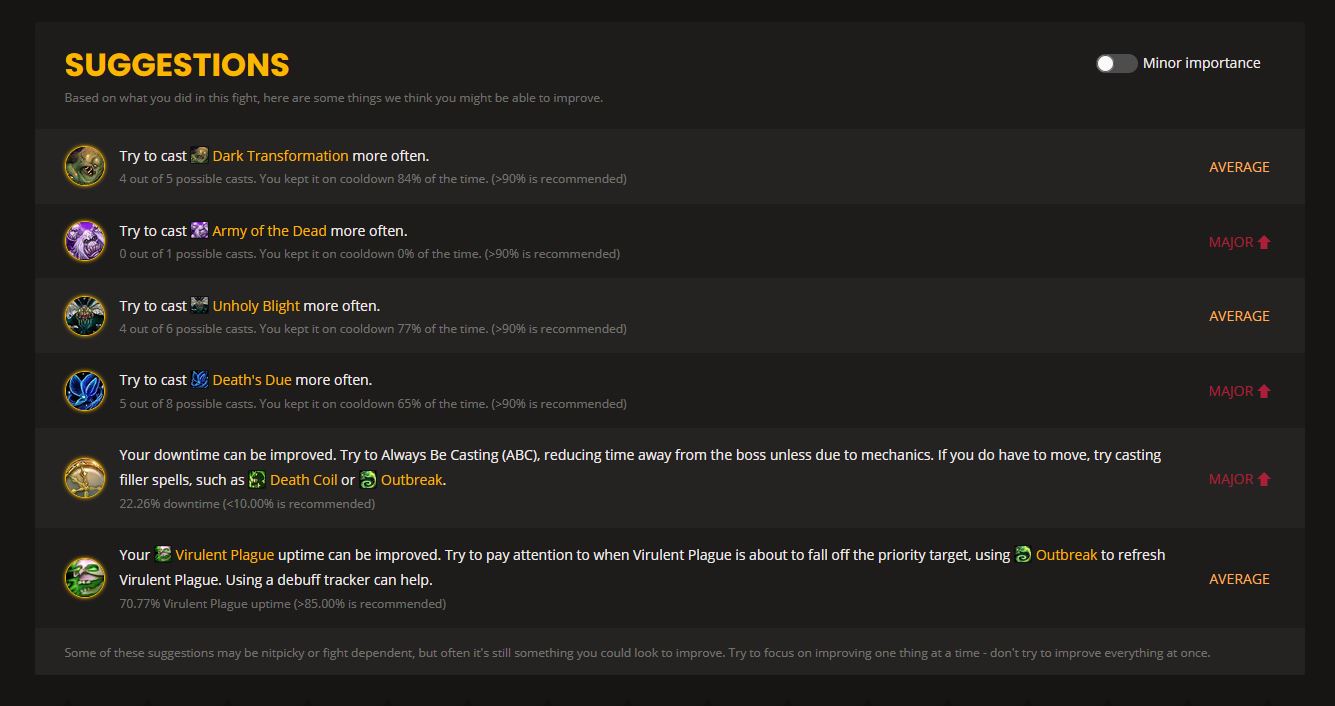
What the analyzer shows additionally: Besides the overview, there are some useful statistics from which you can learn. These include:
- “Statistics” – Shows an overview of your damage, healing, used items, and more.
- “Timeline” – A timeline that indicates when you used which abilities and utilized cooldowns. Useful for optimizing your “uptime”.
- “Character” and “About” – General information about your equipment, spec, and the underlying evaluation.
There are also class-specific tabs, in my case “Rune Efficiency” and “Runic Power Efficiency”. For other classes, there might be something like “Soul Shard usage” (Warlock) or “Voidform” (Shadow Priest). Here you find information on how efficiently you use your resources.
What you should pay attention to: Note that not all classes are always supported. Guides for some specializations may be outdated, and the data may not be based on current numbers. They can be inaccurate or even useless.
Additionally, you should be able to read the analyses correctly. The analyzer always assumes that it is about “patchwork” fights where you can attack 100% of the time. In my example, however, I have chosen a fight against the Hungry Destroyer from Nathria.
I am suggested to stand closer to the boss more often and use certain abilities more frequently. However, the Destroyer frequently casts abilities that prevent me from standing near the boss or require me to delay my cooldowns. You should consider which tips are sensible and which are not.
Creating and using warcraftlogs for WoWAnalyzer
This is how you use the logs: If you want to look at your performance, you first need the log of a fight that you want to evaluate. Many guilds already have a player responsible for this. It’s best to ask the guild leadership.
Then simply pull the logs from warcraftlogs and copy the URL above. Look for the name of the guild or the uploader and click on the corresponding date in the calendar.
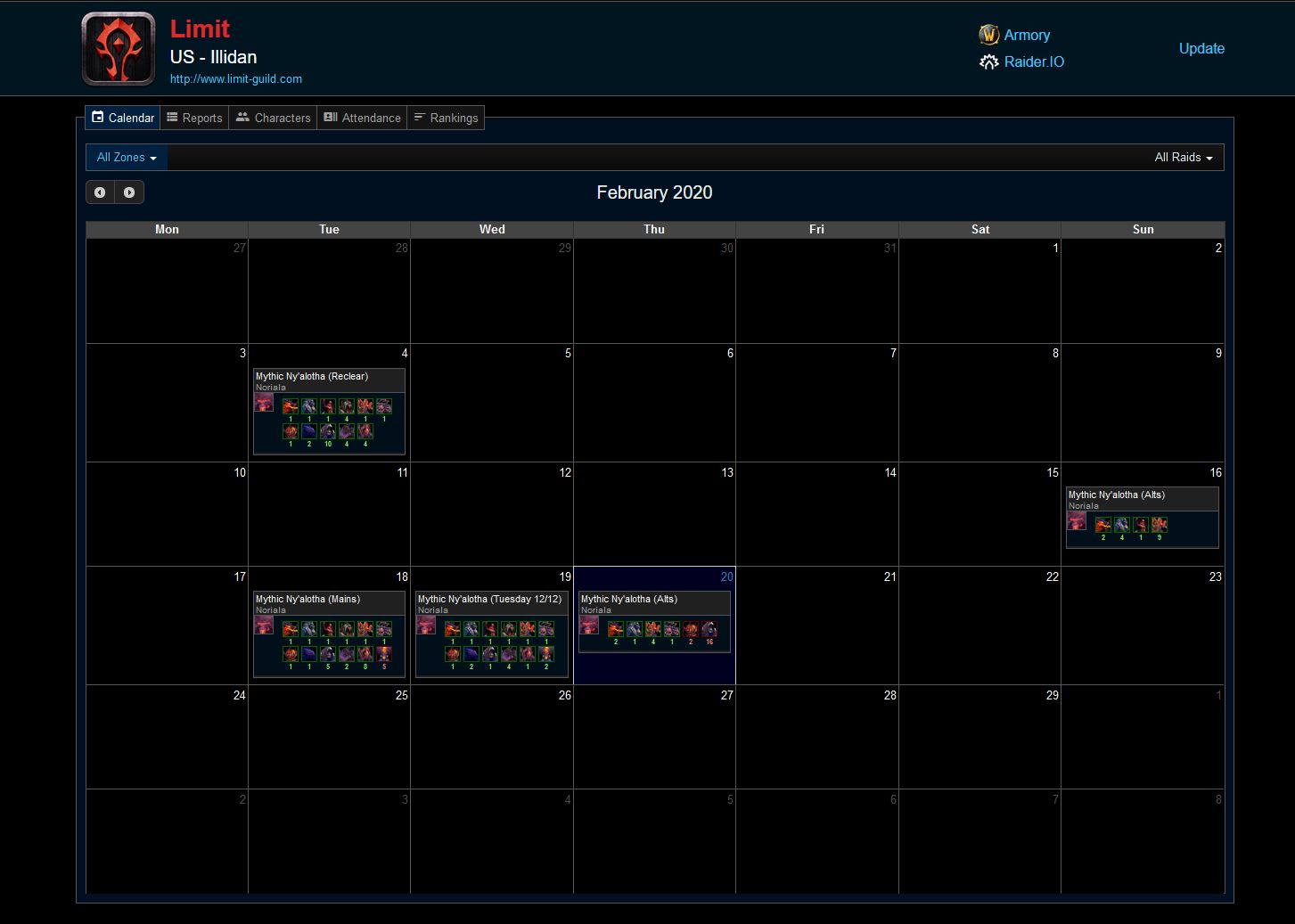
Copy the entire link to the raid date (e.g.: https://www.warcraftlogs.com/reports/b6YRCqBmGWzMj4K8). You can then enter the link on the WoWAnalyzer website and subsequently select a boss, one of the fights against the boss on the corresponding date, and your character.
Important: The logs must be public or unlisted. Private logs cannot be read by the analyzer.
Creating and uploading warcraftlogs
How to create your own logs: If you do not have anyone to upload the logs for you, you can easily do it yourself. First, create an account on warcraftlogs, which you can also link to your Battle.net account if you wish.
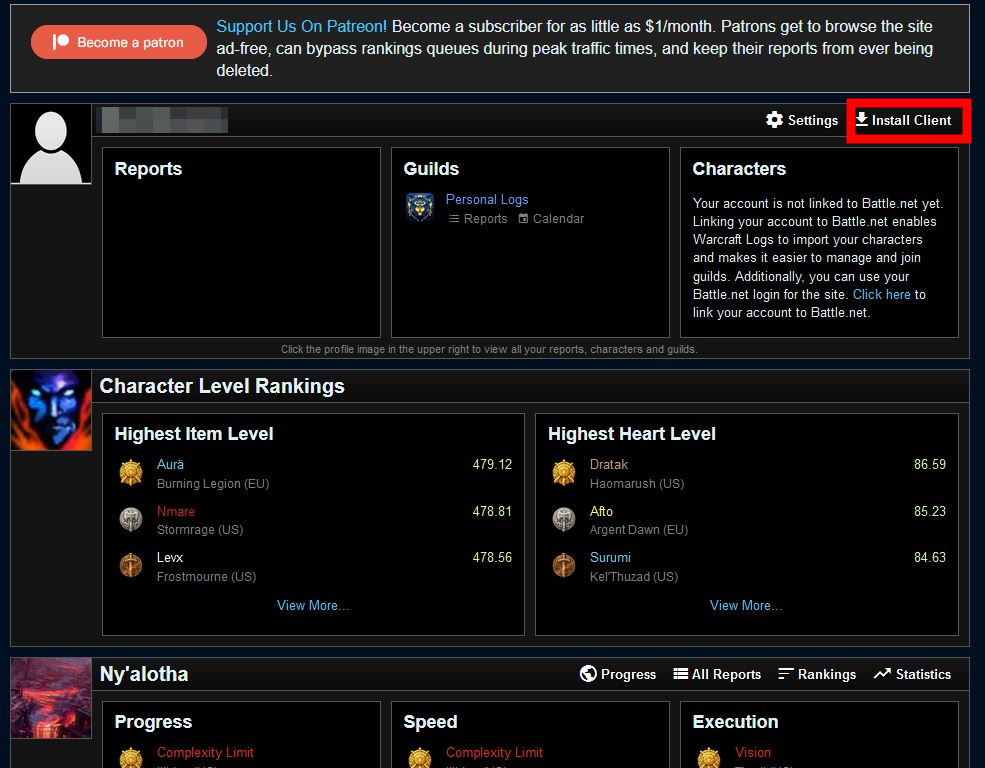
After creating the account, you need to download the WarcraftLogs Uploader. You can find it directly on the website by clicking on “Install Client” on your account page. Alternatively, you can find the link to the download page here.
After installing and starting the program, log in with your warcraftlogs account. You then have two options:
- Upload a Log: Upload a log that you created in a raid.
- Live Log: Enter the program path where you have WoW installed and start raiding. The logs will then be uploaded live.
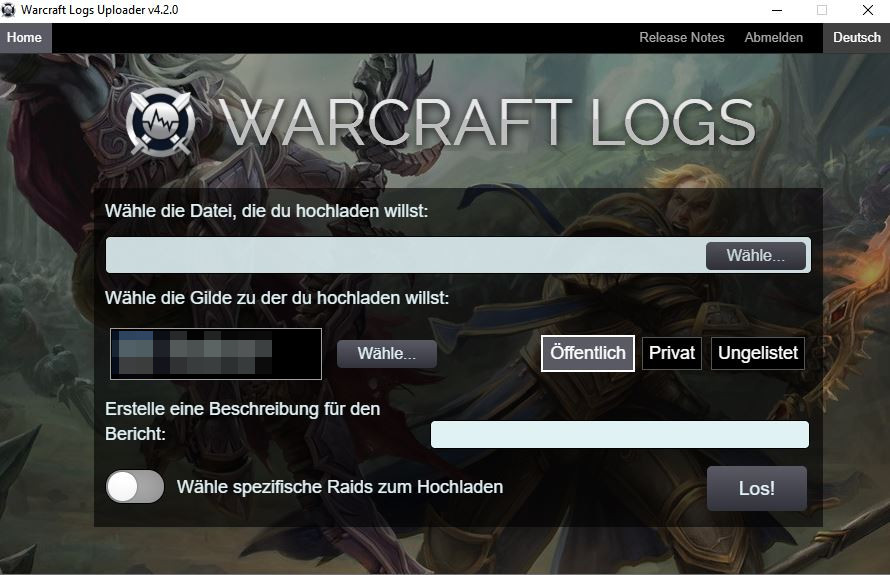
Remember that the options must be set to “public” or “unlisted”.
To start a log in WoW, enter the command /combatlog before raiding. This activates logging of all activities. Addons like BigWigs or DeadlyBossMods, which are among the most important and best addons, also have such functions integrated.
You can find the logs in your WoW folder under “World of Warcraft/_retail_/Logs/”. Once you have uploaded the logs, you can then use them for the analyzer.
By the way, don’t expect to become a pro right away from the analyses. Improvement is a slow process that you should consistently work on. It also helps to refine your gear and secondary stats. There are also two tools that help you get the best out of your character.

Your opinion is important to us!
Do you like the article? Then let us know!