

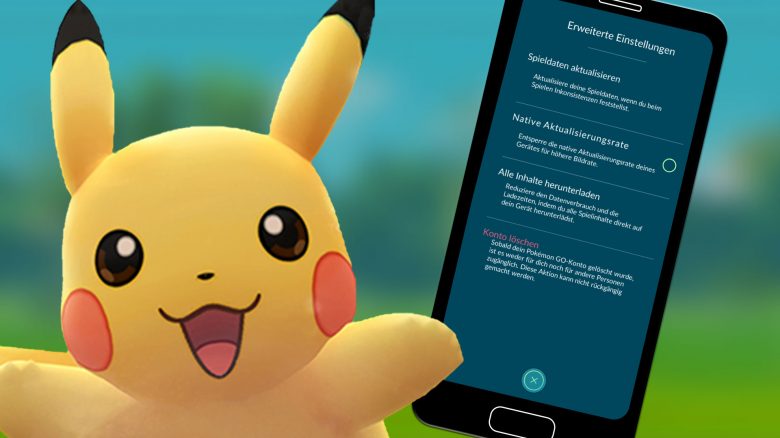
In Pokémon GO, trainers often complain about the high data consumption. However, this could finally be over, because with a new feature, you can now save a lot of data in the game. We at MeinMMO show you how it works.

What problem do trainers have? Those who regularly play Pokémon GO and are thus outside their Wi-Fi will certainly have noticed how much data the game uses in a very short time. This is especially annoying when you only have a small data plan.
Niantic has now released a new feature that allows you to download all game data at once, exactly when it suits you. We have summarized what this feature is all about, what data you can download with it, and how it works.
This is the new feature for saving data
What data is loaded? With the new feature, you have the opportunity to load all game data, such as information about the Pokémon, at once. This was not the case in the past. A part of the used data volume was spent on obtaining this information while on the go, especially when you encountered a new monster.
In the past, it could happen that instead of a Pokémon, only a glowing, bright ball was initially displayed on the map. This was particularly noticeable with the strong Galar birds from the adventure smoke.
The reason for this was the missing data about the respective Pokémon at that time, which the game had to obtain from Niantic servers in order to enable you to catch it.
What advantage does the feature have? To ensure that you do not consume unnecessary data while downloading this type of data on the go, you can now download the corresponding data via the new feature using Wi-Fi, thus determining the time yourself.
All the necessary information for the game will then be downloaded at once, even for Pokémon you may not have encountered yet.
If you encounter them in the wild in the future, then the data for that Pokémon will already be available and does not need to be loaded first. This way, you should no longer be shown a glowing ball and only consume data on the actual gaming experience.
How to perform the download
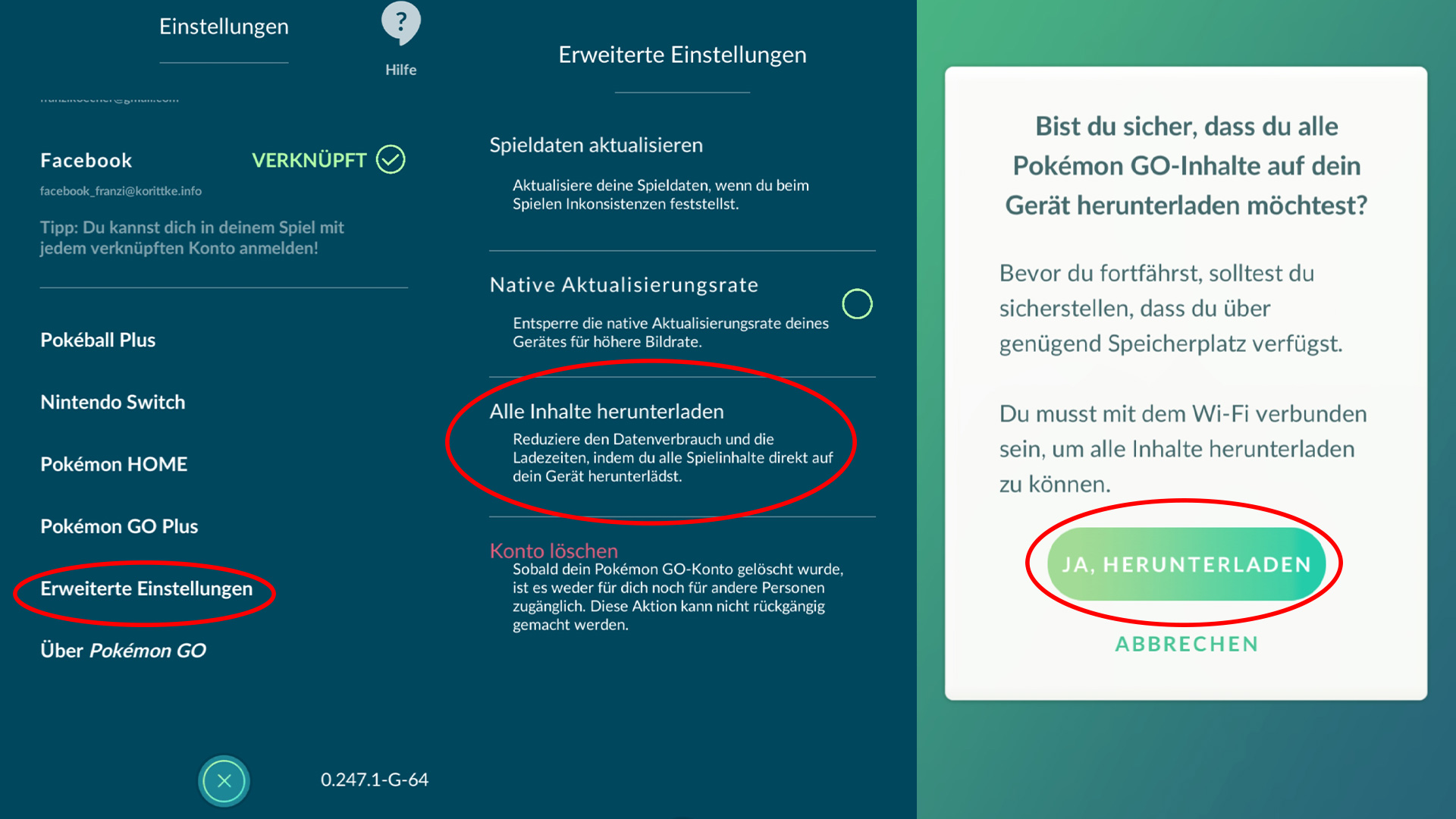
Downloading all game data in Pokémon GO is quite simple. Follow these steps:
- Open Pokémon GO and log in with your account.
- Click on the Pokéball icon at the bottom of the screen to open the menu.
- Now go to the settings, which you can select via the gear icon in the upper right corner.
- Scroll down to the point “Advanced Settings” and open it.
- Select “Download All Content”.
- Now you will receive a prompt asking if you really want to start the download. It will be noted that you must be on Wi-Fi and need enough storage space. If that is the case, confirm the download with “Yes, Download”.
Now the download will start, and your progress will be displayed. At this point, you also have the option to pause the download and continue it later.
How much storage space is needed? According to a look at the comments on reddit, it seems to vary greatly. Values between 100 MB and 825 MB are mentioned there.
I have also tested the new feature for you. I had to download 435 MB. However, you should plan some time, as the download runs relatively slowly at the moment.
When is the feature available? The new feature is already active and can be used by all trainers. It doesn’t matter whether you are using an Android or iOS device.
How often is a download necessary? Since Niantic is constantly introducing new content to the game, you should perform a download from time to time to directly access this data and continue to benefit from lower data consumption.
What do you think of the new feature? Will you now regularly download the data over Wi-Fi to save data on the go? Or do you think that’s too much effort and prefer to accept a somewhat higher data consumption? Please share your opinion here on MeinMMO in the comments and exchange ideas with other trainers.
The trainers of Pokémon GO proudly show their incredible Pikachu collections. We show you how many they have already collected.

Your opinion is important to us!
Do you like the article? Then let us know!