

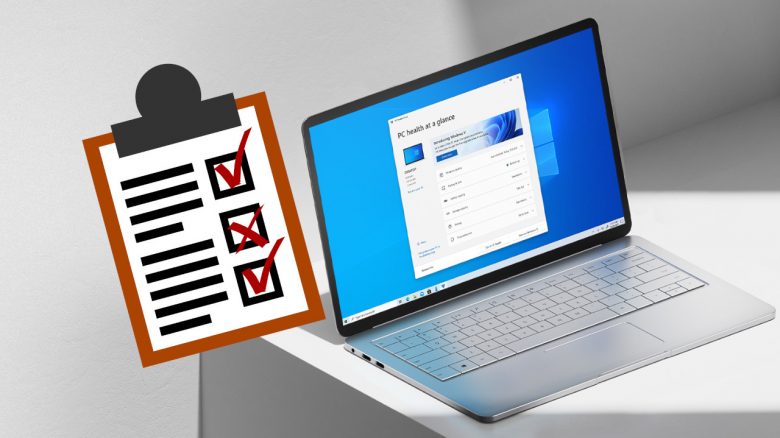
The Windows 11 release is on October 5, 2021. But is it worth switching to the new operating system? MeinMMO presents you a quick list of what you should consider before starting.
What is Windows 11? With Windows 11 comes the latest version of Microsoft’s Windows operating system. Microsoft wants to convince future users of Windows 11 with numerous innovations and improvements.
When will Windows 11 be released? Windows 11 will be released on Tuesday, October 5, 2021. Microsoft plans to roll out the update in waves, just like it did with Windows 10. A specific time has not yet been announced.
Those who do not want to install Windows 11 yet or cannot do so due to old hardware can still wait with an upgrade. Windows 10 is officially supported until October 14, 2025. So there is plenty of time to wait for the experiences of others or simply buy new hardware.
Checklist – Should I install Windows 11?
For a quick overview, we at MeinMMO have prepared a checklist. With this list, you can check if you really want to install Windows 11 or if you should wait a bit longer. Detailed information about Windows 11 can be found below the checklist in the text.
- I always want to have the latest operating system installed and like to try out new things
- I want to use the latest features and functions right away
- I am looking forward to the new redesign with rounded corners
- I have never liked the Windows 10 design and have always found Mac OS prettier
- Live tiles have always bothered me in the Start menu
- I actively use the Xbox Game Pass and cloud gaming and need better integration in Windows
- I am annoyed by the constant Windows updates on Windows 10
- I want to utilize the latest security techniques
- I have current hardware and do not need to buy new ones for Windows 11
If you want to install Windows, you can now also do so with the official Windows 11 assistant. We at MeinMMO will explain how you can quickly and easily install/upgrade Windows 11.
New Design, New Features – What’s inside Windows 11
Why should I install Windows 11? Windows 11 is the latest version of the Windows operating system. And with the release on October 5, 2021, there are several innovations.
Especially in terms of design, there are some adjustments that should make Windows 11 more productive due to better usability. This includes, for example, being able to set up multiple desktops for different tasks or improved voice input.
The most important innovations have been thoroughly introduced to you on MeinMMO:

Microsoft equips Windows 11 with new gaming features
Windows 11 is also supposed to become more attractive for gamers. Windows 11 will include Auto HDR, a feature that some of you may already know from the Xbox Series X. In addition, Windows 11 comes with the Direct Storage API. Direct Storage is primarily meant to speed up games by offloading the workload to the graphics card. Direct Storage is also expected to come to Windows 10.
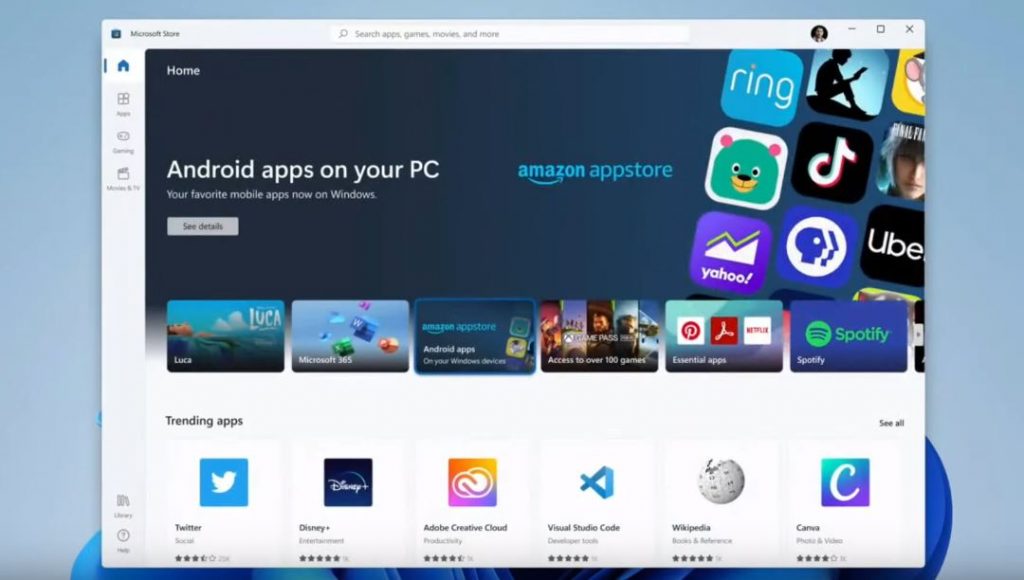
Windows 11 will also have the Xbox app pre-installed at launch. This way, you can directly access the Xbox Game Pass and play your games if you have subscribed to the pass. This is how cloud functions are supposed to be integrated into Windows 11. Additionally, Microsoft has significantly revamped the “Microsoft Store.”
The support for Android apps on Windows 11 is also likely to appeal to many users. Want to quickly log in to your favorite game and collect your daily reward? This way, thanks to Windows 11, you don’t even need your smartphone for that.
Windows 11 is free for owners of Windows 10
The upgrade from Windows 10 to Windows 11 is free. The free upgrade to Windows 11 will also be available starting October 5. Microsoft will distribute the update in waves, starting with computers that meet the requirements. Presumably, the first products to receive it will be their own devices like the Surface devices.
This means for you: New devices eligible for the upgrade will receive it first. In the weeks and months following October 5, Windows 11 will then be made available for additional devices.
If you are currently using Windows 10, you will receive a notification from “Windows Update” as soon as you can perform the upgrade. Alternatively, you can go through settings and check for updates in “Windows Update.” Then you can manually install the upgrade there.
According to Microsoft, it should be possible to install Windows 11 on unsupported computers. However, you won’t benefit much from it, as Microsoft may not provide updates for such machines.

Your opinion is important to us!
Do you like the article? Then let us know!