Microsoft has introduced the latest version of its operating system with Windows 11. MeinMMO presents the most important innovations that you will see in Windows 11.
Windows 11 not only gets a new design from Microsoft but also some new features. Some of these are interesting for gamers, while others primarily target users in home office and work environments.
But what innovations are there in Windows 11? We present the most important changes and explain what role they will play for Windows 11.
The Start Menu changes its position
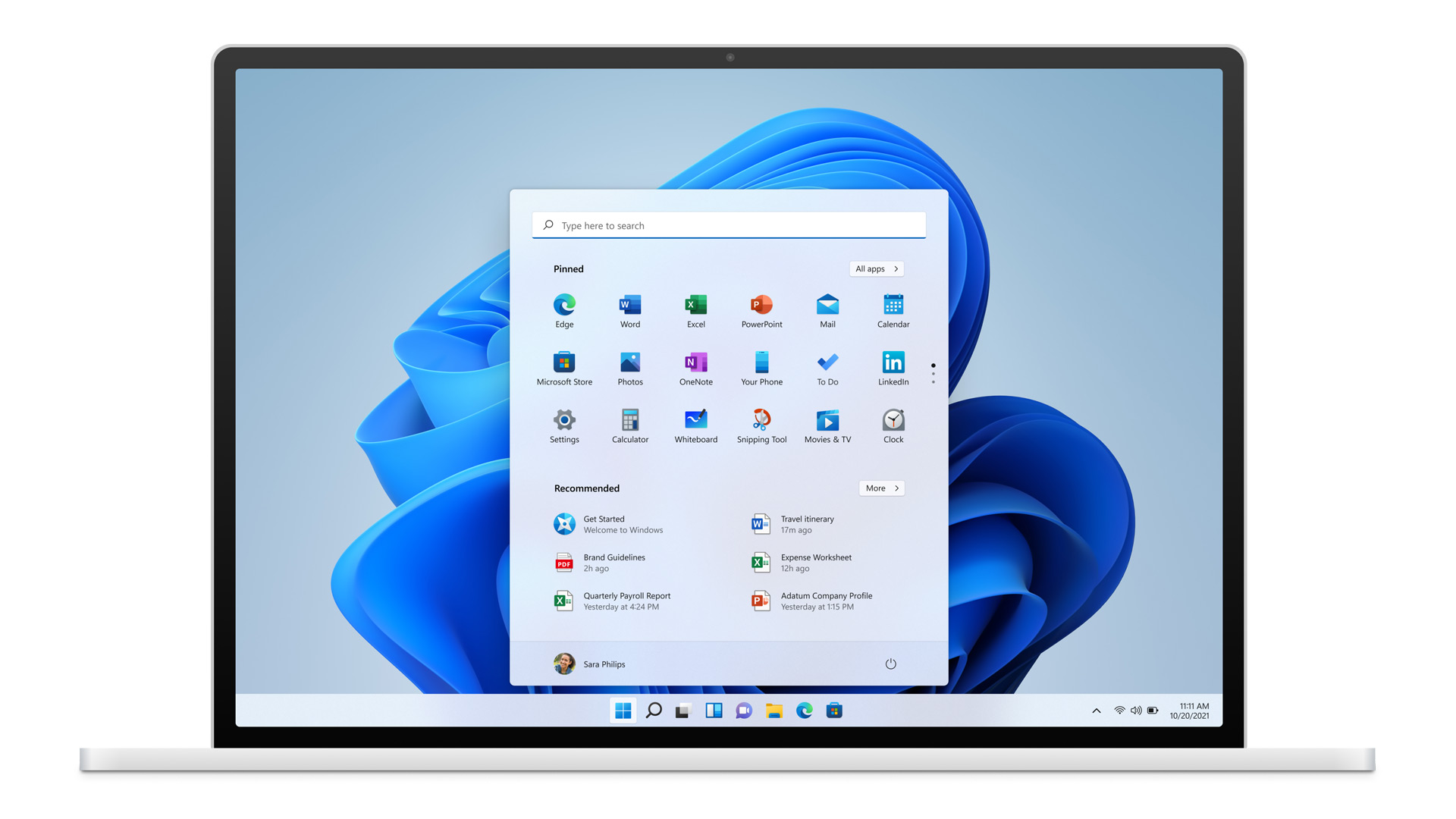
The first and most obvious change is the relocation of the Start Menu. Previously, the button was located on the left side in nearly every version of Windows. Some users may instinctively go to the left edge in the first months to look for the button. For owners of particularly wide monitors, however, the centered position should be much more comfortable.
If you don’t want to get used to it or if you don’t like the centered menu, you can readjust it in the settings. Under Settings (Personalization → Taskbar), you can move the Start Menu back to the left.
Menus are streamlined and made clearer
Microsoft has also revamped the menus and settings in Windows 11. Many settings, such as showing subfolders or renaming your computer, are now significantly easier to find.
Additionally, the menus on the left side will now always be visible. You no longer have to jump back and forth, which should greatly improve the overview and navigation through the menus in the future.
New On-Screen Keyboard
Previously, Windows relied on a minimal on-screen keyboard that was only helpful when no physical keyboard was connected to the PC. In Windows 11, Microsoft has fundamentally redesigned the keyboard and equipped it with new features:
- You now have access to emojis and GIFs integrated into the keyboard.
- There is an expanded clipboard, word suggestions, and handwriting recognition.
- You can also create your own design.
- You can no longer display a digital number pad.
Widgets
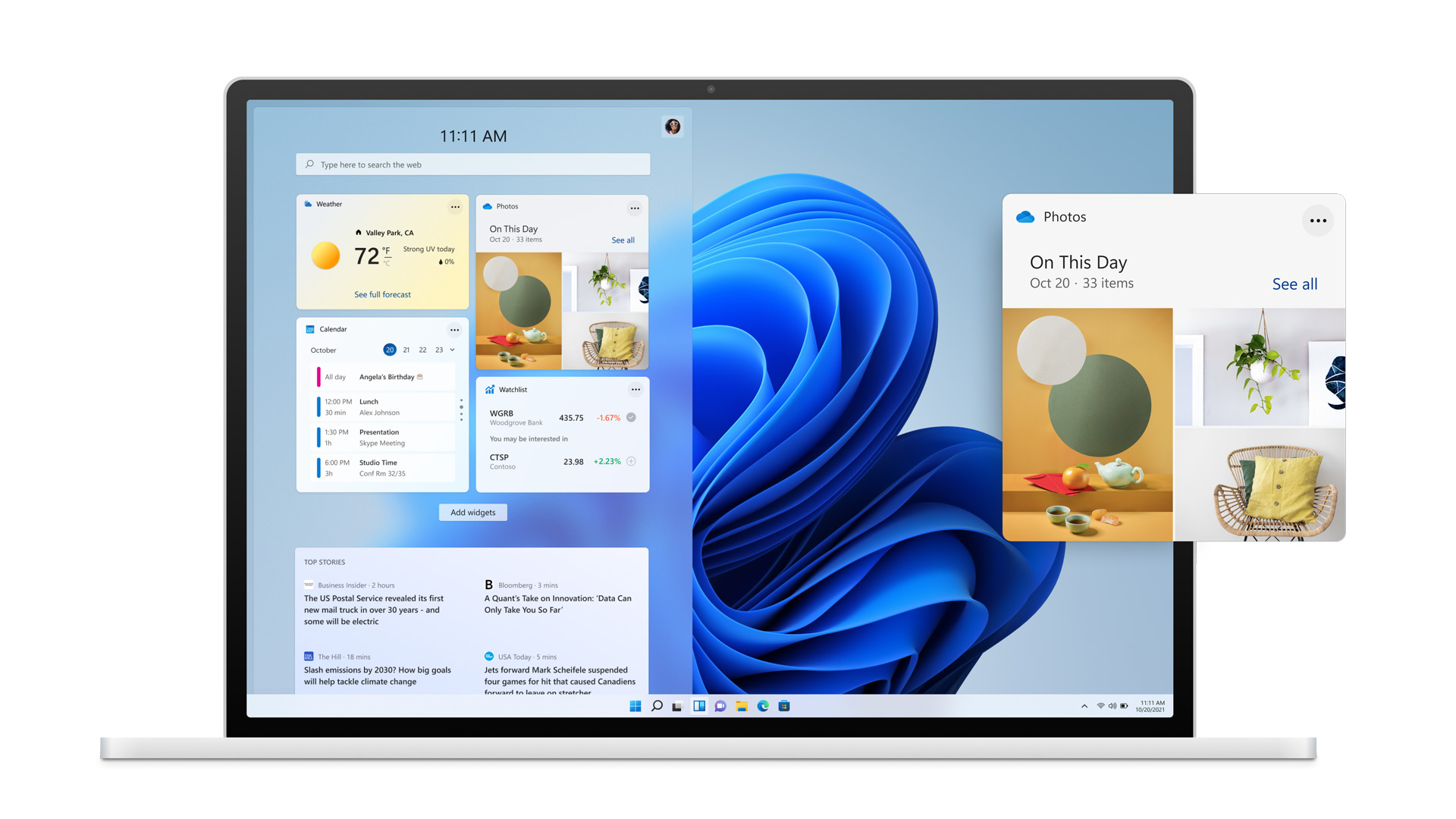
With Windows 11, widgets make a comeback. Some may remember widgets from Windows 7, and even in Windows 10, you had at least the option to integrate the weather into the taskbar.
In Windows 11, you can now place widgets and customize them to your needs. This includes not only the weather but also a news feed and an area for your interests, which is supposed to be AI-driven. However, we cannot say with certainty what it will look like in the final version.
Multi-Window Support
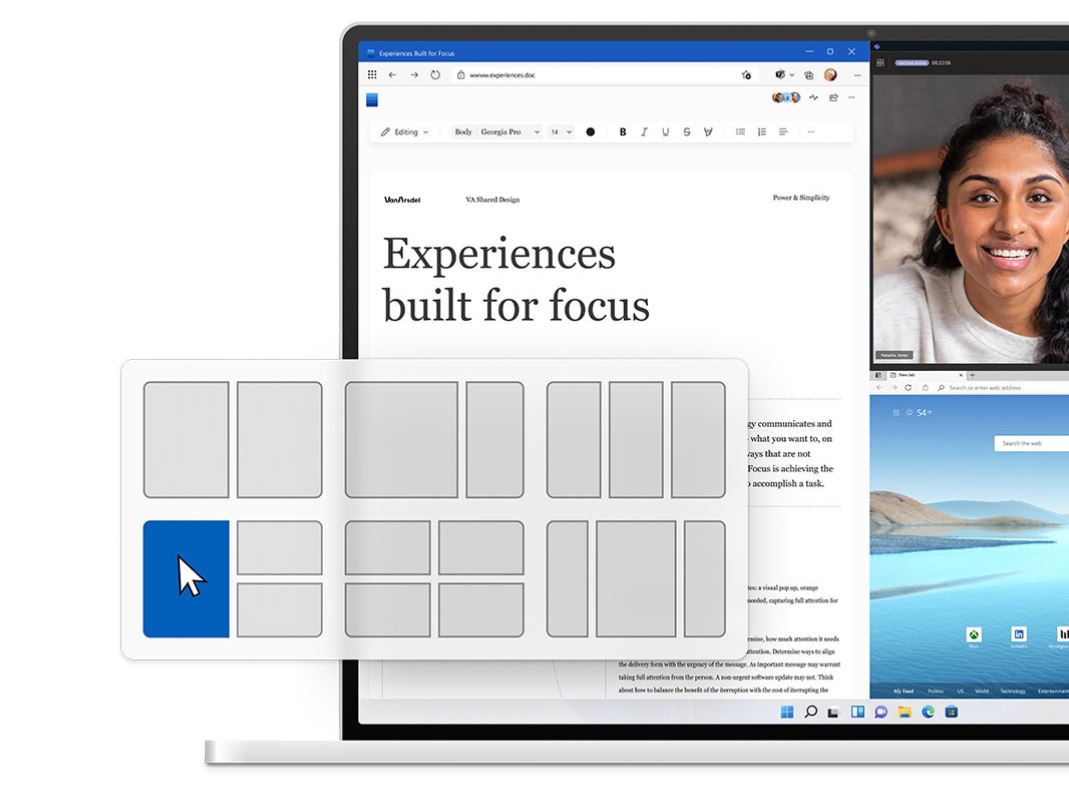
Windows 11 should make it much easier for you in the future when working with multiple windows, user interfaces, or monitors. This is especially good news for users who work with two or more monitors:
- There is a new way to arrange windows on the desktop. You can then directly access your assigned windows via the taskbar.
- Windows 11 is also supposed to remember the positions of your windows. If you have a row of windows open on two monitors and put your computer in standby or disconnect the second monitor, Windows should remember the arrangement of your windows.
Auto-HDR should provide prettier graphics
Auto HDR is an algorithmic tool developed to enable better representation of older titles that previously did not have high dynamic range (HDR). In its simplest implementation, HDR gives games a wider color range with improved contrast and color accuracy.
This way, even older games can look prettier and more modern. However, a HDR-capable monitor is also required along with Windows 11.
Further features that Windows 11 aims to convince gamers with are presented in detail in this article:
Updates are supposed to be smaller and faster
An important topic in Windows continues to be updates. Microsoft has explained that they should run much more quickly and be up to 40% smaller than before.
The note that updates will run in the background without user intervention in the future may not please everyone, as Windows 10 has had its share of issues with faulty updates in the past. The two upgrades released in 2018 to versions 1803 and 1809 were fraught with errors and had to be rolled back by Microsoft (via Heise.de)
By now, Microsoft has eased the compulsory updates for feature upgrades, but has not removed them: an upcoming feature upgrade will be offered to you, but the installation must be activated manually.
Android apps are coming to Windows
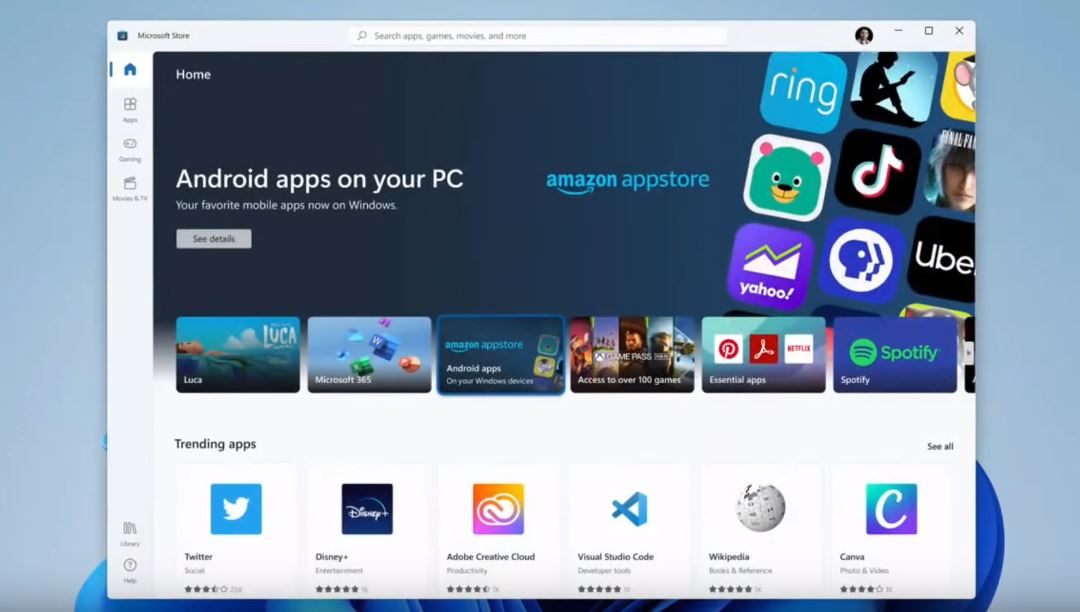
Windows 11 is expected to officially be able to run Android apps. This could be especially a great feature for mobile gamers who do not want to take out their phone for a few dailies.
Microsoft integrates the Amazon App Store into its own store, allowing you to conveniently install apps from the Amazon store on your Windows PC.
However, this is not native support: in the background, Windows will rely on an emulator so that you can use Android apps on Windows 11.
Also exciting for gamers and Windows users: Microsoft has now released the open beta for Xbox Cloud Gaming. This offers particularly advantages for those who could not purchase a fast graphics card but still want to game with decent details. Besides a Game Pass subscription, you mainly need a fast internet connection.