Microsoft has introduced the official successor to Windows 10. MeinMMO summarizes all the information that is currently known.
On June 24, 2021, Microsoft officially introduced Windows 11. In addition to a new design, there are also some new features and functions aimed at impressing gamers.
We at MeinMMO summarize all the information currently known about Windows 11. However, please note that this is mainly speculation, and Microsoft has not confirmed much.
For the official release of Windows 11, we at MeinMMO have prepared a checklist for you to help with the transition. Here you can check if you are really ready for Windows 11.
Windows 11: Release Date, Presentation, and Price
When was Windows 11 officially introduced? On June 24, 2021, at 5 PM German time, Windows 11 was officially presented during the large Windows event. (via Microsoft.com). Here, all important innovations and functions were also presented.
When will Windows 11 be released? The official release date of Windows 11 is on October 5, 2021. Microsoft has now officially announced the release date of Windows 11. This aligns with the previous hint that Windows 11 should be released “Holidays 2021.”
How much will Windows 11 cost? Currently, we only know the prices for Windows 10, which can be found in the official Microsoft store (via Microsoft.com):
- Windows 10 Home costs 145.00 Euros
- Windows 10 Pro costs 259.00 Euros
- Windows 10 Pro for Workstations costs 439.00 Euros.
We assume that the prices for Windows 11 will also continue to orient themselves to these prices.
Windows 11 ISO – When can you download Windows 11?
Microsoft has stated that installation images (ISOs) will be released starting next week (June 28). Then, every interested user will be able to download and try Windows 11 officially.
However, Microsoft also mentioned that not all features will be included in the preview version. If you want to try out all the features directly, you will have to wait until the official release, which is expected at the end of 2021.
Windows 11 Upgrade – Will Windows 11 be free?
Will there be a free upgrade from Windows 10 to 11? Yes, at the official announcement of Windows 11, Microsoft stated that all Windows 10 owners will receive a free upgrade to Windows 11.
Will there be a free upgrade from Windows 7 to 11? No, this is not certain yet. Support for Windows 7 was officially ended at the beginning of 2021.
We do not know if Microsoft will grant Windows 7 users another grace period and offer an opportunity to upgrade their outdated operating system for free.
Will there be a free upgrade from Windows 8.1 to 11? The situation for Windows 8 looks generally better than for Windows 7, as official support for Windows 8 ends on January 10, 2023. There is still a possibility to upgrade to Windows 10 using the official Windows 10 Update Assistant.
When can I install Windows 11? The free upgrade to Windows 11 will be available starting October 5. However, Microsoft will distribute the update in waves.
This means for you: New devices that qualify for the upgrade will receive it first. In the weeks and months following October 5, Windows 11 will then be made available for more devices.
If you are currently using Windows 10, you will receive a notification from “Windows Update” as soon as you can perform the upgrade. Alternatively, you can go to Settings and check for updates under “Windows Update.”
Windows 11 Update – Can I still use Windows 10?
Yes, you do not need to install Windows 11 immediately upon release. Instead, you can continue using Windows 10 on your computer. Windows 10 will still receive security updates for a few more years.
How long will support for Windows 10 last? Official support for Windows 10 will continue until October 14, 2025. After that, you can still use Windows 10, but you will no longer receive security and feature updates. Especially if you spend a lot of time online or playing games, this poses a security risk.
Windows 11 Accounts: Offline Mode still available
Do I need a Microsoft account for Windows 11? If you are using the Home Edition of Windows, you officially need an internet connection to set up Windows 11 (via Microsoft.com)
The Pro versions should still allow use in an offline mode with a local account. However, the setting for Windows 11 Pro is well hidden.
Both Windows 11 Home and Windows 11 Pro allow for a local account. In the Home version, some tricks might still be needed in the beta version (via deskmodder.de). We cannot say how this looks in the official version yet.
Windows 11 Hardware Requirements – These are the official minimum requirements
What are the minimum requirements? Microsoft has already published the minimum requirements for Windows 11 on the official page (via Microsoft.com)
The minimum requirements for Windows 11 are significantly higher than those of Windows 10. For Windows 10, 1 GB of RAM or at least 20 GB of storage space was sufficient.
Especially with the graphics requirements, Microsoft has raised the bar significantly. The minimum is a graphics card with DirectX 12 and at least Full HD resolution.
From Windows 10, version 2004, all new Windows 10 systems must use 64-bit builds, therefore we only present data for 64-bit. A 32-bit version is no longer officially offered. Windows 11 also only offers 64-bit versions.
Windows 10 vs Windows 11 Comparison:
| Windows 10 (64 bit) | Windows 11 | |
|---|---|---|
| Processor | Processor with 1 GHz or faster | 1 GHz or faster with 2 or more cores on a compatible 64-bit processor |
| RAM | 2 GB | 4 GB |
| Storage | 20 GB | 64 GB or larger storage device |
| System Firmware | UEFI, version 2.3.1 or higher | UEFI, enabled for secure boot |
| TPM | Microsoft recommended usage | Trusted Platform Module (TPM) version 2.0 required |
| Graphics Card | DirectX 9 or higher with WDDM 1.0 driver | Compatible with DirectX 12 or higher with WDDM 2.0 driver |
| Display | 800 x 600, minimum diagonal of 7 inches, 32-bit per pixel | High definition display (720p) with a diagonal of more than 9 inches, 8-bit per color channel |
| Internet Connection and Microsoft Account | Internet connection required for Home Edition | Internet connection and a Microsoft account required for Home Edition |
Windows 11 requires TPM 2.0
For Windows 11, Trusted Platform Module (TPM) version 2.0 is mandatory.
What is TPM anyway? TPM stands for Trusted Platform Module. This module is often built as a small chip on your motherboard. The chip signs digital certificates and checks whether anything in the system has changed. Additionally, the chip stores hashes and detects if the firmware has been modified.
While TPM is a security module, it can also prevent the installation of alternative operating systems.
Can you retrofit old hardware? In particular, old hardware often does not support TPM 2.0 or you may not have a chip on your motherboard.
Retrofitting is only possible under certain conditions, as your motherboard needs a TPM slot where you can plug in the module. You also need a chip that fits this connection, and often manufacturers use different connectors.
What module do I have? Open the run menu with the Windows + R shortcut and then enter devmgmt.msc. This way you will reach the Device Manager. Here, look for the entry “Security devices,” which is located quite far down. If “Trusted Platform Module 2.0” is displayed here, then you are safe and can easily install Windows 11.
What if my PC does not support TPM 2.0? In principle, you can still bypass the TPM 2.0 requirement with unofficial means. Whether this is still possible in the official version, we cannot say. However, modifying your system always comes with risks and can make your system unstable.
Is my PC ready for Windows 11? If you want to know if your PC is compatible with Windows 11, there is a simple and free solution. Our colleagues from GameStar provide a more detailed introduction to the tool WhyNotWin11.
Windows 11 – These are the new features
At the Windows event, Microsoft introduced some innovations that Windows 11 will have. In addition to the design, there will also be some changes in the system’s functions:
- Widgets return revamped to Windows and replace the live tiles known from the Windows 10 start menu.
- New is a news feed for news that will be integrated.
- Moreover, the Microsoft tool “Teams” and the Xbox Game Pass will be fully integrated into Windows 11.
The most important innovations of Windows 11 can also be found summarized here on MeinMMO:
Android games coming to Windows: A small but surprising piece of news is the indication that Windows 11 will support Android apps.
Microsoft has not yet explained exactly how comprehensive this support will be. However, during the stream, it was stated that users would be able to easily install apps from the Google Play Store and the Amazon Store.
Why is Windows 11 interesting for gamers? Windows 11 will receive extensive support for “DirectStorage.” This feature is already in use in the Xbox Series X as “Velocity Architecture.”
DirectStorage is a new programming interface for data input and output. This interface is intended to allow the graphics card to retrieve data from the hard drive much faster, thus reducing load times.
What features Windows 11 wants to offer gamers, you can find in our detailed overview:
Windows 11: Design
Is Windows 11 very different from Windows 10? Those comparing Windows 10 with the upcoming new Windows 11 will quickly find that many things seem familiar at first glance.
When switching from Windows 10 to Windows 11, the overall adjustments remain limited. While Microsoft has made several design adjustments and added some features, many users coming from Windows 10 should find it easy to navigate in Windows 11.
By now, there are numerous images and reports about the new design of Windows 11. A well-known tech YouTuber stated that Windows 11 looks like Mac.
Now Microsoft has also shown first official images and changes and commented on it:
What is changing?
- The biggest changes affect the start menu. Instead of the previous list and tiles known from Windows 10, there are now only a handful of icons in the center of the taskbar.
- Microsoft has also redesigned the icons in the menus and on the interface.
- Overall, the design of Windows 11 appears much cleaner than that of previous Windows versions, as it seems that many elements can be customized.

What stays the same? Especially the menus and notification area in Windows remain unchanged.
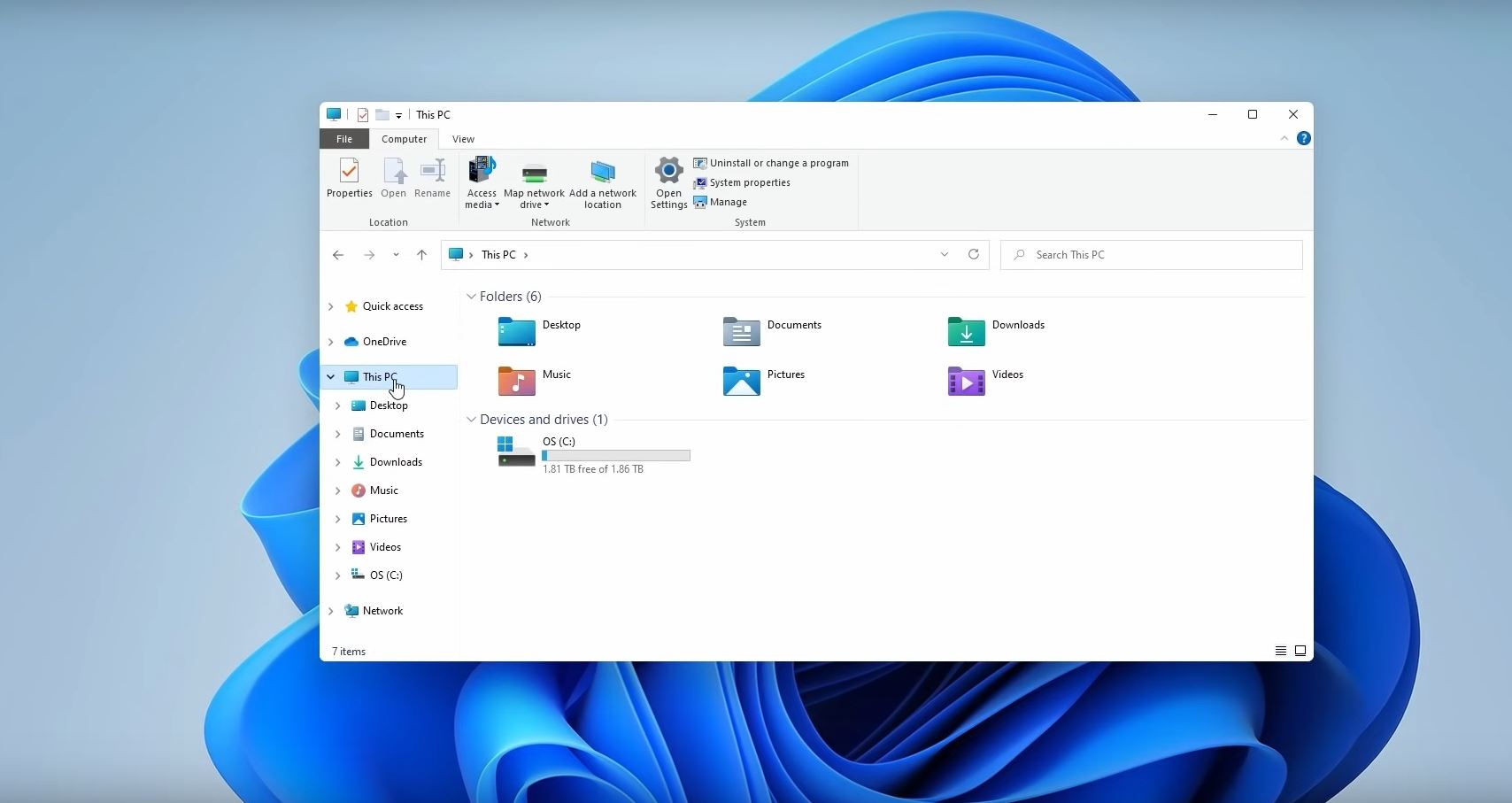
The previously known folder structure, as seen in Windows 10, also remains the same.
Windows 11: Performance
Some users have already tested the leaked Windows 11 version for its current performance. However, please note that these numbers do not represent the final, official version of Windows 11. You will have to wait for the official release.
Windows 10 vs Windows 11 Performance: Who is faster?
What is the performance of Windows 11? YouTuber Ben Anonymous shows initial benchmarks of Windows 11 in a video.
In the video, he pits Windows 10 against Windows 11 using the benchmark tool “3DMark Time Spy.” Here it appears that Microsoft may have improved performance.
- Overall, Windows 11 scores 9.64% better than Windows 10
- CPU performance is 2.05% higher on Windows 11 than on Windows 10.
- Both the graphics card and the CPU run slightly hotter (7.08% CPU and 2.57% GPU).
- Additionally, Windows 11 boots 3 seconds faster (16 vs. 13 seconds).
You can watch the entire benchmark test for Windows 11 in the official YouTube video, which we embed here for you:
Tips for Windows 10: If you want to protect yourself against malicious software on Windows 10, we have another tip for you to try:
How to use the new, hidden feature of your Windows PC to protect yourself from nasty extortionists