With the Alienware 620M, Dell/Alienware offers a wireless gaming mouse. The manufacturer relies on a restrained design and a price of 130 euros. MeinMMO editor Benedikt Schlotmann tested whether the device is worth it for you. And the big problem for the mouse is the competition.
tl;dr
- Dell/Alienware offers the Alienware 620M as a wireless gaming mouse for 130 euros
- The design is reminiscent of all-rounder mice like the G502X from Logitech
- The mouse has an optical sensor with a resolution of up to 26,000 DPI
- The build quality and weight of the mouse are solid
- Compared to the competition, the Alienware 620M is too expensive
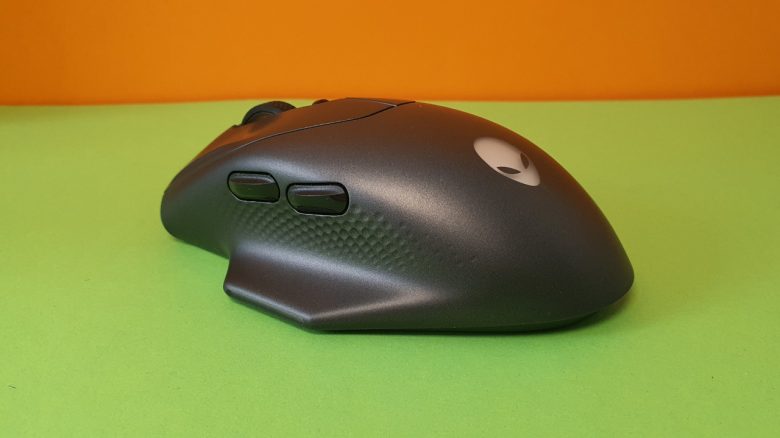
With the Alienware 620M, Dell/Alienware has introduced a wireless gaming mouse. In basic design, it resembles known all-rounder mice like the G502X from Logitech (to the test). However, with its few buttons, it seems more like a too large shooter mouse without offering its lightweight.
In a test, I looked at the Alienware 620M and explain how the model performs in the test.
Who tested it?
I am a Tech Editor at MeinMMO and have a knack for peripherals, testing mice, keyboards, and gaming headsets. I have been testing hardware for our readers at MeinMMO since 2019. Gaming mice are among my absolute favorites. Besides the PS5, I also play on my Steam Deck.
The manufacturer provided me with the Alienware 620M for testing.

Benedikt Schlotmann
Hardware Editor MeinMMO
Technical details:
| Sensor | undefined optical sensor |
| Resolution | Up to 26,000 DPI |
| Switches | optical switches |
| Buttons | 6 buttons |
| Design | Black or white mouse. RGB lighting at the mouse wheel, alien head, and thumb rest, asymmetrical right-handed mouse |
| Glide feet | 3 |
| Cable | Removable 2.0 m USB-C cable |
| Weight | 100 grams |
| Price (RRP) | €129.99 |
Contents, Design, and Setup
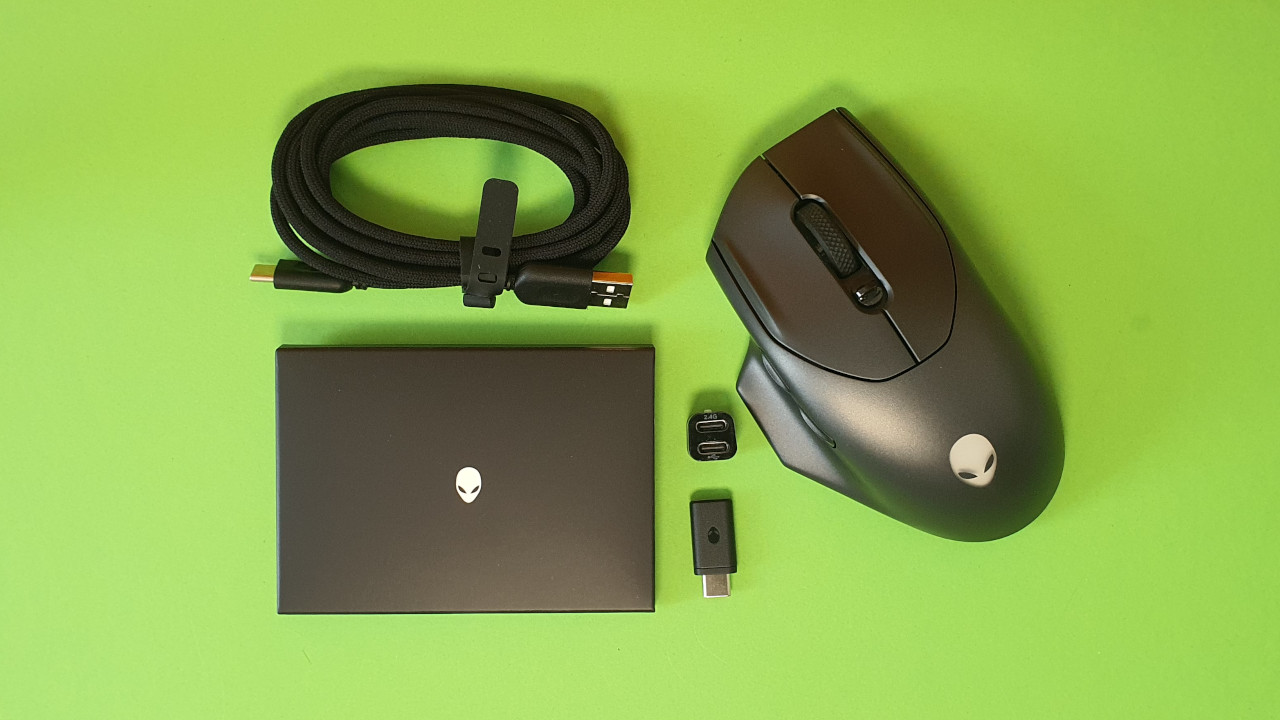
What is included? Besides the gaming mouse, there is also a manual, a USB-C to USB-A cable, and a USB-C adapter with wireless dongle in the box. The mouse is charged via the cable and does not require batteries or accumulators.
How is the mouse built? The model features a black or white design:
- The main buttons are located on the top of the mouse, with the two-way mouse wheel in between. In front of the mouse wheel, there is a small switch that can be pushed forward or pulled back.
- There are a total of 2 buttons on the thumb side and a thumb rest just below.
- On the underside, there are three mouse feet and a switch to turn the mouse on or off.
- The mouse is slightly ribbed in the thumb area and otherwise not rubberized, making it feel very smooth.
Build Quality
The mouse feels quite robust at first. During shake and pressure tests, nothing rattles or creaks. The three mouse feet on the underside are large enough and provide the mouse with sufficient glide capability.
The USB-C port on the front is designed so that I can use any USB-C cable to charge it, which I find very good. Some manufacturers like Roccat (Kone XP Air) or Razer (Basilisk Ultimate) design their mice so that you can only use their proprietary cable. Very annoying when you are on the go and forget the original cable at home.

Software
The mouse uses the “Alienware Command Center.” The software is also significantly smaller than that of other manufacturers, with its 70 MB in RAM. Furthermore, it is pleasant, clear, and intuitive. With two clicks, I can quickly access the mouse settings, and the battery life is displayed in percentage in the software.
By the way, you can also easily turn off the graphical effects of the software. Additionally, there is a dark mode that I really like.
Theoretically, I can also use the “Command Center” as a hub or quick launch for my games. A feature that I actually haven’t used, since Steam and others are just more intuitive. Why should I use my mouse software to start my games?

On the next page, you can read everything about the weight, ergonomics, and buttons of the mouse. In the concluding summary, I explain for whom the mouse could be worth it.
- 1
- 2