

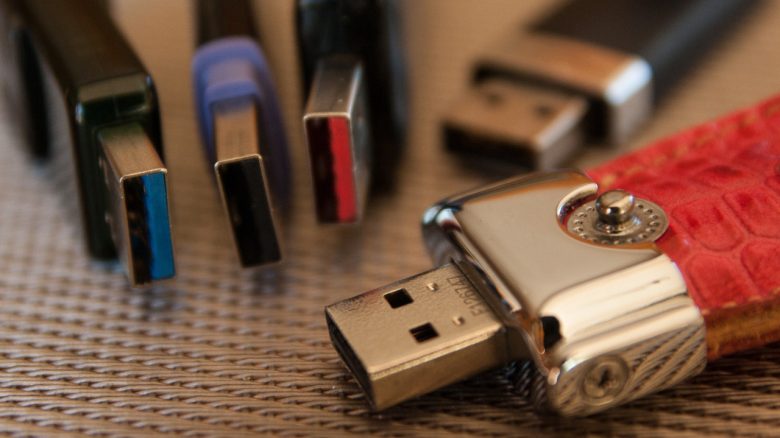
When buying a new USB device or a new gaming PC, you may have noticed: it seems that every USB port has a different color. But why is this and what lies behind the color code?
Nowadays, you connect pretty much every device like gaming headset, mouse, or keyboard to your gaming PC or console with a USB cable. However, if you take a look at the USB ports, you’ll notice that each USB port has a color.
Originally, USB was introduced as a universal interface (USB stands for Universal Serial Bus) to reduce the number of cable types needed for computers. But where does this color code come from, and what does it mean for all the devices? In practice, you can insert the classic rectangular USB plug (USB-A) into any port.
The colors have existed since the birth of USB, but not everyone uses them consistently
Who introduced the colors? Officially, the colors are industrial standards that are implemented broadly across USB devices. However, this sounds easier than it is.
What is the issue with the colors? The colors of the ports are not mandatorily defined in the USB specifications and are not always applied consistently. For example, the manufacturer Razer uses green USB ports for a uniform design. Other manufacturers opt for pink ports, as they match the overall design.
In the most frustrating case, you need to consult the manufacturer’s manual or pay attention to the symbols. Because the symbols and logos are standardized.
However, it can be noted that the first USB port was white and was introduced in 1996. We will now individually introduce the most well-known colors again. The colors white, black, and blue are likely already familiar to most. Additionally, there are other colors that are less known.
Specific colors have the same meaning for most manufacturers
What does white represent? White USB ports stand for USB-1.0 and are hardly found today. In inexpensive small devices like webcams, you might still find the white port. The speed is 12 Mbit/s.
What does black represent? Black USB ports stand for USB-2.0. This port first appeared in 2000 and is still found in many devices. You typically connect mice and keyboards via USB-2.0 today, as you don’t need faster performance there. USB-2.0 achieves speeds of up to 480 Mbit/s.
What does blue represent? Blue USB ports represent USB-3.0. The blue ports have been around since 2008 and signify “Super Speed.” Therefore, you often find a small “SS” on USB-3.0 ports. The speed is 5 Gbit/s.
What does purple represent? Purple or teal-colored ports represent USB-3.1. The abbreviation “SS+” stands for SuperSpeed+ and officially achieves speeds of up to 10 Gbit/s. This standard has been around since 2013.
What other colors are there? Besides, there are yellow, red, and orange. However, they do not represent speeds but rather indicate a specific function. These colors denote that these USB ports are permanently powered and can be used as charging ports.
You can plug all USB devices into any color, but in practice, you lose performance
Theoretically, you can plug the rectangular USB plug (USB-A) into any port. Initially, the colors do not matter, as you can easily connect a USB-3 stick to a USB-2 port. Your computer will not complain and will recognize the device.
In practice, however, you lose the advantage of the USB-3 device. Because the USB-3.0 device (5 Gbit/s) will then operate at a maximum of USB 2.0 performance (480 Mbit/s). The recommendation is to preferably buy devices with USB-3 or faster, as USB 2.0 is considered outdated especially for USB sticks and other storage devices.
Annoyed by all the cables? You have dozens of USB cables and are tired of crawling under the desk? Then do it like MeinMMO editor Patrick Freese. He bought a USB hub that makes cable management significantly easier:
A USB hub for 30 € saves my cable management for my gaming PC

Your opinion is important to us!
Do you like the article? Then let us know!