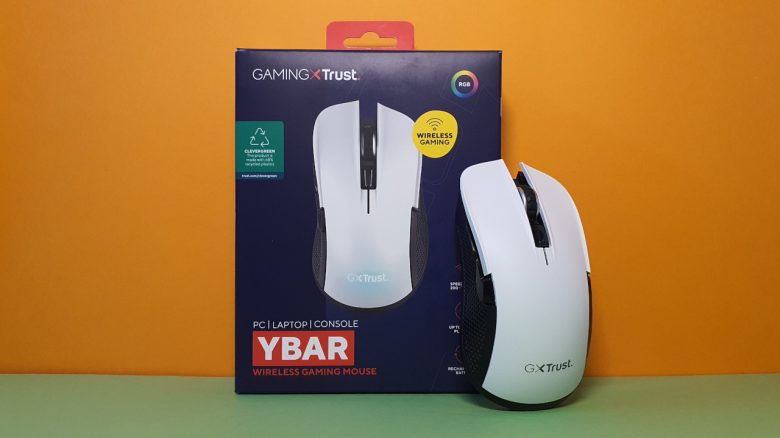
Weight, Ergonomics, and Battery Life
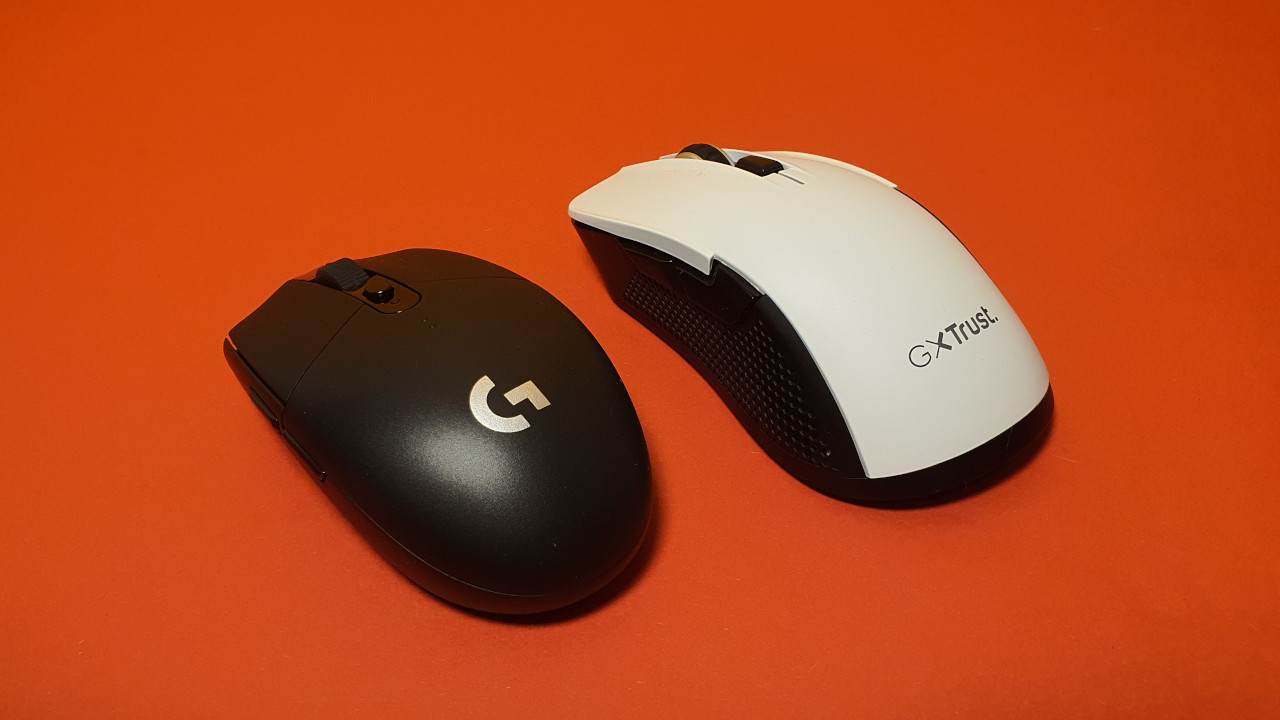
The weight: The mouse weighs 96 grams without the cable and without the wireless adapter. Compared to the competition, the mouse is somewhat too heavy overall. While typical all-round gaming mice, such as the G502(X) or the Razer Basilisk V3, also weigh around 100 grams, mice for shooters are significantly lighter.
From the outside, the Ybar mouse looks like a shooter mouse because it only offers two additional buttons in the thumb area.
Its weight of around 100 grams, however, is more reminiscent of the characteristics of a slow all-rounder. In comparison:
- Logitech’s G305 weighs 99 grams, slightly more than the Trust Ybar.
- The Razer Viper Mini weighs 61 grams, significantly less.
- Roccat’s Kone Pro also tends to orient itself towards 100 grams.
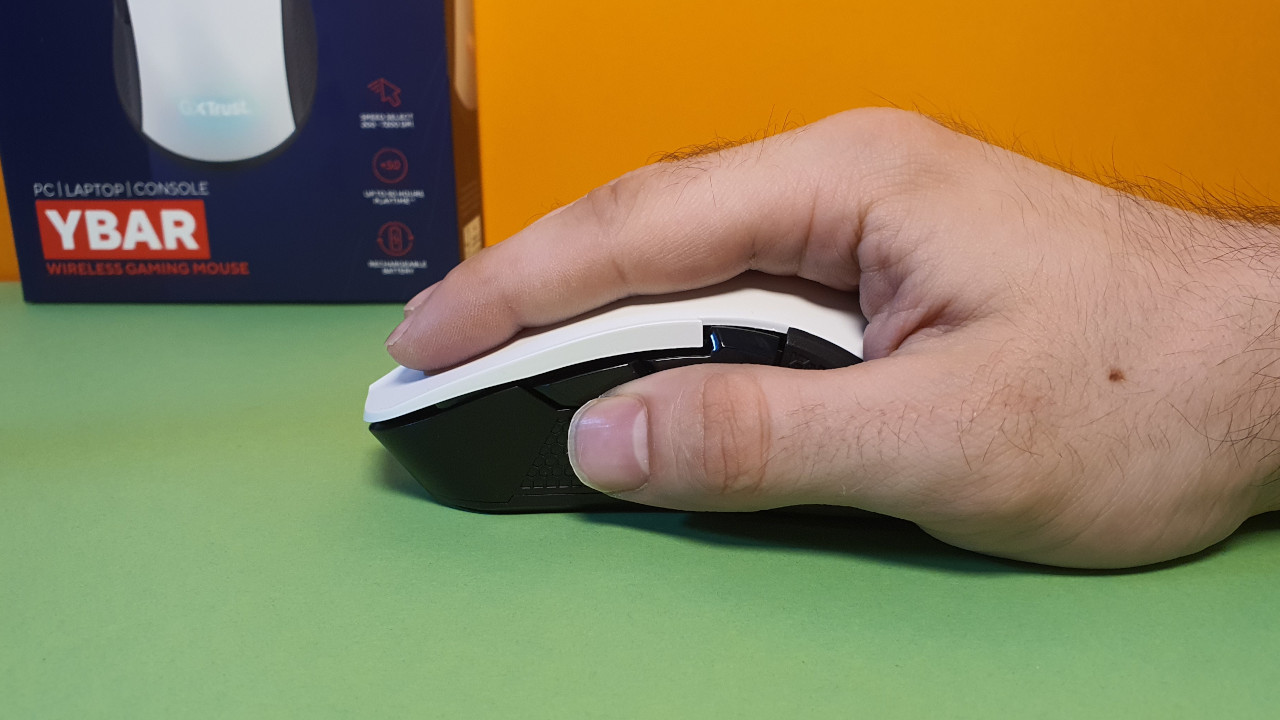
Ergonomics: The ergonomics and feel of the gaming mouse greatly surprise me. The mouse fits comfortably in my hand when I use it in palm grip. This is mainly due to the relatively wide “rear” of the mouse, where my wrist can rest comfortably.
All buttons on the mouse body are easily reachable. The surface of the mouse is slightly tilted to the right, thus slightly emphasizing my hand shape, which I find sensible. This way, the normal hand position is at least slightly imitated. But of course, there is no comparison with vertical mice that intentionally emphasize the tilt.
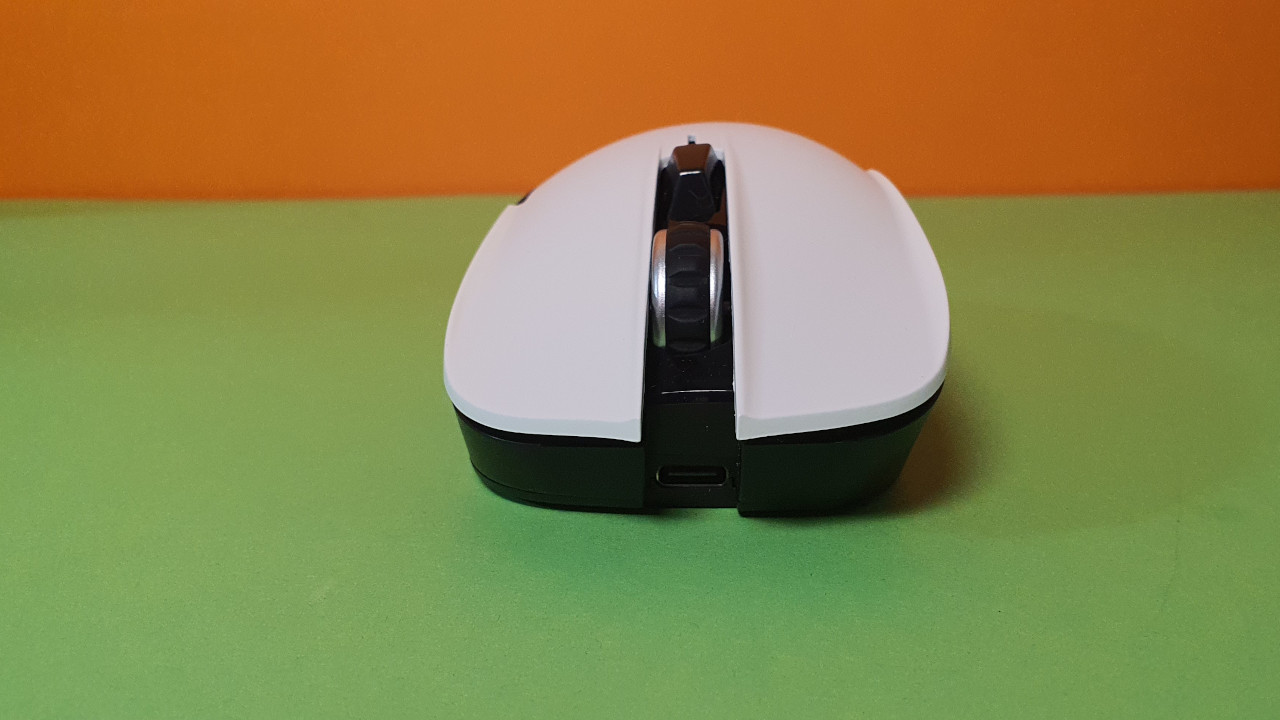
Battery life: The battery life is more than sufficient and lasts me comfortably 2 to 3 days before the mouse needs to be charged again. The mouse can also be quickly recharged via USB-C.
If I do not use the mouse for a few minutes, it turns off. Only with a new click does the mouse then “wake up” from its sleep. Overall, this is a good idea as it saves power.
The Mouse Buttons, Scroll Wheel, and Sensor
The mouse buttons: The mouse buttons offer a good click feel, are snappy and in the truest sense of the word: They are surprisingly loud and distinctly audible for my taste. My partner has been visibly annoyed in everyday life when I have been playing with the Ybar gaming mouse. I also find the clicks quite tiring in the long run. I would not recommend this mouse for a quiet office.
I also find the loud clicks somewhat surprising because Trust has already installed silent mouse switches in other devices that are completely inaudible. In the Trust Rezo (for testing), the switches are, for example, not audible.
The scroll wheel: The scroll wheel of the Ybar is precise enough for everyday use and can be operated well. The notching is pleasant.
Sensor: The sensor performs surprisingly average in my tests. My testing program shows that the sensor curve does not remain uniform and often deviates strongly from the norm. In the test, I move the mouse slowly in a circle and then get faster.
A good sensor looks like a uniform amplitude without strong deviations. However, the sensor of the Ybar deviates repeatedly to correct errors. The peaks of the curves are sometimes jagged and not evenly rounded. Light irregularities are normal, but numerous measurement points (blue) lie far outside the green line.
In everyday life, I notice the sensor issues when I suddenly have a mouse pointer jump out of the blue.
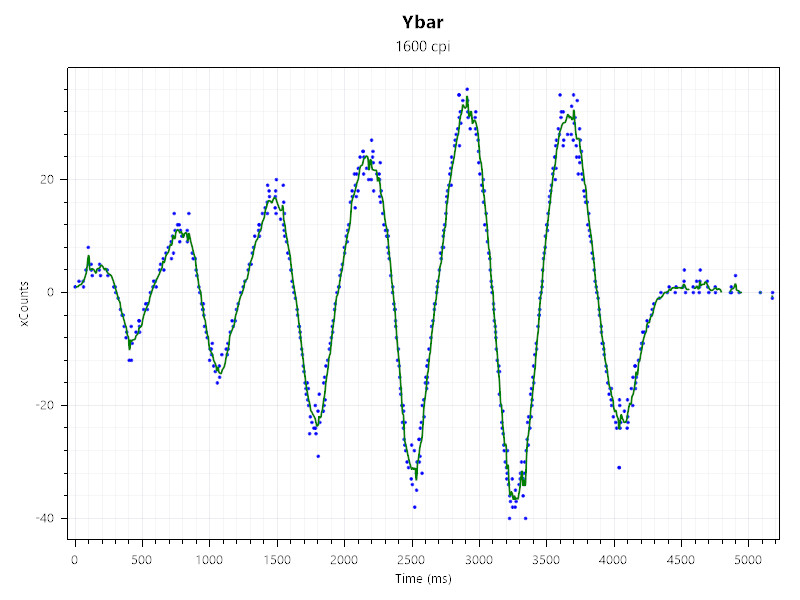
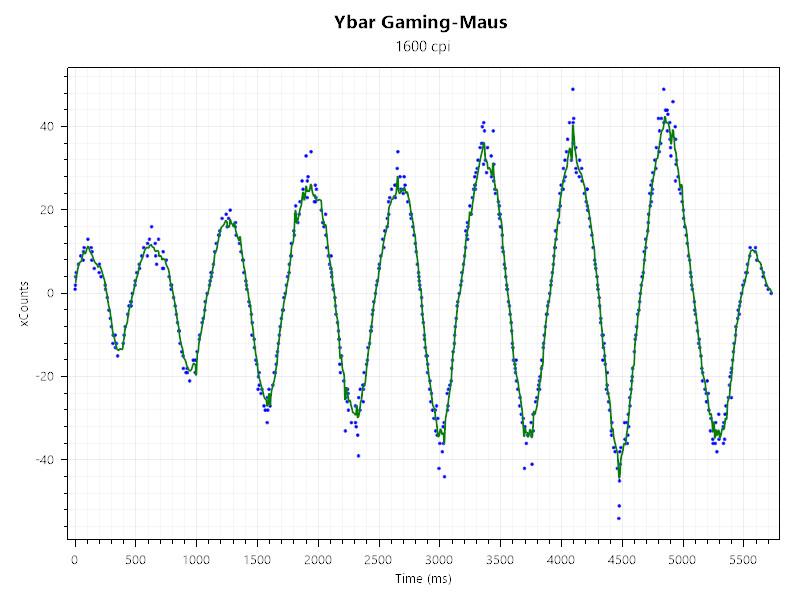
This makes the mouse hardly recommendable for games where a precise and fast sensor is essential. For slow construction or strategy games, the sensor is still sufficient; for fast-paced shooters, I would recommend a different gaming mouse.
Now one could argue that the mouse only costs 30 euros. Unfortunately, Logitech offers its Logitech G305 LIGHTSPEED in the same price segment, whose sensor is significantly better. And Roccat and Razer also offer affordable and reliable options.


Conclusion: Weak sensor and significantly better alternatives
For whom is the mouse suitable? Due to various sensor problems, the mouse is excluded for fast and competitive games. However, the biggest issue with the mouse is that the direct competition is simply better. Both Logitech and Roccat offer significantly better models in the same price segment, which I would prefer over Trust’s mouse.
What alternatives are there?
- The Logitech G305 Lightspeed is the best alternative. On average, you pay 35 euros for the mouse and get an excellent, lightweight gaming mouse with very good battery life.
- The wired Logitech G502 is now also available for around 40 euros and is also an excellent alternative if the relatively high weight of 120 grams does not bother you.
- With the Roccat Burst Core, you get another good gaming mouse with a good PixArt sensor. The Burst Pro is slightly more expensive, but it delivers an even better sensor.
- With the Razer Viper Mini, you also get a lightweight gaming mouse that delivers very good sensor performance. Here too, you pay an average of 40 to 60 euros.
More gaming mice on MeinMMO: If you are looking for more recommendable gaming mice, then take a look at our buying guide on MeinMMO. Here you will find the best gaming mice that you can currently buy:
The best gaming mice for shooters that you can currently buy
- 1
- 2