

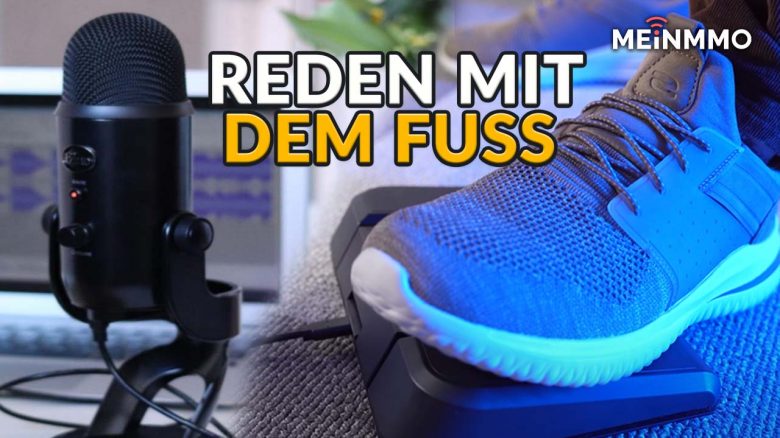
Coughing, sneezing, smacking noises, keyboard clattering, noise from traffic – all of that is annoying in every Discord chat and distracts the team. MeinMMO author Marko Jevtic definitely does not want to be one of those annoying teammates who make the voice chat noticeable with disturbing or even disgusting noises. His solution to this is as unconventional as it is effective.
No one likes teammates who misuse their microphone. For us, they are among the most annoying and worst people to play shooters with. But you can’t completely prevent this, at least not if the microphone is on all the time.
Even the quietest gamers have to clear their throat, cough, or sneeze sometimes. Occasionally, one may accidentally smack, take a sip from the coffee cup too close to the microphone, or sniffle more often during pollen season. Perhaps one also has a really satisfying but loud keyboard that annoys your friends quite a bit.
That’s all human, but it doesn’t have to be. Because during an intense raid or a tight team deathmatch, no one prefers to hear the bodily noises of teammates over the digital footsteps of enemies. However, constantly turning off the microphone is impractical.
Only a push-to-talk button can help. But pressing this while doing the keyboard-twisting that you have to in some games is not that easy. That’s why I use a device just for this purpose, which uses the often lazy lower half of my body. Under my PC desk sits a foot pedal, and only when I step on it, can you hear me.
I specifically recommend the foot pedal from the well-known streamer brand Elgato, called the Stream Deck Pedal:
Thanks to Elgato foot pedal, I can only be heard when I want to
What are the advantages of a foot pedal? What many gamers overlook is that there are two helpful things dangling down from your gaming chair that can be used. Besides the impatient bouncing of your feet, you’re probably not using your legs while gaming at all. But you can change that, and I recommend doing so.
The Elgato Stream Deck Pedal connects easily with USB-C to your PC, sits on the floor under your desk, and with that, you’ve done most of the work. All you have to do next is assign push-to-talk to one of the 3 buttons on the foot pedal.
All settings are simple and completely straightforward via the Elgato software. You just drag the desired function onto the desired button.
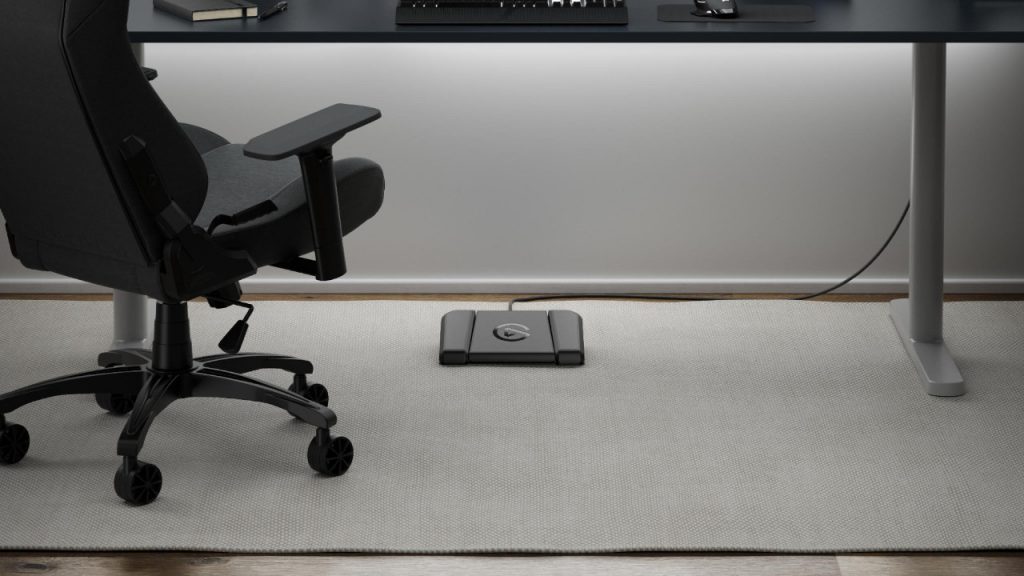
How does this help with gameplay? Push-to-talk is actually extremely clever but often very impractical. With this setting, the voice chat only activates while you are actively pressing the assigned button. If your finger isn’t pressing that button, you’re silent as a fish. But try finding space for that button on the keyboard. That’s why the foot pedal comes into play.
After all, you want to run, switch weapons, fire skills, reload, jump, crouch, slide-cancel, ping, or whatever else you’re doing in your games. You also don’t need to be an experienced drummer to operate this thing while you’re gaming.
What I personally find even more practical right now is the opposite, which is push-to-mute. The microphone then deactivates when I step on the pedal. This way, I can also lean back in my chair when making small talk and only step on it when I need to cough.
How to set up the pedal properly – and a mistake you should avoid
I’ve set up my own Elgato Stream Deck Pedal:
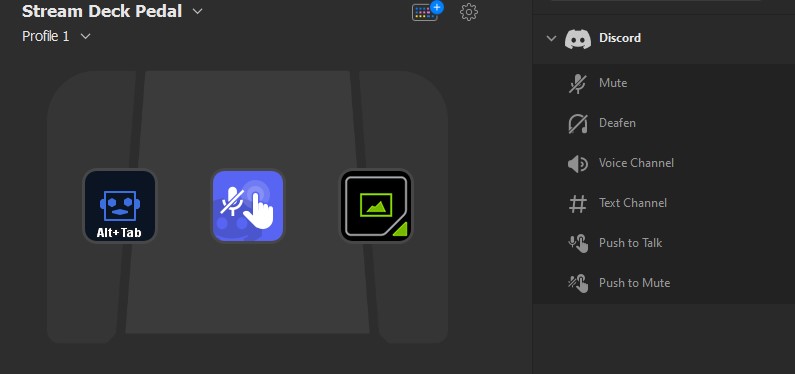
- Left Button: Alt-Tab – This is practical when I, for example, play Elden Ring with the controller and want to switch windows without leaning forward to the keyboard.
- Middle Button: Push-to-Mute – This allows me to quickly and easily mute my microphone when I don’t want to be heard (for example, when I have to cough).
- Right Button: Screenshot – Even during fast-paced action, I can take a screenshot right in the middle with my foot. Especially practical for my job when I want to capture gameplay images for articles.
No matter how I finally set it up: The teammates thank me for ‘talking with my feet’, as no one likes to hear those unnecessary noise disturbances. Especially not when the raid boss is putting a lot of stress on. And I feel more comfortable because I know I’m not annoying anyone.
But of course, you can also set up the pedal differently. There are some players from Rainbow Six: Siege who have assigned leaning around corners to the pedals. This way, they can keep their fingers free for WASD while still looking around a wall.
Avoid this mistake: I still have a small recommendation that comes from a funny anecdote from Reddit – operate the pedal with your left foot, not your right. A poor guy on Reddit had the idea of the foot pedal years ago and got into the habit of only talking when he pressed a pedal with his right foot.
That was a great idea until he was behind the wheel of a car, waiting at a traffic light, and his mother in the passenger seat asked him a question. Instinctively, he pressed the pedal with his right foot – and unfortunately this time the gas pedal in an automatic car. He rammed the car in front of him and was speechless despite pressing the pedal. Therefore: If you drive cars, place the Elgato in front of your left foot.
Regardless of this Reddit story: What do you think of a foot pedal as a solution for gamers? Do you find it practical or completely stupid? Have you perhaps been using such a foot pedal on your gaming PC for a while? Let us know in the comments.

Your opinion is important to us!
Do you like the article? Then let us know!