


Mods – The Alpha and Omega in Warframe
An important but admittedly somewhat tedious topic. So, everyone take a deep breath and let’s get started.
Modules, or mods for short, are special cards that allow you to change and improve various values. For example, they can increase your Warframe’s ability strength or health, or raise the damage of weapons and their critical hit chance. Mods are divided into different categories, which means you cannot combine a rifle mod that increases base damage with a pistol. Makes sense, right?
Damaged mods, like those you can only find in the first missions of the quest ‘For the Price’, are weaker versions of normal mods. However, you should not throw them away or ignore them immediately, as there may be some rare ones among them. As long as you have not found such a mod in normal form, they can still be useful.
How do I get mods?
Basically, you get them through the normal progression of missions. Almost every enemy in the game can drop certain mods, meaning that specific mods are assigned to each type of enemy. These can drop upon defeating an enemy, but they do not have to. Regular mods can be dropped by many enemies. The rarer the mod, the fewer enemies can drop them.
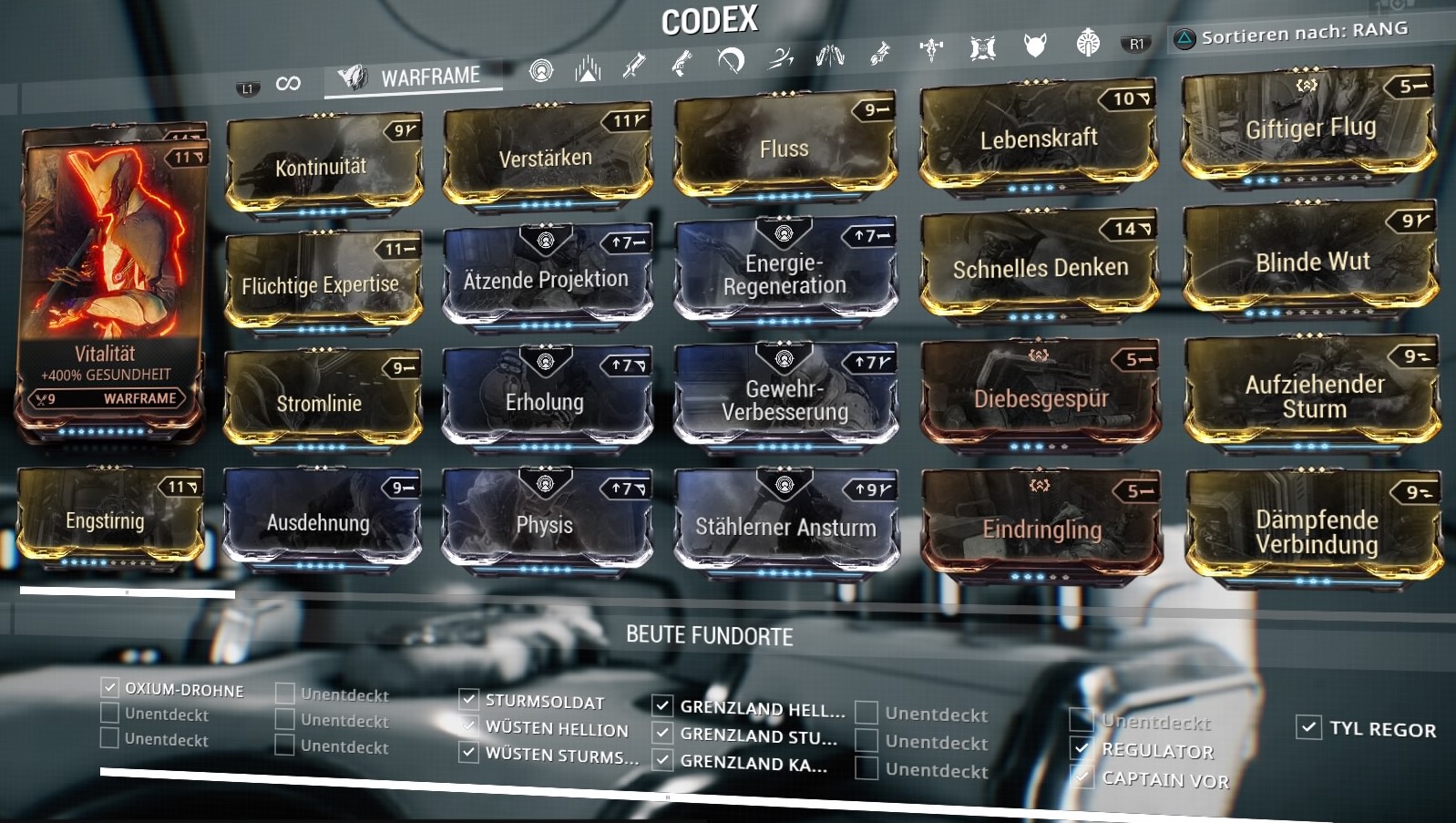
Some good mods are available only as mission rewards from the so-called ‘Nightmare Missions’. These are modified missions where, for instance, you may permanently lose ability strength, have no protective shield, or face other challenges.
What each mod’s specifications mean can be seen in the image below, taken from the game. The polarities and cost deductions are particularly interesting.

How do I equip mods?
Oh, still there? Very good! Because now we come to the installation of mods and what polarities have to do with it. Pay attention!
- You equip mods in the Arsenal under the menu item ‘Enhancements’.
- Each mod has a certain value and a polarity. This is the number and the symbol in the upper right corner of a mod.
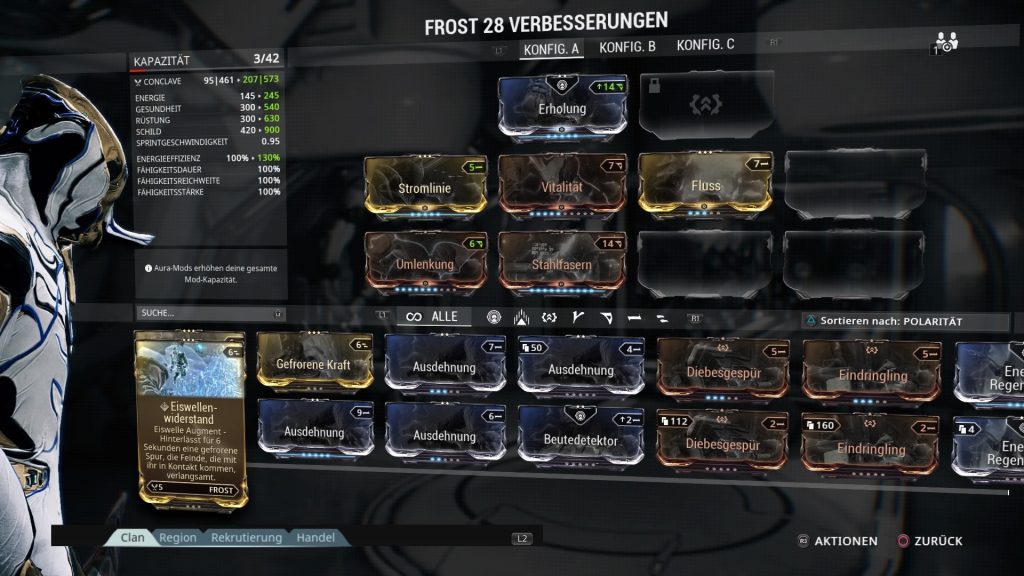
If your character is level 28 as in the example below, you will have 28 points available to equip mods. So if you set ‘Vitality’ with a value of 7 on a mod slot that has no polarity, you now have 21 points left for additional mods.
However, if you install this mod in a slot with the same polarity, you will only lose 4 points. In general, you only use half the points that it would otherwise cost, although there are no half points. Hence 4 and not 3 ½. However, if you equip a mod with a polarity in a slot with a different polarity, it costs you 25% more points.

If a character, weapon, or companion reaches level 30, it has reached the maximum level. Through the bonus of the aura slot, you can ideally reach 48 points. More on the aura slot shortly.
However, if you still have free mod slots but lack points, you can install an Orokin Reactor (for Warframe and companions) or an Orokin Catalyst (for weapons). These double your base score of available points. In other words, you gain 30 additional points which leads to a maximum value of 78 possible points.
But be careful! Unlike mods, reactors and catalysts, when you install them, cannot be removed and are bound to the specific item. So make sure you really like the Warframe or weapon.
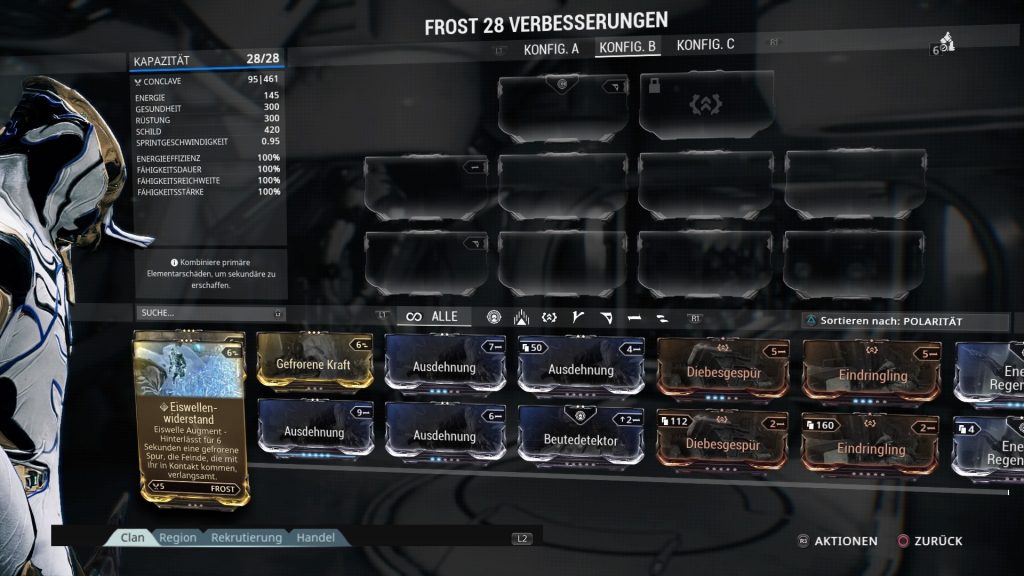
If these 78 points are still not enough, because the mods you want to equip consume more total points than you have available, there is still the possibility of using Forma. With Forma, the polarity of any mod slot can be changed. However, the Warframe or weapon must reach level 30 first for that. Only then can 1 slot be given a polarity. However, the item is reset to level 0 again. If you still need more points, you can repeat this process as many times as you want. To illustrate, here are two images, one without modules and one with. Note how the values change in the summary on the left.
Aura and Exilus mods
Aura mods give you and the team a bonus. For example, if you equip ‘Energy Regeneration’, your energy bar will slowly fill up consistently. You need this energy to use your abilities. The effects of aura mods also stack. So if you are out with a group of four and each has equipped the aforementioned aura, you will gain energy faster.
But it gets even better. If you install a module with the same polarity on this mod slot, for example, with a value of 5, you now have 38 points instead of 28. Mods installed on this slot thus grant you double the amount of their value in points.
Exilus mods, on the other hand, improve the mobility of the Warframe. This slot can be unlocked through a quest. However, unlike the aura slot, it does not add extra points, rather it subtracts them just like a normal mod.
If that isn’t enough and you want to know how to merge individual mods into better ones, then read the following section carefully.
Merging Mods – How, why, and with what exactly?
I’m glad you have such persistence! Ready? Let’s continue. The ‘why’ is simple: By upgrading mods, you increase the bonus they provide.
Let’s stick to our earlier example, the mod ‘Vitality’. This mod has a base value of 2. If you select it on your mod console in the ship and click ‘Fusion’ in the upper left, it is ready to be upgraded.
To upgrade a mod, you need the resource “Endo”. This can be obtained either as a mission reward from alerts and daily missions or dropped by enemies within a level. Additionally, the chance for this important resource is also given as a round reward in many (theoretically) endlessly playable missions, such as Defense, Survival, or Interception.
Another way to acquire Endo is by converting duplicate or unwanted mods into Endo. Bronze mods give you 5, silver mods provide 10, and gold mods grant 15 Endo. Over time, a large number of unnecessary mods can accumulate, which can be safely converted into Endo to help you upgrade and maximize the mods you actually use and find meaningful.
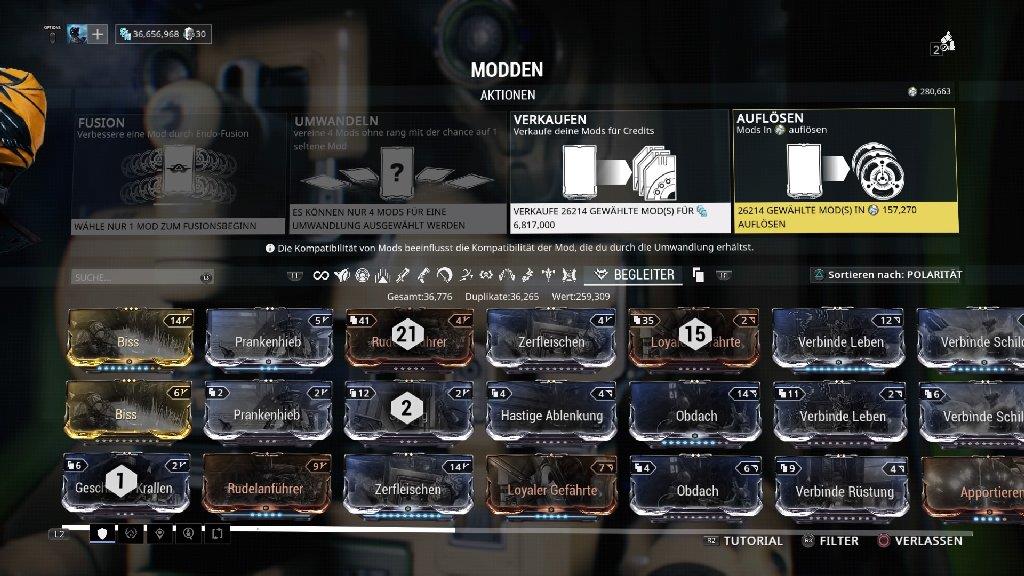
How often you can do this with a mod is indicated by the points at the bottom of the mod. For instance, ‘Vitality’ can be improved 10 times. With each rank, the costs for further upgrades increase, as do the points required for equipping it.
In the case of a fully upgraded Vitality mod, this means that it would cost 12 points to equip it on the Warframe (base value 2+10 times upgradeable = 12). Therefore, you should be careful at first about whether you want to fully upgrade a mod, as it may leave you short on points for another mod.
So far, so clear? Wonderful! You have now made it through the most important but also the most tedious part of our guide. Congratulations! On the next page, we will discuss damage in the game, as not everything is effective against every enemy.

Your opinion is important to us!
Do you like the article? Then let us know!