

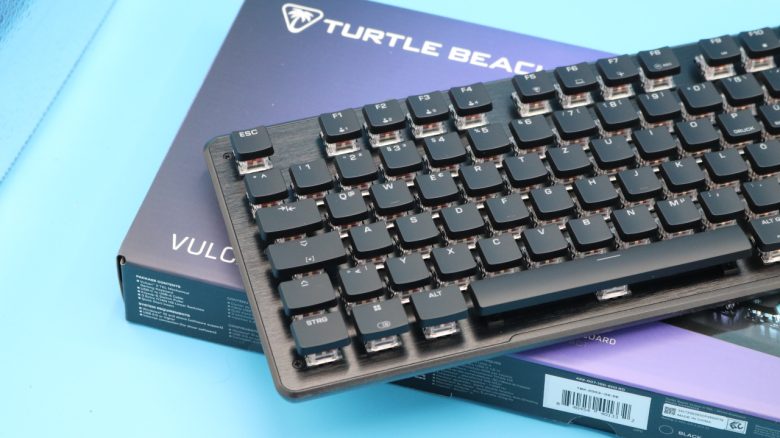
Die Vulcan II TKL kostet rund 100 Euro und will mit linearen Switches und einigen zusätzlichen Features punkten. Ob das klappt, verrät MeinMMO-Redakteur Benedikt Schlotmann im Test.
Im Preisbereich um rund 100 Euro tummeln sich einige Mäuse und Tastaturen, die einen Käufer suchen. Eine davon: Die Vulcan II TKL von Turtle Beach. Im Angebot hat man lineare Switches, ein abnehmbares Kabel und Hotswap-Switches.
Lohnt die Vulcan II TKL mit Blick auf die Konkurrenz? Ich habe mir die Tastatur angesehen und im Alltag getestet.
Test im Überblick
- Lieferumfang, Design und Aufbau
- Verarbeitung
- Software
- Ergonomie
- In der Praxis: Tasten, Lautstärke, Gameplay
- Fazit
Wer hat da getestet?
Benedikt ist Tech-Editor auf MeinMMO und testet seit vielen Jahren Hardware für die Leser. Er testet Mäuse, Tastaturen, Kopfhörer und so ziemlich alles, was man mit Computer, Konsole oder anderen Geräten verwenden kann.
Das Modell wurde uns vom Hersteller für einen Test zur Verfügung gestellt.

Benedikt Schlotmann
Hardware-Redakteur MeinMMO
Hier findet ihr die technischen Details der als Tabelle (zum Ausklappen klicken):
| Design/Interface | Kabelgebunden , TKL-Design |
| Tastenart | mechanische, lineare Switches im deutschen Layout; ABS-Tastenkappen |
| programmierbare Tasten | Ja |
| Beleuchtung | Ja |
| Kompatibilität | PC |
| Lieferumfang | Tastatur, USB-A-zu-USB-C-Kabel, Keycap‑ & Switch‑Puller, 3 zusätzliche Titan HS Linear-Schalter |
| Besonderheiten | TKL-Design mit dedizierten Medientasten |
| Preis (UVP) | 99,99 Euro, direkt beim Hersteller |
Lieferumfang, Design und Aufbau
Positiv: Lieferumfang, Beleuchtung der Tasten, Lautstärkerad |
Wie sieht der Lieferumfang aus? Der Lieferumfang der Vulcan II TKL besteht neben der Tastatur noch aus einem Kabel und Werkzeug, mit dem man Tastenkappen und Switches tauschen kann. Zusätzlich liegen dem Lieferumfang drei Switches bei, die man tauschen kann.
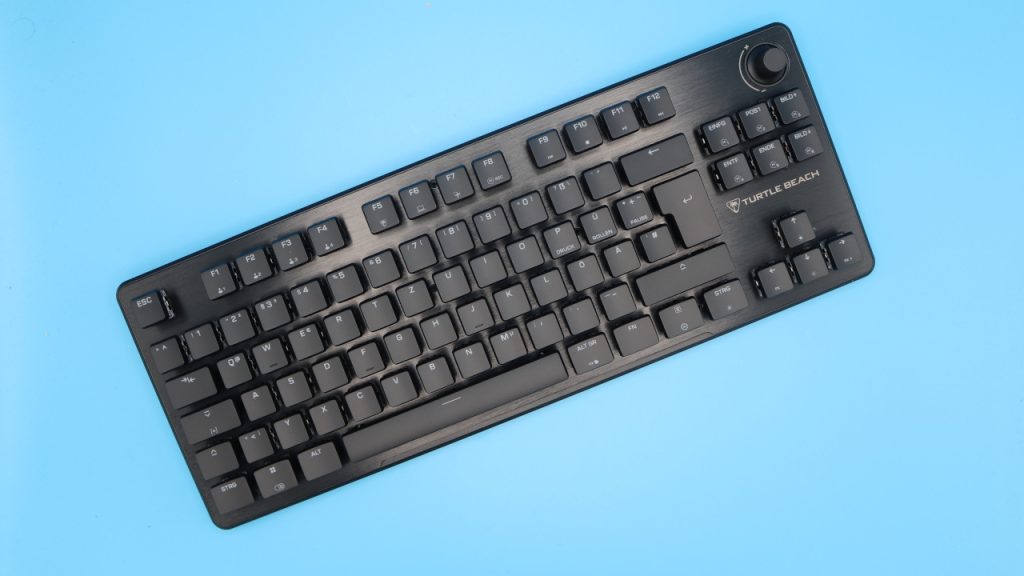
Wie ist die Tastatur aufgebaut? Die Tastatur bietet euch ein offizielles TKL-Design. Das heißt, ihr habt auf der oberen Hälfte Funktionstasten (F1 bis F12) und auf der rechten Seite ein paar Sondertasten über den Pfeiltasten. Einen Nummernblock hingegen gibt es nicht. Das Tastenlayout orientiert sich ansonsten am normalen Full-Size-Design.
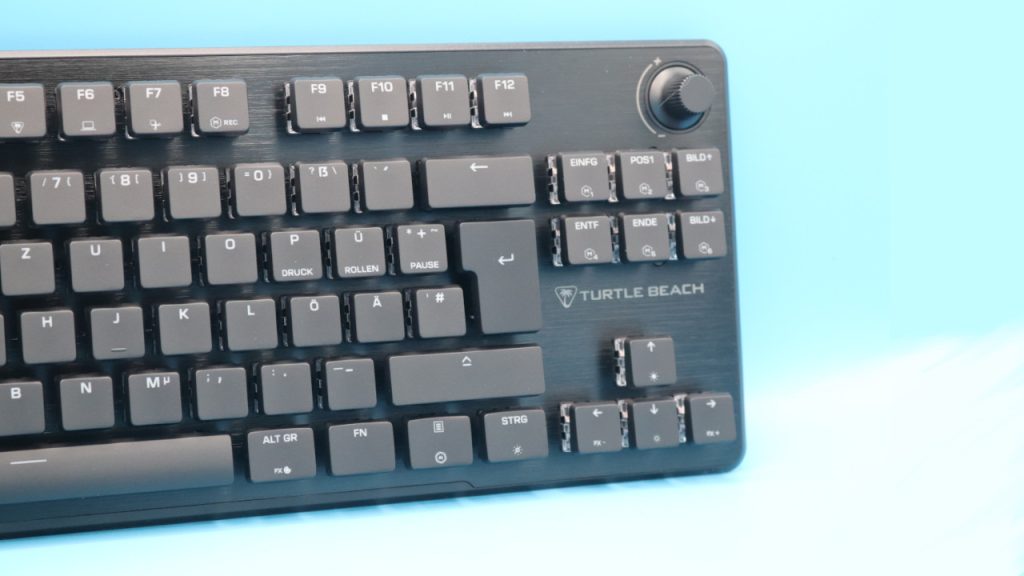
Auf der oberen rechten Seite befindet sich außerdem ein Steuerrad für die Lautstärke, wo ihr unter Windows die Lautstärke schrittweise erhöhen oder verringern könnt. Mit dem Regler lässt sich sehr präzise arbeiten.
Wie sieht die Tastatur aus? Turtle Beach (früher Roccat) setzt bei seinen Tastaturen auf ein offenes Design. Die Tastenkappen sind flach und sitzen auf normalen Switches. Dadurch wirkt das Design offen und die RGB-Beleuchtung kommt stärker zur Geltung. Dadurch hebt sich die Tastatur von anderen Herstellern im Aussehen ab.
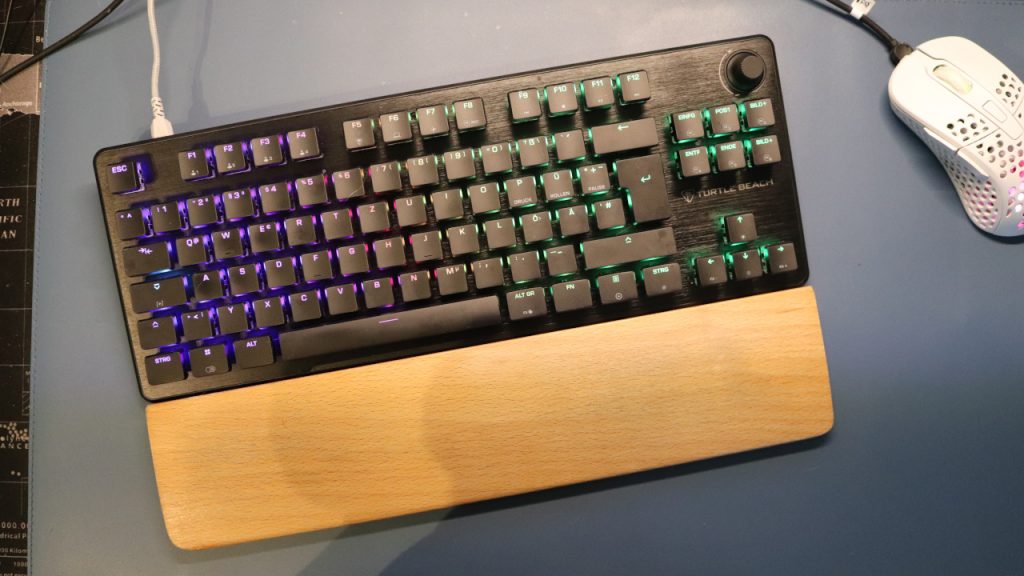
Apropos Beleuchtung: Diese ist auch im Dunkeln mehr als ausreichend, um alle Tasten problemlos lesen zu können. Denn Turtle Beach setzt auf durchscheinenende Tastenkappen. Könnt ihr nicht blind schreiben oder eure Tasten drücken, dann hilft euch die Beleuchtung.
Verarbeitung
Positiv: Kabel, Switches und Kappen wechselbar, Aminium-Case | Negativ: ABS-Tastenkappen
Grundsätzlich könnt ihr die Tastatur auseinandernehmen: Das Kabel ist abnehmbar, Tastenkappen sind ebenfalls abnehmbar und die Tastatur-Switches lassen sich ebenfalls entfernen und gegen andere Switches tauschen. Der Vorteil daran ist, dass ihr dadurch etwa kaputte Switches problemlos ersetzen könnt. Die Aluminium-Platte, die als Oberseite des Gehäuses dient, lässt das Gerät ebenfalls hochwertig wirken. Darunter steckt aber ein Kunststoff-Korpus.
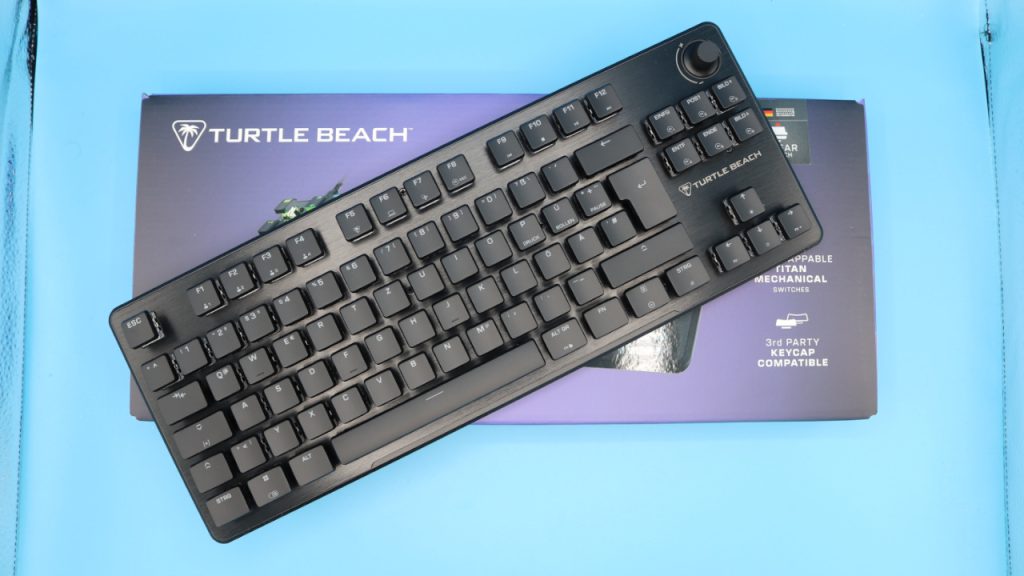
Auf der anderen Seite setzt die Vulcan II TKL weiterhin auf ABS-Tastenkappen, die sicher ziemlich schnell abnutzen und nach wenigen Tagen schon fettverschmiert aussehen. Selbst bei der besseren Pro-Variante kommen ABS-Tastenkappen zum Einsatz. Das haptische Gefühl der Tastatur fühlt sich halt an, als hätte man die ganze Zeit einen feinen Schmierfilm unter den Fingerspitzen.
Eine deutlich bessere Option ist hier etwa die Logitech G G515 Lightspeed TKL, die rund 10 Euro mehr kostet (Straßenpreis ca. 115 Euro) und von Werk aus PBT-Tastenkappen anbietet und obendrein auf Low-Profile setzt.
Immerhin lassen sich die Tastenkappen durch handelsübliche Alternativen ersetzen, da die Kappen von Turtle Beach auf das bekannte Kreuz von Cherry setzen. Dadurch geht zwar das Design flöten, aber ihr habt ein besseres Gefühl unter den Fingern. Der Kostenpunkt für alternative Tastenkappen liegt zwischen 20 und 30 Euro.
Software
Positiv: Übersichtlich und ohne aufdringliche Werbung | Neutral: Makros für veraltete Spiele hinterlegt | Negativ: Bug mit der Beleuchtung
Bei der Software setzt Turtle Beach auf Swarm II. Die ist insgesamt ziemlich aufgeräumt, verzichtet auf zusätzliche Einblendungen, Werbebanner oder exklusive Gewinnspiele innerhalb der App. Tastenbelegungen lassen sich problemlos einrichten und sogar Makros sind möglich. In der Software sind bereits einige Makros hinterlegt, diese aber teilweise zu hoffnungslos veralteten Spielen: Civilization 5, Anno 2070 und Borderlands 2, um mal drei Beispiele zu nennen.
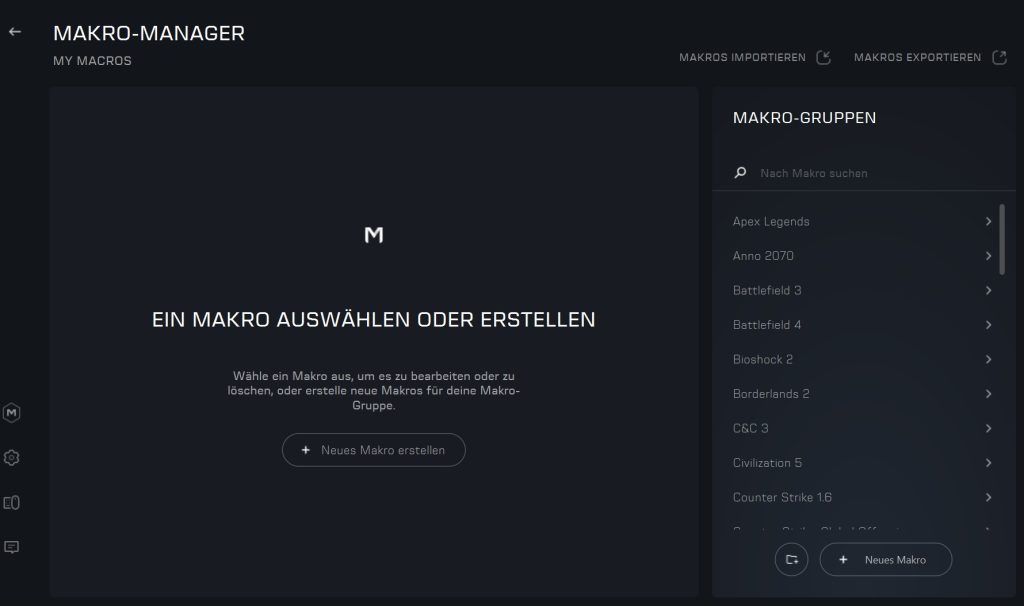
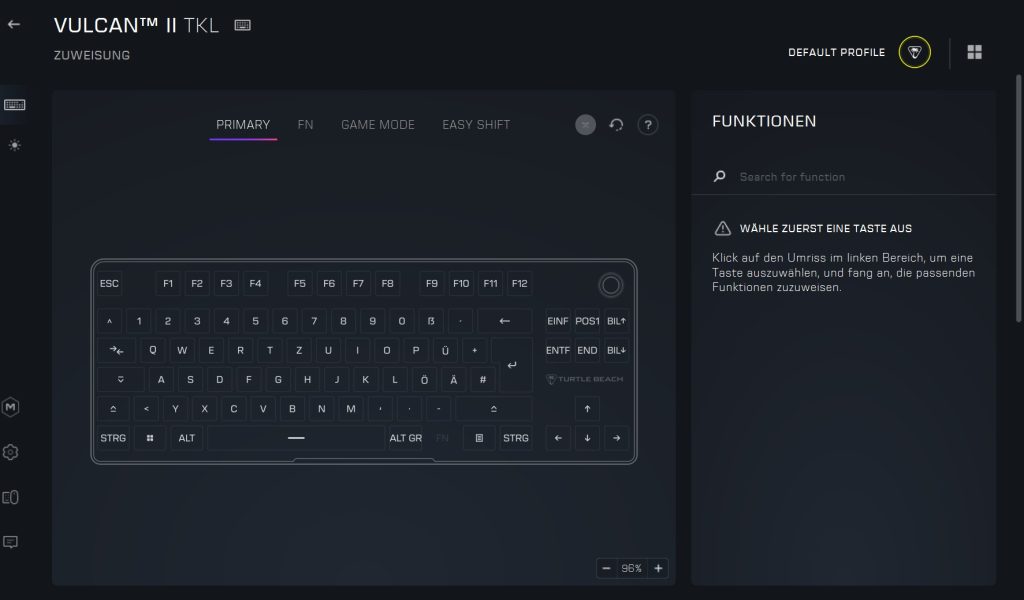
Beim Testen ist zumindest ein nerviger Fehler aufgetreten: Sobald ich die RGB-Beleuchtung umstellen möchte, stürzt die Software reproduzierbar, ohne Fehlermeldung, ab. Bei mir kommt die Version 1.0.0.44 zum Einsatz.
Insgesamt ist die Software aber intuitiver und weniger aufgeblasen als bei anderen Herstellern: Corsair (iCue), SteelSeries (GG-Software) oder Razer (Synapse) sind deutlich umfangreicher und weniger intuitiv gestaltet und fressen deutlich mehr PC-Ressourcen.
Ergonomie
Positiv: TKL-Design | Negativ: ohne Handballenauflage sehr hohe Tasten
Die Tastatur ist durch das TKL-Design aus ergonomischer Sicht deutlich besser als normalgroße Tastaturen, denn ihr könnt die Arme natürlicher und näher am Körper halten.
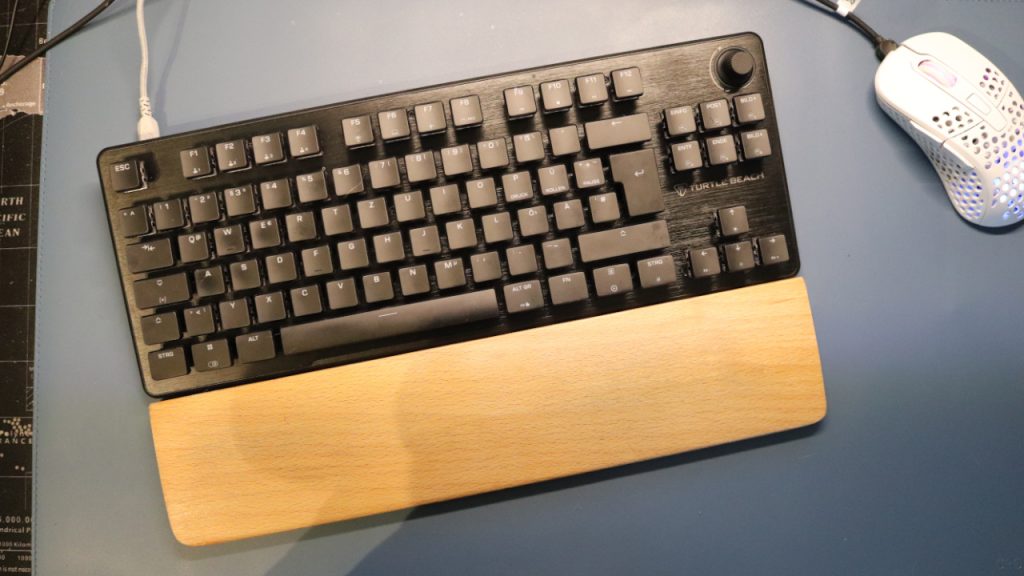
Ein dickes “aber” gibt es trotzdem: Ohne Handballenauflage fühlt sich die Tastatur sehr hoch an, sodass ich auf Dauer meine Handgelenke spüre. Ich habe das Problem gelöst, indem ich mir eine externe Handballenauflage aus Holz gekauft habe. Das hat mein Problem mit der Tastatur gelöst.
In der Praxis: Tasten, Laustärke und Gameplay
Positiv: leises und schnelles Tippgefühl | Neutral: Klappern der Leer-, Rück- und Entertaste |
In der Tastatur sind “Titan HS”-Switches verbaut, das sind Linear-Schalter, die keine spürbare Betätigung, wie etwa braune oder blaue Switches haben.
Der Vorteil: Die Switches sind sehr schnell und vor allem sehr leise. Zwei Dinge hört man deutlich: Den Anschlag der Fingerkuppen auf den Tasten und das Klappern der Leer-, Rück- und Entertaste. Hier sind von Werk einfach die Stabilisatoren nicht perfekt eingestellt.
Die Konkurrenz ist bei der Lautstärke sehr unterschiedlich aufgestellt:
- Einige Tastaturen sind da deutlich lauter, etwa die Blackwidow-Reihe von Razer mit den grünen Switches, die gelben Switches sind hingegen deutlich ruhiger.
- Andere Tastaturen, etwa die DARK PROJECT ALU Midnight (zum Test), sind dafür sehr leise und bieten einen weichen Tastenanschlag.
Der Nachteil: Ihr spürt keine wirkliche Bestätigung. Wer will schreibt, den wird genau das stören, denn dadurch fühlt sich Tippen präziser und genauer an, wenn man jeden Tastendruck spürt. Für Gamer sind lineare bzw. rote Switches aber tendenziell eh die bessere Wahl, weil sie schneller auslösen und die Latenz durch einen geringen Auslöseweg niedriger halten.
Im Alltag heißt das für euch, dass ihr zügig tippen und reagieren könnt. Nur mit optischen oder magnetischen Switches seid ihr noch schneller unterwegs, weil hier der mechanische Weg wegfällt. Ein sehr gutes Beispiel hierfür ist die Akko Mod007B-HE (zum Test) mit magnetischen Schaltern.
Fazit: Schnörkellose Tastatur, aber ein faires Gesamtpaket für 100 Euro
Bewertung
Die Turtle Beach Vulcan II TKL ist eine Verbesserung der alten Vulcan TKL, mit der ich damals viel gespielt und geschrieben habe. Aus dieser Perspektive gibt es vor allem Detailverbesserungen wie das Hotswap-Design der Switches. Turtle Beach punktet weiterhin mit einer aufgeräumten Software und einem leisen Tippgefühl. Die Tastatur wirkt dank Aluminium-Platte obendrein schön hochwertig.
Grundsätzlich muss euch aber klar sein, dass ihr für das gleiche Geld auch mehr Features bekommen könnt: PBT-Tastenkappen, Wireless und teilweise sogar schon magnetische Switches. Vor allem aus China drängen viele preiswerte Tastaturen auf den Markt mit einem ähnlichen Feature-Set. Hier kann Turtle Beach im Verlgeich mit der besseren Software punkten.
80 bis 100 Euro finde ich für die Vulcan II TKL insgesamt fair. Ihr bekommt eine gut verarbeitete Tastatur mit ordentlicher Software und abnehmbarem Kabel.
Welche Alternativen gibt es?
- Die K65 Plus Wireless ist meine Empfehlung, wenn die Tastatur klein sein soll, ihr auf ein paar Zusatztasten dennoch nicht verzichten wollt.
- Die Logitech G PRO X TKL spielt in der höherne Preisklasse mit (ca. 160), bietet dafür aber kabelloses Gaming und PBT-Tastenkappen. Im Angebot lohnt die Tastatur, zum vollen Preis eher nicht.
- Mein derzeitiger Geheimtipp ist die DARK PROJECT ALU Midnight für rund 50 Euro. Einziger Nachteil: Die Software gibt’s nur als offizielle Webanwendung.
Weitere Gaming-Tastaturen: Ihr sucht nach weiteren Empfehlungen im Peripherie-Bereich? Dann schaut doch einmal in folgende Kaufberatung auf MeinMMO. Hier erklären wir euch, welche Tastaturen sich aktuell am meisten lohnen: Die besten Gaming-Tastaturen, die ihr aktuell kaufen könnt
Deine Meinung ist uns wichtig!
Gefällt dir der Artikel? Hast du irgendwelche Kommentare? Sag uns, was du denkst!





























Kommentare