


By now, almost everyone should realize that Valheim is somewhat of an acquired taste at the beginning with its polygon textures. Nevertheless, the survival game is a real eye-catcher with its sophisticated lighting and particle effects. And with a few tricks, you can really enhance the visuals.

Despite its retro graphics, Valheim can offer beautiful visuals at the right moments, which are often praised within the community. Weather effects, light, and fog come together in amazing combinations that will make you completely forget the pixel look.
On reddit, User space_extasy has taken the effects to the next level. In the thread, he posted a video showcasing how beautiful Valheim can be in dangerous situations. He utilizes the developer mode in Valheim, which you can activate via the console.
Through the console, you can execute admin commands in Valheim, spawning weapons, armor, items, and enemies in addition to environment variables. In our guide, you will find all console commands for Valheim and how to use them.
We will show you the different effects and how to utilize them to make the game even more beautiful for yourself. Just the background can completely change the mood of the game.
Environmental Effects in Valheim
What are environmental effects? Environmental effects in Valheim visually alter the game world. For example, it always rains in the swamp area, and in the crypts, the sounds are muffled. The environmental effects are even more impressive with their own ambient sounds.
How many environmental effects are there? Currently, there are 23 environmental effects in Valheim. As an admin on your server, you can change these at any time.
The environments create a different effect in a picture every time, even though you are looking at the same subject from the same perspective. We show you how the individual effects look in our galleries.
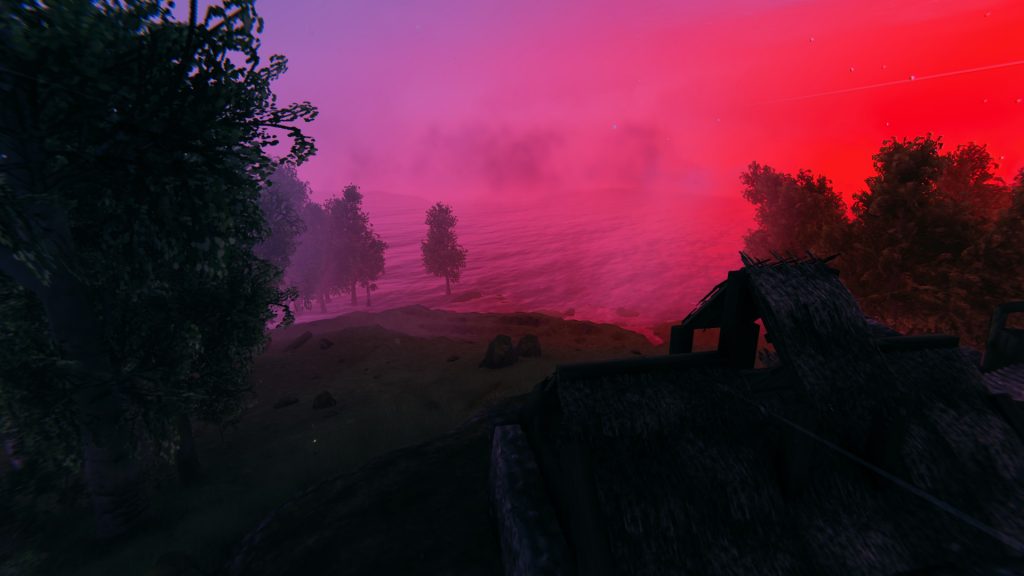
Environmental effect ‘Moder’ 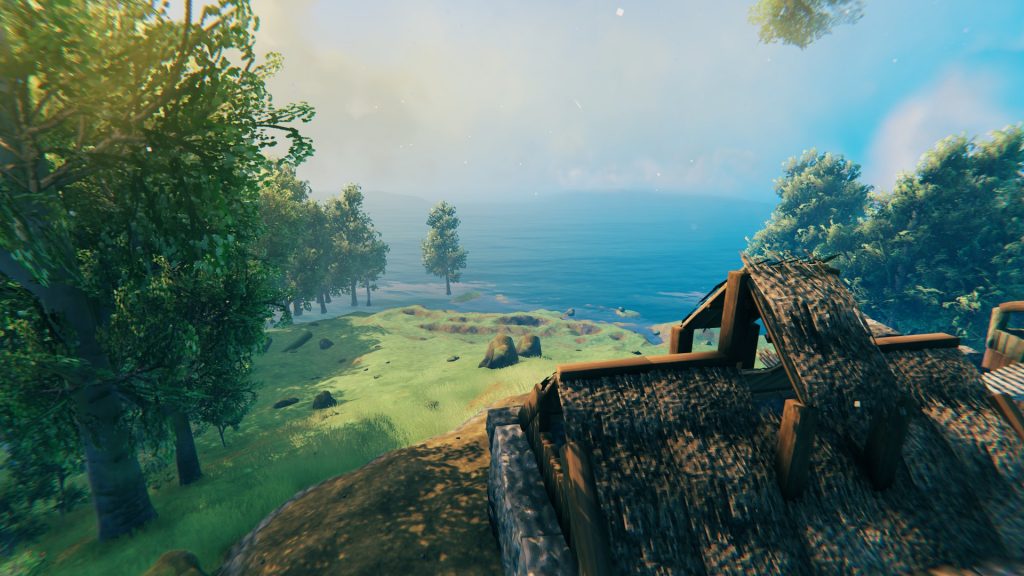
Environmental effect ‘Clear’ 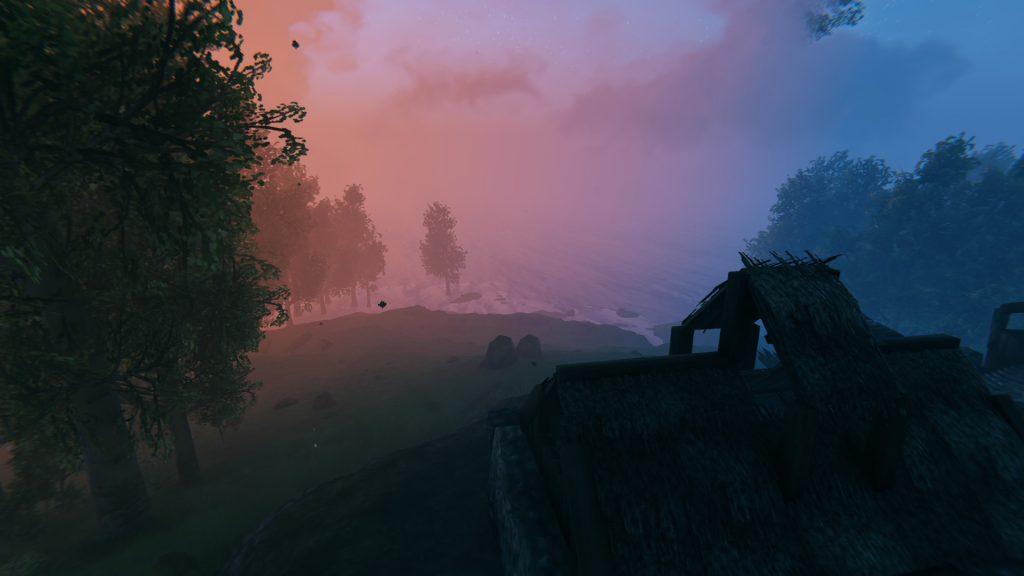
Environmental effect ‘Twilight_Clear’ 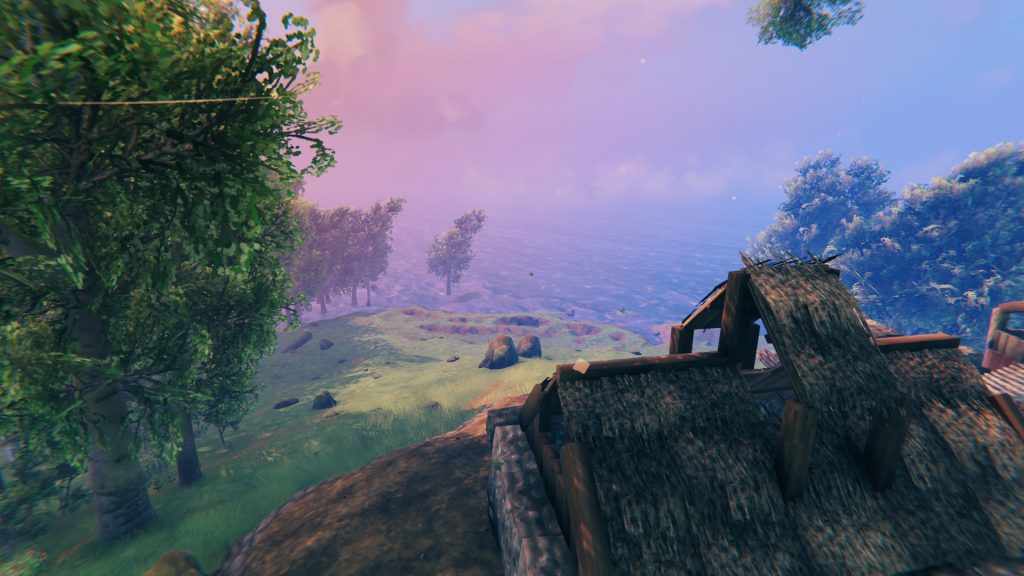
Environmental effect ‘Heath clear’
The effects ‘Clear’, ‘Twilight_Clear’, and ‘Heath clear’ immerse the world of Valheim in a special light. Red and blue create atmospheric compositions. If you want to create particularly beautiful screenshots or videos with a focus on the objects, use the environmental effect ‘Heath clear’.
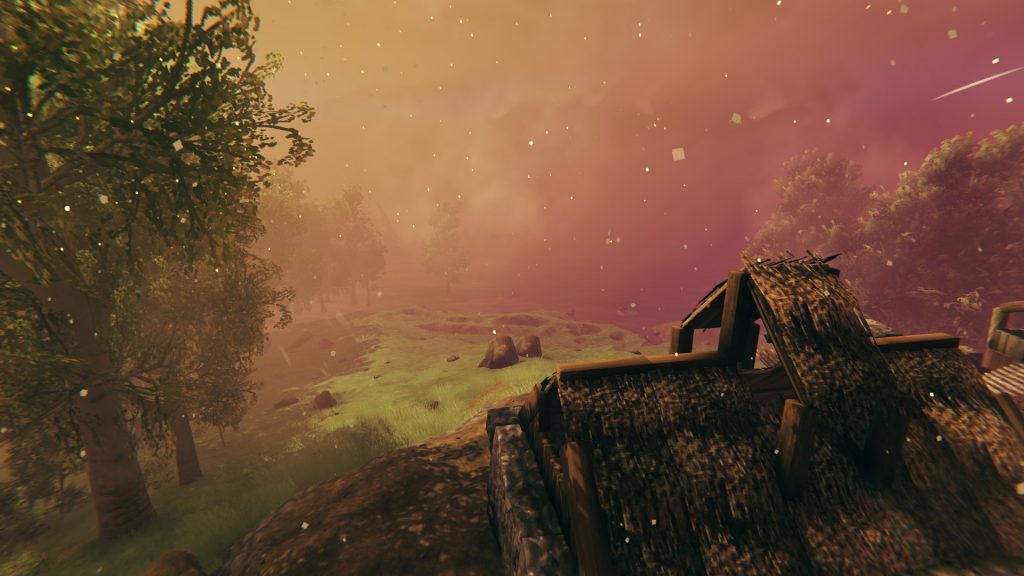
Environmental effect ‘Ashrain’ 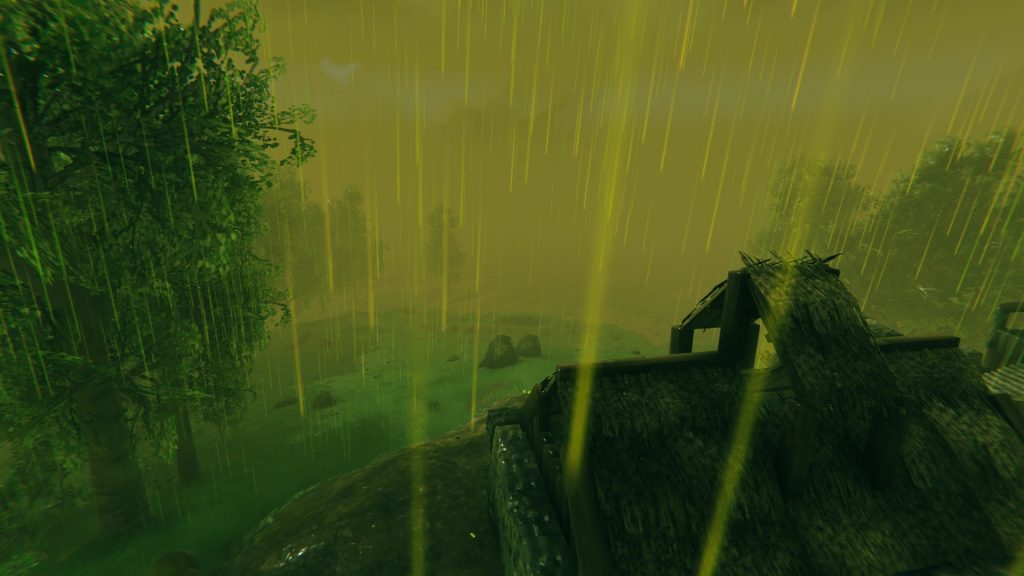
Environmental effect ‘Bonemass’ 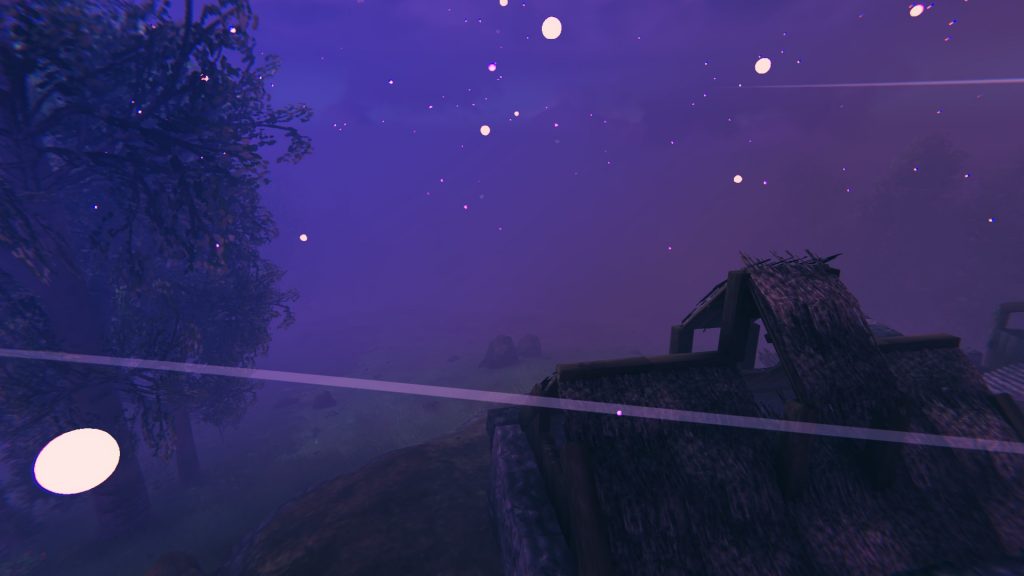
Environmental effect ‘GoblinKing’ 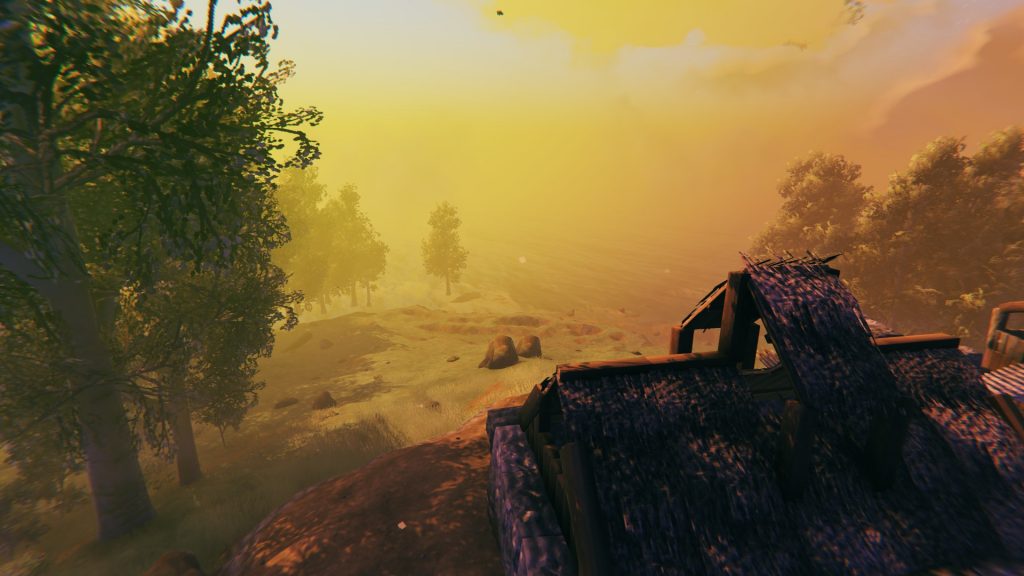
Environmental effect ‘GDKing’
The environmental effect ‘Ashrain’ is perhaps the most atmospheric, impressing with additional particle effects that enhance the overall scene. If you prefer a gloomy atmosphere, you can play the whole game in the ‘GoblinKing’ environment, and if you like it dangerous, you should try ‘Bonemass’.
Here’s how to set the variables yourself: Screenshots and videos become even more impressive with environmental effects. To use them yourself, follow these steps:
- Right-click Valheim in your Steam library
- Select under “General” – “Launch Options”
- Enter “-console” in the field and start the game
- Open the console in Valheim with F5 on your own server
- Type “devcommands” and hit Enter
- with “env [Variable]” you can then switch between the effects
Make sure to pay attention to uppercase and lowercase. If you want to create fog, enter the command “env Misty” in the console. The following variables are available:
- Clear
- Twilight_Clear
- Misty
- Darklands_dark
- Heath clear
- DeepForest Mist
- GDKing
- Rain
- LightRain
- ThunderStorm
- Eikthyr
- GoblinKing
- nofogts
- SwampRain
- Bonemass
- Snow
- Twilight_Snow
- Twilight_SnowStorm
- SnowStorm
- Moder
- Ashrain
- Crypt
- SunkenCrypt

Environmental Effects in Valheim signal dangers
The effects not only look beautiful; they also signal imminent dangers. If you see a corresponding effect, you should brace yourself for a fight because these effects often accompany events.
Events appear randomly when you reach a certain progress in the story or have defeated a certain number of enemies. During the “A cold wind blows from the mountains” event, you will not only be surprised by dragons, but it will also start to cut.
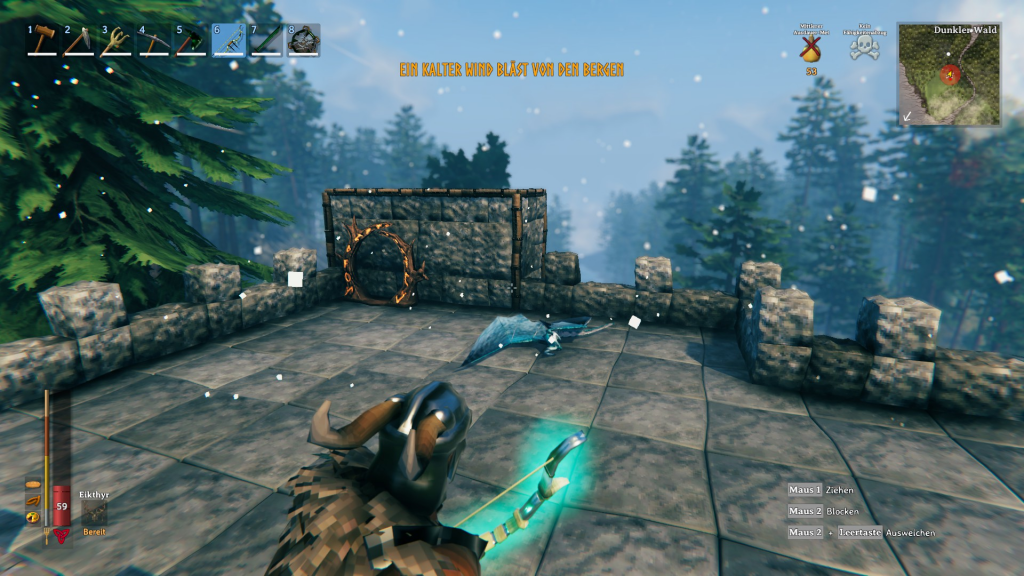
So, make sure to utilize the environment and especially the messages to avoid being suddenly surprised by trolls, draugr, or dragons. If you want to protect yourself from attacks, we recommend our guide to defending your base in Valheim.
Have you already tried environmental effects in Valheim? Which one do you like the best? Let us know in the comments.

Your opinion is important to us!
Do you like the article? Then let us know!