With the Epomaker TH80 Pro, Epomaker offers a gaming keyboard for around 100 euros. MeinMMO editor Benedikt Schlotmann has tested the keyboard and explains how the model performs in everyday use.
Which keyboard is it about? With the Epomaker TH80 Pro, the manufacturer of the same name has introduced a gaming keyboard in a 75% design. For around 100 euros, you get a gaming keyboard with PBT keycaps, hot-swappable switches, and wireless connection. You pay around 100 € at the manufacturer, a little more (about 108 euros) at Amazon.
But how well does the package work in everyday life? I took a look at the keyboard and tested it for you.
Who tested it?
I am a tech editor at MeinMMO and have a penchant for peripherals, testing mice, keyboards, and gaming headsets. Since 2019, I have been testing hardware for our readers at MeinMMO. Gaming mice are among my absolute favorites. Besides the PS5, I also play on my Steam Deck and my Nintendo Switch.
The manufacturer provided me with the Epomaker TH80 Pro for a test.

Benedikt Schlotmann
Hardware editor MeinMMO
Features and Technical Details
(to expand):
| Design/Interface | Wired, 75% model | ||||||||||
| Key Type | Mechanical, tactile switches (Epomaker Budgerigar switches) in ISO-UK layout | ||||||||||
| Programmable Keys | Yes | ||||||||||
| Lighting | Yes | ||||||||||
| Compatibility | PC | ||||||||||
| Included in Delivery | Keyboard, mounting tool for switches and keycaps, additional keycaps for replacement, manual | ||||||||||
| Special Features | 75% design with detachable USB cable | ||||||||||
| Price (RRP) | 98.95 euros | ||||||||||
*Affiliate-Links. Wir erhalten bei einem Kauf eine kleine Provision von Amazon. Vielen Dank für Eure Unterstützung! |

Contents, Design, and Construction
What does the contents look like? In the box, in addition to the keyboard, you will find a handful of replacement keycaps, a charging cable for the keyboard, and a device for switching the switches and keycaps. The obligatory manual is also included, but interestingly refers to the US version of the keyboard and not the version with ISO layout.
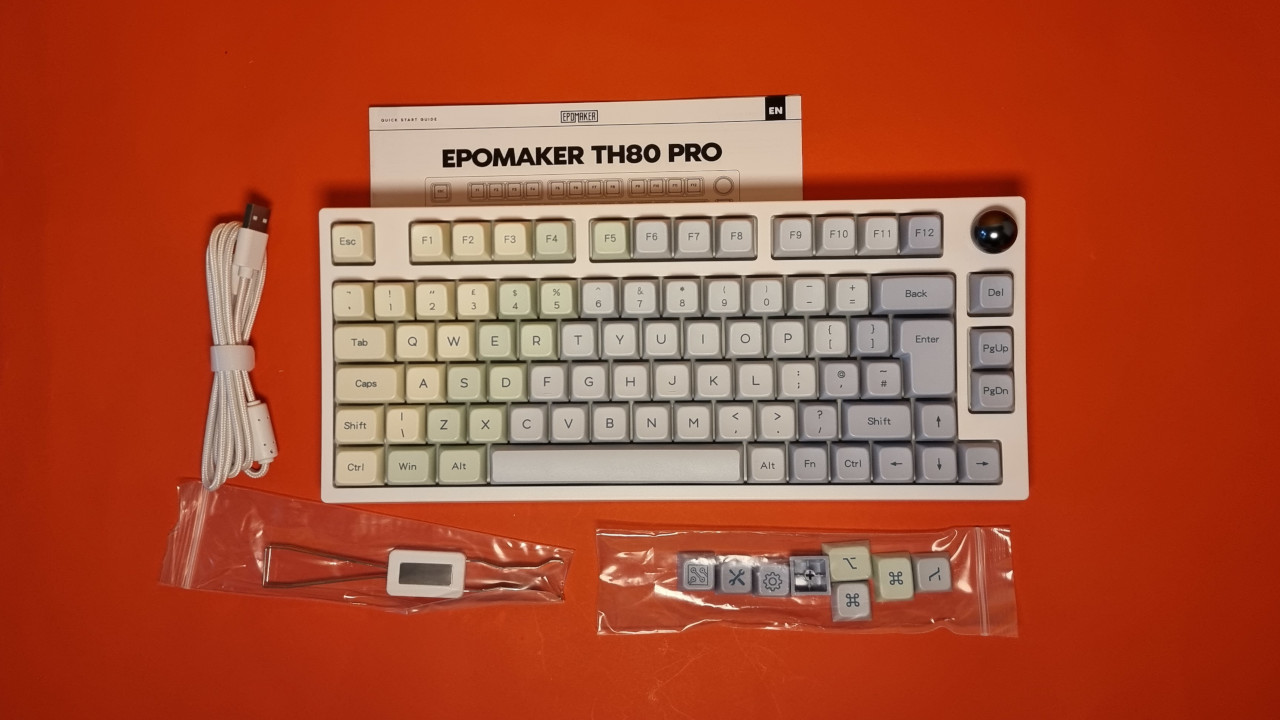
How is the keyboard constructed? The keyboard comes in a 75% design. This means that the keyboard ends to the right of the arrow keys. There is also a knob at the top right that allows you to turn the volume up or down or mute it altogether.
The special thing is that you can not only change the keycaps but also the switches under the keys. This is called hot-swapping. Additionally, there is support for wireless and Bluetooth connection.
For comparison: For a wireless gaming keyboard from Roccat, Logitech, or Razer, you would easily pay 150 euros and more. And there you won’t get PBT keycaps or hot-swappable switches. An exception is the Ducky One 3 (to the test).
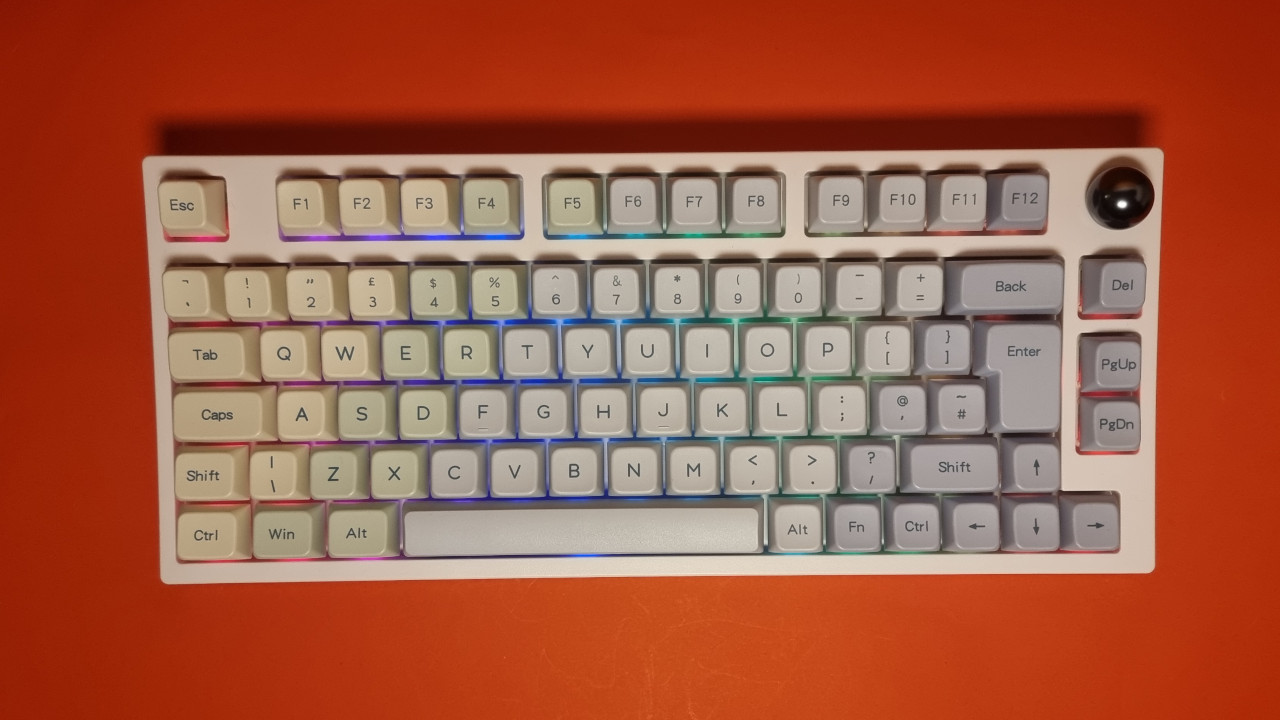
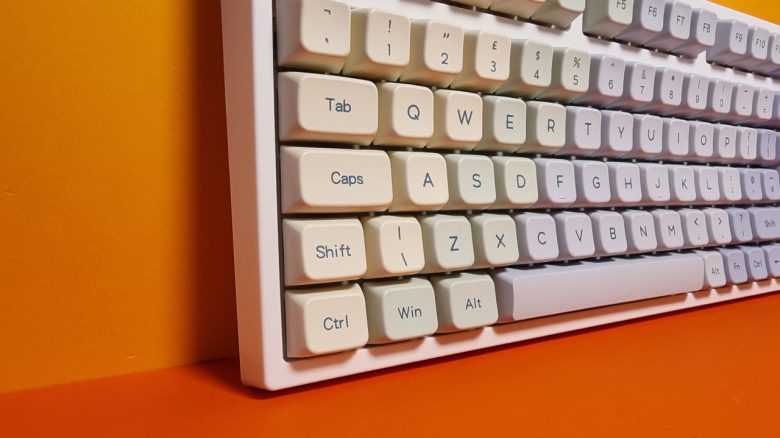
How does the keyboard look? The keyboard comes in a white design. The keycaps are available in various colors, such as plain white or more vibrant colors like violet. Depending on the design and keycaps, the price may vary slightly.
Otherwise, the design of the keyboard is rather unobtrusive. The installed keycaps are printed and not translucent. Therefore, the keys themselves do not light up, but only the switches underneath. However, if you install translucent keycaps, they will light up as well.
However, it is a pity that the keyboard does not have an indicator for battery status. When the battery is empty, the Ctrl key lights up red, and nothing else happens. This is rather impractical.
Build Quality
The keyboard is made of pure plastic housing without metal. Nevertheless, the keyboard feels premium, which is mainly due to the high weight. This makes it very stable on my desk.
For the keycaps, Epomaker has chosen PBT keycaps. They feel robust and do not look like they have already been used for weeks after just two days. Thanks to hot-swappable switches, keycaps and switches can be easily exchanged with little effort.
Also positive: The USB-C port on the back is designed so that you can use any USB cable for charging.

Software
The TH80 Pro uses software from Epomaker. The basic features are accessible directly through the central menu, many additional features are hidden in other menus. Through the “Share” option, you can download and use RGB profiles, key mappings, and macros from other users. A similar feature is also offered by Logitech.
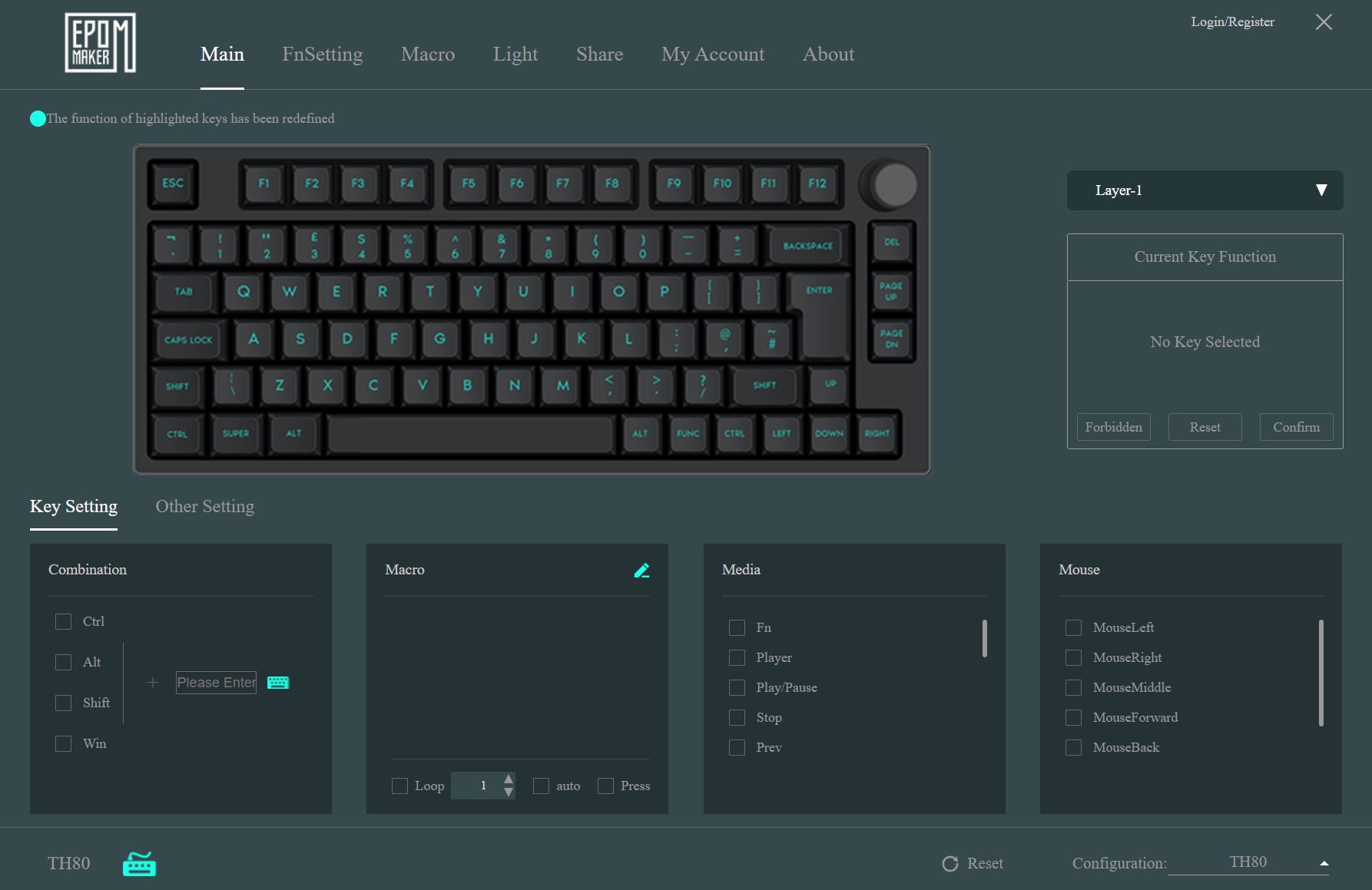
However, it is annoying that the software cannot be resized and also appears somewhat cluttered. Also unfortunate: it is only available in English.
On the next page, you can read everything about the ergonomics and the keys of the keyboard. In the conclusion, you can find out who I recommend the keyboard to.
- 1
- 2