

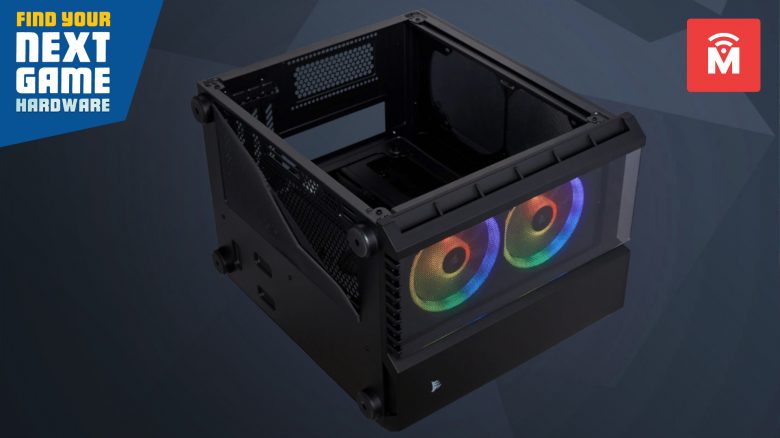
The case plays an important role for every gaming PC. MeinMMO explains what you need to pay attention to and why you should give more consideration to the case during planning.
What does the case do and why is it so important? When buying or assembling a gaming PC, the case is as important as high-performance hardware. The case protects your valuable hardware from damage and supports proper ventilation inside. A cool case also enhances your gaming setup.
Which PC case do I need? If you want to buy a case, there are several things you should consider. MeinMMO presents some important points to keep in mind when purchasing a case:
Size plays an important role in selection
What types of PC cases are there? If you’re going to assemble a computer, you need to choose an appropriate size. The size of your computer case determines which components will fit inside.
What PC case sizes are there? There are 4 standard sizes:
- EATX
- ATX
- MATX (or µATX)
- Mini-ITX
EATX (Enhanced ATX) is the largest system. Mini-ITX is the smallest possible system for builders. There are also Nano-ITX and B-AT, but these sizes are not as common as the four most well-known variants.
That’s why size is important: You should not underestimate the possible size of your case. Certain motherboards or power supplies and even graphics cards only fit in specific case sizes.
If you have already built your new gaming computer and just want to order the case, you may need to rethink if you have very bad luck.
Can you install any motherboard into any case? You must always check the form factor of the case and motherboard. If they have the same form factor, it is usually not a problem. Installing smaller components into a larger case is rarely an issue: MATX motherboards fit easily into an ATX case.
Always pay attention to the manufacturer’s description. This description often indicates which components fit into the case.
When is a large case worth it? If you want to install a lot of components in your computer, larger motherboards are worthwhile. The larger ones not only offer more space but often also more sockets and slots for additional modules like PCIe cards or m2-sata-SSDs.
Our tip: Incorporate your desired case into the planning of a gaming PC as early as possible. Don’t plan around the case, but plan with the case from the start. This will save you a lot of time and hassle later on.
Good ventilation is an important factor
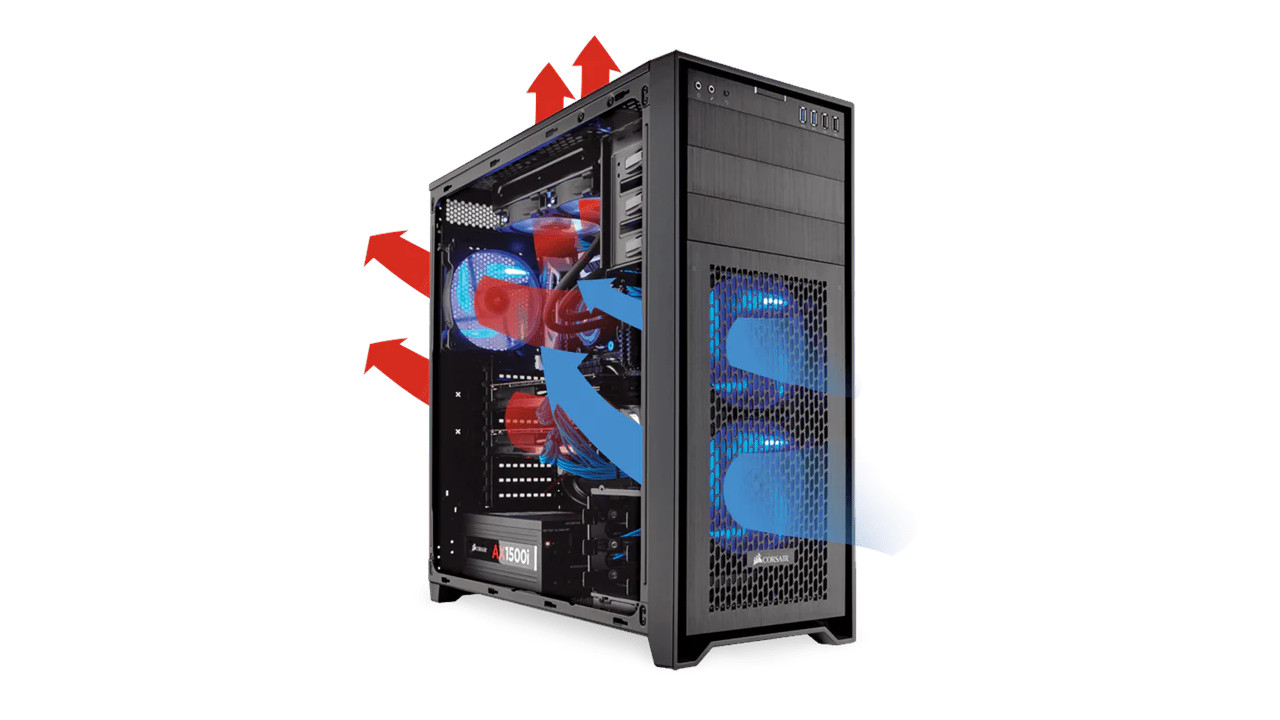
When buying a case, make sure that it provides good air circulation (or airflow). Air circulation means that cold air can flow past important components, and the warm air can escape.
Besides the correct positioning of the gaming PC, the placement of the fans within the case is also important. It is best if fans are attached at both the front and back to ensure airflow. While the front fans draw in cold air, the rear fans push out the warm air.
Good ventilation is particularly important if you want to overclock your hardware. Heat forces hardware to throttle its performance.
Additionally, well-cooled components do not wear out as quickly, thus extending the lifespan of your processor and graphics card.
For good airflow, dual-chamber cases are suitable. Due to having two chambers, these cases are often quite large, but they keep components and cables separate. There’s also a lot of room for water cooling.
How loud can your gaming PC be?
When buying a case, you should consider how important noise level is to you. Some manufacturers offer special silent systems. These use thick side panels or provide additional sound-dampening materials to reduce noise levels.
Consider taking time for fine-tuning or investing a bit for additional fans. Manufacturers often already include a few fans. However, for silent fans, those provided are often too loud, as manufacturers tend to save a few euros here.
Cases that are visually or functionally complex may suffer from sound insulation. Elements like additional ventilation slots, space for extra dust filters, or RGB areas may let sounds escape the case. It is worth considering silent cases if you prefer absolute quiet.
The manufacturer “be quiet!” includes the “Silent Base” series in its portfolio. This series already features decent fans and sound dampening materials pre-installed:
A further recommendation for silent fans is the Fractal Design Define R5 Black Pearl. It costs about 100 euros, but buyers on Amazon praise its high-quality build and excellent noise level. This is reflected in its high rating: On Amazon, the case is rated 4.7 out of 5 stars based on over 1,000 reviews.
Cable management ensures organization and easier upgrades
That’s why good cable management is worth it: With good cable management, you can save yourself a lot of work in the long run. Because if you want to make modifications later, such as adding more RAM or installing a new case fan because the old one is too loud, the cables will be an obstacle.
With effective cable routing, you’ll have enough space in the case, and you’ll easily reach all important components.
Additionally, a well-thought-out cable management is important for good and sufficient cooling performance. Hanging cables can obstruct proper air circulation.
Recommended case: A high-quality case with clear cable management is the Corsair Crystal 280X. The case offers plenty of space for your hardware, magnetic dust filters, and many ventilation options. However, testers criticize that the cooling performance may not be optimal due to the glass panels (via TomsHardware.com).
Here you can find tips for cable management: You can see many helpful tips for good cable management in an English YouTube video from the channel HardwareCanucks:
Pay attention to the features of the case
Especially with slightly more expensive cases, you often get additional features that may be worth it:
- Pre-installed fans
- Free slots for fans, hard drives
- A case-side fan controller
- An integrated cable management
Also, see what options the case offers. If you want to add another hard drive or an optical drive (DVD, BluRay) to your system, there should also be a slot for that. Drive bays can often also be used for hard drives.
Some manufacturers forgo such slots to improve cooling performance.
That’s why front connections are important: Front ports matter if you want to connect devices quickly to your PC. The front panel offers you USB or audio ports, and the power button is also located here.
Make sure to check where the front ports are located. Some devices mount the panel on the side. This can be inconvenient if you want to place your case against the wall, covering the front panel. Conversely, if you want to place the case in a cabinet, the panel on the top may interfere.
Don’t forget the aesthetics of your case
Few components accompany you as long as a case. Users often swap the graphics card or processor, or install an additional hard drive.
However, most people find it too cumbersome to constantly change the case. Your gaming PC is often a loyal companion, and the case will not be replaced for years. For this reason, you should not overlook aesthetics either. After all, you use the device quite frequently when playing.
- If you are a fan of RGB and other embellishments, investing in a good case with a glass panel might be worthwhile.
- If you don’t care how the cables run inside or RGB is completely irrelevant to you, you can also opt for a case without a transparent side panel.
Are you looking for inspirations for a cool case? MeinMMO has featured 7 PC cases that will definitely make you envious. Many of the cases are inspired by well-known games or movies. Perhaps you will find inspiration for your upcoming build there.

Your opinion is important to us!
Do you like the article? Then let us know!