

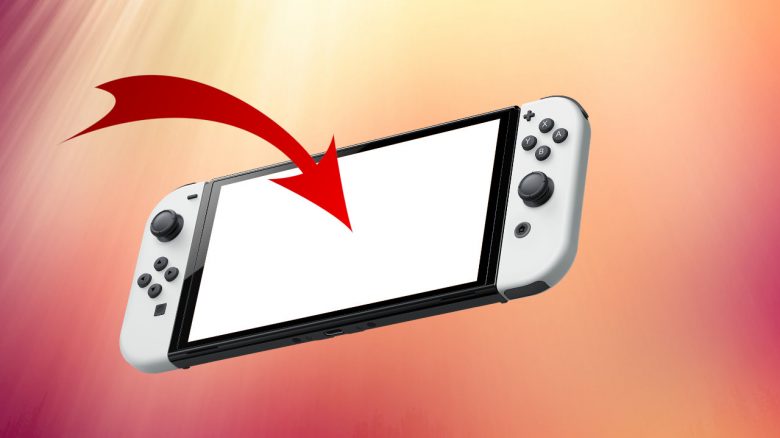
The Switch OLED relies on the namesake OLED. However, the display has not only advantages. There is one feature you should definitely leave activated if you want to use the Switch OLED regularly to avoid long-term damage.
Nintendo’s new Switch OLED comes with a new display and many reviewers praise the great, bright display of the new console. Nintendo has installed the namesake OLED instead of an LCD. This OLED offers significantly richer and more vibrant colors than the previous LCD found in the regular Switch or Lite model.
However, modern OLEDs have a risk of burn-in, known as Burn-In. Nintendo itself has addressed the issue and explained that you must keep one feature activated to reduce the risks.
MeinMMO explains what you need to keep activated, what Burn-In actually is, and what role it plays.
Images can burn into your OLED
What is Burn-In? Burn-In or burn-in effect is a peculiarity of OLEDs. If an image is displayed permanently or for an extended period, it can cause problems with the display. These include:
- Video games with static content in parts of the screen
- Menus on the screen, program guides, and channel logos
- Static content from apps
The reason for the problem lies in the material of the display, as the LEDs in the OLED light up themselves. When the LEDs change brightness, there may be temporary afterglow. This is normal and not a defect. However, static representations can lead to permanent image remnants being left on the display. This is referred to as the burn-in effect.
This is what Nintendo says about Burn-In: Nintendo has already commented on Burn-In and the OLED. You can find a detailed explanation in the console’s manual:
To minimize the risk of images burning into the OLED screen, you should not disable the system’s default settings for standby mode and ensure that the same image is not displayed on the OLED screen for an extended period.
And there are more tips on how you can reduce the risk of a burn-in effect.
And what if it happens anyway? Manufacturers indicate that such burn-in effects can be caused mainly by improper use of the device (via hifi.de). You will no longer have a warranty if you send the console to Nintendo. You can only hope for goodwill from the manufacturer or you will have to bear the cost of the damage yourself.
How to prevent Burn-In effects on the Switch OLED
These guidelines should be followed: In general, you should definitely keep the display’s sleep function activated. You can choose between 60 seconds and 30 minutes for the display to turn off.
Another tip is to reduce the brightness. Don’t always play at maximum brightness; instead, reduce the brightness to 70 or 80%. This saves battery.
Also, try to avoid leaving the console open in the main menu for hours, as there are many static menus that do not move. Therefore, simply turn off the console when you don’t need it. This not only saves battery but also protects your display.
Additionally, vary the games you want to play. For example, if you want to play Civilization 6 for weeks on end, keep in mind that this game has many static menus.
If you want to protect your display in general, you should definitely keep the thin film on the display that many have discovered on the new device. Because it not only protects the display but also you:

Manufacturers focus on safety measures against OLED issues
How big is the risk of such problems? Manufacturers today equip their OLED TVs with various safety measures and features to prevent burn-in effects.
- For example, TVs can detect static images and then reduce the brightness.
- After a certain time, a screensaver is activated to prevent issues.
- Additionally, TVs are now designed to intelligently reduce brightness for logos or static menus.
With the many features manufacturers build into their devices, the risk of burn-in is reduced to a manageable minimum.
What about the Switch OLED? With the Switch, you should be more cautious, as many TV features are not available on the Switch, such as a pixel-refresh function or screensaver. Especially using the console on one side or extreme brightness can lead to problems in the long term. Anyone who intentionally disables safety features like sleep mode also takes a risk.
What do you think? Have you already bought an OLED version and are excited about the better and more vibrant colors of the new OLED?
If you are looking for a Nintendo Switch OLED and haven’t had one yet: In this article, we present all retailers where you can officially buy the Switch OLED.

Your opinion is important to us!
Do you like the article? Then let us know!