

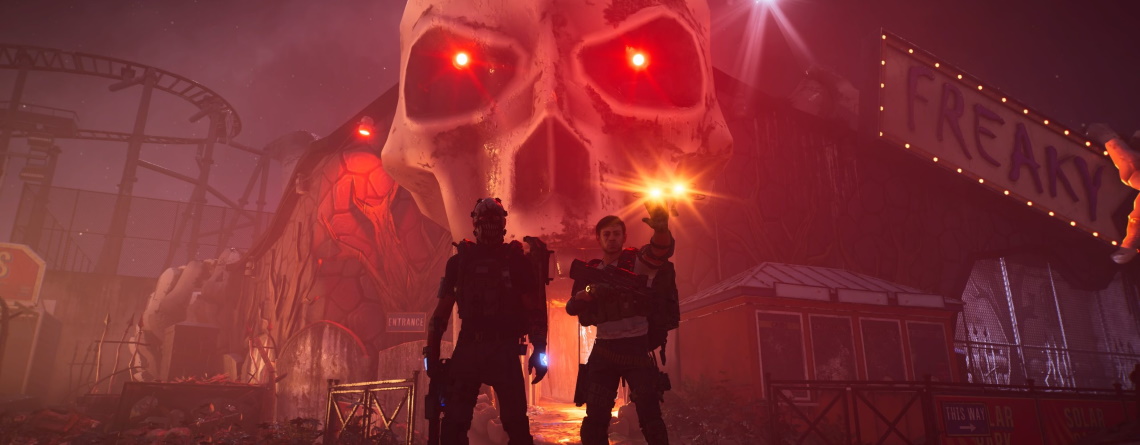
Do you want to experience The Division 2 in a truly dark and intense way? All it takes is changing a small setting in the game’s options. Suddenly, especially at night, the atmosphere is completely different. This is exactly how I imagine the post-apocalypse.

I am Sven Galitzki, shooter writer at MeinMMO, and I have been not only an enthusiastic Destiny guardian but also a diligent hobby agent since the launch of The Division 1.
However, despite having spent countless hours in both Division installments, I (unfortunately) only discovered an interesting graphic setting shortly before the launch of Warlords of New York that significantly changed my gameplay experience with just one keystroke.
This is the setting in question: In the graphics options of The Division 2, there is a setting called “Neutral Lighting” where you can choose between “On” and “Off”. By default, this graphic feature is off.
If this setting is new to you and you’re hearing about it for the first time, I highly recommend giving it a try at least once. For some, it could literally cast the game in a completely different light.
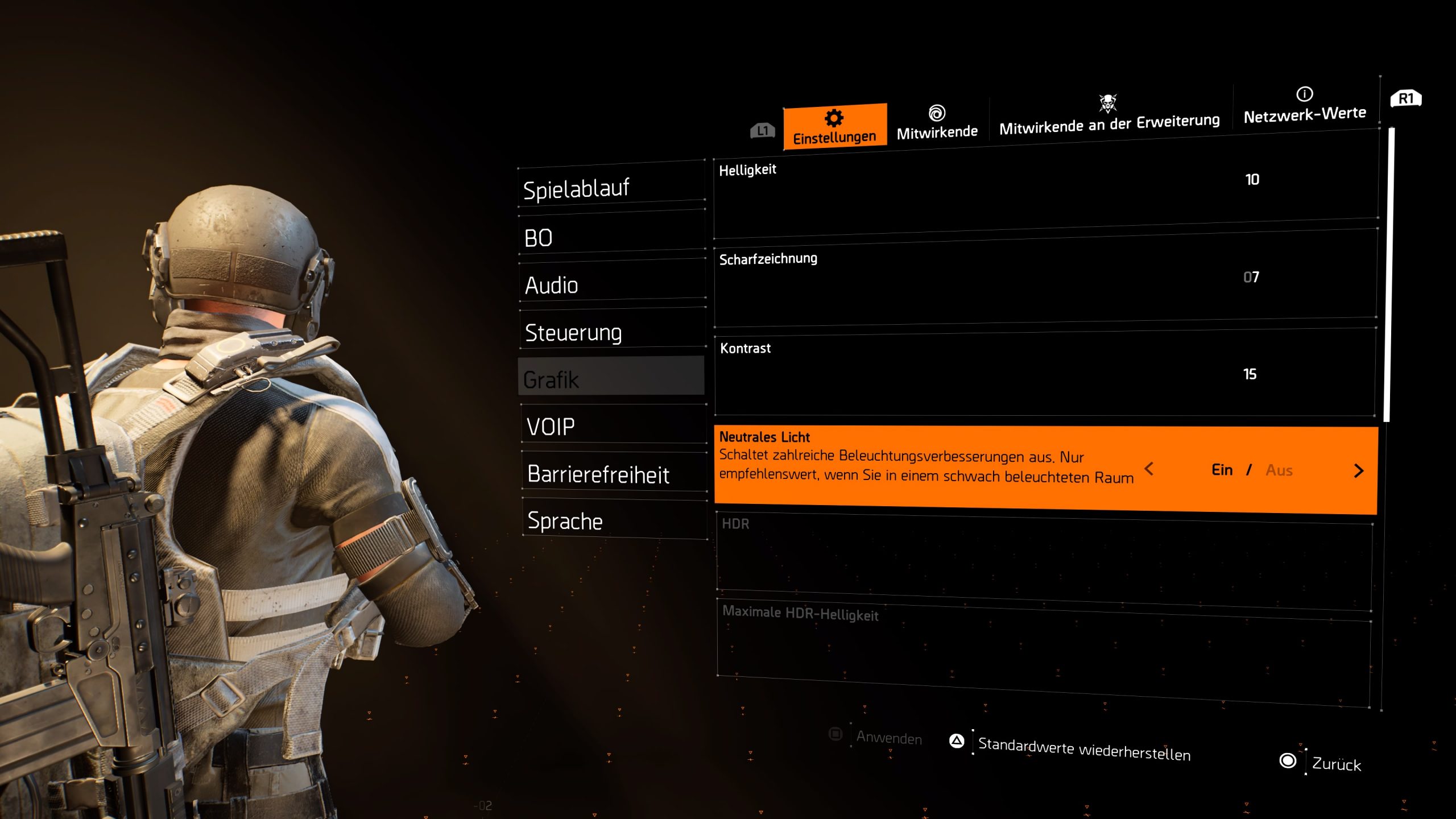
What exactly changes with this setting? According to the description, it says: “Disables various lighting enhancements. Only recommended if playing in a poorly lit room.”
The second part is certainly true. You should only enable neutral lighting if you’re playing in the dark – preferably at night.
However, if one thinks that the game would look worse now because you are turning off “numerous lighting enhancements”, that’s not really the case.
While the graphics of the game are certainly a matter of taste, The Division 2 looks much more realistic with neutral lighting activated – especially at night and in dark rooms.
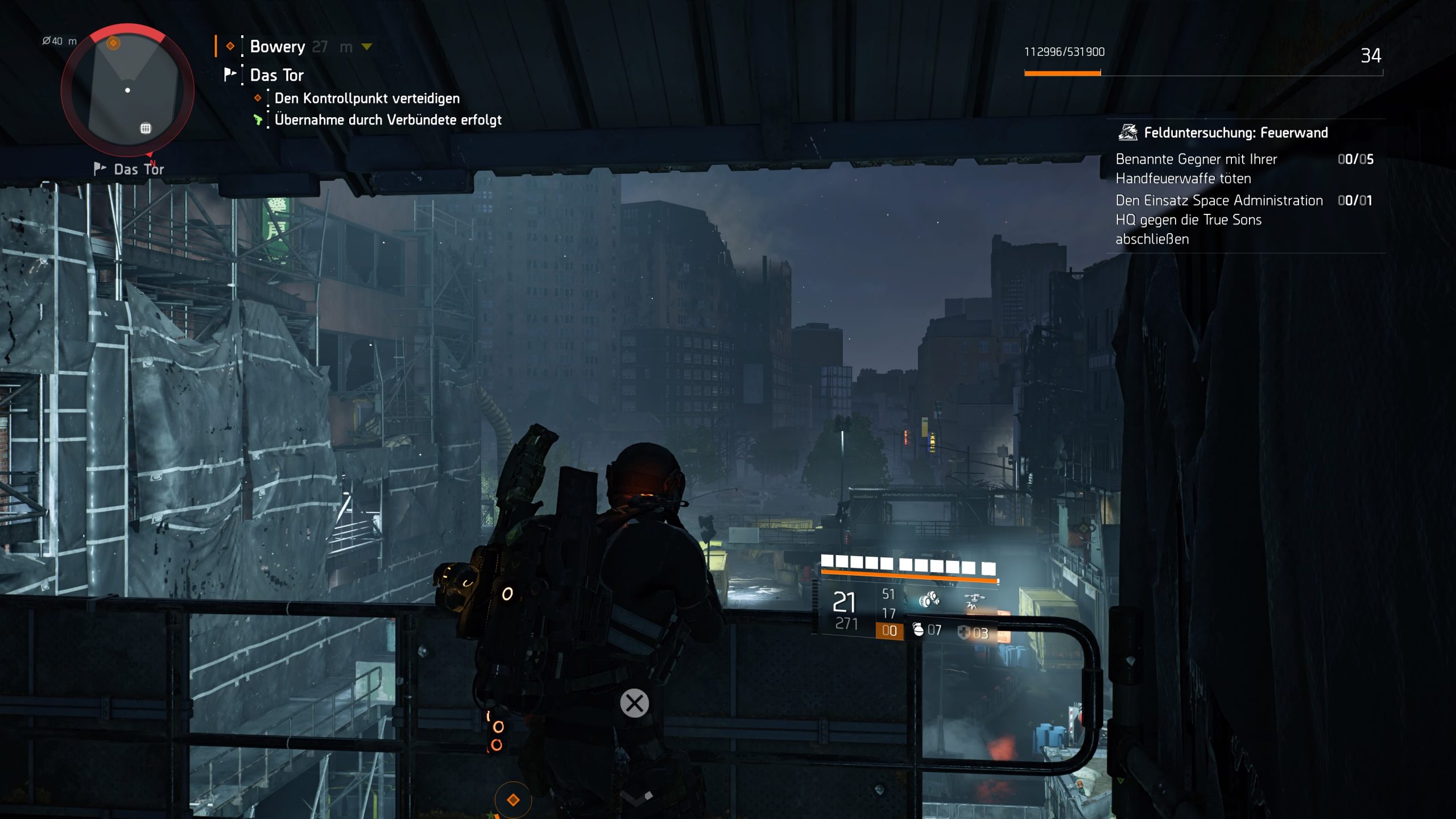
By default, The Division 2 does not just use actual light sources like lamps, spotlights, or muzzle flashes – almost every object, surface, and material – even the sky – are artificially illuminated as if through some kind of Instagram filter.
This may not be immediately noticeable, but once you turn off these additional light effects by activating neutral lighting, the difference becomes clear quickly. Only genuinely luminous objects then serve as light sources, making the game appear exponentially more realistic, especially in the dark.
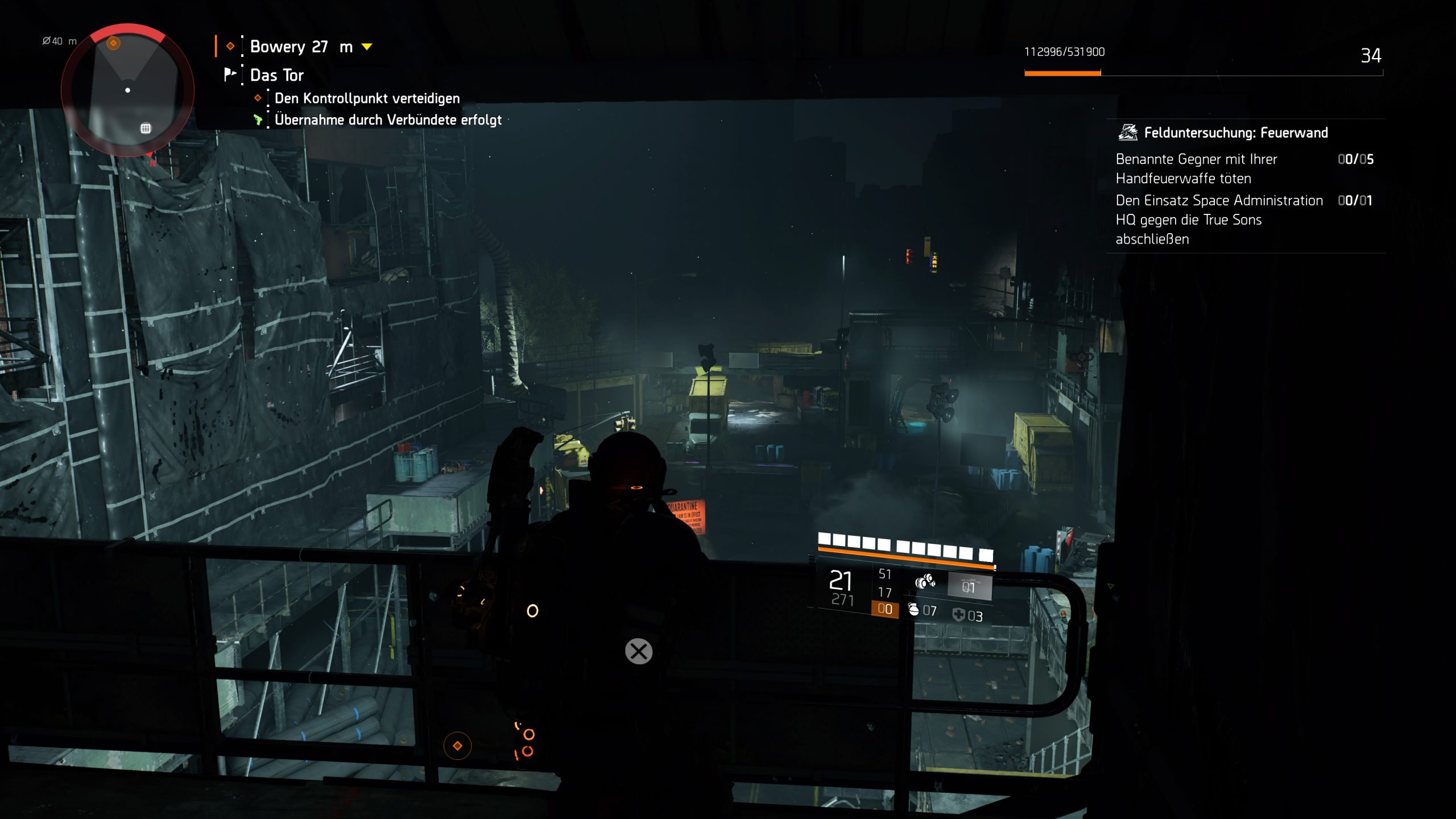
Now only lamps, all kinds of fire, reflections, the sun, the moon, or the orange-glowing agent equipment provide light. Even the flashlight attachment for pistols now truly serves a purpose and becomes an important helper.
In short: What wouldn’t light up in real life is turned off with neutral lighting. You’re not turning off any enhancements in principle, but rather removing an artificial mask that, in my opinion, robs the game of unnecessary atmosphere.
This is what it looks like: While graphics are always a matter of taste, in my view, The Division 2 looks absolutely stunning with neutral lighting.

During the day, you may not notice many differences, but upon closer inspection, they also become apparent during the day. But as the day nears its end, The Division 2 looks completely different.
Everything is much darker, the night is truly pitch black when you are in poorly lit areas, the night sky is now pitch black and not bluish-gray.
Sometimes you hear enemies before you see them or recognize them by the glow of equipment pieces or at the very latest by the muzzle flash.
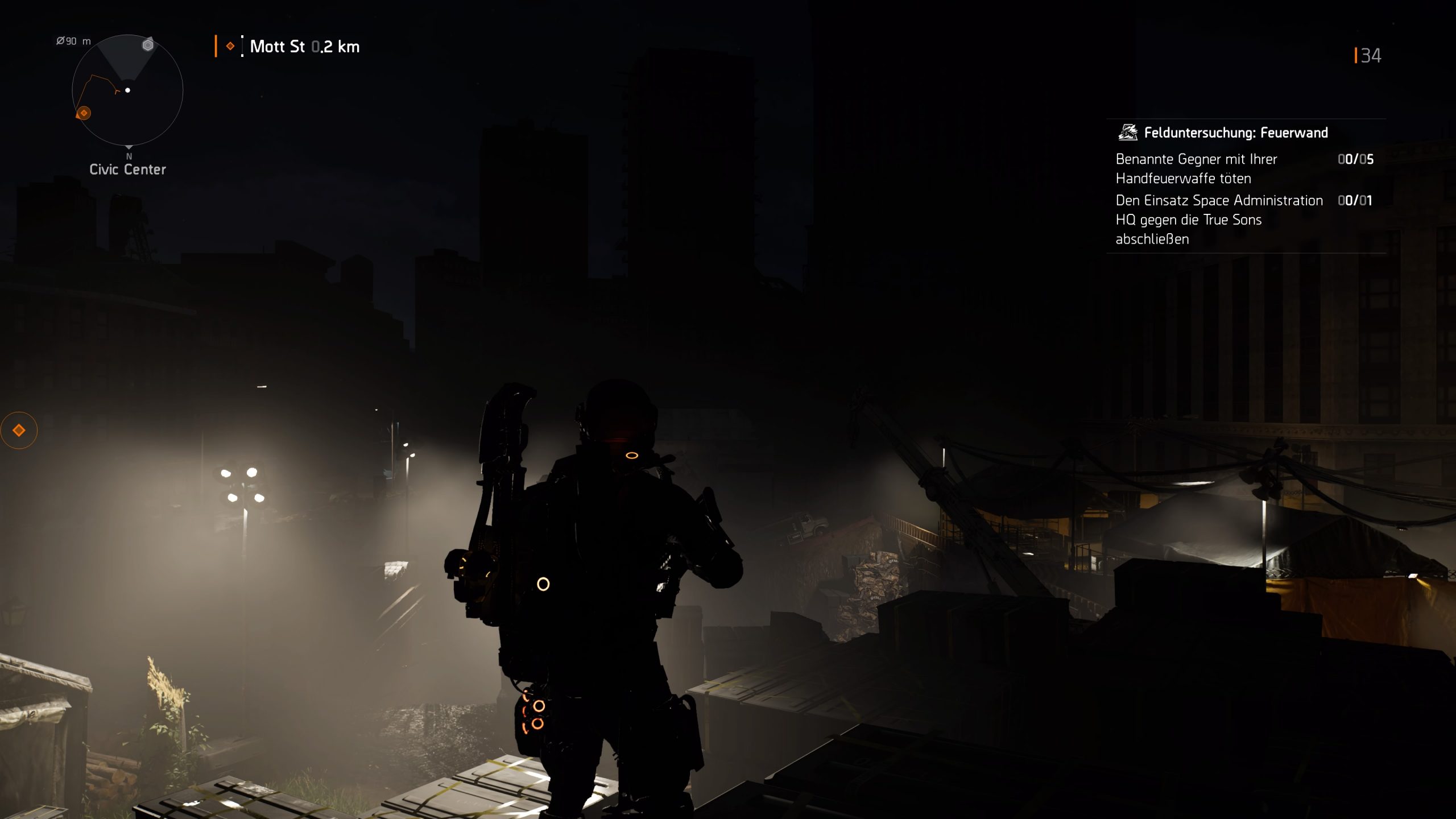
The gunfights look simply fantastic and feel much more intense.
Some might think now that you could just lower the brightness, but that’s not what neutral lighting does. It simply removes artificial light sources. Everything that is lit still shines brightly. But everywhere light doesn’t reach, it now looks considerably more realistic.
This is exactly how I imagine the apocalypse in New York (and in Washington) – a city that invites exploration during the day, yet at night appears dark and threatening, and no longer shines brightly everywhere and at all times.

By the way, the map at night with neutral lighting looks just cool. And the flashlight will become your new best friend in certain areas.

Who should try this? This setting is not for everyone – that’s for sure. But if you enjoy realistic lighting, especially at night and in dark rooms, and value a gripping atmosphere and an intense experience – then you should definitely give this graphic option a try.
If you don’t like it, a click is enough, and everything will be back to normal. But perhaps this one keystroke can also give you an extra thrill of the entire post-apocalyptic atmosphere that you, like me, won’t want to live without.
Here you can see how the activated neutral lighting affects closed spaces:
Have you already known this graphic setting? What do you think about it? Can you, like me, not return to the regular setting? Or does neutral lighting not appeal to you?


Your opinion is important to us!
Do you like the article? Then let us know!