

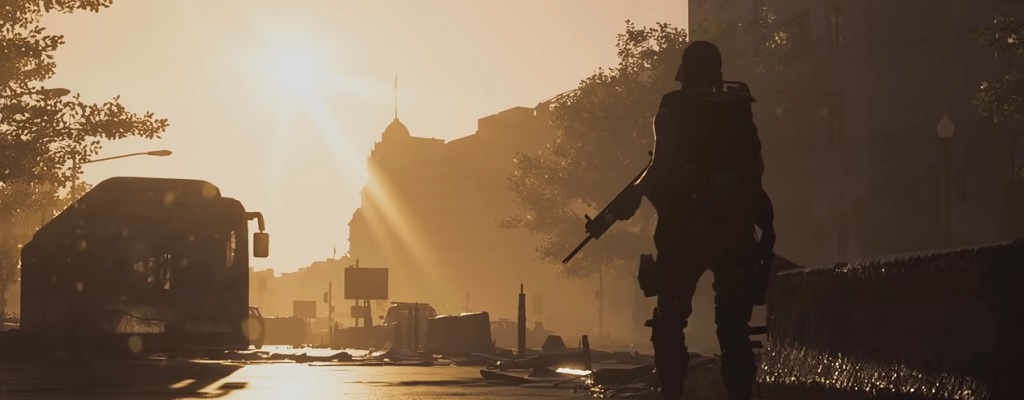
Today marks the start of the Open Beta for The Division 2. You can find the start time, the download link for the beta, and all other information here. We will keep you updated in case of any issues.

Beta Start Time: It kicks off today, on March 1st, at 10 AM. The servers for the Open Beta will go online then, and you can get a feel for The Division 2.
Open Beta Start Live Updates: If the first testers are bombarded with Delta Errors or other error messages right at the beginning, you will find out here. We will start the beta on time at 10 AM and keep you updated on how things are going.
What’s happening around the Open Beta
Update on March 2nd: The servers will go down today and tomorrow. Read all the information about the maintenance here.
Events on March 1st:
10 AM: The servers are online on time. When you log in, a small patch will be installed in the game. At the start, you can choose the language, the font size, the subtitles, and the brightness. Create your character and let’s go.
10:07 AM: We are in the game. Reddit is also excited that everything works perfectly. Massive just tweeted that the servers are now successfully online. Have fun. If you experience any issues, let us know in the comments.
10:28 AM: The first errors are appearing. A few PC users on Reddit report seeing a black screen. Additionally, there may be no enemies spawning during the first fight outside the White House. To resolve the issue, you should head to the White House, go up the stairs, and open the door to trigger the cutscene. After that, everything continues normally:
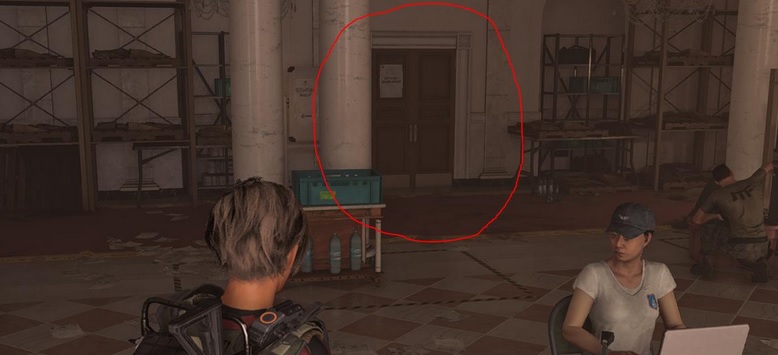
If you log out and back in, the problem may also be resolved.
10:43 AM: First DELTA-01 errors are occurring when some agents try to log in. Massive is investigating the issue and advises trying to log in again later. Update: The issue should now be resolved.
12:30 PM: Several bugs have been reported by users, such as sound issues, graphics issues, UI issues, or Delta-03 error codes.
1:45 PM: If you are looking for some tips regarding the Open Beta, you will find them here:
What you need to know about the Beta Download and Preload – PS4, Xbox One, PC
Is there a preload? Yes, you could download and install the Open Beta since yesterday.
Download for PS4: Search for “The Division 2 Open Beta” in the PlayStation Store and download it.
Download for Xbox One: Search for “The Division 2 Open Beta” in the Store and download it.
Download for PC: Sign in to Uplay and go to the Games tab. Search for “The Division 2 Open Beta”. Start the download or the preload.
Depending on the platform, the beta is approximately 45GB in size. If you still have the Private Beta installed, you only need to download an update (which is already available) to play the Open Beta.
Do you need PS Plus? According to Ubisoft support, you do not need PS Plus or Xbox Live Gold to play the Open Beta solo. However, a membership is required for all online features, such as multiplayer or co-op. Users report that the memberships are required for the download.
Contents of The Division 2 Open Beta
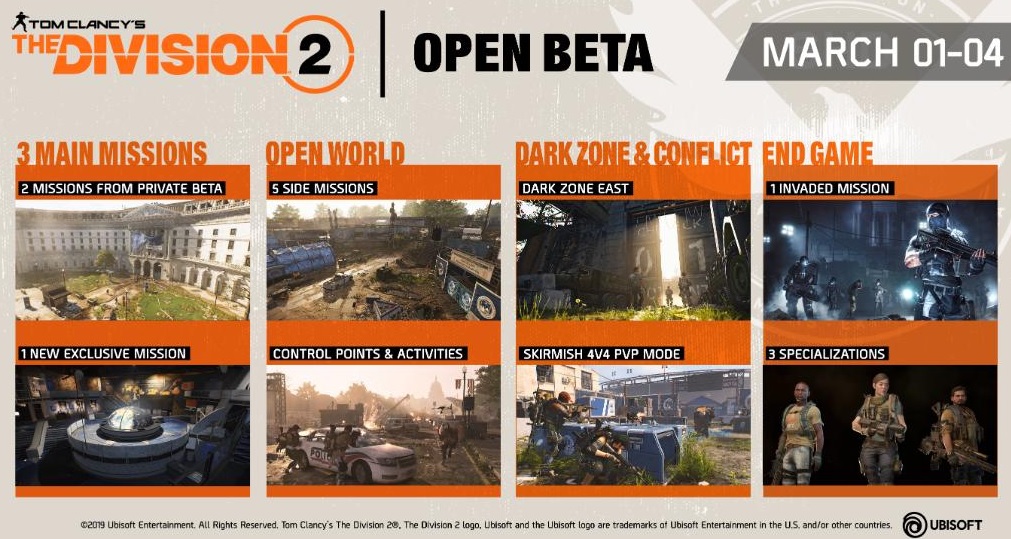
This content is available in the beta:
- The two main missions that were also available in the Private Beta. They are called Hotel Grand Washington and Jefferson Trade Center. Additionally, there is a new mission called “Viewpoint Museum”, where you will fight against the True Sons.
- An Invaded Mission that provides insights into the endgame. You can play it once you have completed the “Jefferson Trade Center” mission. Now log out and choose one of three unlocked level 30 agents. In the Invaded Mission, the Black Tusk attack – an endgame faction that really brings out the big guns.
- The three specializations are playable in this Invaded Mission. They include the survival specialist, the demolition expert, and the sharpshooter, each bringing unique weapons and special skills.
- Five side missions
- The eastern Dark Zone – a PvEvP area. You first need to play a mission to be introduced to the Dark Zone. Once you have completed the “Jefferson Trade Center” mission, you will find the mission with Senait Ezera in the White House.
- Many open-world activities like control points
- Conflict – a 4v4 PvP mode. A new map will be available in the Open Beta.
This image gives you an overview of the content:
What else is new in the Open Beta?
- The level cap is raised to 8. In the Private Beta, it was 7.
- There is another skill: The chem launcher, which allows you to shoot flammable gas or sticky foam.
- The difficulty has been adjusted in both regular and endgame missions.
- Additionally, several bugs have been fixed and improvements have been made. NPC animations have been enhanced and “Agent calls for backup” messages have been reduced.
Is the Open Beta worth it for me?
The Open Beta is worth it for you,
- If you want to help Massive ensure a smooth release for The Division 2 by stress-testing the servers now during the beta.
- If you want to experience the new main mission in advance, try the chem launcher early, and see how well the performance of the Open Beta is – especially compared to the Private Beta, which had many bugs.
- If you want to earn rewards for the main game. These are the rewards you can earn in the beta:

Will progress from the Private Beta carry over? No, you must start a new character. In the Open Beta, you only have pre-made character models to choose from, and you cannot customize the agent’s appearance. That changes in the main game.
These are the system requirements for PC
Minimum system requirements – 1080p | 30 FPS
- OS: Windows 7 | 8 | 10
- CPU: AMD FX-6350 | Intel Core i5-2500K
- RAM: 8 GB
- GPU: AMD Radeon R9 270 | Nvidia Geforce GTX 670
- VRAM: 2 GB
- DirectX: DirectX 11 | 12
The Division 2: Recommended system requirements – 1080p | 60 FPS
- OS: Windows 7 | 8 | 10
- CPU: AMD Ryzen 5 1500X | Intel Core i7-4790
- RAM: 8 GB
- GPU: AMD RX 480 | Nvidia Geforce GTX 970
- VRAM: 4 GB
- DirectX: DirectX 11 | 12
The Division 2: High-End system requirements – 1440p | 60 FPS
- OS: Windows 7 | 8 | 10
- CPU: AMD Ryzen 7 1700 | Intel Core i7-6700K
- RAM: 16 GB
- GPU: AMD RX Vega 56 | Nvidia Geforce GTX 1070
- VRAM: 8 GB
- DirectX: DirectX 11 | 12

The Division 2: Elite system requirements – 4K | 60 FPS
- OS: Windows 7 | 8 | 10
- CPU: AMD Ryzen 7 2700X | Intel Core i9-7900X
- RAM: 16 GB
- GPU: AMD Radeon VII | Nvidia Geforce RTX 2080 Ti
- VRAM: 11 GB
- DirectX: DirectX 11 | 12
These languages are available in the Open Beta:
- Audio: English
- Text: English, French, German, Italian, Spanish, Japanese, Chinese, traditional Chinese, Korean
Open Beta Trailer:
Are you participating in the Open Beta?

Your opinion is important to us!
Do you like the article? Then let us know!