


On February 7, the Private Beta for The Division 2 starts. To participate, there are some requirements for the download. We will tell you what you need to know about the preload, the size, and the start of the demo.

When does the Private Beta start? The Beta starts on February 7 at 10 AM and will run for four full days until February 11.
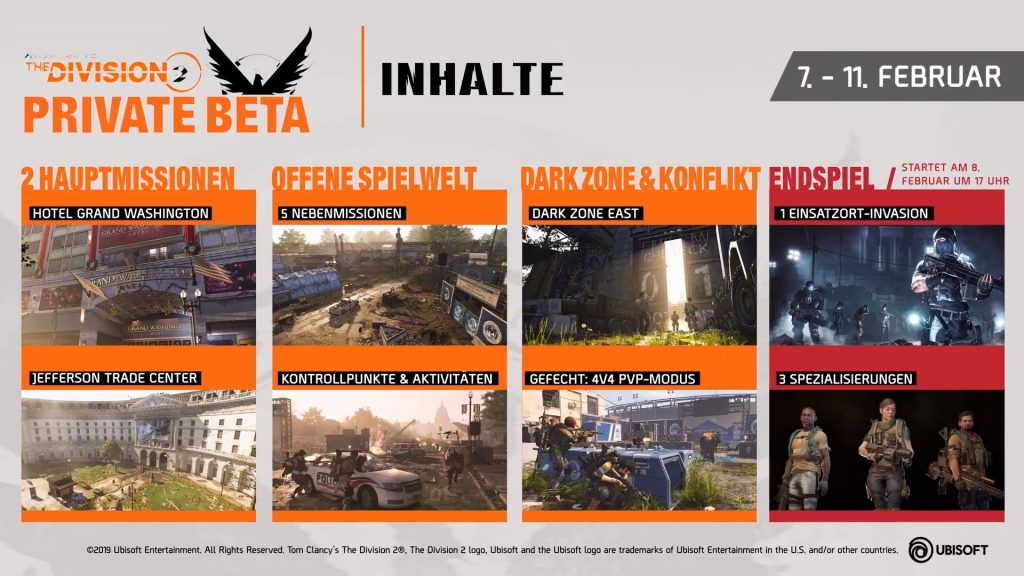
What is the Beta about? In the Private Beta, you can already test numerous features of the game. Two main missions and five side missions are playable, and parts of the endgame are included. You can also explore many parts of the game world. We have provided you with a detailed list of the contents in our Hub for the Beta.
Update, 7.2. 18:54:Currently, friend invitations are disabled, as Massive announced on Twitter. They will be reactivated once the issues of the Beta have been resolved. In our ticker, we keep you updated on the current situation.
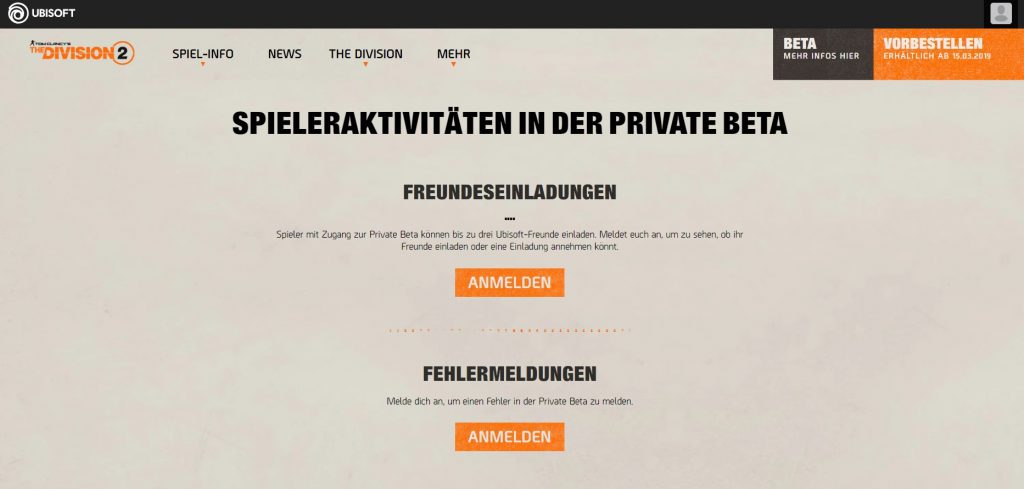
You can invite up to 3 friends
This is how you can invite your friends: Through the Beta website you can send three invitations to your friends from your Uplay list.
- On the website, you first need to log in.
- Then your Uplay friend list will be displayed.
- If you want to invite your PSN and Xbox friends, you first need to add them in the Ubisoft Club.
If you have issues with login, you may need to clear your browser’s cache.
Your invited friends have 48 hours to accept the invitation after receiving it. If they do not accept, the invitations will return to you, and you can resend them to others.
How do I get into the Beta if I was invited? Log in on the Beta website and select the “Redeem Code” button. This may sound strange since you haven’t received one yet, but it is still the right way. You should then receive an email.
Didn’t receive an email? Check your Ubisoft account and verify your email again. At least that’s what other players report in the Subreddit of The Division.
Note: You must not already be logged in to the website when you want to invite friends. Otherwise, log out and log back in using the button under “Friend Invitations”. Thanks to our reader Tom for the tip.
Players who join the Beta through an invitation cannot invite anyone.
This is how you can download the Private Beta
When does the preload start? You have the opportunity to download the demo 24 hours before the start of the Beta. This way, you can start the Private Beta right away.
This is how you can participate: There are two ways for you to participate in the Private Beta:
- You already pre-ordered the game
- You registered on the Beta website and were selected for the Beta
This is how the download works for digital pre-orderers: If you pre-ordered The Division 2 through the PSN-, Xbox-, or Uplay-store, then you don’t need a code or anything else to participate in the Beta.
- From February 6, the Beta will appear in your game library, and you can download it.
- If you are playing on Xbox One or PS4, you need to search for the Beta in the Xbox or PSN Store.
After downloading the demo, you can start the Beta on Thursday, February 7 at 10 AM.
And what if I didn’t order from the store? If you pre-ordered the game from a retailer, you should have received a code from that retailer with which you can start the Beta.
- You redeem the code on the The Division 2 website and then gain access to the Private Beta
- If you pre-ordered in the Epic Store, you will also receive an email with a direct access code. Afterwards, the Private Beta will appear in your game library, and you can start downloading it.
No code despite pre-order? If you have not received a code yet, you either need to be patient or contact the retailer. The email with the code might also be in your spam folder.
There’s still a chance: If you have registered for the Private Beta, you might have been selected by Ubisoft. You should check your emails. It is not known when the draw will end.
The trailer for the Beta shows you what to expect:
The size of the Private Beta
The size of the Beta: To play the Private Beta, you will need quite a bit of free storage space. Regardless of the platform, the Beta is 46 GB large. Furthermore, a 200MB patch is also expected to follow.
This is exactly what you can use the preload for, so you can start right on time with the Private Beta.
Don’t miss any news: To stay updated on the game, follow our Facebook page for The Division 2 and join our Facebook group.
Not sure if you want to play The Division? The developers want to keep you engaged long after the launch:


Your opinion is important to us!
Do you like the article? Then let us know!