

Keyboards get dirty quickly and are often difficult to clean. MeinMMO gives you tips on how to restore the hygiene and cleanliness of your keyboard.
My keyboard is sticky – is yours too? In the evening, you want to play a few rounds of your favorite shooter with friends or complete the raid, trying to eat a meal or drink a beer at the same time. The next morning, you find crumbs and other remnants stuck between and on the keys.
Many of you may be familiar with this phenomenon, and we at MeinMMO can sing a song about it too. That’s why we present you here the best tips on how to clean your keyboard from dirt and what you should pay attention to.
What do I need to clean my sticky keyboard? You need some special tools, but most things are everyday items you might already have at home. Here we list everything for you and will go into more detail in the tips.
This is what you need:
- Isopropyl alcohol and gloves
- Cotton swabs
- Newspaper
- Compressed air spray
- Microfiber cloth or other lint-free cloth
- Dull knife, plastic card, or keycap puller
Tip: Keyboard cleaning sets are now offered on Amazon. These come with several brushes, a keycap puller, and also a microfiber cloth. The set we present has a rating of 4.3 out of 5 stars from 263 reviews and is well-rated. The price is around 8 euros, making it affordable.
Cleaning the keyboard: What you should pay attention to before cleaning
How often should you clean your keyboard? In principle, it is enough if you clean your keyboard when it is very dirty or when the dirt bothers you. However, here too: The more regularly you clean the keyboard, the less dirt will remain.
If you have a cold or are sick and share your keyboard at home with someone, you should definitely clean it once a day.
This is what you should do first: Before you clean your keyboard, you should check what type of keyboard you are using. With a mechanical keyboard, you can often remove the keycaps, but this is usually not the case with a rubber dome or simple office keyboard.
In principle, you can also find cleaning instructions in your manual that you should adhere to. It will also state whether you can detach the keycaps. However, you should always keep the following things in mind:
- Disconnect the keyboard from the PC and power supply. This prevents amusing character combinations on the screen and unnecessary damage to your keyboard.
- If available: Remove batteries from the keyboard and set them aside.
- You should not open the keyboard with a screwdriver. Inside are the tracks of the keyboard, which you can damage by doing so. Opening the keyboard usually voids the warranty of your device!
- Never clean the keyboard directly with a vacuum cleaner. Brush attachments for the vacuum cleaner are also only partially useful.
- Be careful with liquids like water. These can penetrate the keyboard and damage the sensitive technology in the long term. Never submerge the keyboard in water, as this will damage the circuit board under the keys!
- Check the labeling of the keys: Are the symbols printed or embossed? With printed symbols, you should be cautious with cleaning alcohol and water. Therefore, avoid harsh cleaning agents.
How can I clean my keyboard?
Here, we explain how to best approach the cleaning of a keyboard and what you need to keep in mind. We also provide some recommendations.
You should note that the tips may vary slightly depending on the keyboard, as manufacturers build their devices differently and the technology under the keys can vary.
Can you wash a keyboard? We would advise against submerging your keyboard in water or putting it in the dishwasher. There is sensitive technology under the keys that cannot withstand water. The risk is very high that you will irreparably damage the keyboard.
We will explain exactly how to proceed with the cleaning in the following section.
Remove coarse and loose dirt
For this, for example, lay out old newspapers or similar on your table. Then, turn your keyboard upside down and gently shake it so that the coarse dirt can loosen from the keyboard.
A compressed air spray can also be helpful to blow dirt out of the keyboard. However, you should not use a vacuum cleaner, as this could damage the sensitive technology under the keys.
Thoroughly clean keys and surfaces
To eliminate bacteria and other stubborn dirt on the keyboard, it’s best to use a cotton swab and isopropyl alcohol or another cleaning alcohol.
This is how you proceed:
- Dip the cotton swab in the cleaning alcohol. It’s best to wear gloves, as isopropyl alcohol can irritate your skin.
- With this cotton swab, you can now clean the gaps between the keys. You can also clean large surfaces with a cloth.
- Then, you should wipe the keyboard dry with the lint-free cloth.
Remove keys and clean them
How do you best clean a mechanical keyboard? With most devices, you can detach the keycaps from the keyboard. These are usually mounted on the switches of the keyboard.
Before doing so, take a photo of your keyboard layout. If you are unsure whether you can remove the keys, check the manual of your keyboard.
This is how you proceed:
- Use a dull knife, a plastic card, or a keycap puller to remove the keys from the switches.
- Next, clean the removed keys with cleaning alcohol or under running water. Alternatively, you can place the keys in a laundry bag and wash them for 15 minutes on the short cycle of the washing machine.
- Then, dry the keys and let them dry for a few hours. This is important as water could otherwise penetrate the electronics of the keyboard.
While the keys are drying, you can wipe down the bare keyboard with a cloth again and remove any dirt you couldn’t reach before.
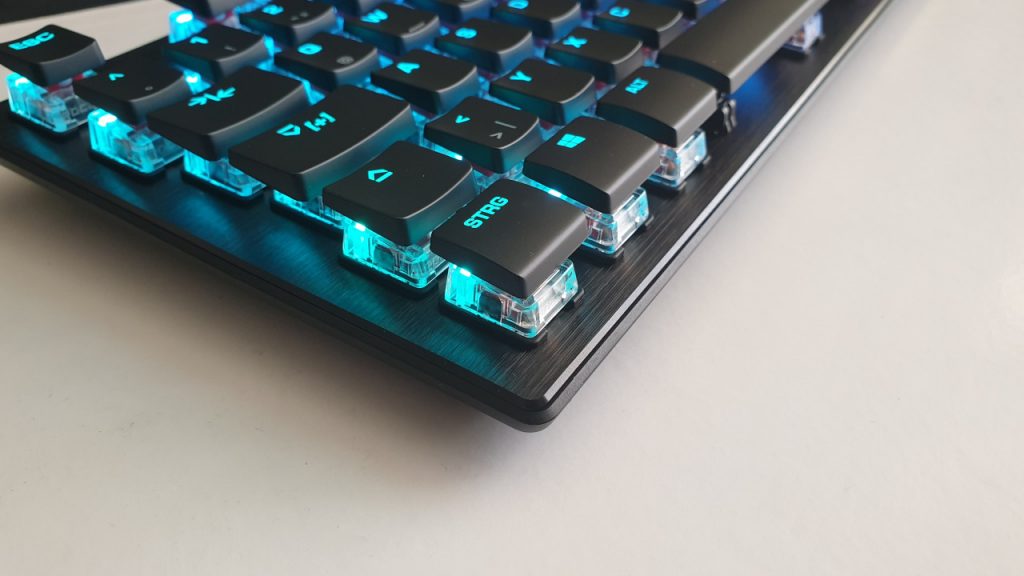
Once the keys are dry, you can remount them on the keyboard. If you took a photo of your layout beforehand, you can quickly place them back correctly. For the function of the keys, the print generally doesn’t matter, but the correct layout will make it easier for many players:
New keyboard instead of cleaning? Your keyboard can no longer be cleaned properly, or you don’t want to go through the hassle? In this article, MeinMMO presents the best gaming keyboards you can currently buy. We showcase both wired and wireless models and give you tips on what to consider when buying.

Your opinion is important to us!
Do you like the article? Then let us know!