

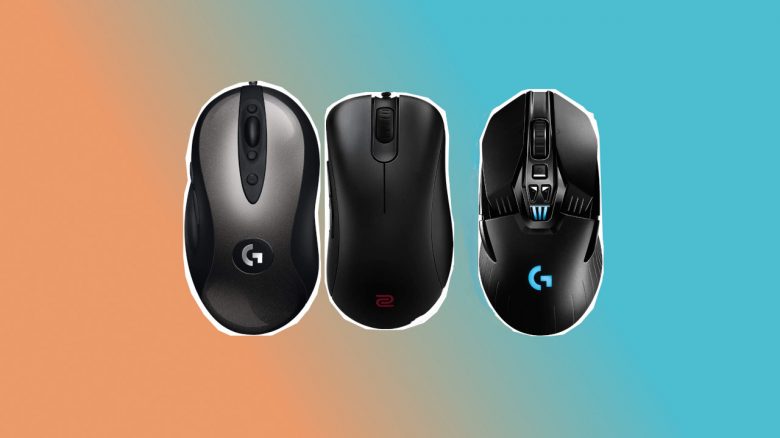
If you like to play shooters, you need a fast and precise mouse. Preferably lightweight mice with few additional buttons. We at MeinMMO present to you the best mice for shooters in 2024 and explain which player they are best suited for.
Why do you need a good mouse? Casual players and competitive gamers know what matters in a shooter: fast, precise clicks to take down the opponent.
For example, there are mice that are supposed to minimize sweating. But in this article, we want to introduce you to which mice are best suited for shooters and which we can recommend with a clear conscience. At the end, we also give you a few tips on what to look for when buying a mouse.
Which mice do we recommend? We recommend gaming mice for shooters in our list that are preferred by professional gamers and e-sports athletes and are also praised by critics as strong mice:
- A good indicator of which gaming mice are currently used by professionals in gaming are sites like Prosettings.net. Here you can get an overview of which hardware the pros use for their victories.
- Additionally, we looked at reviews, comments, and criticisms of the individual devices. Many mice we also tested ourselves in the editorial office.
- Finally, we checked which mouse is really worth recommending.
The best mice for shooters 2024 at a glance:
- Razer Viper V2 Pro
- BenQ Zowie EC2-CW
- Nyfter Nyf 22
- Logitech G703
- Logitech G PRO X Superlight 2
- Logitech G203 – Shooter gaming mouse under 50 Euros
- SteelSeries Rival 3
- Razer DeathAdder V3 Pro
- Xtrfy M4 RGB
- Corsair M75 Air
- Roccat Kone Pro Air
Are you missing a mouse? Then let us know in the comments and tell us why it is a strong shooter mouse for you.
Last updates: January 12, 2024, November 16, 2023, April 19, 2023
Razer Viper V2 Pro – Best gaming mouse for shooters
DPI: 30,000 | Sensor: Optical | Buttons: 5 programmable buttons | Weight: 58 grams | Price range (according to Geizhals): 116 – 160 Euros
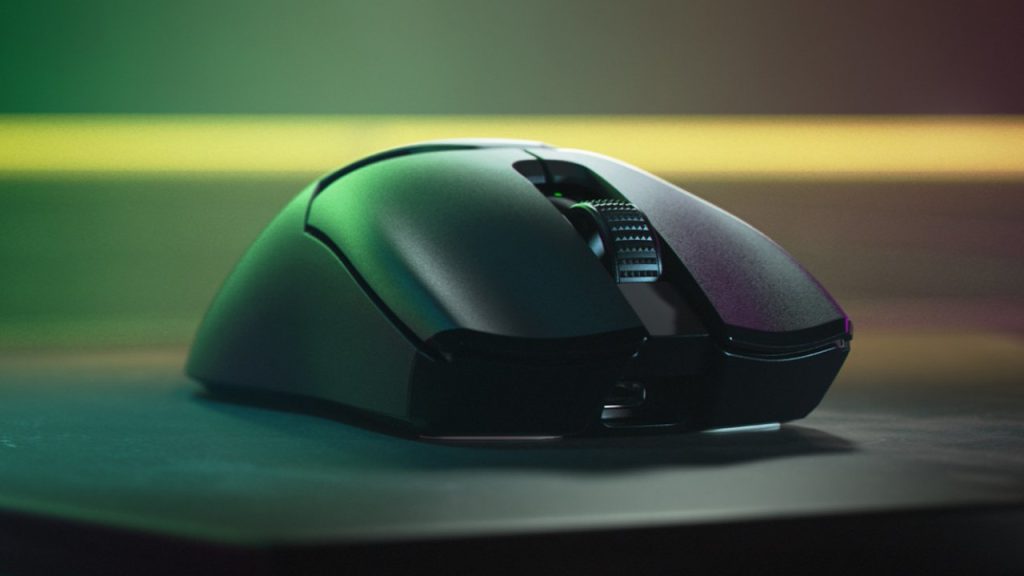
For whom is the mouse suitable? Are you looking for a powerful, well-built gaming mouse that relies on low latency? Then take a look at the Viper V2 Pro from Razer. Here you get the best overall package if you want to play competitive shooters.
This is what the Viper V2 Pro offers: Razer uses current hardware in its Viper V2 Pro. The mouse offers you the best sensor from Razer at the moment, combined with optical switches and a weight of only 58 grams. This puts it in the same league as the competition. The manufacturer claims a battery life of 80 hours.
Basically, you can use the mouse ambidextrously, but the thumb buttons are only on the left side and can therefore only be used effectively by right-handers. The online magazine rtings.com ranks the Viper V2 Pro among the best shooter mice you can buy right now and scores the mouse for FPS games with 9.3 out of 10 points.
What users say: The gaming mouse is rated 4.3 stars on Amazon with around 300 reviews. The ergonomic design and workmanship are especially praised.
Alternative: Razer DeathAdder V3 Pro
DPI: 30,000 | Sensor: Optical | Buttons: 5 programmable buttons | Weight: 61 grams | Price range (according to Geizhals): 120 – 140 Euros
A good and recommendable alternative to the Viper V2 Pro is the Deathadder V3 Pro, also from Razer. Both mice use the same technology, but the Deathadder V3 Pro is aimed more at players with larger hands. In addition, the Deathadder V3 Pro is a bit heavier than the Viper V2 Pro.
BenQ Zowie EC2-CW
DPI: 400 – 3200 | Sensor: Optical | Buttons: 5 buttons | Weight: 77 grams | Special feature: Ergonomic, right-handed | Price range (according to Geizhals): 160 – 180 €
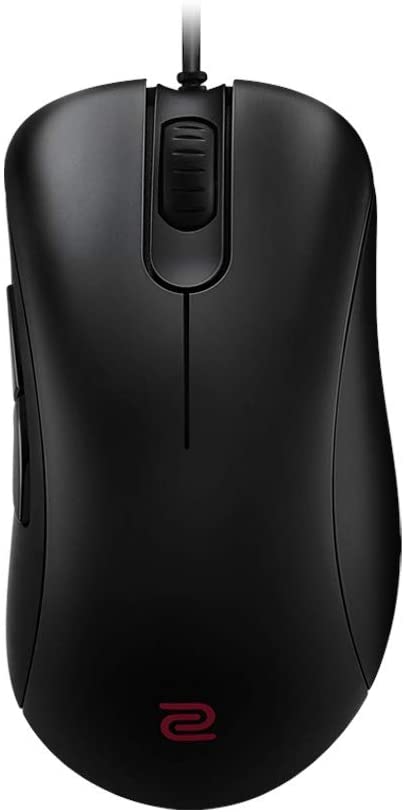
For whom is the mouse suitable? The ZOWIE EC2-CW is a good gaming mouse with low click latency and a pleasant, ergonomic design. The high price of the wireless variant (around 180 Euros) may deter some, but the wired ZOWIE EC2-C is available for around 100 Euros.
This is what Zowie EC2-CW offers: With the EC2-CW, Zowie introduced the wireless versions of its popular EC series at the beginning of 2023. The ergonomic gaming mice are specifically aimed at e-sports athletes and individuals who want to play competitively. The mouse relies on a special wireless receiver that is supposed to ensure particularly low latency. Therefore, the model is not suitable for left-handers, as the manufacturer does not use a mirrored design.
According to the manufacturer, you do not need software, and it is not planned by the manufacturer. With a switch on the underside, you can change the DPI value. The color of the mouse wheel also changes when switching.
What users say: The mouse is rated 4.2 out of 5 stars on Amazon with 1,506 reviews. Users praise the accuracy and ergonomics. Critics mostly complain about the poor build quality, especially the mushy side buttons.
Nyfter Nyf 22 – Tip for shooters
DPI: Up to 19,000 | Sensor: Optical | Buttons: 5 buttons | Weight: 72/75 grams | Special feature: Hot-swap switches, interchangeable mouse cover | Price range (according to Geizhals): 90 – 110 €
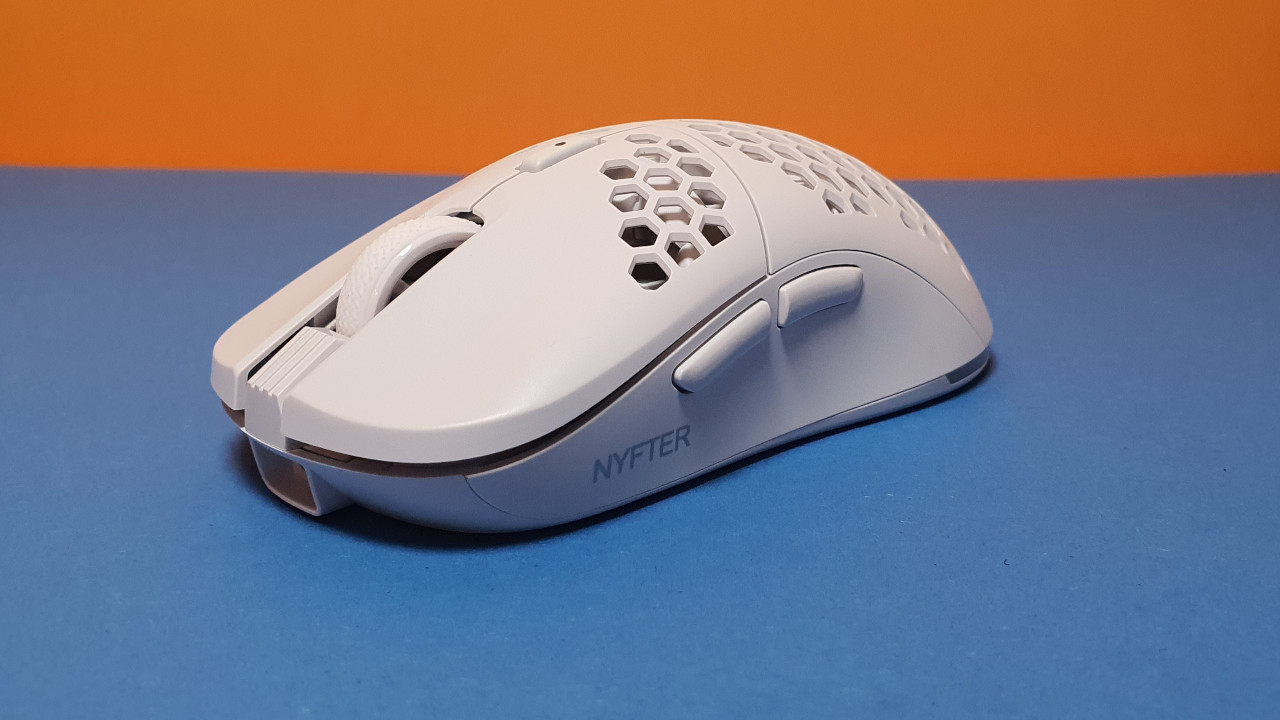
For whom is the mouse suitable? If you are looking for a high-quality mouse with many features, then with the Nfy 22 you get a really good gaming mouse from a German company. You can also swap the honeycomb pattern for a closed case.
This is what the Nyfter Nyf 22 offers: In addition to high-quality workmanship, the mouse can also convince with extensive accessories. Because you can change both the mouse’s case and the switches under the buttons.
With around 40 hours of battery life, the performance is slightly below that of the competition; however, for everyday use, the battery is usually more than sufficient.
We were able to convince the Nyf 22 in the test without any problems. This is mainly due to the large scope of delivery and the many setting options. In particular, we miss hot-swap switches among the major competitors like Logitech or Razer. You just have to overlook the weak software, and then you should definitely give the mouse a chance:
Logitech G703 Lightspeed
DPI: 100 – 16,000 | Sensor: Optical | Buttons: 6 buttons | Weight: 95 – 105g | Special feature: Powerplay compatible, optional weight (10g), Lightsync RGB lighting, right-handed | Price range (according to Geizhals): 70.55 – 177.93 €
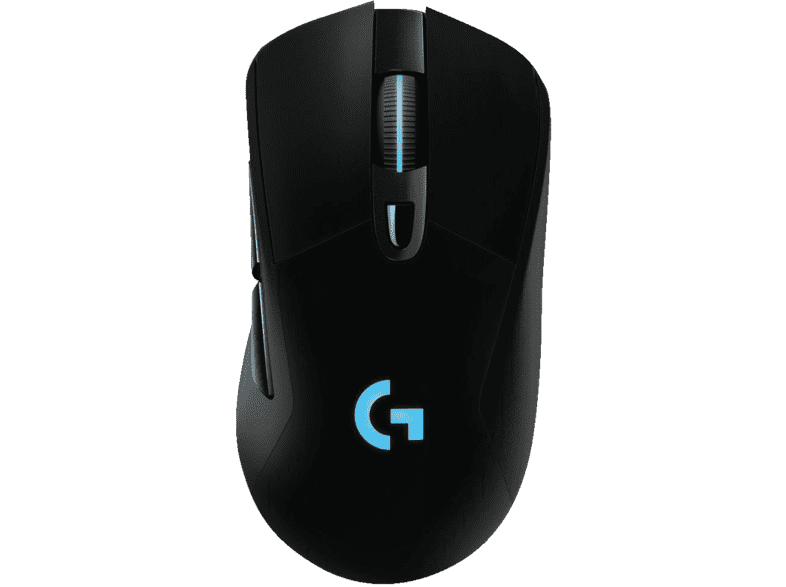
For whom is the mouse suitable? The G703 costs about 30 Euros less than its bigger brother and is a solid wireless mouse that does not have frills. If you are looking for a well-built and precise gaming mouse that focuses on a minimum of buttons and features, then take a look at the Logitech G703 Lightspeed.
This is what the Logitech G703 Lightspeed offers: The mouse feels like a classic mouse: It is limited to five buttons, including 2 thumb buttons, plus a DPI switch. The mouse also features rubberized sides, making it comfortable to hold. With the additional 10g weight, you can also adjust the mouse’s weight. The G703 feels somewhat sturdier and larger than the G903.
Like its larger brother G903, the G703 also uses the Logitech Hero 16K sensor. This sensor is precise and meets all requests. It also comes with Powerplay, though the mouse pad is not included here. In contrast to the G903, this mouse is only intended for right-handed users, as the thumb buttons cannot be changed or removed.
What users say: The mouse is rated 4.4 out of 5 stars on Amazon with 500 reviews. Buyers especially praise the good ergonomics of the mouse and the latency-free connection. Some users criticize the mouse wheel, as it does not offer a free-rolling function and is also much stiffer than that of other mice.
Logitech G Pro X Superlight 2
DPI: 25,000 | Sensor: Optical | Buttons: 5 programmable buttons | Weight: 63 grams | Special feature: | Battery life: 70 hours | Price range: 110 – 180 Euros
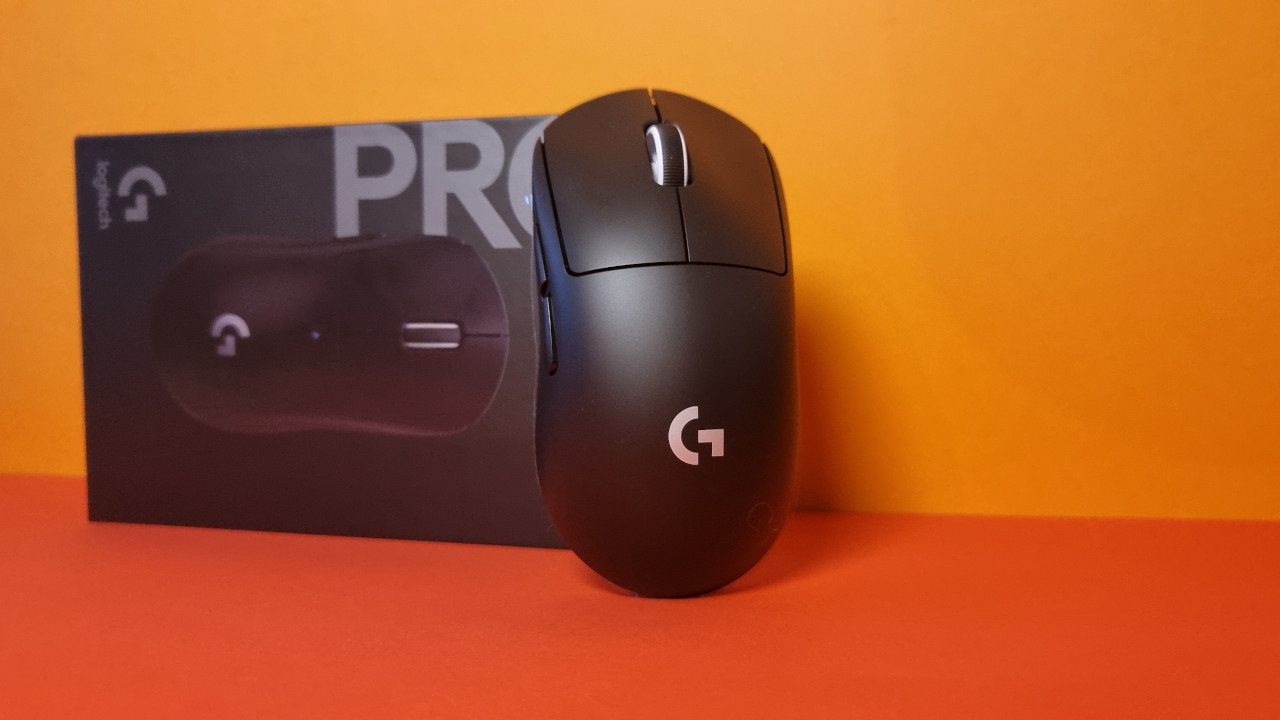
For whom is the mouse suitable? With the Superlight 2, Logitech has introduced the successor to its successful shooter mouse. The G Pro X Superlight 2 is an absolute lightweight among wireless mice and is currently Logitech’s lightest model.
If you look at the settings of various e-sport organizations, for example, on prosettings.com, you will find that the G Pro X Superlight is favored by many eSports teams.
This is what the Logitech G Pro X Superlight 2 offers: The G Pro X Superlight 2 is suitable for both left and right-handed users, but only as a right-handed user can you use the thumb buttons. The symmetrical design has a disadvantage: There is no thumb rest, and the mouse does not have as much grip as a pure right-handed mouse.
In principle, with the G Pro X Superlight 2, you get a gaming mouse with state-of-the-art technology, excellent battery life, and a very good sensor. You can find a comprehensive test of the G Pro X Superlight 2 directly on MeinMMO.
The new optical switches under the buttons are, however, very loud and take some getting used to. We also missed a DPI switch on the top or underside of the model during testing.
Our tip: The old Superlight is still a recommendable model. If you don’t want to spend 169 euros for the 2nd version, you can often get the old Superlight model for under 100 euros.
Here you can buy the mouse: Currently, you can buy the new Superlight 2 directly on Amazon at the normal price. You can also still get the predecessor model. However, the first version will probably disappear from the market in the long run:
Best shooter mouse under 50 euros – Logitech G203
DPI: Up to 8,000 | Sensor: Optical | Buttons: 6 buttons | Weight: 84 grams | Special feature: wired | Price range (according to Geizhals): 20 – 40 €
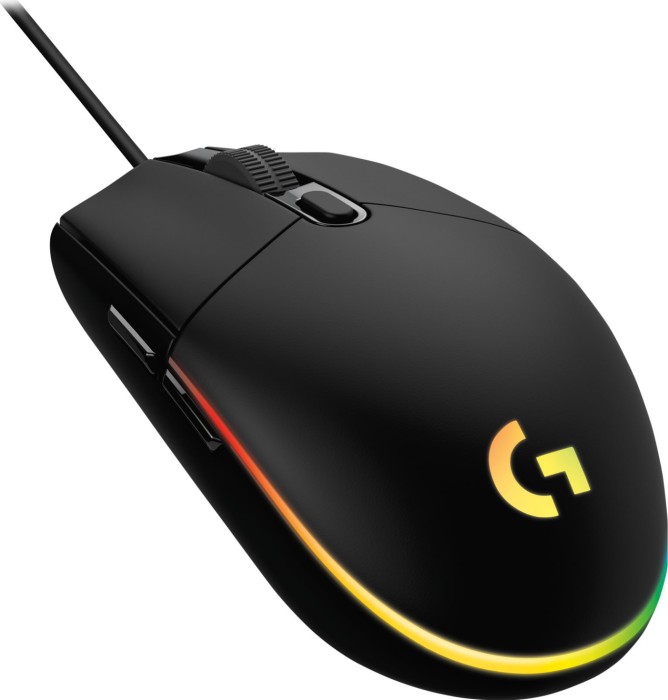
For whom is the mouse suitable? With the Logitech G203, you get a budget tip for shooters and fast games. If you don’t want to spend more than 30 euros on your mouse or just want to play a few rounds occasionally, then the G203 is a recommendable model.
This is what the Logitech G203 offers: The G203 is wired and offers decent workmanship. At 84 grams, it is heavier than the competition but feels secure in the hand due to good ergonomics.
With the extensive software, you can configure the mouse further. However, given this price, you should not expect too much in terms of workmanship. If you want a better sensor and higher quality workmanship, you need to go for the Logitech G403. This costs about 10 euros more.
What users say: The mouse is rated 4.3 out of 5 stars on Amazon with over 3,000 reviews. Buyers praise the size of the mouse, the robust workmanship, and the quick responsiveness of the model:
SteelSeries Rival 3
DPI: 100 – 8,500 | Sensor: Optical | Buttons: 6 buttons | Weight: 77g | Special feature: fully programmable, internal memory, right-handed | Price range (according to Geizhals): 34 – 58 €.
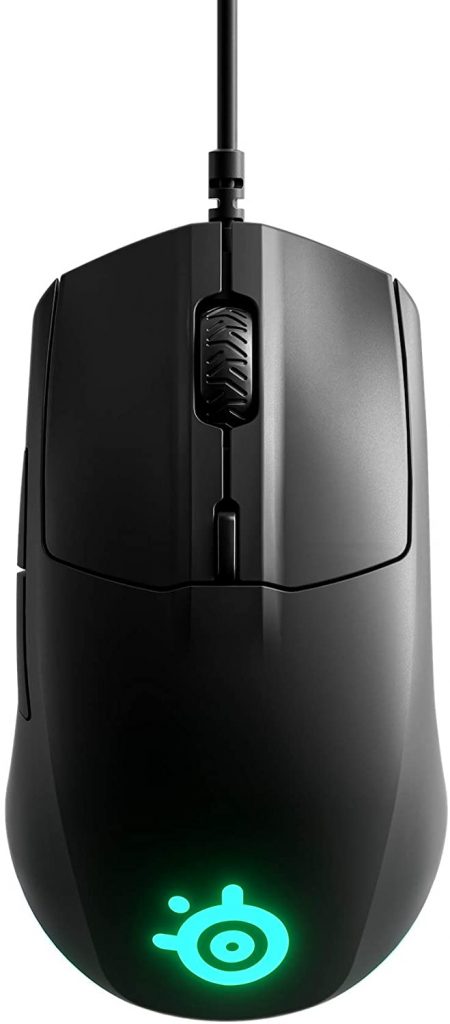
For whom is the mouse suitable? The SteelSeries Rival 3 is a small, lightweight, and solid gaming mouse without special abilities. However, for around 40 euros, the overall package is right. If you are looking for a good mouse and have no special requirements, then the Rival 3 is a good choice.
This is what the SteelSeries Rival 3 offers: The mouse from the Danish manufacturer has a black ABS plastic housing that feels comfortable and secure in the hand. This look is combined with an RGB ring that almost surrounds the entire mouse and a lighted logo.
Inside, the TrueMove Core sensor works. This is the Pixart PMW3331, which ranks significantly lower than the PixArt PMW-3360. The sampling rate is lower than that of a high-end sensor, but the power consumption is also lower. For gaming, the TrueMove Core sensor is more than sufficient.
Instead of Omron, SteelSeries relies on Zippy DF3 switches for its entry-level mouse, which the manufacturer claims can withstand up to 60 million clicks. The in-house software should also be positively noted: The “SteelSeries Engine 3” software is clear and well-structured, and you can quickly find your way around.
One annoying aspect of the mouse is the inflexible cable used to connect the mouse to the PC. The mouse also has a symmetrical design. This makes it less ergonomic, but due to its low weight, it still feels good in the hand. Despite the symmetrical build, it is only suitable for right-handers.
What users say: The mouse has a 4.6 out of 5-star rating with 86 reviews. Buyers especially praise the fair price and the light weight of the mouse. Critics complain that the mouse slips on the table very quickly and the quality is only mediocre.
Razer DeathAdder V2 Pro
DPI: Up to 30,000 | Sensor: Optical | Buttons: 4 buttons | Weight: 63 grams | Price range (according to Geizhals): 140 to 170 €
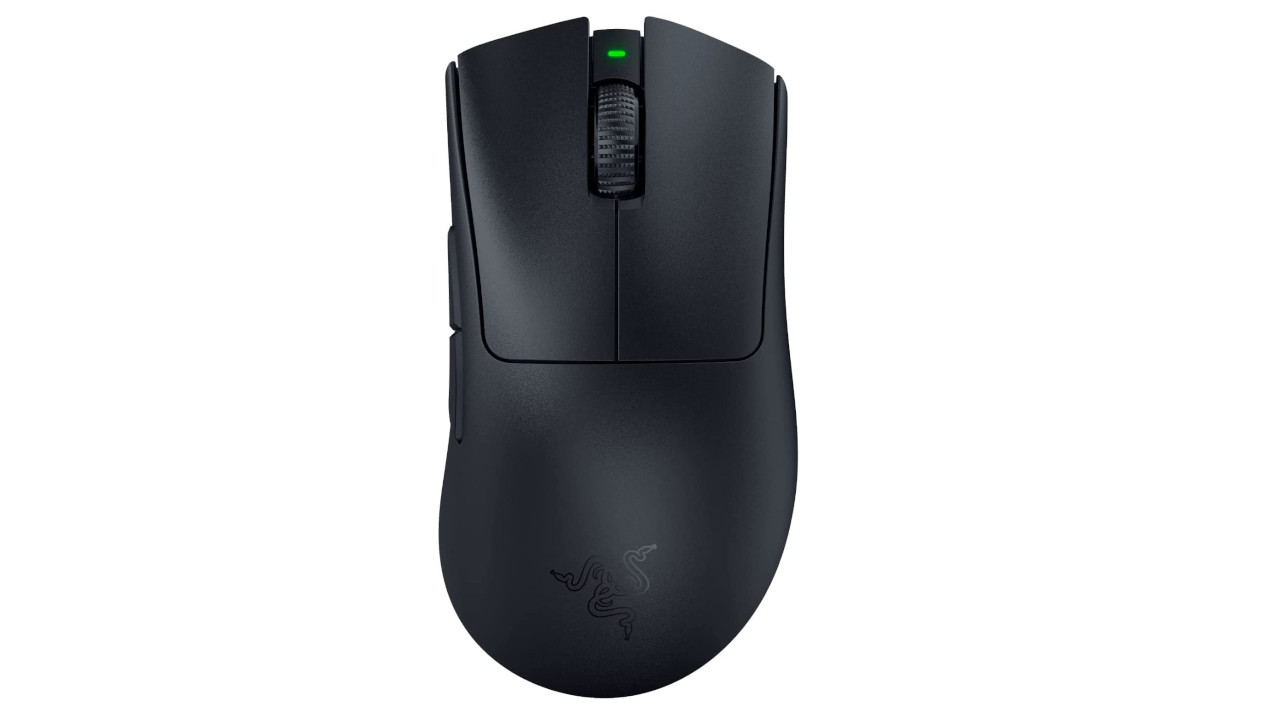
For whom is the mouse suitable? With the DeathAdder V2 Pro, you get a high-quality eSports mouse for shooters and other fast, competitive games.
This is what the Razer DeathAdder V2 Pro offers: Inside, Razer uses not only its Focus Pro sensor (up to 30,000 DPI) but also optical switches under the buttons. According to the manufacturer, these are designed to prevent double-clicking issues. Razer relies on an asymmetrical design aimed at right-handers.
The mouse works basically without software, but “Razer Synapse” is recommended for additional features. Registration is no longer necessary and is only a requirement if you want to save settings in the cloud.
The mouse also claims a battery life of 90 hours. A major disadvantage of the mouse is that compared to other devices, only one profile can be saved in the mouse’s memory.
The ComputerBase colleagues praise the gaming mouse for its excellent technology and high-quality workmanship. Criticism is mainly directed at the small internal memory and the limited functionality without software.
If you are still looking for a suitable keyboard: In our overview, we present the best gaming keyboards you can buy.
Xtrfy M4 RGB
DPI: 400 – 16,000 | Sensor: Optical | Buttons: 6 buttons | Weight: 68g | Special feature: RGB lighting, ergonomic, right-handed | Price range (according to Geizhals): 55.30 – 78.23 €
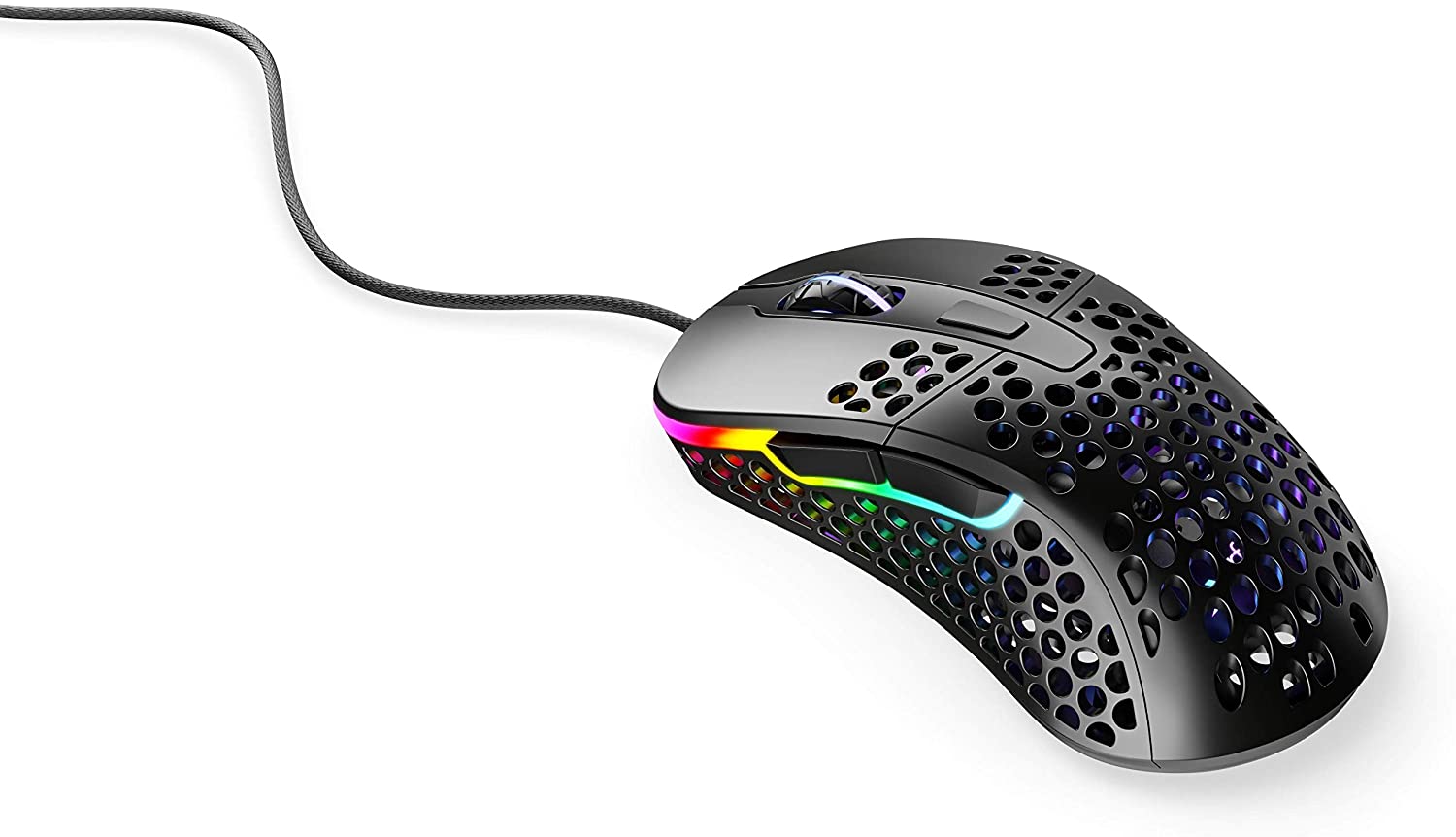
For whom is the mouse suitable? Are you looking for a particularly lightweight mouse that feels excellent in hand and also offers a top sensor? Then you should take a look at the Xtrfy M4 RGB.
This is what the Xtrfy M4 RGB offers: The mouse is particularly notable for its lattice-like design. With 68g, it is one of the lightest gaming mice. The manufacturer combines this with a flexible cable and great gliding properties. Due to its shape, the mouse is only suitable for right-handers who can hold the mouse either in palm grip or claw grip. Inside works the PixArt PMW-3389, which is considered precise and accurate.
The excellent sensor can unfortunately be configured only to a limited extent due to the lack of software. In the range between 400 and 5,000, there are hardly any fine settings possible. The design has the disadvantage that the mouse is exposed and thus more likely to suffer from contamination in the long term.
Due to the lack of software, the buttons cannot be programmed either. In games that allow individual mapping, this is not a problem. But under Windows, you need third-party software if you want to map buttons. There is no official solution from the manufacturer.
What users say: The mouse is rated 4.6 out of 5 stars with 73 reviews. Users praise the high accuracy and pleasant ergonomics.
Critics have few reviews. Among the few, the poor mouse wheel and the mediocre cable are criticized.
Corsair M75 Air
DPI: 400 – 26,000 | Sensor: Optical | Buttons: 5 buttons | Weight: 60g | Special feature: RGB lighting, ergonomic, right-handed | Price range (according to Geizhals): 139 – 149.99 €
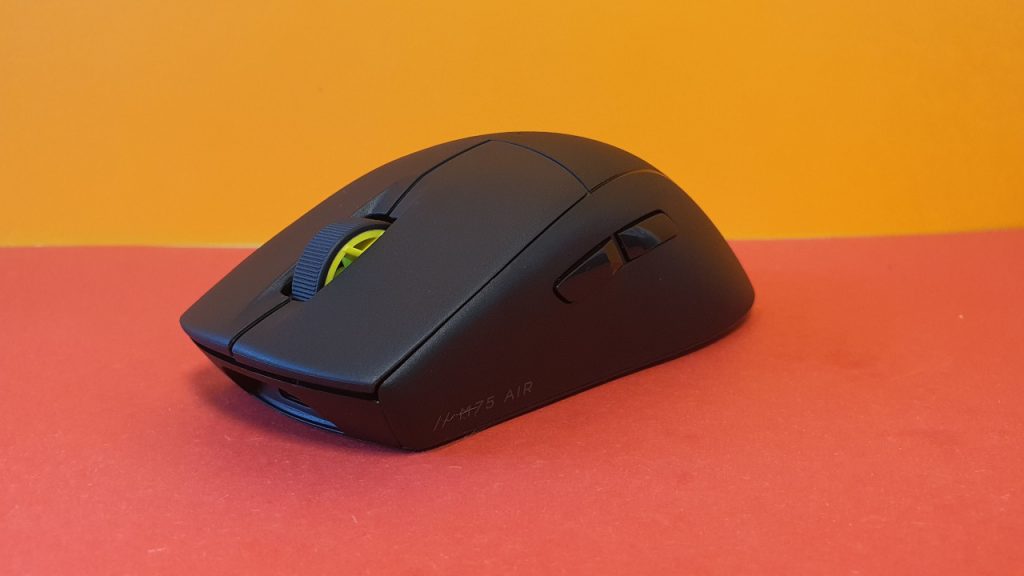
For whom is the mouse suitable? If you are looking for a well-built gaming mouse with a decent sensor and great haptics, then you should take a look at Corsair’s M75 Air.
This is what the Corsair M75 Air offers: The mouse offers you great haptics with excellent, solid clicks. You can read a comprehensive test of the M75 Air directly on MeinMMO. Especially the ergonomic properties are a strong plus point.
However, the comparatively short battery life and especially the weak mouse wheel are not convincing. Additionally, the mouse does not offer the best price-performance ratio.
Here you can buy the mouse: You can currently purchase the mouse on Amazon at the normal price:
Roccat Kone Pro Air
DPI: 400 –19,000 | Sensor: Optical | Buttons: 5 buttons | Weight: 66 grams / 75 grams (Wireless) | Special feature: RGB lighting, ergonomic, right-handed | Price range (according to Geizhals): 139 – 149.99 €
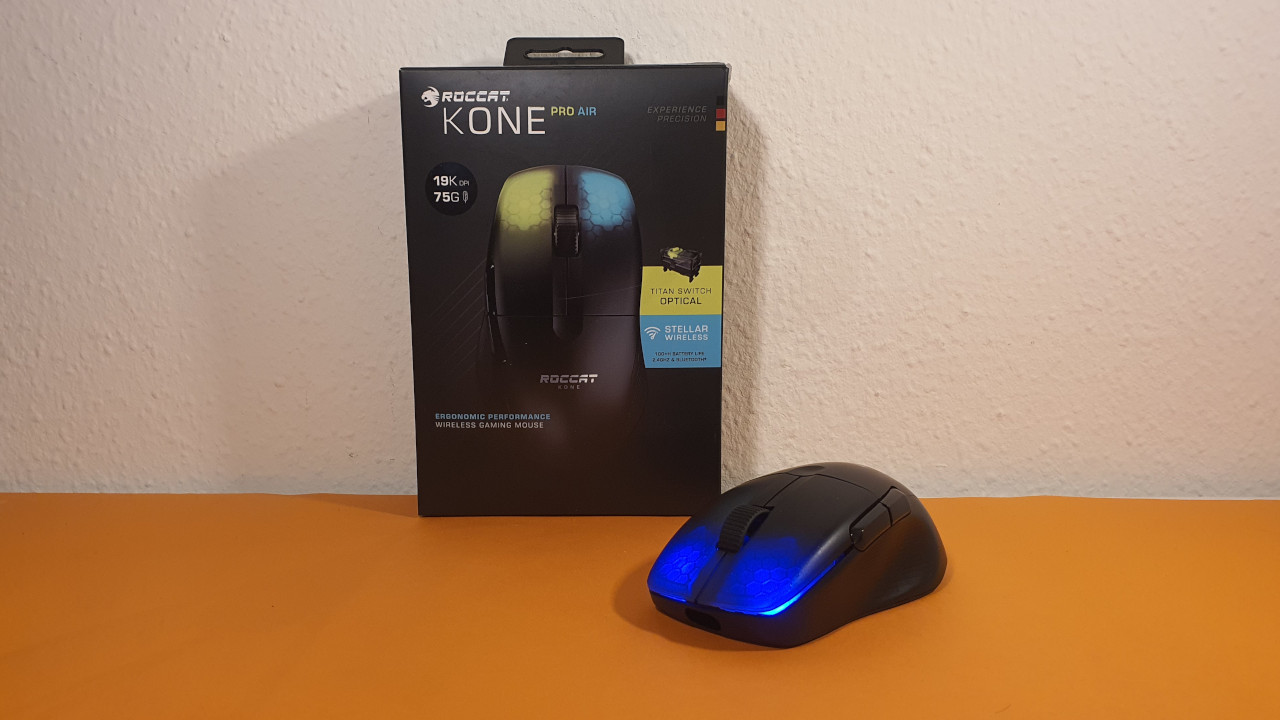
For whom is the mouse suitable? Are you looking for a lightweight shooter mouse that, however, focuses on an ergonomic design? Then take a look at the Kone Pro Air.
This is what the Kone Pro Air offers: The gaming mouse from Roccat offers a long battery life and pleasant ergonomics. Compared to the competition, the wireless variant is slightly heavier at 75 grams, but it still plays very comfortably. You can read a comprehensive test of the Roccat Kone Pro Air directly on MeinMMO.
It’s annoying that Roccat has placed the RGB lighting on the Kone Pro Air in a somewhat strange way, as it is hardly visible in everyday use. There is also no DPI switch on the top, and the switches under the buttons are quite loud.
Important when buying shooter mice
For a mouse that you mainly use in shooters, you should pay attention to a few points:
- DPI rate: The DPI rate (Dots per Inch) is important for gaming mice and indicates how sensitive the mouse is. However, DPI values of 16,000 or more do not matter for regular players. So do not decide solely based on the height of the DPI.
- Number of buttons on the mouse: Consider how many buttons you need. For shooters, the rule applies: the fewer additional buttons, the better. Mice like the Logitech G600 or the Razer Naga Trinity offer up to 12 thumb buttons, but these are only partly intended for a shooter player and are aimed at MMO players.
- Sensor: Look at which sensor is installed in the mouse. Prefer to invest money in a precise and accurate sensor before you miss your opponents in fast battles. Here, higher DPI numbers do not necessarily have to be better. Recommendable are for example Pixart PMW-3310, PMW-3360, PMW-3366, PMW-3399, and also the Hero sensor from Logitech, which is also a revised Pixart sensor.
- Weight: Generally, the lighter the mouse, the faster you can turn and move in shooters.
- No anti-aliasing: Some mice support anti-aliasing, which is supposed to help with straight line movement. For shooters or games where you want to aim precisely, you should turn it off.
These are the different grip types found in mice
We present you with the three common grip types found in gaming mice.
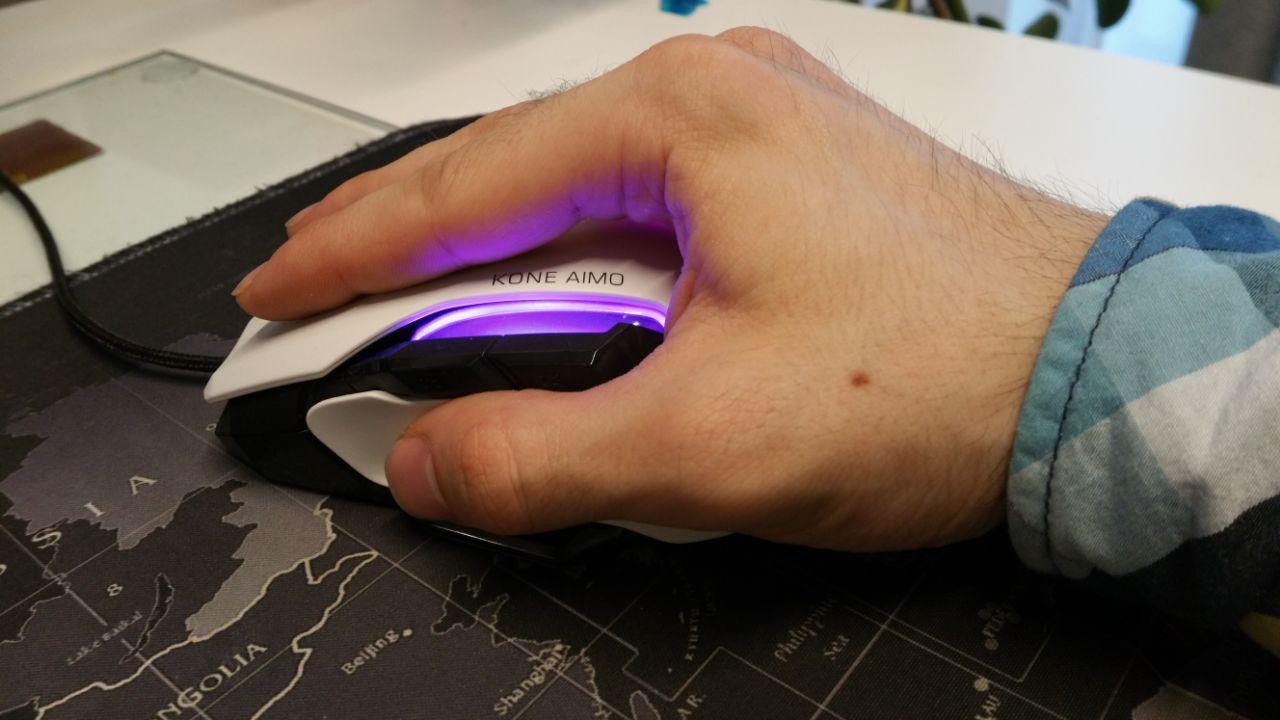
Palm grip
The hand completely surrounds the mouse. Fingers, palm, and heel rest on the mouse. The contact area between hand and mouse is the largest here, and the mouse is generally not moved much.
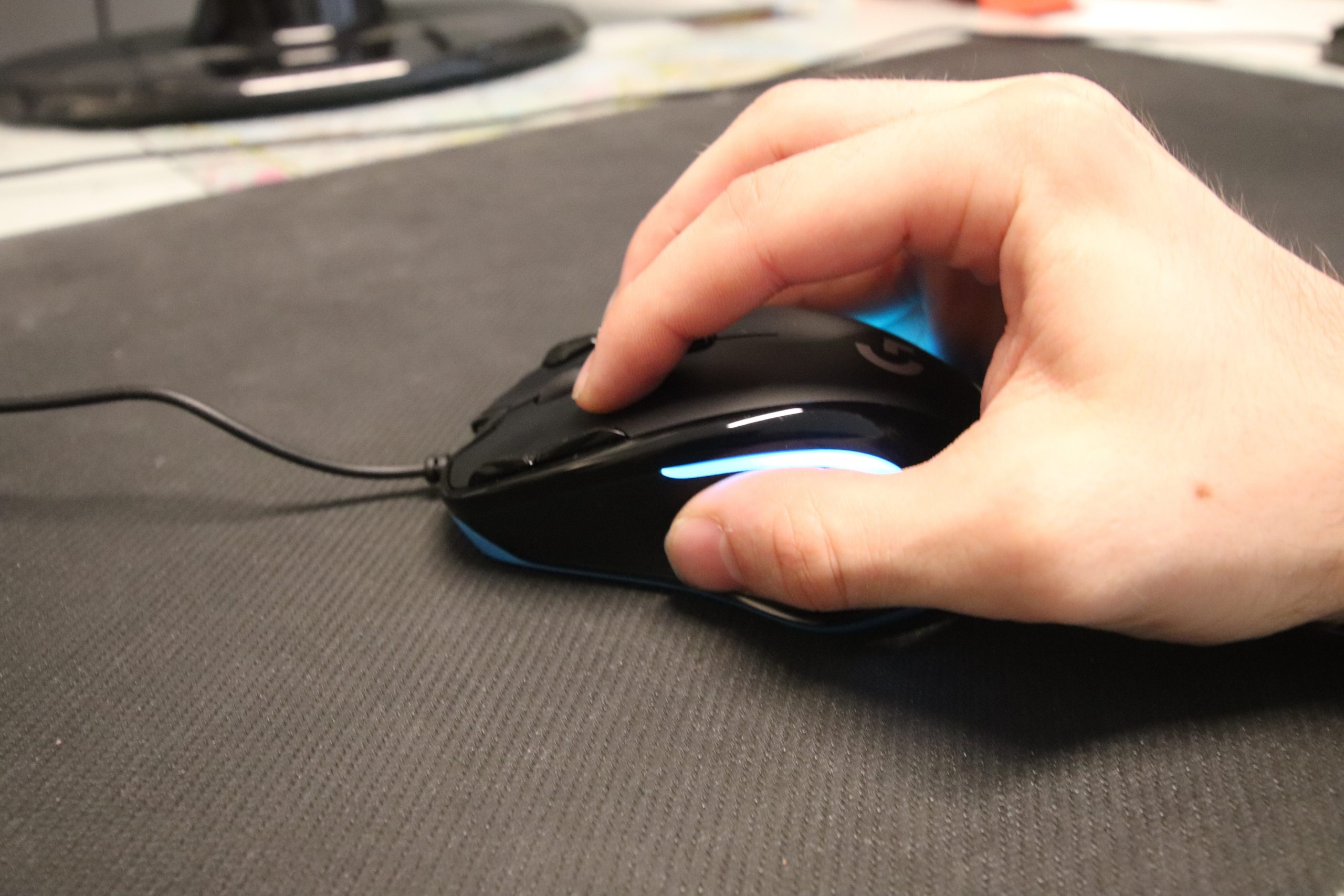
Claw grip
Fingertips, thumb, and part of the heel rest on the mouse. The rest of the hand does not touch the mouse. Precision is controlled through the wrist, allowing for very fast movements.
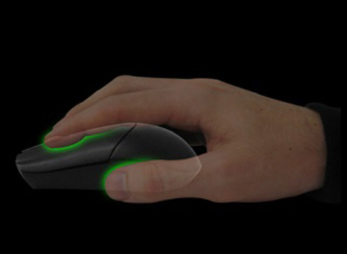
Fingertip grip
Only the thumb and fingertips are touching the mouse. The rest of the hand is free. Movement comes from the finger joints, allowing for very precise movements.
Here you can find more gaming mice: Are you looking for a great gaming mouse for your PC and do not only play shooters? We present to you the best gaming mice that you can currently buy. We explain which mouse is best suited for which player.

Your opinion is important to us!
Do you like the article? Then let us know!