

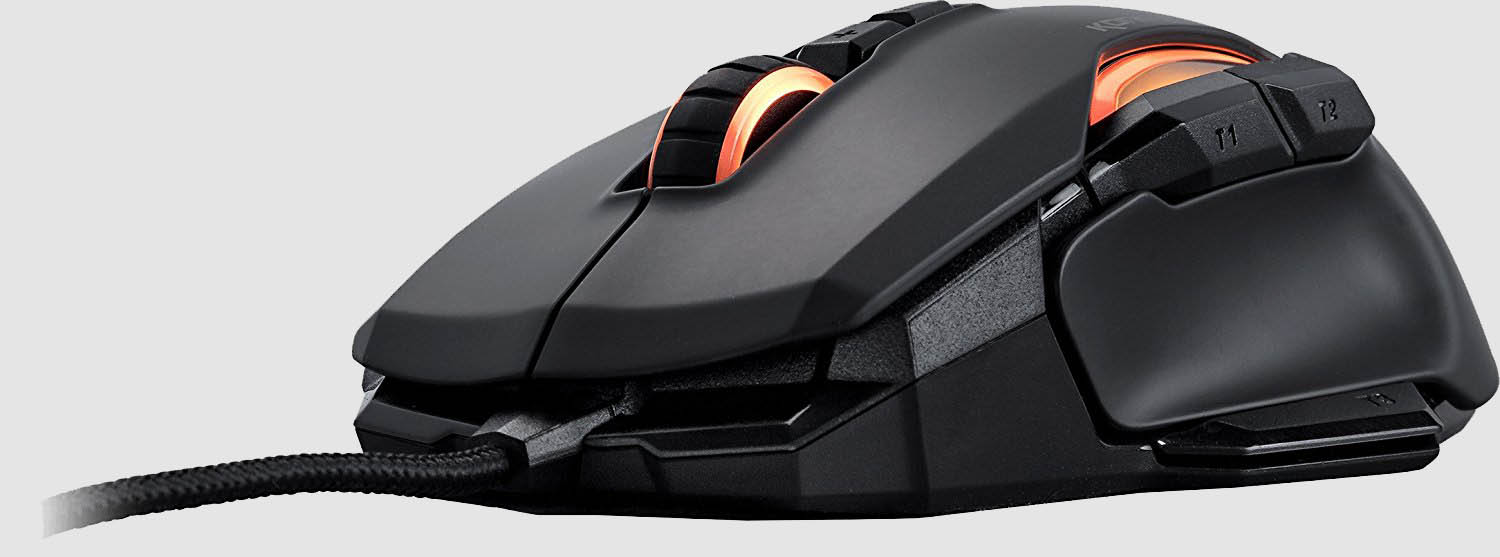
Nowadays, two buttons on a mouse are no longer enough. Many skills and functions are placed on the extra buttons of a mouse. Mein-MMO presents you with the currently best mice for MMOs.
This list of the best MMO mice is a personal selection by the author, who has paid attention to a versatile mix and included reviews. If you’re missing a good mouse, please let us know in the comments.
Update on 12.1.2020: We have published a new list with the best gaming mice for MMO players in 2020. We recommend that you also take a look at this article, as the selection has changed.
Holife Gaming Mouse
Programmable Buttons: 7
Short Description: Unbeatable price, but lacking precision and unsuitable for shooter fans.
What the mouse can do: 7 buttons are programmable, including 2 side buttons. The sensor achieves up to 7,200 DPI and the lighting is customizable. The price is unbeatable, it can’t get cheaper.
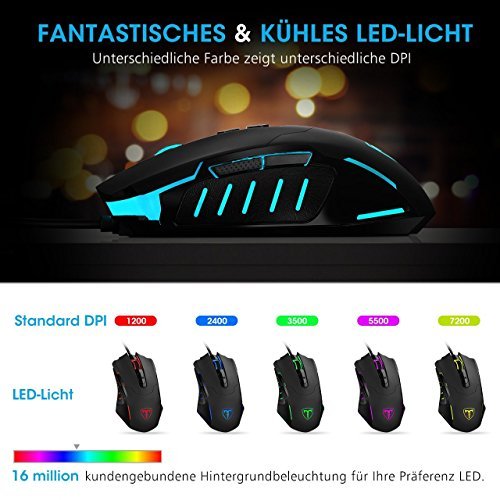
What users say: Due to the low price, users are mostly satisfied. However, the lack of precision is criticized; one should not play first-person shooters with the Holife Gaming Mouse.
A user reports that he always keeps his ring finger on the side of the mouse. With this mouse, the edge of the right mouse button continuously rubs against his ring finger, causing blisters.
Logitech G300s Optical Gaming Mouse
Programmable Buttons: 9
Short Description: For left- and right-handed users, fast response time, but very small and several users reported defects after about 2 years.
What the mouse can do: The Logitech G300s offers 9 buttons, which can be individually programmed via the Logitech Gaming Software. The programming is saved on the mouse, so the G300s can be connected to another computer and retains its programming.
The design is suitable for left- and right-handed users and the lighting is customizable. The signal rate is below one millisecond and the sensor achieves 2,500 DPI.
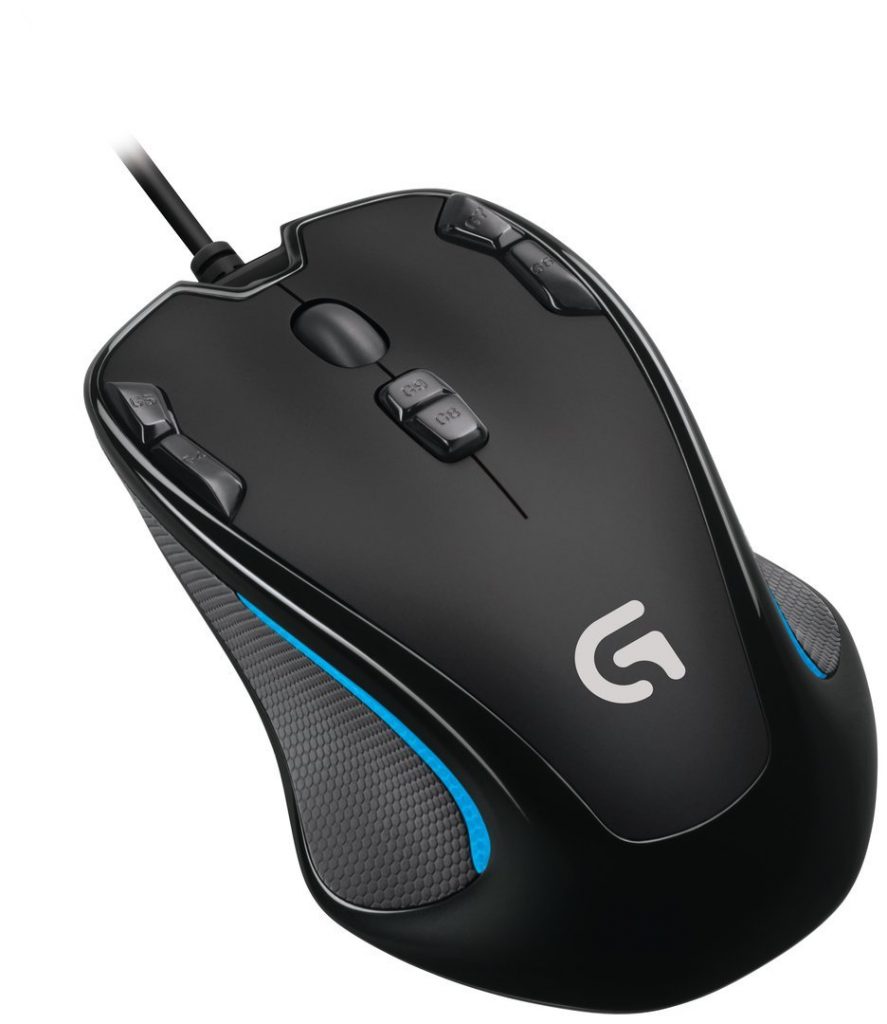
What users say: The software is quick and easy to set up and the handling is comfortable. The G300s fits well in the hand but does not match the ergonomics of a pure right-handed mouse. The additional buttons are easily reachable.
The cheap-looking processing is criticized. Many users complained that the first buttons failed after just a few months to 2 years. In addition, the mouse is considered too small and light, making it unsuitable for large hands.
UtechSmart Venus
Programmable Buttons: 18
Short Description: Excellent price-performance ratio, only the mouse wheel is criticized as feeling too cheap.
What the mouse can do: 18 programmable buttons, 5 saveable profiles, customizable lighting, and up to 16,400 DPI. Additionally, there is a weight tuning set to adjust the weight of the mouse as needed.
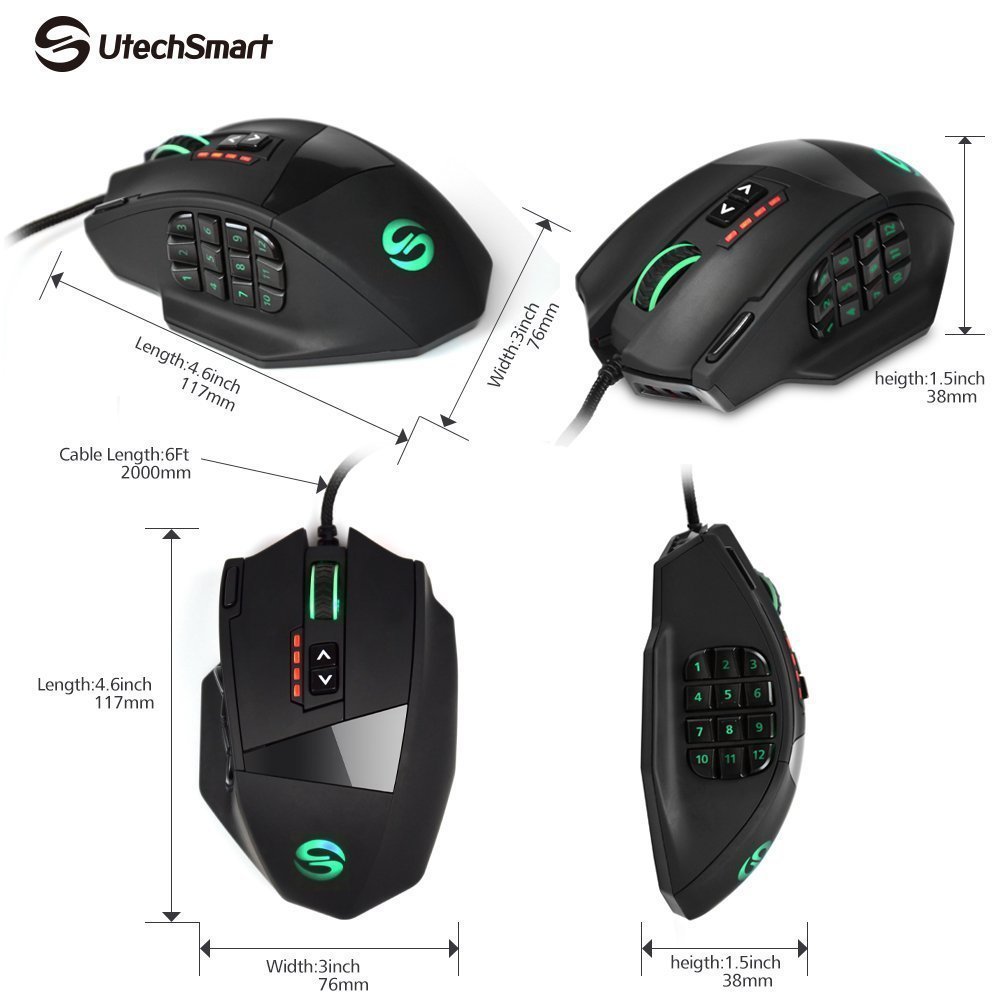
What users say: The many side buttons are very positively received, but you first have to get used to it. The side buttons are correspondingly quite small, but still easily reachable. However, the somewhat stiff pressure point is criticized. Some users also complained about the mouse wheel, as it felt rather loose and cheaply made.
Roccat Kone AIMO Gaming Mouse
Programmable Buttons: 8, up to 21 with double assignments
Short Description: Solid mouse with many buttons thanks to double assignment. More time should be planned for the driver installation.
What the mouse can do: The Roccat Kone reaches 12,000 DPI and has 8 programmable buttons. With Easy-Shift[+], the buttons can be double assigned, providing 21 functions according to the manufacturer. 3 of the buttons are thumb buttons.
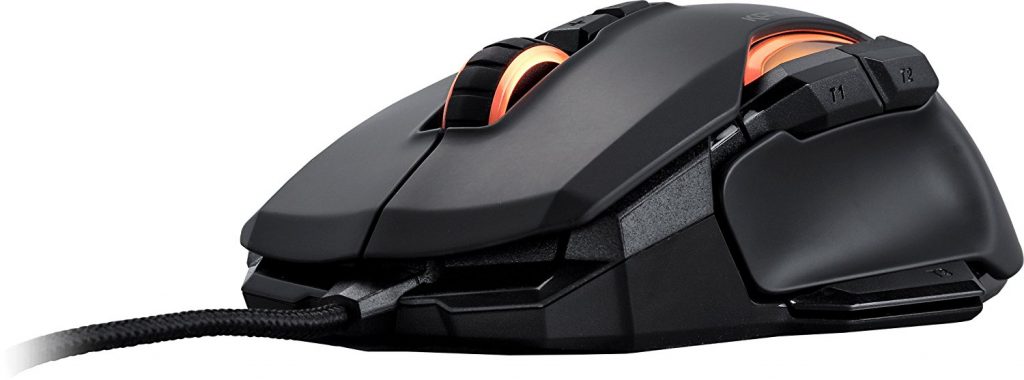
What users say: The mouse is quite large and thus unsuitable for small hands; some find the weight too high. Many appreciate the RGB lighting, but there are mixed opinions about the Roccat Swarm software. Some had no problems with installation and operation, while others recommend setting aside some time.
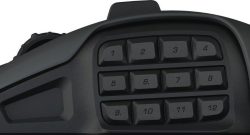
An alternative is the Roccat Nyth, with modular side buttons. You can read our review of the mouse in the following article:
SteelSeries Rival 600
Programmable Buttons: 7
Short Description: Good mouse for shooters and MOBAs with individually adjustable weight. Side rubber coating, but it doesn’t last long.
What the mouse can do: The Rival 600 advertises 7 programmable buttons, 12,000 DPI, mechanical buttons, and side silicone surfaces for a better grip. It also offers adjustable weight and a 0.05 lift-off distance. According to the manufacturer, this mouse was designed for eSports.
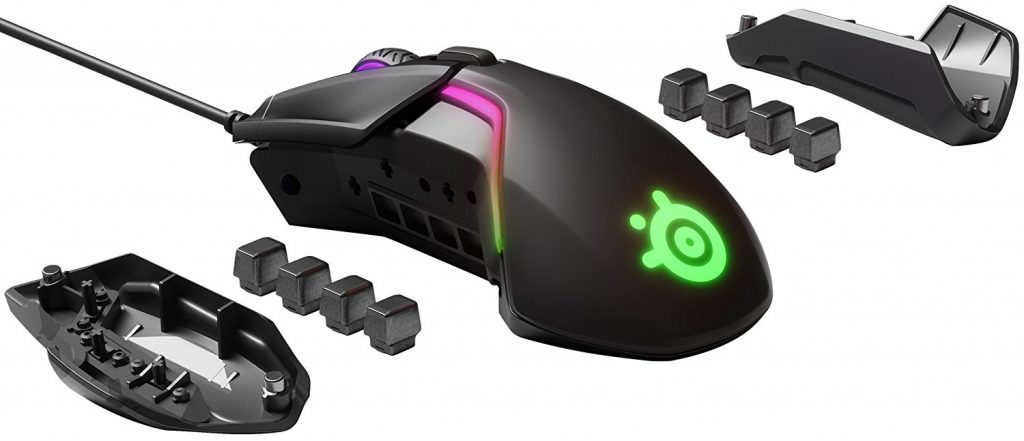
What users say: Shooter players praise the good precision. In addition, the good workmanship and optics are appreciated. Criticism is directed at the lack of fabric covering of the cable and the clicking mouse wheel during rapid movements. Several users noted that, as with the predecessor, the side rubber coating loosens over time, especially with regular mouse cleaning.
Corsair Scimitar Pro RGB MMO Gaming Mouse
Programmable Buttons: 12 side buttons
Short Description: Mechanical side buttons that can be adjusted in position by up to 8mm. However, these buttons wobble slightly.
What the mouse can do: Corsair offers the Scimitar Pro with 12 mechanical side buttons and 16,000 DPI. The side buttons are textured for better grip and the sensor is optical. Through the Key Slider system, the button positions of the thumb buttons can be adjusted by up to 8mm.
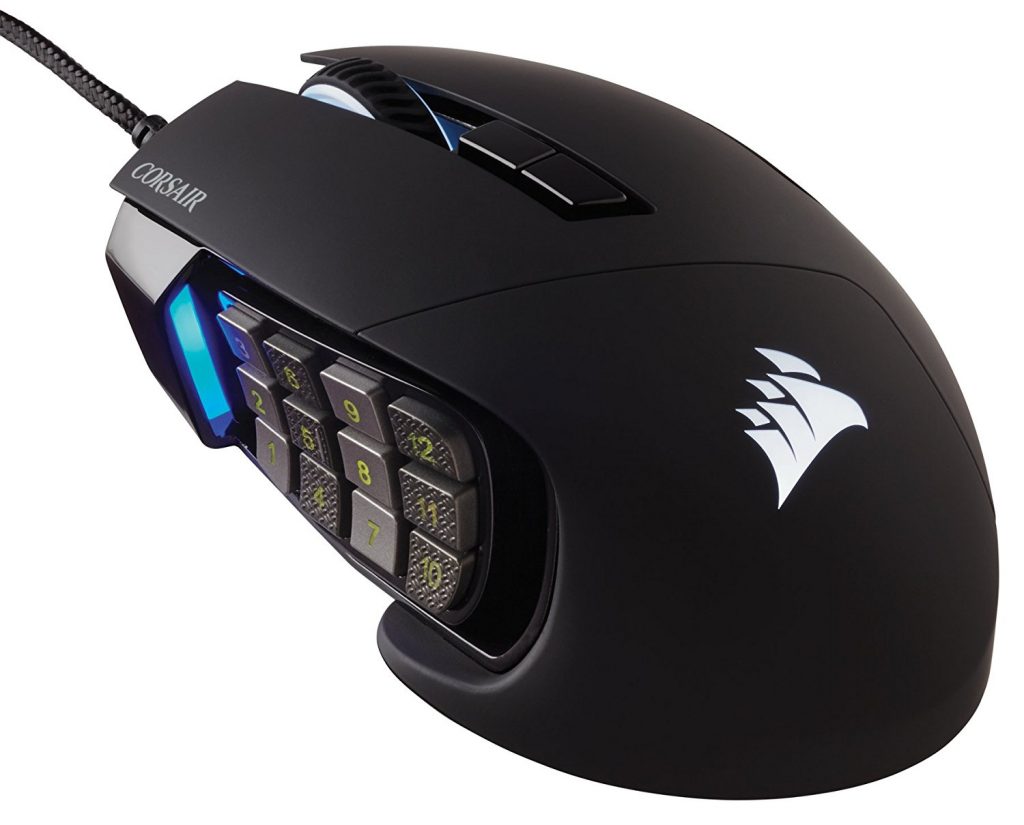
What users say: The mouse is easy to configure, but the “Change Profile” button cannot be changed when you want to save the corresponding profile on the mouse. While the mouse wheel is praised, the side buttons are criticized. They tend to wobble and thus disturb during gaming.
Razer Naga Trinity
Programmable Buttons: 19
Short Description: Mouse optimized for right-handers with interchangeable side parts for 2, 7, or 12 thumb buttons. It can be considered as 3 mice in one.
What the mouse can do: The Razer Naga Trinity features a 5G optical sensor with 16,000 DPI and 19 mechanical and programmable buttons. If that’s too much, you can swap the side parts. Thus, 2, 7, or 12 side buttons are possible. The ergonomics have been optimized for right-handed users.
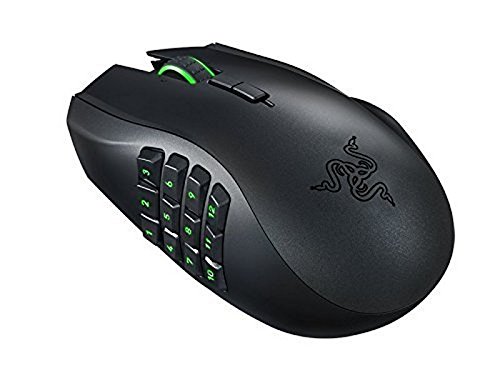
What users say: The change of the side parts is quick to perform and is immediately recognized by the Razer Synapse driver software. It’s practical to use the thumb wheel to play shooters or MOBAs, use the numpad for demanding MMORPGs, and with the 2 buttons for normal tasks. Otherwise, the software is criticized; there have been regular bugs and crashes. However, it is admitted that the newer versions run significantly more stable and pleasantly. Razer seems to have frequent issues with quality control.
Logitech G903
Programmable Buttons: 11
Short Description: Wireless mouse with 32 hours of battery life, suitable for left-handers. Individual mouse clicks are sometimes recognized as double clicks.
What the mouse can do: The wireless G903 has 11 programmable buttons, a precise sensor, and up to 12,000 DPI. A memory in the mouse ensures that the button layout remains consistent on other computers. The buttons are equipped with a mechanical pivot for a better click feeling.
The design is suitable for left- and right-handed users and the weight is adjustable. The mouse has a battery that, according to the manufacturer, lasts 32 hours. A corresponding charging cable is included. This way, one can switch between wired and wireless operation at any time.
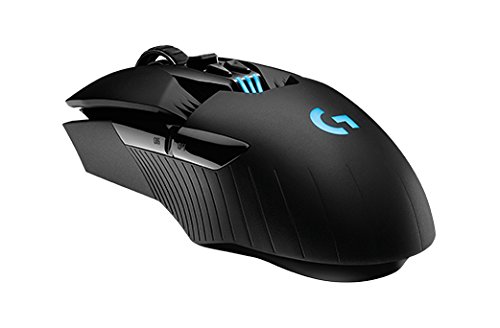
What users say: The expectations that come with the price are largely met. Users confirm the long battery life as well as the suitability of the G903 for left-handed users. There is no noticeable difference compared to wired mice.
However, it is often criticized that the mouse occasionally registers a single mouse click as a double click.

Razer Naga Epic Chroma
Programmable Buttons: 19
Short Description: Comfortable and wireless with 20 hours runtime, which many users do not reach. Unfortunately, no internal memory for programming.
What the mouse can do: The mouse is wireless, offers 19 customizable buttons, including 12 mechanical thumb buttons. The scroll wheel is clickable and tiltable, the sensor reaches 8,200 DPI, and the response time is under one millisecond. The battery lasts about 20 hours.
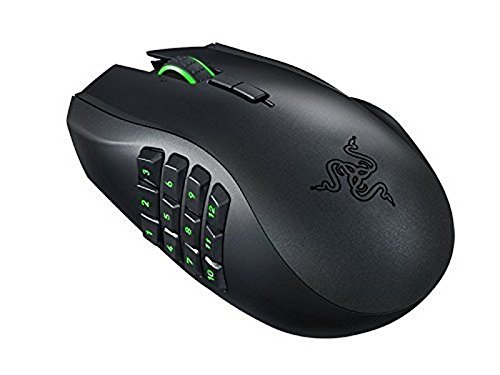
What users say: The mouse is comfortable and suitable for common grip types. The middle row of side buttons is slightly raised, helping to locate the correct button. The scroll resistance is also considered pleasant. However, the battery does not last the claimed 20 hours for everyone; some report 5, others 15 hours.
However, the software is significantly criticized. The programming is not stored in memory within the mouse. Therefore, Razer Synapse is needed on every computer, which also installs additional software.
Are you interested in a combination of mouse and keyboard? Then check out this test:

Your opinion is important to us!
Do you like the article? Then let us know!