

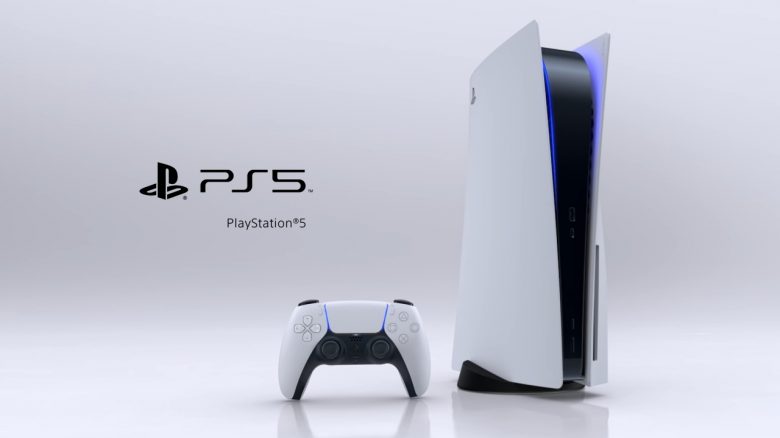
The PS5 is a cutting-edge console with many innovative features. However, many of these are still unknown to many today. This article provides you with a list of these functions and shows you why they are so useful.
A few weeks ago, Sony announced that they plan to significantly increase production capacity for the PS5 in the near future. Recently, a large pre-order campaign by Sony has started, where you can order your bundle instantly from some retailers. Delivery or pickup will then occur by no later than January 31, 2023.
It can therefore be assumed that soon more players will finally be able to get their hands on the coveted console. For this reason, we show you in this article a whole range of functions that remain largely unknown even nearly 2 years after the console’s launch.
Of course, this guide is not only intended for future console owners; even seasoned players may still learn a trick or two.
Use the different methods to start the PS5
What methods are there? If you start your console with the DualSense controller, you will automatically land on the games tab of the main menu. If you turn on the console with your media remote, the PS5 boots up in the media tab.
Additionally, you can also power up the disc version of the PS5 by inserting a game disc – as long as your console is plugged in. It doesn’t matter whether the console is turned off or in rest mode. Unfortunately, the inserted game won’t start automatically, but at least you land directly on the game’s screen.
For more information on the various shortcuts of the PS5 and how to personalize them, check out this article:

Use the Activity Cards of your PS5
What do the Activity Cards bring you? The so-called “Activity Cards” of the PS5 are an effective way to navigate you directly from the quick menu or the home screen to a specific activity.
If you quickly press the PS button twice, completely different cards will open depending on your current activity – such as the game you are currently playing or the media app you are currently using:
- If you are currently listening to music via Spotify, the Spotify card will always open, allowing you to quickly adjust the volume, stop the song, or switch to the next one.
- If your friends are currently online, a card will open that allows you to quickly join their game.
- Similarly, if you are already in a party with friends: double-tapping opens the party card.
- If you are just on the home screen, a card will open that allows you to view, share, and edit your recent screenshots.
- If you are in a PS5 optimized game and double-tap the PS button, a game-specific card will open that lets you navigate, for example, for fast travel or directly to specific locations or chapters. This incredibly practical feature is now also used in speedruns of various games.
Manually remove stuck discs from the PS5
How do you remove discs from a broken PS5? Unfortunately, all hardware can break. Fortunately, there is a relatively simple solution in case your PS5 should ever give up the ghost while a disc is still in the drive:
- First, you need to unplug your console and remove it from the supplied base.
- Now you need to lay the PlayStation 5 on a soft surface so that the PS logo is facing down and the drive faces away from you.
- Next, grip the edges of the cover and carefully remove it from the console. If you hear a click, you did everything right.
- After removing the cover, you should see several black rings and a plastic sticker on the drive. Remove the sticker or puncture it to reach the screw underneath.
- You now need to turn this with a size 1 Phillips screwdriver in a clockwise direction until the disc is almost completely visible. Finally, carefully remove it by hand – do not pull it out forcefully! (via PlayStation)
Of course, we still hope that you never have to use this guide.
More facts about the PS5: Recent hints suggest that Discord voice chat may soon come to the PS5. You can read about what those indications are in this article:
Discord is finally testing an important feature on the PS5 – Is voice chat coming soon?
If you also want to learn about useful features of the PS5 that are turned off by default, take a look at this article:

Use the hidden browser of the PS5
How do I open the PS5 browser? By default, the PS5 does not come with a dedicated web browser. At least not one that is accessible through its own app. However, since a certain internet gateway is required for specific processes, such as linking your Twitter account, a browser can still be found hidden deep within your PS5.
You can access it in several ways, with the following being the easiest:
Either send a message to a friend containing a link to a homepage – for example www.google.de – or have such a message sent to you. In the chat history, you can then click on the sent link and open it.
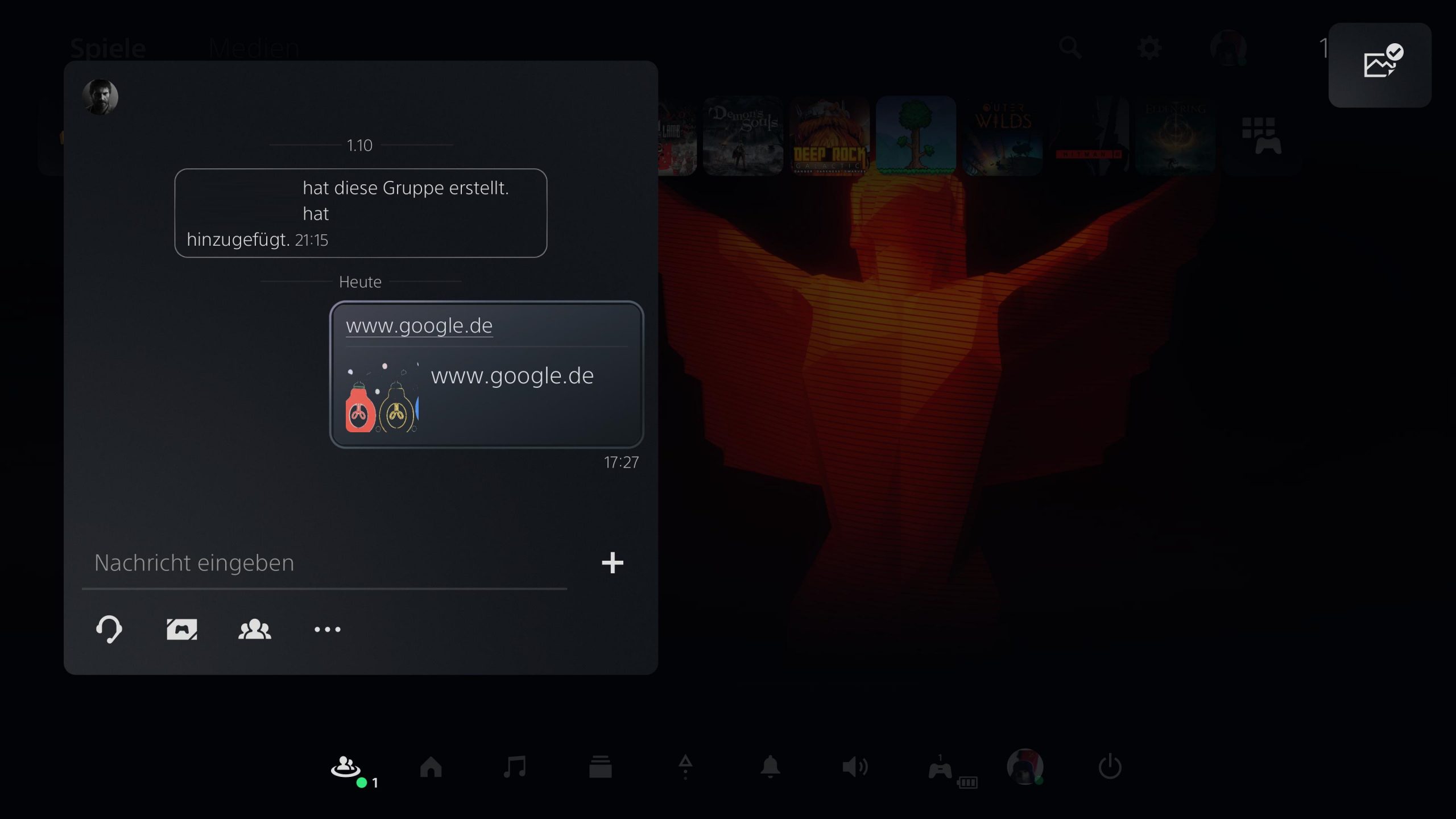
Thus, you have opened the secret internet browser of your PS5. Unfortunately, connecting the PS5 with a mouse is extremely cumbersome. Keyboards, however, are generally supported without issues. This way, you can navigate through the browser at least somewhat as quickly as on a PC.
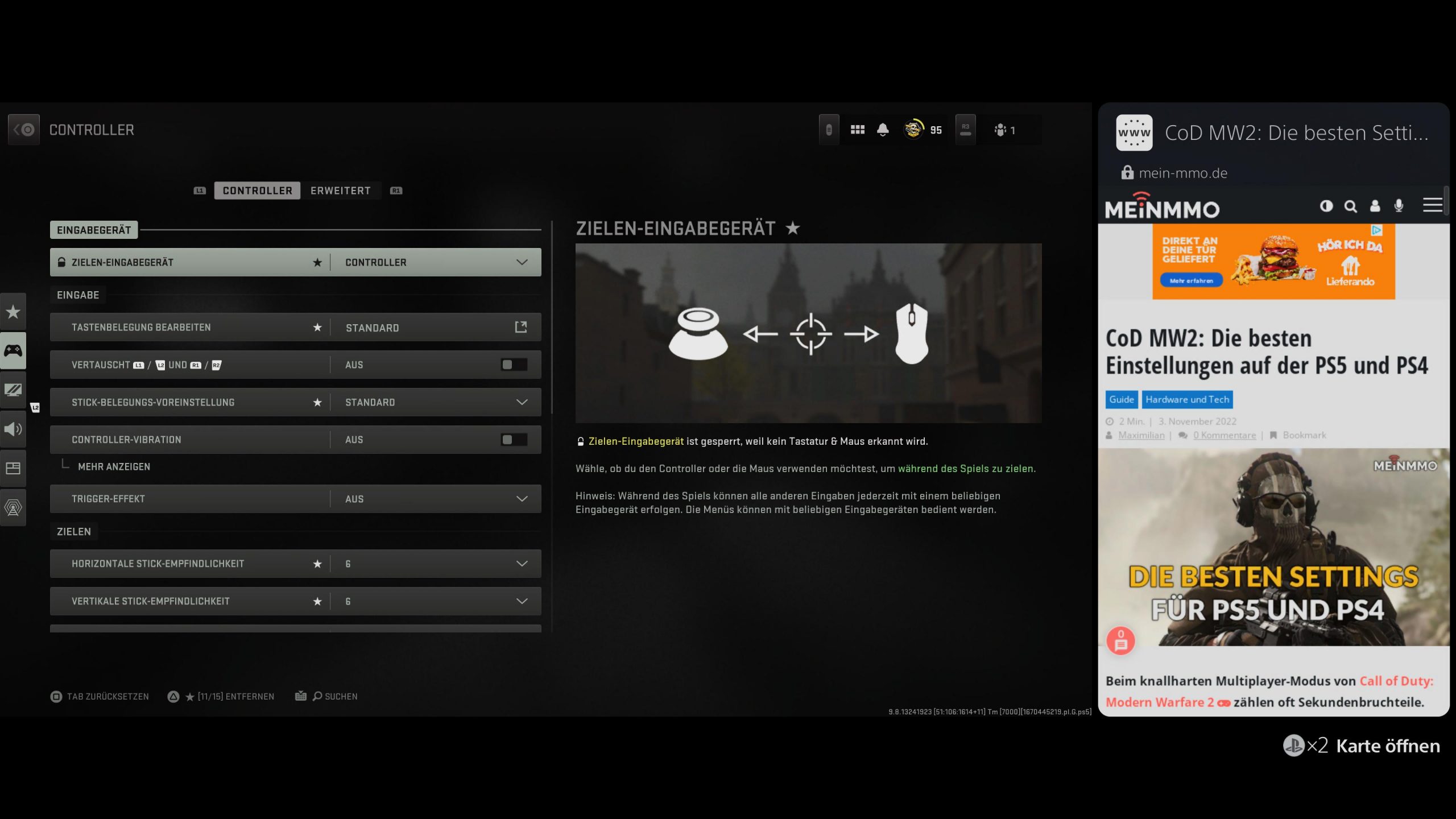
The best thing about the hidden browser, however, is the ability to pin it to a page in a picture-in-picture mode.
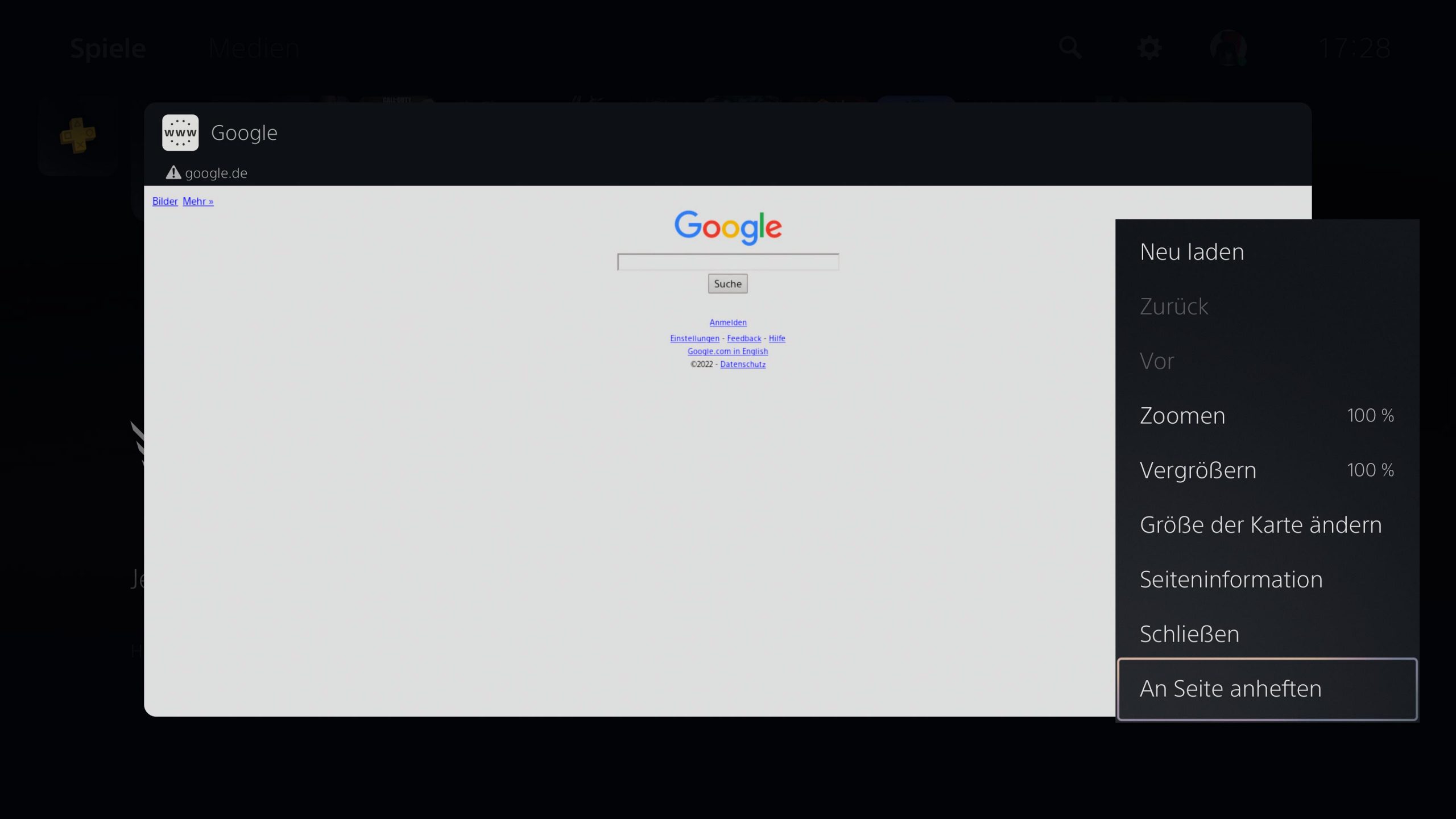
This can be particularly useful if you want to read guides on the screen while playing. Of course, you can also use all the other features of a regular browser, allowing you to, for example, run a YouTube video alongside your gaming session.
Save time with shortcuts
What shortcuts are available on the PS5? The PS5 offers a lot of shortcuts that can make the user experience significantly more intuitive but are not communicated to you by the console.
With these shortcuts and hotkeys, you can navigate much faster through the multitude of PS5 menus and save a lot of time. Additionally, many of these shortcuts can be customized to suit your own needs.
For more information on the various shortcuts of the PS5 and how to personalize them, check out this article:
Use the Activity Cards of your PS5
What do the Activity Cards bring you? The so-called “Activity Cards” of the PS5 are an effective way to navigate you directly from the quick menu or the home screen to a specific activity.
If you quickly press the PS button twice, completely different cards will open depending on your current activity – such as the game you are currently playing or the media app you are currently using:
- If you are currently listening to music via Spotify, the Spotify card will always open, allowing you to quickly adjust the volume, stop the song, or switch to the next one.
- If your friends are currently online, a card will open that allows you to quickly join their game.
- Similarly, if you are already in a party with friends: double-tapping opens the party card.
- If you are just on the home screen, a card will open that allows you to view, share, and edit your recent screenshots.
- If you are in a PS5 optimized game and double-tap the PS button, a game-specific card will open that lets you navigate, for example, for fast travel or directly to specific locations or chapters. This incredibly practical feature is now also used in speedruns of various games.
Manually remove stuck discs from the PS5
How do you remove discs from a broken PS5? Unfortunately, all hardware can break. Fortunately, there is a relatively simple solution in case your PS5 should ever give up the ghost while a disc is still in the drive:
- First, you need to unplug your console and remove it from the supplied base.
- Now you need to lay the PlayStation 5 on a soft surface so that the PS logo is facing down and the drive faces away from you.
- Next, grip the edges of the cover and carefully remove it from the console. If you hear a click, you did everything right.
- After removing the cover, you should see several black rings and a plastic sticker on the drive. Remove the sticker or puncture it to reach the screw underneath.
- You now need to turn this with a size 1 Phillips screwdriver in a clockwise direction until the disc is almost completely visible. Finally, carefully remove it by hand – do not pull it out forcefully! (via PlayStation)
Of course, we still hope that you never have to use this guide.
More facts about the PS5: Recent hints suggest that Discord voice chat may soon come to the PS5. You can read about what those indications are in this article:
Discord is finally testing an important feature on the PS5 – Is voice chat coming soon?

Your opinion is important to us!
Do you like the article? Then let us know!