


The time has come, and you can dive into the beta of Monster Hunter Wilds for the second time. If you are particularly attached to your created hunter, you can carry them over to the full version. However, you need to keep some things in mind.
What is the beta? The second open beta for Monster Hunter Wilds is a stress test that allows interested players to take a sneak peek at the game. The beta takes place in two phases:
- The first phase runs from February 7, 2025, at 4:00 AM to February 10, 3:59 AM.
- The second phase starts on February 14, at 4:00 AM and ends on February 17, at 3:59 AM.
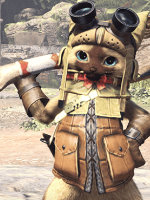
In the beta, you can not only test the basic features of the game and some hunts but also create your character and your Palico. After the beta, you can seamlessly transfer them to the full version. There are some important details to consider.
In the latest trailer, you will see for the first time the Ice Shard Cliffs and a familiar monster:
How to transfer your character to the full version
What you need to pay attention to: First, it is important to know that you can only transfer your character and your Palico. Any progress or items collected will not be carried over. However, you can start directly with your previously created hunter at release and won’t have to spend additional time in the character editor.
During the beta, you can customize and change your character and your Palico as often as you like. However, you should be aware that some design elements in the finished game may look different since improvements and adjustments for the full version are not yet included in the beta.
If you have changed your character, you should definitely start the game again with them before closing it, as there may be errors in the transfer to the server otherwise.
Some players encountered issues in the first beta where they were unable to transfer their data to the server. This occurred primarily for players who modified their hunter using the “Edit Character” option in the “Select Save Data” screen. The error mainly affected players who closed the game after making changes without selecting the save data.

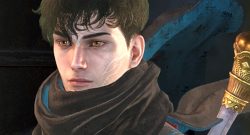

What if I encountered the error in the first beta? Anyone who encountered the error in the first beta should participate in the second beta again to resolve the issue. Players should then possibly adjust their character again and start the game at least once more with them before closing it.
For some, the character’s design might still be on the hardware, so you may just need to start the game once more with your hunter to transfer the data.
Anyone looking to dive back into the hunt this weekend or during the second beta phase can also enjoy some new content. This time, there is also a monster that experienced hunters might find familiar and that will present special challenges to newcomers: In the 2nd beta of Monster Hunter Wilds, you will face a particularly cheeky opponent that you should not fall for

Your opinion is important to us!
Do you like the article? Then let us know!