

Are you one of the users who always shut down their apps on their phones? MeinMMO explains to you why that is not really sensible. Instead, there are more sensible ways if you want to save battery.
You have been out for a long time and suddenly your phone notifies you: My battery is almost empty. Many users then start to close additional apps or clear the RAM. Because it looks good when everything is free again and surely must help somehow.
However, you should rather not do that if you really want to save battery. Because you will achieve exactly the opposite and your battery will even run out faster. MeinMMO explains to you why this is the case and what you can do instead.
Those who constantly shut down background apps on their smartphones need more battery
What kind of apps are those? Many apps rely on certain background services or run in the background so that you can open them quickly. Apps like WhatsApp or an email app do this and send you push notifications when messages arrive. To allow you to open these apps quickly, certain data is cached in the memory.
What happens if I manually shut down the apps? If you clear the apps from memory, the memory is of course empty at first, and the apps are turned off.
However, if you or the system then reopens the app, it consumes significantly more battery than you saved by taking that action. Because your smartphone has to restart the app and then load all the data that you deleted when closing. This process consumes much more battery than you actually saved.
Therefore, it makes more sense to simply leave the app idle. The data in memory use hardly any power, so you won’t even notice the consumption. So if you just let the apps run in the background, it is better in the long run than constantly restarting the apps.
Instead, you should at least pay attention to two small tips on Android that can help reduce battery consumption.

Two tips to extend battery life
You don’t have to do much for the two tips and also don’t need to install any additional apps. These tips work both with the built-in features of Android. You can find both of the following functions in the settings under Android.
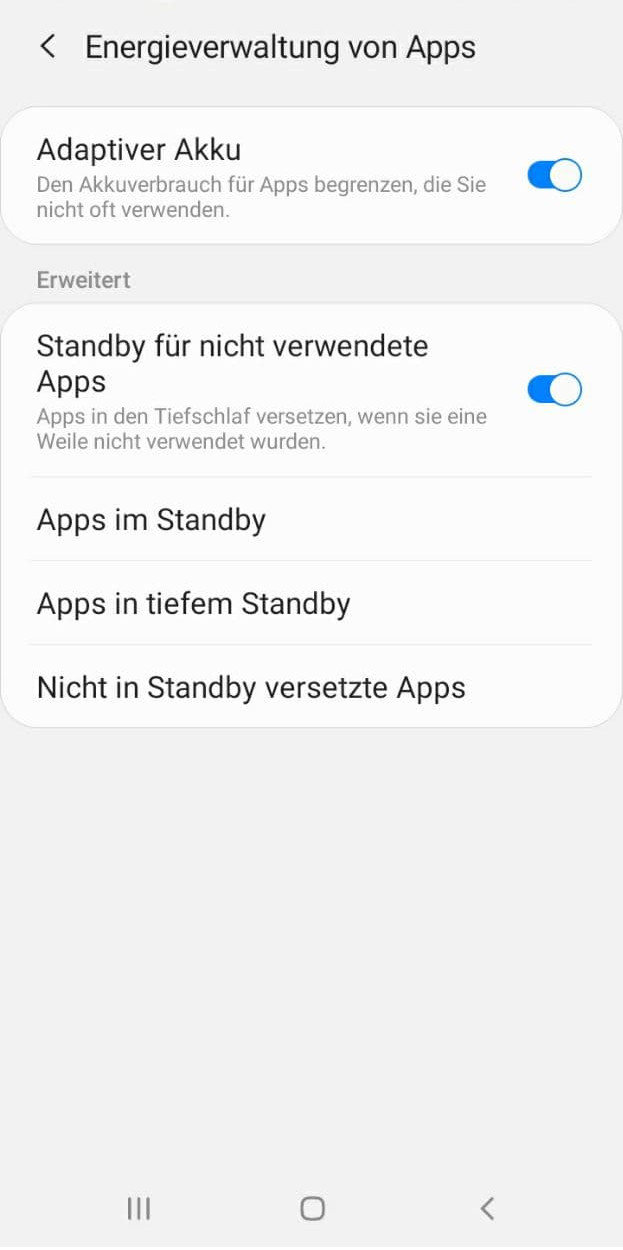
This is the first tip: On Android, you should definitely activate the “Adaptive Battery” feature. This feature limits the battery consumption of apps that you rarely use. If you rarely use certain apps, Android puts them into deep sleep, which costs less battery power.
The data of the apps remain in memory, but the apps do not constantly retrieve data in the background anymore. Therefore, Android does not have to load all the data again.
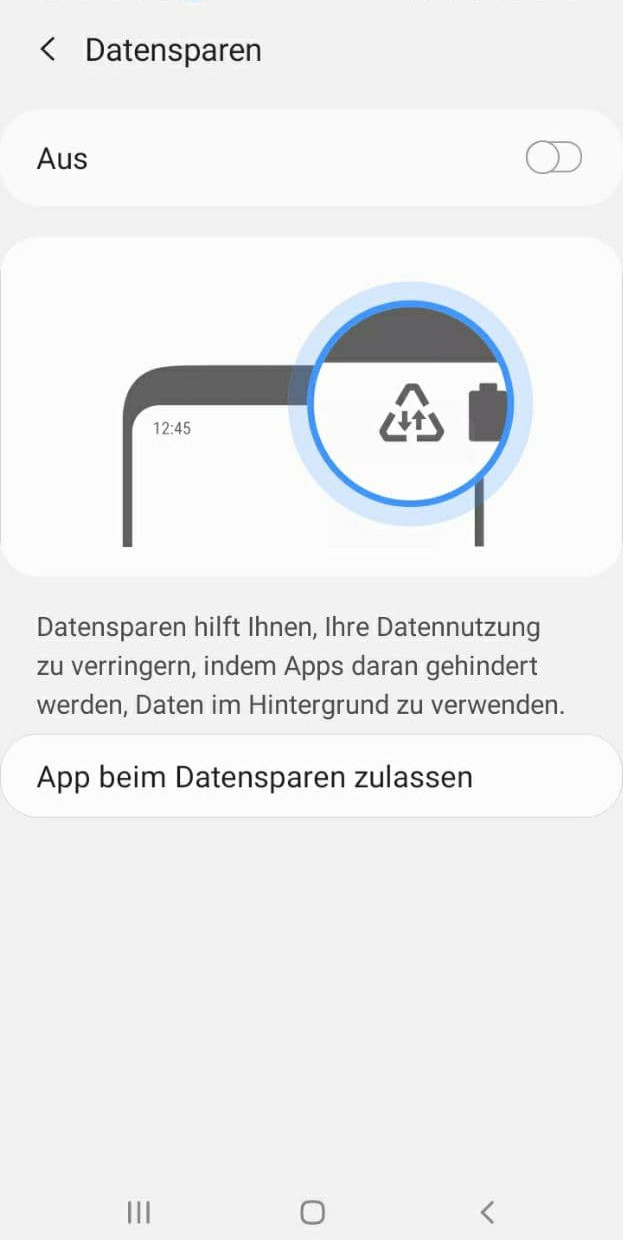
This is the second tip: An alternative on Android is the “Data Saver” feature. If you turn this feature on, apps in the background can no longer receive or retrieve data. However, you can also add exceptions for apps that may continue to retrieve data.
This way, your apps will no longer constantly connect to servers or try to perform actions in the background. The data in memory remains intact and does not need to be reloaded compared to a restart.
More battery for on the go: Despite tips and tricks, do you not have enough battery for your phone when you are out? Then buy a power bank. MeinMMO presents you the best devices that you can buy for on the go:
The best power banks for phones, Nintendo Switch, and more that you can buy in 2022

Your opinion is important to us!
Do you like the article? Then let us know!